1. Танилцуулга
Thank you for choosing the Rampage SMX-R12 Hawker Gaming Mouse. This manual provides detailed instructions for setting up, operating, and maintaining your new gaming mouse. The SMX-R12 Hawker is designed for precision and comfort, featuring an advanced optical sensor, adjustable DPI settings, and multiple programmable buttons to enhance your gaming experience.
2. Бүтээгдэхүүн дууссанview
Familiarize yourself with the components of your Rampage SMX-R12 Hawker Gaming Mouse:
- Зүүн товшилтын товчлуур: Стандарт үндсэн товшилтын функц.
- Баруун товчлуур дээр дарна уу: Стандарт хоёрдогч товшилтын функц.
- Гүйлгэх дугуй: For scrolling and can also function as a middle click button.
- DPI тохируулгын товчлуурууд: Buttons to cycle through different DPI sensitivity levels.
- Урагшаа/Буцах товчлуурууд: Side-mounted buttons for navigation or custom functions.
- Оптик мэдрэгч: Located on the bottom, provides high-resolution tracking.
- Асаах/унтраах унтраалга: Located on the bottom, to power the mouse on or off.
- Микро USB цэнэглэгч порт: Located at the front, for charging the internal battery.
- USB хүлээн авагч: Small dongle for wireless connectivity, often stored in a compartment on the mouse's bottom.

Зураг 2.1: Дээд тал view of the Rampage SMX-R12 Hawker Gaming Mouse, showing the left/right click buttons, scroll wheel, and DPI adjustment buttons.

Зураг 2.2: Хажуу тал view of the Rampage SMX-R12 Hawker Gaming Mouse, highlighting the ergonomic design and side buttons.

Зураг 2.3: Доод талд view of the Rampage SMX-R12 Hawker Gaming Mouse, showing the optical sensor, On/Off switch, and USB receiver storage compartment.
3. Тохиргоо
- Хулганыг задлах: Carefully remove the mouse and its accessories from the packaging. Ensure you have the Rampage SMX-R12 Hawker mouse, the USB wireless receiver, and the micro USB charging cable.
- USB хүлээн авагчийг олох: The small USB wireless receiver is typically stored in a compartment on the bottom of the mouse for safe keeping during transport. Remove it from its slot.
- USB хүлээн авагчийг холбоно уу: Plug the USB wireless receiver into an available USB port on your computer. Your operating system should automatically detect and install the necessary drivers.
- Хулганыг асаах: Locate the On/Off switch on the bottom of the mouse and slide it to the 'On' position. The mouse should now connect wirelessly to your computer.
- Initial Charge (Recommended): For optimal performance, it is recommended to fully charge the mouse before first use. Connect the micro USB charging cable to the mouse's charging port and the other end to a USB power source (e.g., computer USB port, USB wall adapter).
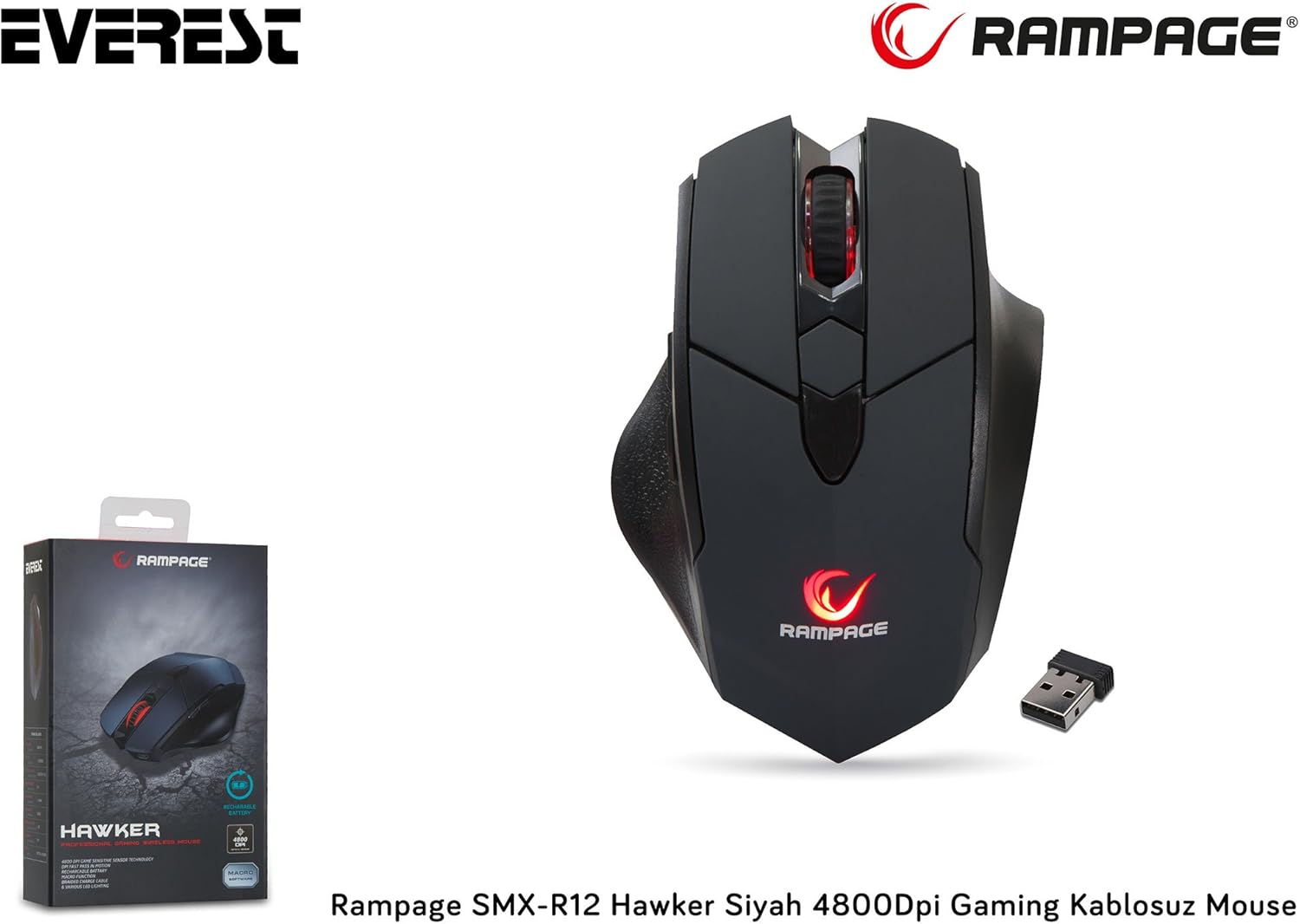
Figure 3.1: The Rampage SMX-R12 Hawker Gaming Mouse with its USB receiver and charging cable.
4. Ашиглалтын заавар
Once connected, your Rampage SMX-R12 Hawker mouse is ready for use. Here are its primary functions:
- Үндсэн навигаци: Дэлгэц дээрх курсорыг удирдахын тулд хулганыг хавтгай гадаргуу дээр хөдөлгөнө үү.
- Дарж байна: Use the left and right click buttons for primary and secondary actions.
- Гүйлгэж байна: Rotate the scroll wheel up or down to navigate through documents and web pages. Press the scroll wheel for a middle-click function.
- Хажуугийн товчлуурууд: The side buttons typically function as 'Forward' and 'Backward' in web хөтөч болон file explorers. These buttons may be programmable through specific software (if available from the manufacturer) for custom in-game actions.
5. DPI тохиргоо
Рampage SMX-R12 Hawker features an optical sensor with adjustable DPI (Dots Per Inch) settings, allowing you to change the mouse's sensitivity on the fly. Higher DPI means the cursor moves further with less physical mouse movement, ideal for fast-paced gaming. Lower DPI provides more precise control, suitable for tasks requiring accuracy.
Use the dedicated DPI adjustment buttons (usually located behind the scroll wheel) to cycle through the available DPI levels. The mouse typically has visual indicators (e.g., LED color changes) to show the current DPI setting, though specific details may vary.
The mouse supports a maximum DPI of 4800, offering a wide range of sensitivity options.
6. Хулгана цэнэглэж байна
Рampage SMX-R12 Hawker Gaming Mouse is equipped with a rechargeable internal battery, eliminating the need for disposable batteries. When the battery level is low, the mouse's indicator light may flash or change color.
- Кабелийг холбоно уу: Insert the micro USB end of the charging cable into the charging port located at the front of the mouse.
- Цахилгаанд холбогдох: Plug the standard USB-A end of the charging cable into a powered USB port on your computer or a USB wall adapter.
- Цэнэглэх үзүүлэлт: The mouse will typically display an LED indicator to show that it is charging. This light may turn solid when fully charged.
- Цэнэглэх хугацаа: A full charge usually takes a few hours. You can continue to use the mouse while it is charging.

Figure 6.1: The micro USB charging port located at the front of the Rampage SMX-R12 Hawker Gaming Mouse.
7. Засвар үйлчилгээ
Хулганы урт наслалт, оновчтой ажиллагааг хангахын тулд дараах засвар үйлчилгээний удирдамжийг дагана уу.
- Цэвэрлэгээ: Хулганы гадаргууг зөөлөн, хуурай даавуугаар арчина. Зөрүүд шороонд бага зэрэг dampдаавуугаар усаар. Химийн хатуу бодис, зүлгүүрийн материал ашиглахаас зайлсхий.
- Мэдрэгчийн цэвэрлэгээ: Occasionally, dust or debris may accumulate around the optical sensor. Use a cotton swab or compressed air to gently clean the sensor area.
- Батерейны арчилгаа: Батерейны ашиглалтын хугацааг уртасгахын тулд хулганыг байнга бүрэн цэнэггүй болгохоос зайлсхий. Батерей бага байх заалт гарч ирэхэд цэнэглээрэй.
- Хадгалах: When not in use, especially during travel, store the USB receiver in its designated compartment on the mouse's bottom to prevent loss.
8. Алдаа засах
If you encounter issues with your Rampage SMX-R12 Hawker mouse, refer to the following common solutions:
| Асуудал | Боломжит шийдэл |
|---|---|
| Хулгана хариу өгөхгүй байна |
|
| Курсор тогтворгүй эсвэл үсрэлттэй байна |
|
| Хулгана цэнэглэхгүй байна |
|
| Хажуугийн товчлуурууд ажиллахгүй байна |
|
9. Техникийн үзүүлэлтүүд
| Онцлог | Дэлгэрэнгүй |
|---|---|
| Брэнд | Rampнас |
| Загвар | SMX-R12 Hawker |
| Мэдрэгчийн төрөл | Оптик |
| DPI (Инч тутамд цэгүүд) | 4800 DPI хүртэл |
| Товчлуурын тоо | 7 (Left, Right, Scroll Click, 2 DPI, 2 Side) |
| Холболт | 2.4GHz утасгүй (USB хүлээн авагчаар дамжуулан) |
| Зайны төрөл | Rechargeable (500mAh capacity) |
| Цэнэглэх порт | Микро USB |
| Цэнэглэх кабелийн урт | 1.7 метр |
| Хэмжээ (L x W x H) | 12.5 x 4.2 x 8.3 см |
| Жин | 270 грамм |
| Үйлдлийн системийн нийцтэй байдал | Windows, macOS, ChromeOS (general compatibility) |
10. Баталгаат хугацаа ба дэмжлэг
Rampage products are designed for quality and reliability. For information regarding warranty coverage, technical support, or service, please refer to the warranty card included with your product or visit the official Rampнас webсайт. Аливаа баталгаат нэхэмжлэлийн хувьд худалдан авалтаа нотлох баримтаа хадгалаарай.
For further assistance, please contact Rampage customer support through their official channels.


