Танилцуулга
Welcome to the Kurzweil SP1 88-Key Stage Piano. This manual provides essential information for setting up, operating, and maintaining your instrument. The SP1 is designed for musicians seeking a high-quality, portable stage piano with a focus on essential sounds and intuitive controls.
Багцын агуулга
Таны багцад бүх зүйл байгаа эсэхийг шалгана уу:
- Курцвейл SP1 88-Түлхүүртэй Stage төгөлдөр хуур
- Эрчим хүчний адаптер
- Тогтвортой дөрөө
- Хэрэглэгчийн гарын авлага (энэ баримт бичиг)
Бүтээгдэхүүн дууссанview
The Kurzweil SP1 features a streamlined design with an intuitive control panel and a fully-weighted hammer-action keyboard.
Урд самбарын удирдлага
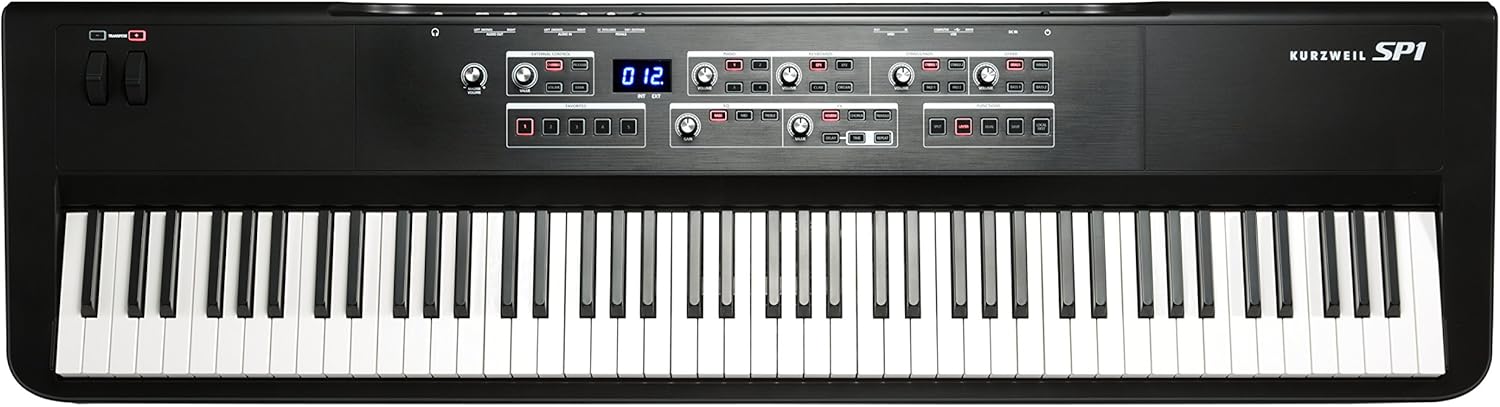
The main control panel is centrally located above the keyboard, providing access to sound categories, effects, and functions.

- Sound Categories: Dedicated sections for Piano, Keyboards (EP1, EP2, Clav, Organ), Strings/Pads (Strings 1, Strings 2, Pad 1, Pad 2), and Other (Brass, Winds, Bass 1, Bass 2). Each category has volume controls and sound selection buttons.
- EQ хэсэг: 3-Band Master EQ with Bass, Mid, and Treble controls.
- FX Section: Individually adjustable effects including Reverb, Chorus, Tremolo, Delay, and Repeat.
- Чиг үүрэг: Buttons for Split, Layer, Dual, Save, and Local Dest.
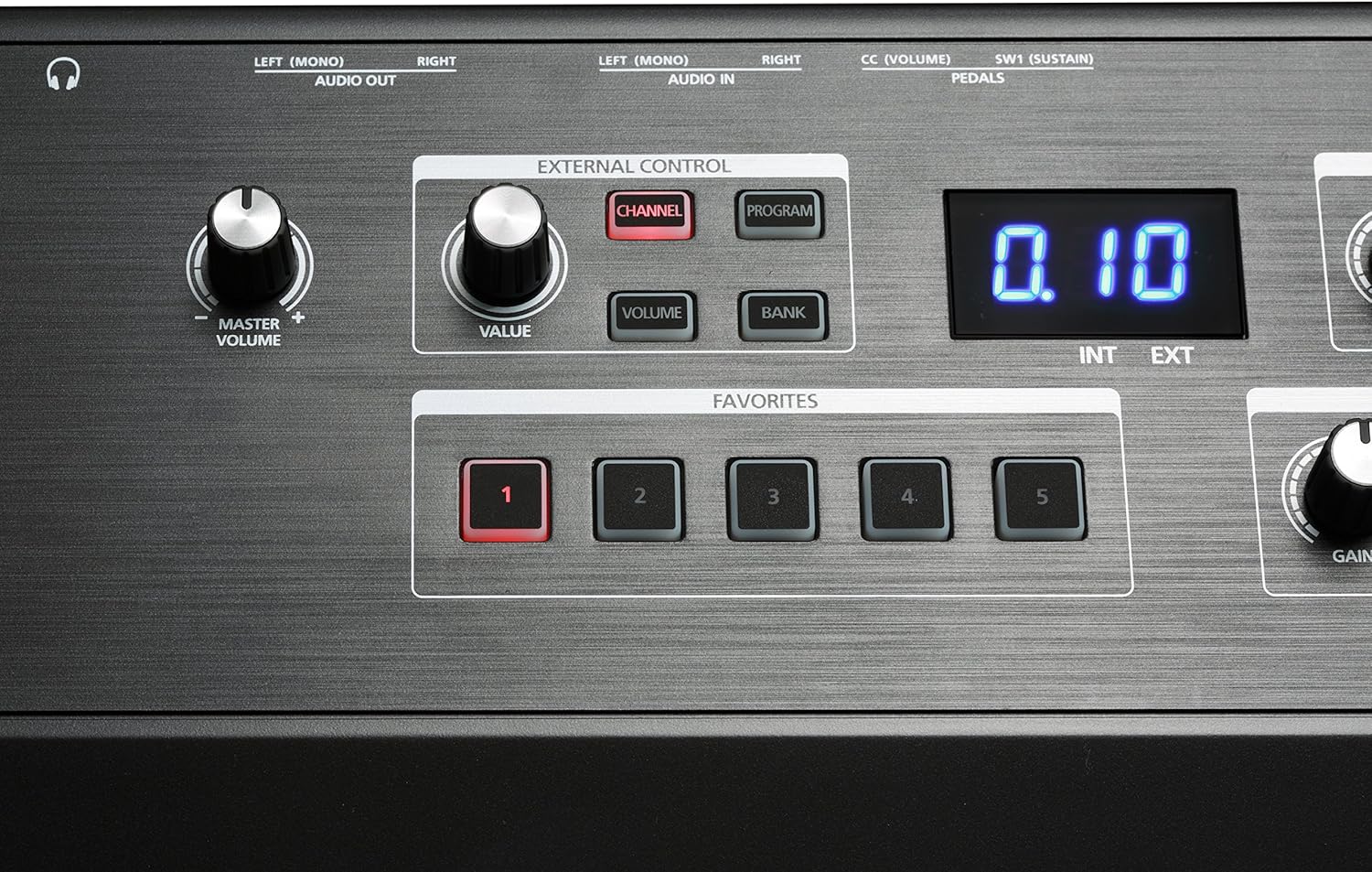
- Гадаад хяналт: Section with Channel, Program, Volume, and Bank buttons for controlling external MIDI instruments/software.
- Дуртай зүйлс: Five dedicated buttons for saving and recalling custom settings.
- Pitch/Modulation Wheels: Located on the left side for expressive control.
- Transpose Buttons: Located near the pitch/mod wheels for quick key changes.
Арын самбарын холболтууд

The rear panel provides all necessary connections for power, audio, MIDI, and pedals.
- DC IN: Цахилгаан адаптерийн оролт.
- USB: USB-A and USB-B ports for computer connection and USB drive.
- MIDI ОРОЛТ/ГАРАЛТ: Standard MIDI connectors for external MIDI devices.
- AUDIO IN (Left/Mono, Right): 1/4" audio jacks for connecting external audio sources like an MP3 player.
- AUDIO OUT (Left/Mono, Right): 1/4" audio jacks for connecting to an ampөргөгч, холигч эсвэл аудио интерфейс.
- Чихэвч: 6.35mm jack for private practice.
- Pedal Inputs: SW1 (Sustain) and CC (Volume) pedal inputs.
Тохиргоо
- Байршил: Place the SP1 on a stable, flat surface or a keyboard stand. Ensure adequate ventilation around the instrument.
- Эрчим хүчний холболт: Connect the included power adapter to the DC IN jack on the rear panel of the SP1, then plug the adapter into a suitable AC power outlet.
- Тогтвортой дөрөө: Connect the sustain pedal (if included or purchased separately) to the SW1 (Sustain) jack on the rear panel.
- Аудио гаралт:
- Холбогдохын тулд amplifier or mixer: Use 1/4" cables to connect the AUDIO OUT (Left/Mono, Right) jacks to your audio system.
- For headphones: Plug your headphones into the 6.35mm Headphones jack.
- External Audio Input (Optional): To play along with an external audio device (e.g., MP3 player), connect it to the AUDIO IN (Left/Mono, Right) jacks using appropriate cables.
- MIDI/USB холболт (заавал биш): For connecting to a computer or other MIDI devices, use the USB or MIDI IN/OUT ports.
Ашиглалтын заавар
Асаах/унтраах
To power on the SP1, press the power button located on the rear panel. To power off, press the power button again.
Мастер дууны хэмжээг тохируулж байна
-г ашиглана уу Мастер боть knob, located on the left side of the control panel, to adjust the overall output level of the instrument.
Дууг сонгох
The SP1 organizes its 16 presets into four main categories: Piano, Keyboards, Strings/Pads, and Other.
- Locate the desired sound category section on the control panel.
- Харгалзах товчийг дарна уу (жишээ нь, 1 for German D Artis Grand Piano, EP1 for Electric Piano 1) to select a sound. The selected button will illuminate.
- -ийг тохируулна уу Эзлэхүүн knob within that category to balance the sound level.
Using Effects (FX)
The SP1 includes four individually adjustable effects.
- -д FX section, press the button for the desired effect (e.g., REVERB, НАЙРАЛ). The button will illuminate when active.
- -г ашиглана уу Үнэ цэнэ knob to adjust the intensity or parameter of the selected effect.
- For Delay and Repeat, additional Цаг хугацаа knobs are available for fine-tuning.
Adjusting Equalization (EQ)
The 3-Band Master EQ allows you to shape the overall tone.
- -д EQ section, turn the Басс, Дунд, ба Гурав дахин knobs to boost or cut frequencies.
- The Олз knob adjusts the overall output level after EQ.
Saving and Recalling Favorites
The SP1 allows you to save up to five custom setups (combinations of sounds, effects, and EQ settings) as Favorites.

- Configure your desired sound, effects, and EQ settings.
- дээр дарна уу ХАДГАЛАХ доторх товчлуур ФУНКЦИУД хэсэг.
- байхад ХАДГАЛАХ button is flashing, press one of the five Дуртай buttons (1-5) to store your settings.
- To recall a saved Favorite, simply press the corresponding Дуртай товч.
Split, Layer, and Dual Modes
These functions allow for combining or dividing sounds across the keyboard.
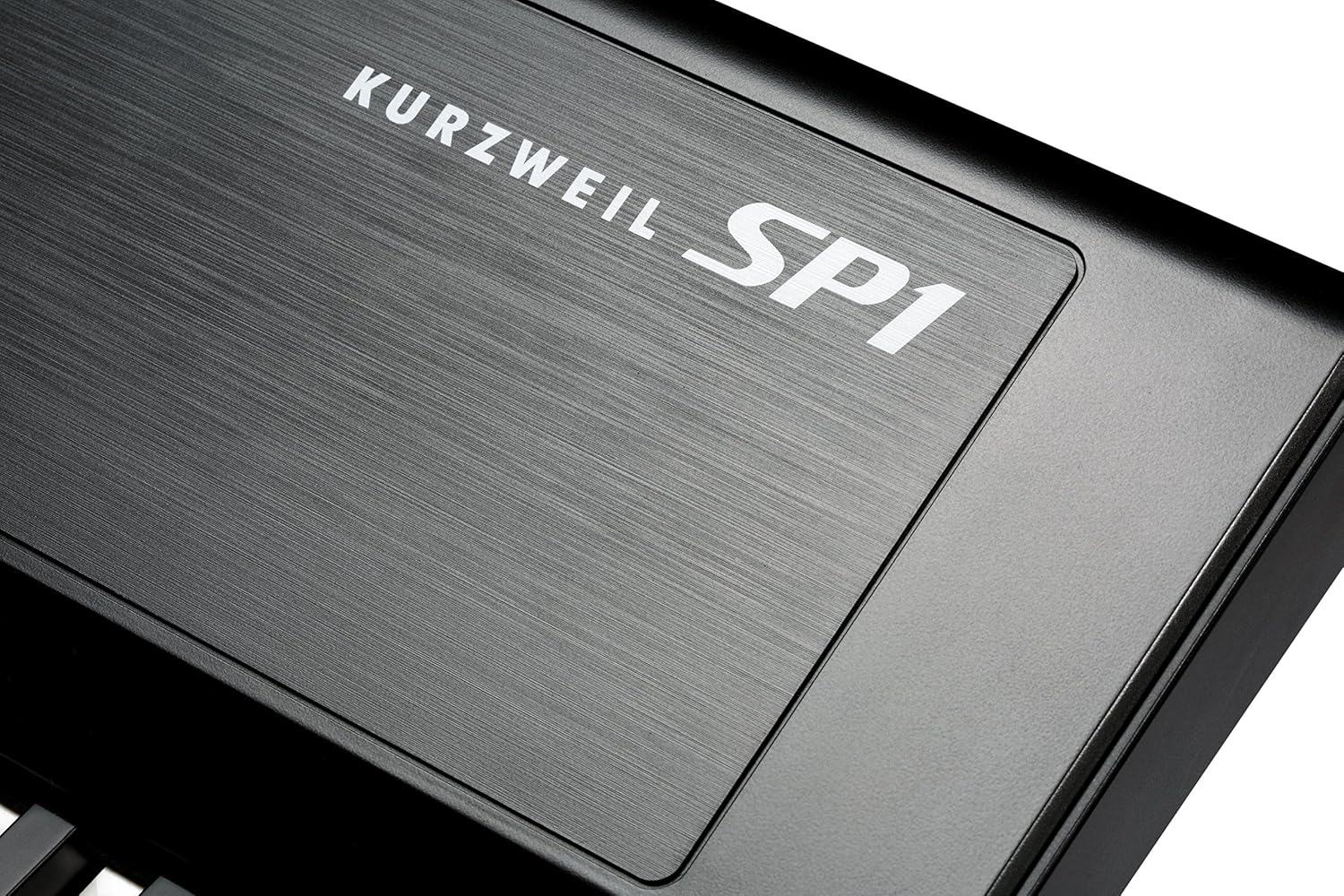
- Хуваах: Divides the keyboard into two sections, allowing different sounds to be played on each. Press the САЛГАХ товчийг дарж идэвхжүүлнэ.
- Давхарга: Stacks two sounds together to be played simultaneously across the entire keyboard. Press the LAYER товчийг дарж идэвхжүүлнэ.
- Давхар: Similar to Layer, but often implies a specific combination or a more complex layering setup. Press the ХОС товчийг дарж идэвхжүүлнэ.
Refer to the full Kurzweil SP1 manual for detailed instructions on configuring Split, Layer, and Dual modes, including setting split points and selecting sounds for each part.
Хөрвүүлэх
The transpose function allows you to shift the pitch of the entire keyboard up or down in semitone steps.
-г ашиглана уу +/- buttons located near the pitch/mod wheels to transpose the keyboard.
Засвар үйлчилгээ
- Цэвэрлэгээ: Use a soft, dry cloth to clean the surface of the instrument. For stubborn dirt, a slightly damp cloth can be used, followed by a dry cloth. Avoid abrasive cleaners, solvents, or waxes.
- Гар арчилгаа: Keep the keys clean. If they become dirty, wipe them gently with a soft, damp даавуу.
- Хадгалах: When not in use for extended periods, store the SP1 in a dry, dust-free environment, away from direct sunlight and extreme temperatures.
- Тээвэр: When transporting the instrument, use a padded case to protect it from physical damage.
Алдааг олж засварлах
| Асуудал | Боломжит шалтгаан | Шийдэл |
|---|---|---|
| Дуу алга |
|
|
| Түлхүүрүүд хариу өгөхгүй байна |
|
|
| Гажуудсан дуу чимээ |
|
|
If you encounter issues not covered here, please consult the Kurzweil support webсайт эсвэл харилцагчийн үйлчилгээтэй холбоо барина уу.
Үзүүлэлтүүд
| Онцлог | Дэлгэрэнгүй |
|---|---|
| Загварын нэр | SP1 |
| Загварын дугаар | AMS-SP1-LB |
| Түлхүүрүүдийн тоо | 88 |
| Гарны төрөл | Fully-weighted hammer-action |
| Дуу чимээ | 16 programs (Piano, EP, Strings, Pads, Woodwinds, Basses) |
| Полифони | 256 дуу хоолой |
| Үр нөлөө | Reverb, Chorus, Tremolo, Delay, Repeat |
| Эквалайзер | 3-Band Master EQ |
| Холболт | 1/4" audio jacks (In/Out), USB-A, USB-B, MIDI In/Out, 6.35mm Headphones Jack, Pedal Inputs (Sustain, CC) |
| Эрчим хүчний эх үүсвэр | USB (цахилгаан адаптераар) |
| Хэмжээ (L x W x H) | 52.5 x 15 x 5.75 инч |
| Зүйлийн жин | 6.6 фунт (ойролцоогоор 3 кг) |
| Өнгө | Хар |
| UPC | 883793413512 |
Баталгаат болон дэмжлэг
Баталгаат мэдээлэл болон техникийн дэмжлэг авахыг хүсвэл албан ёсны Kurzweil-ээс лавлана уу webсайтаас авах эсвэл эрх бүхий дилертэйгээ холбогдоно уу. Худалдан авалтын баримтаа худалдан авалтын нотолгоо болгон хадгална уу.


