1. Бүтээгдэхүүн дууссанview
The HP ProDesk 600 G1 SFF (Small Form Factor) is a compact business desktop computer designed for productivity and manageability. This manual provides essential information for setting up, operating, maintaining, and troubleshooting your device.
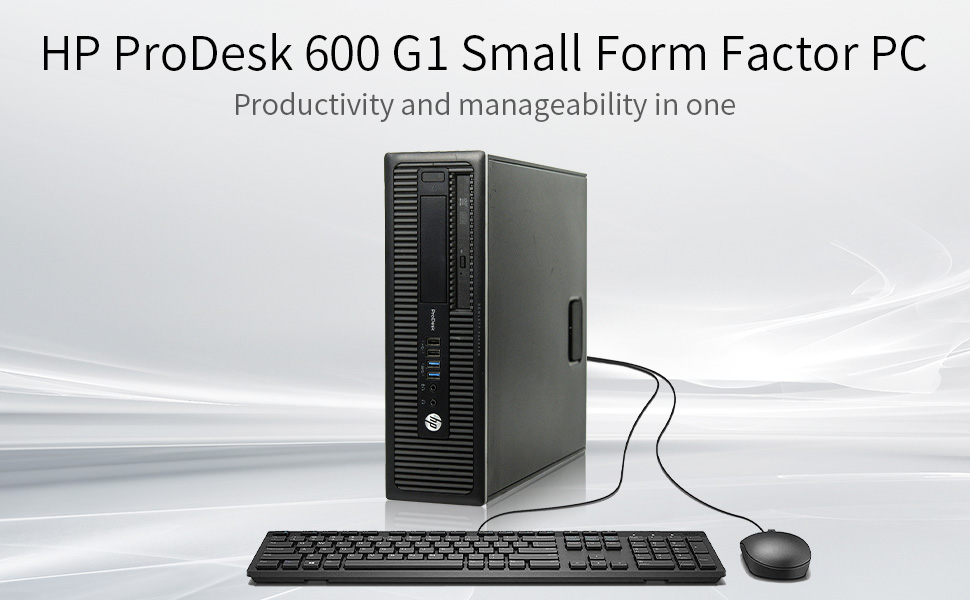
Image: HP ProDesk 600 G1 SFF desktop computer with connected keyboard and mouse.
Гол онцлогууд
- Intel i5-4570 Quad-Core Processor (up to 3.60 GHz)
- Үр ашигтай олон ажлыг гүйцэтгэхэд зориулсан 8GB DDR3 RAM
- 500GB Hard Drive (HDD) for storage
- Integrated DVD Optical Drive
- Multiple USB 3.0 ports for high-speed connectivity
- Pre-installed with Windows 11 Pro 64 Bit (Multi-Language Support: English/Spanish/French)
- Compact Small Form Factor (SFF) design
2. Тохируулах гарын авлага
2.1 Савлах
Carefully remove the computer and all accessories from the packaging. Ensure all components listed in the packing slip are present. Retain packaging for future transport or service.
2.2 Захын төхөөрөмжүүдийг холбох
Connect your monitor, keyboard, mouse, and other peripherals to the appropriate ports on the rear of the computer. The HP ProDesk 600 G1 SFF features various ports for connectivity.
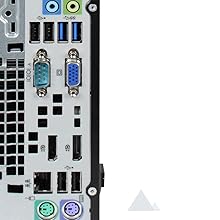
Image: Rear ports of the HP ProDesk 600 G1 SFF, including USB, VGA, DisplayPort, and audio jacks.
- Монитор: Connect your monitor using a DisplayPort or VGA cable. Note that this model may not include an HDMI port directly. An adapter may be required for HDMI monitors.
- Гар ба хулгана: Connect the USB keyboard and mouse to any available USB ports.
- Сүлжээ: Connect an Ethernet cable to the RJ-45 network port for wired internet access.
- Эрчим хүч: Connect the power cord to the computer and then to a grounded electrical outlet.
2.3 Асаах
Press the power button located on the front of the computer. The system will boot up, and Windows 11 Pro will load. Follow any on-screen prompts for initial setup if this is the first time powering on the device.
3. Ашиглалтын заавар
3.1 Үйлдлийн систем
Your HP ProDesk 600 G1 SFF comes with Windows 11 Pro 64 Bit pre-installed. This operating system provides a user-friendly interface for managing files, running applications, and accessing the internet. Familiarize yourself with the Windows 11 interface for optimal use.
3.2 Оптик хөтчийн хэрэглээ
The integrated DVD optical drive supports reading and writing CDs and DVDs. To use the drive, press the eject button on the drive bay, insert your disc, and close the tray. The operating system will typically prompt you with options for the disc content.
Зураг: Урд view of the HP ProDesk 600 G1 SFF showing the DVD optical drive.
4. Засвар үйлчилгээ, арчилгаа
- Цэвэрлэгээ: Use a soft, dry cloth to clean the exterior of the computer. For the screen, use a specialized screen cleaner and a microfiber cloth.
- Агааржуулалт: Ensure the computer's ventilation openings are clear of obstructions to prevent overheating.
- Програм хангамжийн шинэчлэлтүүд: Хамгийн оновчтой гүйцэтгэл, аюулгүй байдлыг хангахын тулд үйлдлийн систем болон драйверуудаа тогтмол шинэчил.
- Өгөгдлийн нөөцлөлт: Өгөгдлийн алдагдлаас урьдчилан сэргийлэхийн тулд чухал мэдээллийг гадаад диск эсвэл үүлэн сан руу үе үе нөөцлөөрэй.
- Эрчим хүчний менежмент: Use surge protectors to protect against power fluctuations. Shut down the computer properly when not in use.
5. Алдаа засах
This section provides solutions to common issues you might encounter with your HP ProDesk 600 G1 SFF.
| Асуудал | Боломжит шийдэл |
|---|---|
| Компьютер асахгүй байна | Check power cable connections to the computer and wall outlet. Ensure the power button is pressed firmly. Test the outlet with another device. |
| Дэлгэц дээр дэлгэц байхгүй | Verify monitor power and video cable connections. Ensure the correct input source is selected on the monitor. Try a different video port or cable if available. |
| Удаан гүйцэтгэл | Close unnecessary applications. Check for malware or viruses. Ensure sufficient free space on the hard drive. Consider upgrading to a Solid State Drive (SSD) for improved speed. |
| Peripheral devices not recognized | Ensure devices are properly connected. Try a different USB port. Install or update device drivers. Restart the computer. |
| Optical drive not reading discs | Ensure the disc is clean and free of scratches. Try a different disc. Check if the drive appears in 'This PC' or 'Device Manager'. |
6. Техникийн үзүүлэлтүүд
Detailed specifications for the HP ProDesk 600 G1 SFF desktop computer.
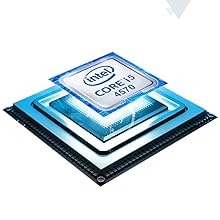
Image: Intel Core i5 processor graphic.
| Бүрэлдэхүүн хэсэг | Тодорхойлолт |
|---|---|
| Процессор | Intel Core i5-4570 (3.2 GHz, up to 3.6 GHz with Intel Turbo Boost Technology, 6 MB cache, 4 cores) |
| RAM | 8 ГБ DDR3 SDRAM |
| Хатуу диск | 500 GB SSHD (Solid State Hybrid Drive) |
| График | Intel HD график (нэгдсэн) |
| Оптик хөтөч | DVD-ROM / DVD-RW |
| Үйлдлийн систем | Windows 11 Pro 64 бит |
| USB портууд | 6 х USB 2.0, 4 х USB 3.0 |
| Видео портууд | 2 x DisplayPort, 1 x VGA |
| Аудио портууд | Line-in, Line-out, Headphone, Microphone |
| Сүлжээ | Gigabit Ethernet, 802.11ac, 802.11n Wireless |
| Хэмжээ (HxWxD) | 10 x 3 x 14 инч (25.4 x 7.6 x 35.6 см) |
| Жин | 12 фунт (5.44 кг) |
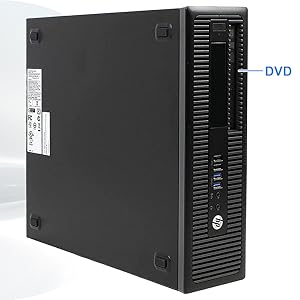
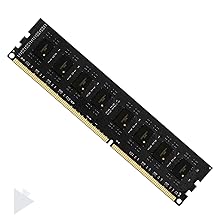
Image: DDR3 SDRAM module, indicating the type of memory used.