BYTECH Утасгүй Оптик Хулганы Хэрэглэгчийн Гарын Авлага
Model: BYTECH Wireless Optical Mouse
Танилцуулга
This manual provides detailed instructions for the setup, operation, maintenance, and troubleshooting of your BYTECH Wireless Optical Mouse. Please read this manual thoroughly before using the device to ensure optimal performance and longevity.
Бүтээгдэхүүн дууссанview
The BYTECH Wireless Optical Mouse is designed for comfortable and efficient navigation. It features a precise optical sensor, a scroll wheel, and a DPI adjustment button for customizable sensitivity. Its ergonomic design and wireless connectivity provide a clutter-free workspace.

Зураг 1: Дээрээс доош view of the BYTECH Wireless Optical Mouse. The mouse is black with a silver stripe along its sides. A scroll wheel and a DPI button are visible on the top surface.
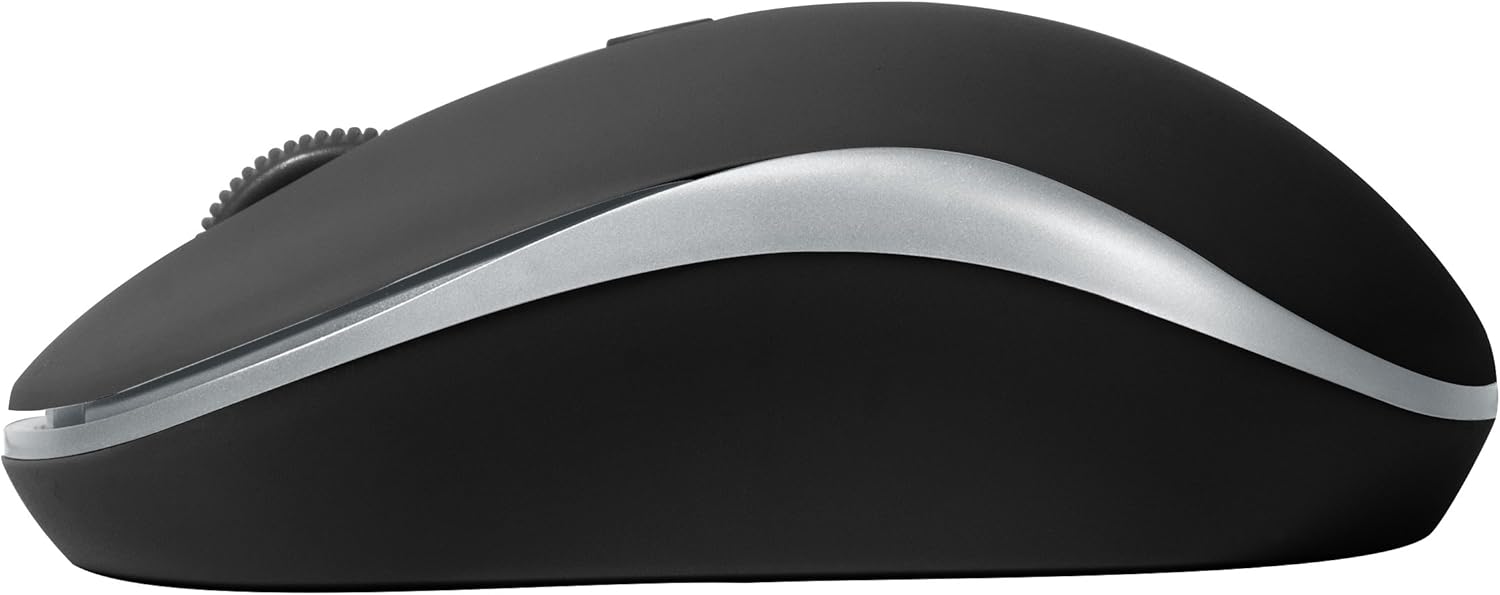
Зураг 2: Хажуу тал view of the BYTECH Wireless Optical Mouse. This angle highlights the ergonomic curve and the silver accent line that runs along the side of the mouse.
Тохиргоо
1. Зай суурилуулах
- Хулганы доод талд байгаа зайны тасалгааг ол.
- Зайны тасалгааны тагийг нээ.
- Insert one AA battery (not included) into the compartment, ensuring the correct polarity (+/-) as indicated inside.
- Зайны тасалгааны тагийг сайтар хаа.
2. USB хүлээн авагчийн холболт
- USB хүлээн авагчийг ихэвчлэн батерейны тасалгааны дотор эсвэл ойролцоо байрладаг хадгалах үүрнээс нь салга.
- USB хүлээн авагчийг компьютер эсвэл зөөврийн компьютер дээрээ байгаа USB порт руу холбоно уу.
- Таны үйлдлийн систем автоматаар шаардлагатай драйверуудыг илрүүлж суулгах ёстой. Үүнд хэдэн хором зарцуулагдаж магадгүй.
3. Асаах
- Хулганы доод талд байрлах асаах/унтраах товчлуурыг олоорой.
- Slide the switch to the "On" position. The mouse should now be ready for use.
Ашиглалтын заавар
Үндсэн функцууд
- Зүүн товшилт: Зүйлсийг сонгох, холбоосуудыг нээх эсвэл функцийг идэвхжүүлэхийн тулд зүүн товчийг дарна уу.
- Баруун товшино уу: Контекст цэсийг нээх эсвэл нэмэлт сонголтуудад хандахын тулд баруун товчийг дарна уу.
- Гүйлгэх дугуй: Баримт бичгүүдийг гүйлгэхийн тулд дугуйг дээш эсвэл доош эргүүлнэ үү web pages. Press the scroll wheel for middle-click functionality (e.g., opening links in new tabs).
DPI тохируулга
The mouse features a DPI (Dots Per Inch) button, typically located behind the scroll wheel. Press this button to cycle through different sensitivity settings. Each press will change the cursor speed, allowing you to find the optimal setting for your task.
- дээр дарна уу DPI товчлуур once to switch to the next sensitivity level.
- Repeat until you find your preferred cursor speed.
Эрчим хүч хэмнэх горим
To conserve battery life, the BYTECH Wireless Optical Mouse is designed to automatically enter a sleep mode after a period of inactivity. To wake the mouse, simply move it or click any button.
Засвар үйлчилгээ
Цэвэрлэгээ
- Цэвэрлэхийн өмнө хулганаа унтраасан эсэхээ шалгаарай.
- Зөөлөн, хөвөнгүй даавууг бага зэрэг хэрэглээрэй dampусаар эсвэл зөөлөн цэвэрлэгээний уусмалаар дүүргэнэ.
- Wipe the surface of the mouse gently. Avoid excessive moisture.
- Оптик мэдрэгчийн хувьд хуурай хөвөн арчдас ашиглан тоос шороо, хог хаягдлыг болгоомжтой арилгана.
- Зүлгүүрийн цэвэрлэгч, спирт, уусгагч хэрэглэж болохгүй, учир нь эдгээр нь гадаргууг гэмтээж болзошгүй.
Зай солих
When the mouse performance degrades or the cursor becomes erratic, it may be time to replace the battery. Follow the battery installation steps outlined in the "Setup" section.
Хадгалах
When not in use for an extended period, it is recommended to turn off the mouse to conserve battery life. The USB receiver can be stored in its dedicated slot on the mouse's underside to prevent loss.
Алдааг олж засварлах
- Хулгана хариу өгөхгүй байна:
- Хулгана асаалттай байгаа эсэхийг шалгаарай.
- Зайны түвшинг шалгаж, шаардлагатай бол солино уу.
- USB хүлээн авагч нь ажиллаж байгаа USB порт руу найдвартай холбогдсон эсэхийг шалгана уу. Өөр USB портоор оролдоно уу.
- Компьютерээ дахин эхлүүлнэ үү.
- Cursor erratic or jumping:
- Хулганы доод талд байрлах оптик мэдрэгчийг цэвэрлэ.
- Хулганаа тохиромжтой гадаргуу дээр (ойлголтгүй, тунгалаг бус) ашиглаж байгаа эсэхээ шалгаарай. Хулганы дэвсгэр ашиглахыг зөвлөж байна.
- Бусад төхөөрөмжөөс хүчтэй цахилгаан соронзон хөндлөнгийн оролцоо байгаа эсэхийг шалгана уу.
- Холболтын асуудал:
- Хулгана болон USB хүлээн авагчийн хоорондох зайг багасга.
- Remove any large metal objects or electronic devices that might be obstructing the wireless signal.
- Хэрэв USB hub ашиглаж байгаа бол хүлээн авагчийг компьютерт шууд холбож үзээрэй.
Үзүүлэлтүүд
| Онцлог | Дэлгэрэнгүй |
|---|---|
| Брэнд | Bytech |
| Загвар | BYTECH Wireless Optical Mouse |
| Холболтын технологи | Утасгүй (USB хүлээн авагч) |
| Хөдөлгөөнийг илрүүлэх технологи | Оптик |
| Өнгө | Хар |
| Эрчим хүчний эх үүсвэр | Battery Powered (1x AA, not included) |
| Үйлдлийн системийн нийцтэй байдал | macOS, Android (and generally Windows) |
| Зүйлийн жин | 3.56 унц |
| Бүтээгдэхүүний хэмжээ (LxWxH) | 1 x 1 x 1 инч (ойролцоогоор) |
Тэмдэглэл: Техникийн үзүүлэлтүүдийг мэдэгдэлгүйгээр өөрчлөх боломжтой.
Баталгаат болон дэмжлэг
Bytech products are manufactured to the highest quality standards. For information regarding warranty coverage, technical support, or service, please refer to the warranty card included with your product or visit the official Bytech webсайт. Худалдан авалтын баримтаа баталгаат нэхэмжлэлд зориулж худалдан авалтын баталгаа болгон хадгална уу.
For further assistance, please contact Bytech customer support through their official channels.


