1. Аюулгүй байдлын чухал мэдээлэл
Please read all instructions carefully before using the Royal 1830MX Cross-Cut Paper Shredder. Retain this manual for future reference.
- Keep hands, hair, and loose clothing away from the shredder's paper entry slot.
- Хүүхэд болон тэжээвэр амьтдыг жижиглэгчээс хол байлга.
- Unplug the shredder when not in use or before cleaning.
- Do not shred metal objects, large paper clips, or continuous forms.
- Do not spray any flammable products onto the shredder or use near flammable liquids.
- Цахилгааны утас гэмтсэн бол бутлагчийг бүү ажиллуул.
- Empty the waste basket regularly to prevent jams and ensure proper operation.
2. Бүтээгдэхүүн дууссанview
The Royal 1830MX is a cross-cut paper shredder designed for home or office use. It features a robust motor capable of shredding up to 18 sheets of paper in a single pass, as well as credit cards, CDs, and DVDs. The shredder produces small cross-cut particles for enhanced security.
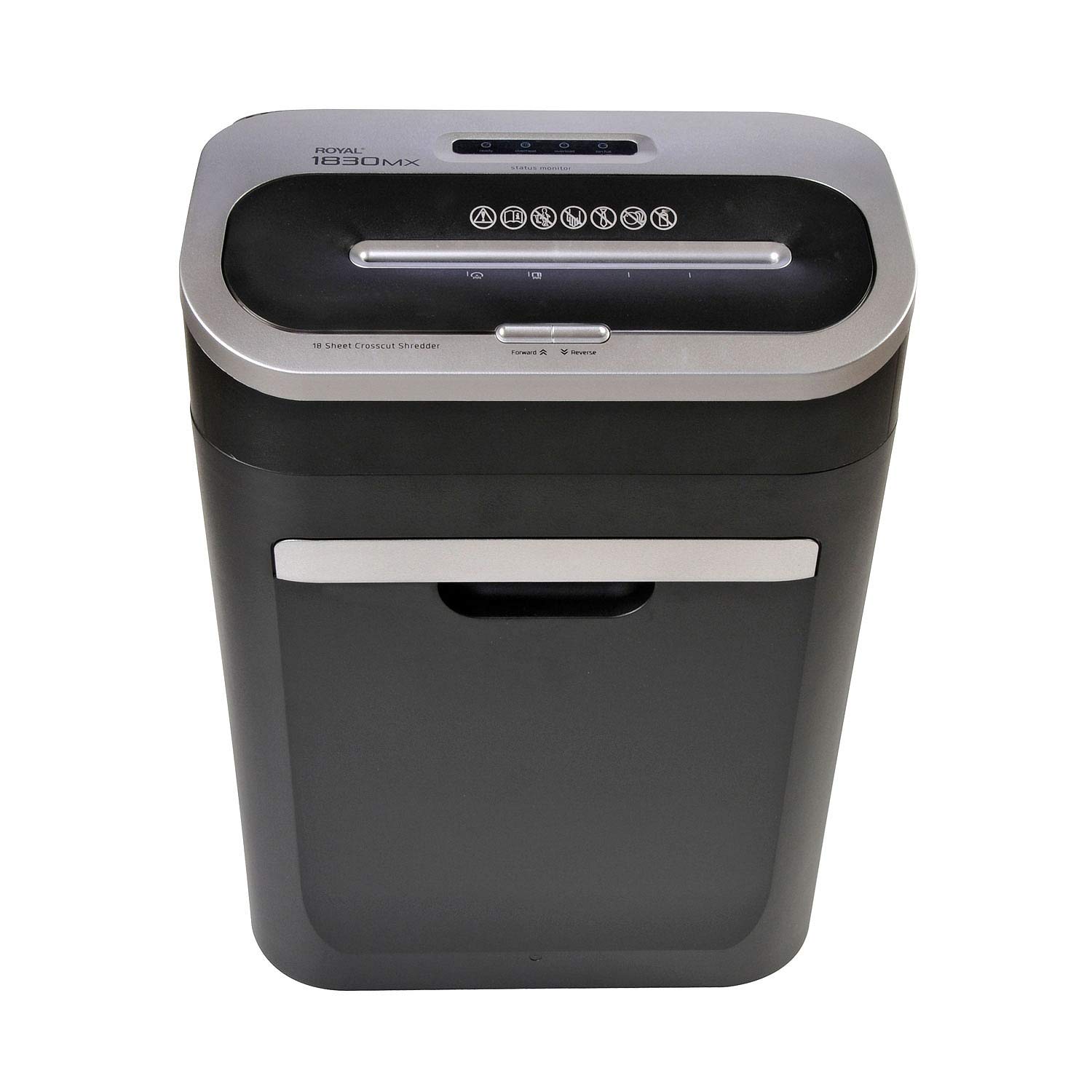
Зураг 2.1: Урд view of the Royal 1830MX Cross-Cut Paper Shredder, showing the paper entry slot and control panel.

Зураг 2.2: Өнцөг view of the Royal 1830MX shredder, highlighting its compact design and pull-out waste basket.
Гол онцлогууд:
- Хагалах төрөл: Cross-cut (5/32" x 1 5/8" particles)
- Хуудасны хүчин чадал: Up to 18 sheets (20 lb bond paper)
- Хэсэгүүд: Paper, credit cards, CDs, DVDs, staples
- Waste Basket Capacity: 7.5 gallons, pull-out design with viewорох цонх
- Чиг үүрэг: Auto start/stop, reverse
- Хөдөлгөөн: Casters for easy movement
3. Тохиргоо
- Баглаа задлах: Carefully remove the shredder from its packaging. Ensure all packing materials are removed from the shredder head and waste basket.
- Албан тушаал: Place the shredder on a flat, stable surface. Ensure there is adequate space around the unit for ventilation and access to the waste basket.
- Эрчим хүчийг холбох: Цахилгааны утсыг стандарт 120 В-ийн хувьсах гүйдлийн залгуурт залгаарай.
- Waste Basket: Ensure the 7.5-gallon pull-out waste basket is correctly inserted and fully closed. The shredder will not operate if the basket is not properly seated.
4. Ашиглалтын заавар
4.1 Хяналтын самбар
The control panel is located on top of the shredder head. It includes buttons for Forward, Reverse, and indicators for power and status.

Figure 4.1: Close-up of the Royal 1830MX control panel, showing the power, forward, and reverse buttons, along with status indicators.
4.2 Цаас жижиглэх
- Ensure the shredder is plugged in and the waste basket is correctly inserted.
- The shredder is in "Auto" mode by default when powered on.
- Insert up to 18 sheets of paper (20 lb bond) straight into the paper entry slot. The shredder will automatically start and stop once the paper has passed through.
- Хамгийн сайн гүйцэтгэлтэй байх, гацахаас урьдчилан сэргийлэхийн тулд хуудасны дээд багтаамжаас хэтрүүлэхээс зайлсхий.

Figure 4.2: The Royal 1830MX actively shredding paper, demonstrating the paper entry slot in use.
4.3 Shredding Credit Cards, CDs, and DVDs
- Locate the dedicated slot for credit cards and optical media (CDs/DVDs) on the shredder head.
- Insert one credit card or optical disc at a time into the designated slot. The shredder will automatically engage and shred the item.
- The shredded particles for these items will fall into the main waste basket.
4.4 Урвуу функц
In case of a paper jam, press the "Reverse" button on the control panel. This will reverse the shredder blades, helping to clear the jam. If the jam persists, unplug the shredder and carefully remove the paper manually.
5. Засвар үйлчилгээ
5.1 Emptying the Waste Basket
The Royal 1830MX features a 7.5-gallon pull-out waste basket. When the basket is full, the shredder's "Bin Full" indicator light may illuminate, and the shredder will cease operation. To empty:
- Бутлагчийг цахилгааны залгуураас салга.
- Pull out the waste basket from the front of the unit.
- Жижиглэсэн материалыг устгана уу.
- Slide the waste basket back into the unit until it clicks securely into place.
- Жижиглэгчийг буцааж залгаарай.
5.2 Жижиглэгчийн ирийг тослох
Regular oiling of the shredder blades is recommended to maintain optimal performance and extend the life of your shredder. Oil the blades after every 30 minutes of continuous shredding or at least twice a month with shredder oil (not included).
- Цаасан оролтын завсар дээр жижиглэгч тосыг нимгэн шугамаар түрхэнэ.
- Run a few sheets of paper through the shredder to distribute the oil evenly.
- Alternatively, you can oil a sheet of paper and shred it.
6. Алдаа засах
| Асуудал | Боломжит шалтгаан | Шийдэл |
|---|---|---|
| Бутлагч асахгүй байна. |
|
|
| Цаасан саатал. |
|
|
| "Bin Full" indicator lights up, but bin is not full. |
|
|
| Shredder is noisy or slow. |
|
|
7. Техникийн үзүүлэлтүүд
- Загвар: 1830 MX
- Хагалах төрөл: Хөндлөн зүсэлт
- Хэмжээний хэмжээ: 5/32" x 1 5/8"
- Хуудасны хүчин чадал: 18 хуудас (20 фунт цаас)
- Waste Basket Capacity: 7.5 галлон
- Хэсэгүүд: Paper, Credit Cards, CDs, DVDs, Staples
- Чиг үүрэг: Auto Start/Stop, Reverse
- Барааны жин: Ойролцоогоор 34 фунт
- Эрчим хүч: 120V хувьсах гүйдэл
- Өнгө: Хар эсвэл мөнгө
- Эхний боломжтой огноо: 25 оны гуравдугаар сарын 2018
8. Баталгаат хугацаа ба дэмжлэг
For warranty information or technical support, please refer to the warranty card included with your product or contact Royal customer service. Keep your purchase receipt as proof of purchase.
Note: Specific warranty terms and contact details may vary. Please consult the official Royal website or your product documentation for the most current information.


