1. Танилцуулга
This manual provides detailed instructions for the setup, operation, and maintenance of your LMP USB Wired Keyboard with Numeric Keypad, Model 17203. This keyboard is designed for use with Mac computers and features a German (QWERTZ) layout.
Багцын агуулга:
- LMP USB Wired Keyboard (Model 17203)
- Нэгдсэн USB кабель

2. Тохиргоо
Follow these steps to connect your LMP USB Wired Keyboard to your Mac computer.
- Гарыг холбоно уу: Locate an available USB port on your Mac computer. Insert the USB connector of the keyboard's integrated cable into the USB port.
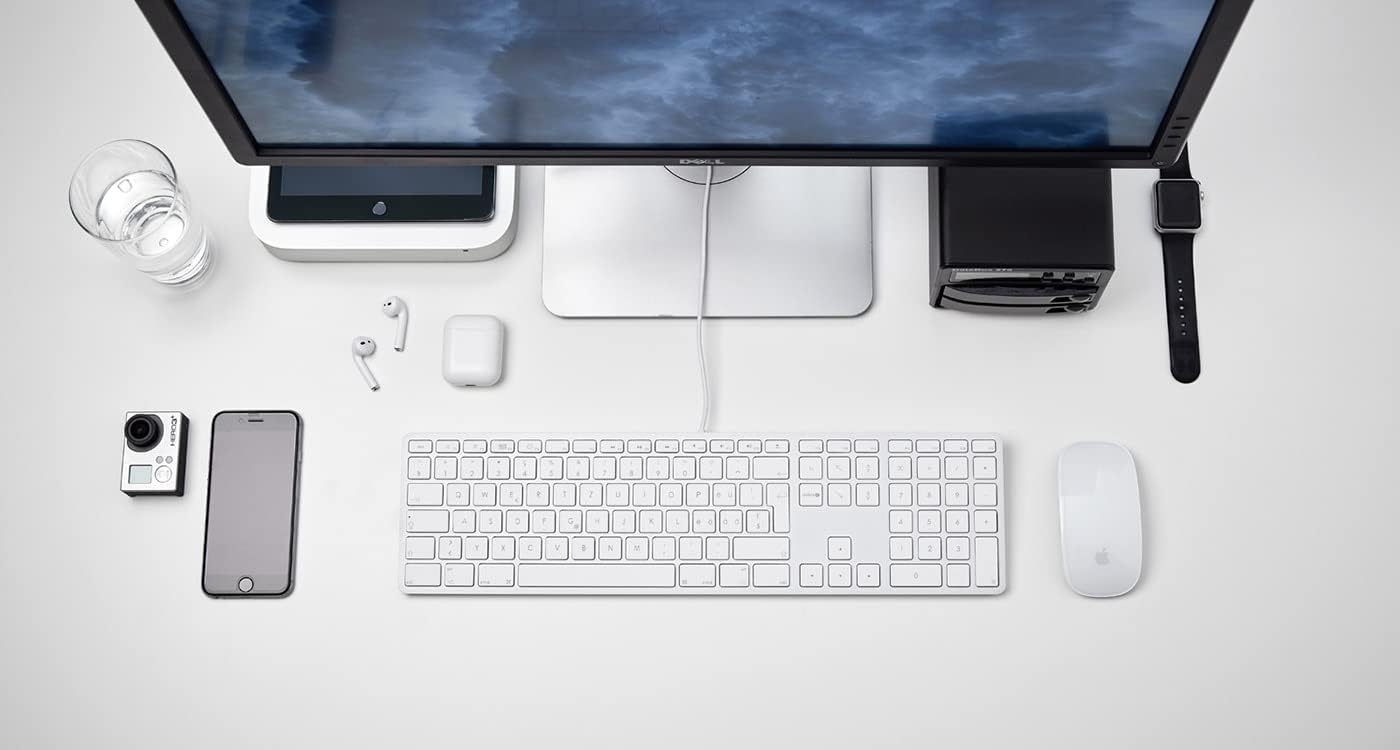
Зураг 2.1: The LMP USB Wired Keyboard integrated into a typical Mac desktop setup, demonstrating its connection via USB. - Системийг таних: Your Mac operating system (macOS 10.5 or higher is required) should automatically detect and configure the keyboard. No additional drivers are typically needed.
- Анхны туршилт: Open a text editor or any application where you can type to confirm the keyboard is functioning correctly.
3. Ашиглалтын заавар
This section details the primary functions and features of your LMP USB Wired Keyboard.
3.1 Стандарт бичих
The keyboard features a full German (QWERTZ) layout with 110 laser-engraved keys, providing a familiar typing experience. All standard alphanumeric, symbol, and modifier keys function as expected on macOS.
3.2 Функцийн товчлуурууд (F1-F12)
The top row of keys includes dedicated function keys (F1-F12) that control various macOS features:
- Гэрэлтүүлгийн хяналт: F1 (decrease), F2 (increase)
- Mission Control/App Exposé: F3
- Эхлүүлэх самбар: F4
- Keyboard Backlight (if applicable): F5 (decrease), F6 (increase) - Note: This keyboard does not feature backlighting.
- Хэвлэл мэдээллийн удирдлага: F7 (previous track), F8 (play/pause), F9 (next track)
- Дууны хяналт: F10 (mute), F11 (decrease), F12 (increase)
To use F-keys as standard function keys (e.g., F5 for refresh in a browser), you may need to hold the Fn key simultaneously or adjust settings in System Preferences > Keyboard.
3.3 Тоон товчлуур
The integrated numeric keypad on the right side of the keyboard allows for efficient data entry and calculations. It includes standard number keys, arithmetic operators, and navigation keys.
3.4 Integrated USB Hubs
The keyboard features two USB 2.0 hubs, one on each side, allowing you to connect low-power USB devices directly to your keyboard. These are suitable for devices such as USB mice, flash drives, or other peripherals that do not require significant power.

Чухал: High-power devices (e.g., external hard drives, some webcams) may not function correctly when connected to the keyboard's USB hubs due to power limitations. Connect such devices directly to your Mac's USB ports.
4. Дизайн ба онцлог
The LMP USB Wired Keyboard is crafted with a focus on functionality and aesthetic integration with Mac environments.
- Aluminum Top Cover: The keyboard features a durable aluminum top cover, contributing to its robust construction and sleek appearance.
- Laser-Engraved Keys: All keycaps are laser-engraved, ensuring long-lasting legibility and resistance to wear.
- German (QWERTZ) Layout: Specifically designed for users requiring a German keyboard layout, including special characters and key placements.
- Бүрэн хэмжээний дизайн: Includes a full complement of 110 keys, including a dedicated numeric keypad and a full set of function keys.


5. Засвар үйлчилгээ
Proper care will extend the lifespan of your keyboard.
- Гадаргууг цэвэрлэх: Зөөлөн, хөвөнгүй даавууг бага зэрэг хэрэглээрэй dampened with water or a mild, non-abrasive cleaning solution. Avoid spraying liquids directly onto the keyboard.
- Cleaning Between Keys: Товчлуурын хоорондох тоос шороо, хог хаягдлыг зайлуулахын тулд шахсан агаар ашиглаарай. Зөөлөн сойз ашиглаж болно.
- Асгарахаас зайлсхийх: Дотоод эд ангиудыг гэмтээхгүйн тулд шингэнийг гарнаас хол байлга.
- Хадгалах: When not in use for extended periods, store the keyboard in a clean, dry environment.
6. Алдаа засах
Хэрэв та гартаа асуудалтай тулгарвал дараах нийтлэг шийдлүүдийг үзнэ үү.
| Асуудал | Боломжит шалтгаан / шийдэл |
|---|---|
| Гар хариу өгөхгүй байна. |
|
| Товчлуурууд зөв бичихгүй эсвэл наалдамхай байна. |
|
| Devices connected to the keyboard's USB hubs are not working. |
|
| Function keys (F1-F12) are not performing expected macOS actions. |
|
7. Техникийн үзүүлэлтүүд
| Онцлог | Дэлгэрэнгүй |
|---|---|
| Брэнд | LMP |
| Загварын нэр | KB-1243 |
| Загварын дугаар | 17203 |
| Холболтын технологи | USB (утастай) |
| Гарын тайлбар | QWERTZ (Германы зохион байгуулалт) |
| Түлхүүрүүдийн тоо | 110 (ISO) |
| Онцлог шинж чанарууд | Integrated Numeric Keypad, 2x USB 2.0 Hubs, Laser-engraved keys |
| Тохиромжтой төхөөрөмжүүд | Mac computers with USB port (macOS 10.5 or higher) |
| Материал | Aluminum (top cover) |
| Өнгө | Мөнгө |
| Оруулсан бүрэлдэхүүн хэсгүүд | USB кабель |
8. Баталгаат хугацаа ба дэмжлэг
For warranty information and technical support, please refer to the documentation provided with your purchase or visit the official LMP webсайт. Баталгаат нэхэмжлэл гаргахын тулд худалдан авалтаа нотлох баримтаа хадгалаарай.