1. Танилцуулга
This manual provides detailed instructions for the Joyroom JR-P1 Bluetooth Headset. Please read this manual carefully before using the product to ensure proper operation and to maximize your user experience. The JR-P1 is a wireless on-ear headset designed for mobile phone compatibility, featuring a built-in microphone for calls and touch controls.
2. Бүтээгдэхүүн дууссанview
The Joyroom JR-P1 features an ergonomic ear-hook design for comfortable and stable wear. It is lightweight and designed for various activities.
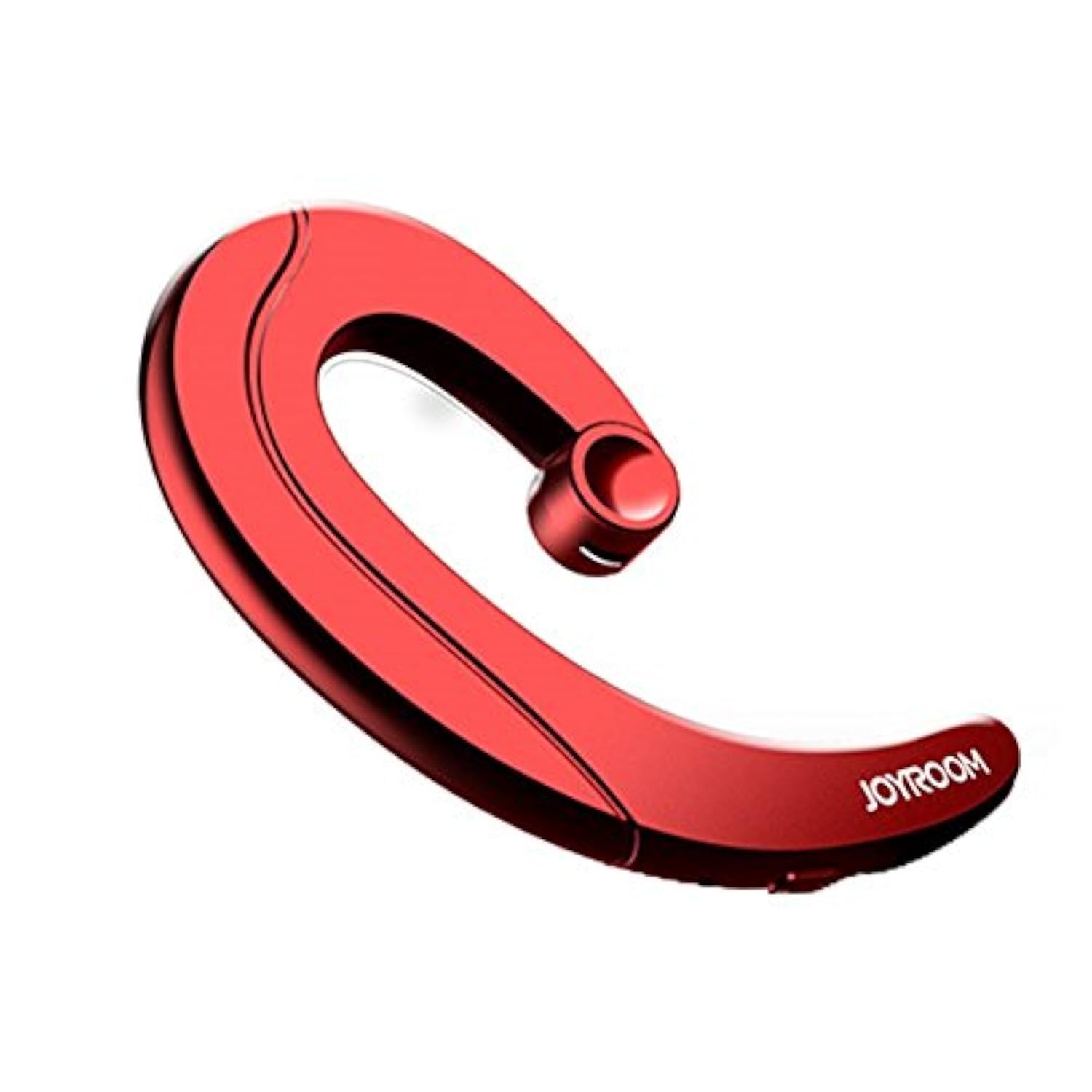
Figure 2.1: Joyroom JR-P1 Bluetooth Headset, showcasing its ear-hook design.
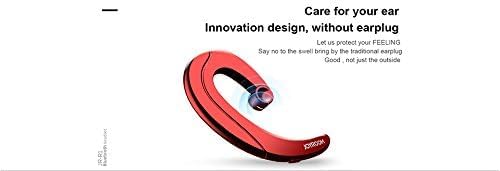
Figure 2.2: Illustration of the innovative design, providing comfort without an earplug.
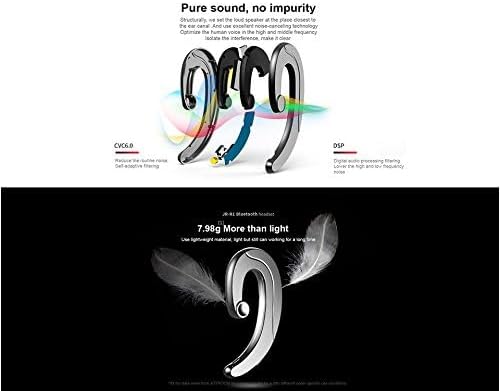
Figure 2.3: Internal technologies including CVC6.0 for noise reduction and DSP for digital audio processing.
3. Тохиргоо
3.1 Чихэвчийг цэнэглэх
Before first use, fully charge the headset. Connect the charging cable (not specified, assume standard USB) to the charging port on the headset and to a compatible USB power source. The indicator light will show charging status and turn off or change color when fully charged.
3.2 Bluetooth холболт
- Чихэвчийг цэнэглэж, унтраасан эсэхийг шалгаарай.
- Press and hold the power button (or multi-function button) on the headset until the indicator light flashes red and blue, indicating pairing mode.
- On your mobile phone or device, enable Bluetooth and search for available devices.
- Select "JR-P1" from the list of found devices.
- Once connected, the indicator light on the headset will typically flash blue slowly or turn off.
- Хэрэв нууц үг асуувал "0000" гэж оруулна уу.
4. Ашиглалтын заавар
The JR-P1 headset uses touch controls for various functions.
4.1 Асаах/унтраах
- Асаах: Press and hold the multi-function button for approximately 3 seconds until the indicator light flashes.
- Унтраах: Press and hold the multi-function button for approximately 5 seconds until the indicator light turns off.
4.2 Дуудлагын удирдлага
- Дуудлагад хариулах/дуусах: Tap the multi-function button once.
- Дуудлагаас татгалзах: Олон үйлдэлт товчлуурыг 2 секундын турш дарна уу.
- Сүүлийн дугаарыг дахин залгах: Double-tap the multi-function button.
4.3 Хөгжим тоглуулах
- Тоглуулах/түр зогсоох: Tap the multi-function button once.
- Дараагийн дуу: Triple-tap the multi-function button.
- Өмнөх бичлэг: Quadruple-tap the multi-function button.
4.4 Дууны хяналт
Volume is typically controlled via your connected mobile device. Some headsets may have dedicated volume buttons; refer to the physical design of your JR-P1 headset.

Figure 4.1: The JR-P1 headset is suitable for hands-free communication, such as during driving.
5. Засвар үйлчилгээ
Proper maintenance ensures the longevity and performance of your Joyroom JR-P1 headset.
- Цэвэрлэгээ: Use a soft, dry, lint-free cloth to clean the headset. Do not use harsh chemicals or abrasive materials.
- Усны эсэргүүцэл: Энэ чихэвч усанд тэсвэртэй биш. Avoid exposure to water, moisture, rain, or sweat to prevent damage.
- Хадгалах: Чихэвчийг нарны шууд тусгал, хэт температураас хол, сэрүүн, хуурай газар хадгална.
- Цэнэглэж байна: Do not overcharge the battery. Disconnect the charger once the headset is fully charged.
6. Алдаа засах
If you encounter issues with your JR-P1 headset, refer to the following common solutions:
| Асуудал | Шийдэл |
|---|---|
| Чихэвч асахгүй байна. | Ensure the headset is fully charged. Press and hold the power button for a longer duration. |
| Төхөөрөмжтэй хослуулах боломжгүй. | Ensure the headset is in pairing mode (flashing red/blue). Turn off and on Bluetooth on your device. Move the headset closer to your device. Clear previous Bluetooth connections on your device. |
| Дуу байхгүй эсвэл дууны чанар муу. | Check the volume level on both the headset and your connected device. Ensure the headset is properly connected. Try re-pairing the headset. |
| Микрофон ажиллахгүй байна. | Ensure the headset is properly connected and selected as the audio input device on your phone. Check for any obstructions on the microphone. |
7. Техникийн үзүүлэлтүүд
Key technical specifications for the Joyroom JR-P1 Bluetooth Headset:
- Брэнд: Joyroom
- Загварын дугаар: JR-P1
- Холболтын технологи: Утасгүй
- Утасгүй технологи: Bluetooth
- Чихэвчний хэлбэр хүчин зүйл: On-ear (Ear-hook)
- Хяналтын арга: Хүрэх
- Микрофон багтана: Тиймээ
- Дуу чимээ тусгаарлах: Үгүй
- Тохиромжтой төхөөрөмжүүд: Гар утас
- Зөвлөмж болгож буй хэрэглээ: Дуудлага хийж байна
- Жин: 20 грамм
- Бүтээгдэхүүний хэмжээ: 7.36 x 3.89 x 0.65 см
- Усны эсэргүүцлийн түвшин: Усанд тэсвэртэй биш
- Кабелийн онцлог: Without cable
8. Аюулгүй байдлын мэдээлэл
Дараах аюулгүй байдлын удирдамжийг дагаж мөрдөнө үү.
- Do not disassemble or modify the headset. This may cause damage and void the warranty.
- Keep the headset away from extreme temperatures, humidity, and corrosive substances.
- Сонсголыг гэмтээхгүйн тулд өндөр дууны түвшинд удаан хугацаагаар сонсохоос зайлсхий.
- Use caution when using the headset in situations requiring awareness of your surroundings, such as driving or walking in traffic.
- Бүтээгдэхүүн болон түүний батерейг орон нутгийн дүрэм журмын дагуу хариуцлагатайгаар устгана уу.
9. Баталгаат хугацаа ба дэмжлэг
For warranty information or technical support, please refer to the documentation included with your purchase or contact Joyroom customer service. Keep your proof of purchase for warranty claims.


