Танилцуулга
The VTech Kidizoom Duo Camera 5.0 is a durable and feature-rich digital camera designed specifically for children aged 3 and up. It allows young users to capture photos and videos, apply fun effects, and even record their voices. With its dual-lens design, it makes taking selfies and group photos effortless. This manual provides detailed instructions for setting up, operating, maintaining, and troubleshooting your Kidizoom Duo Camera.
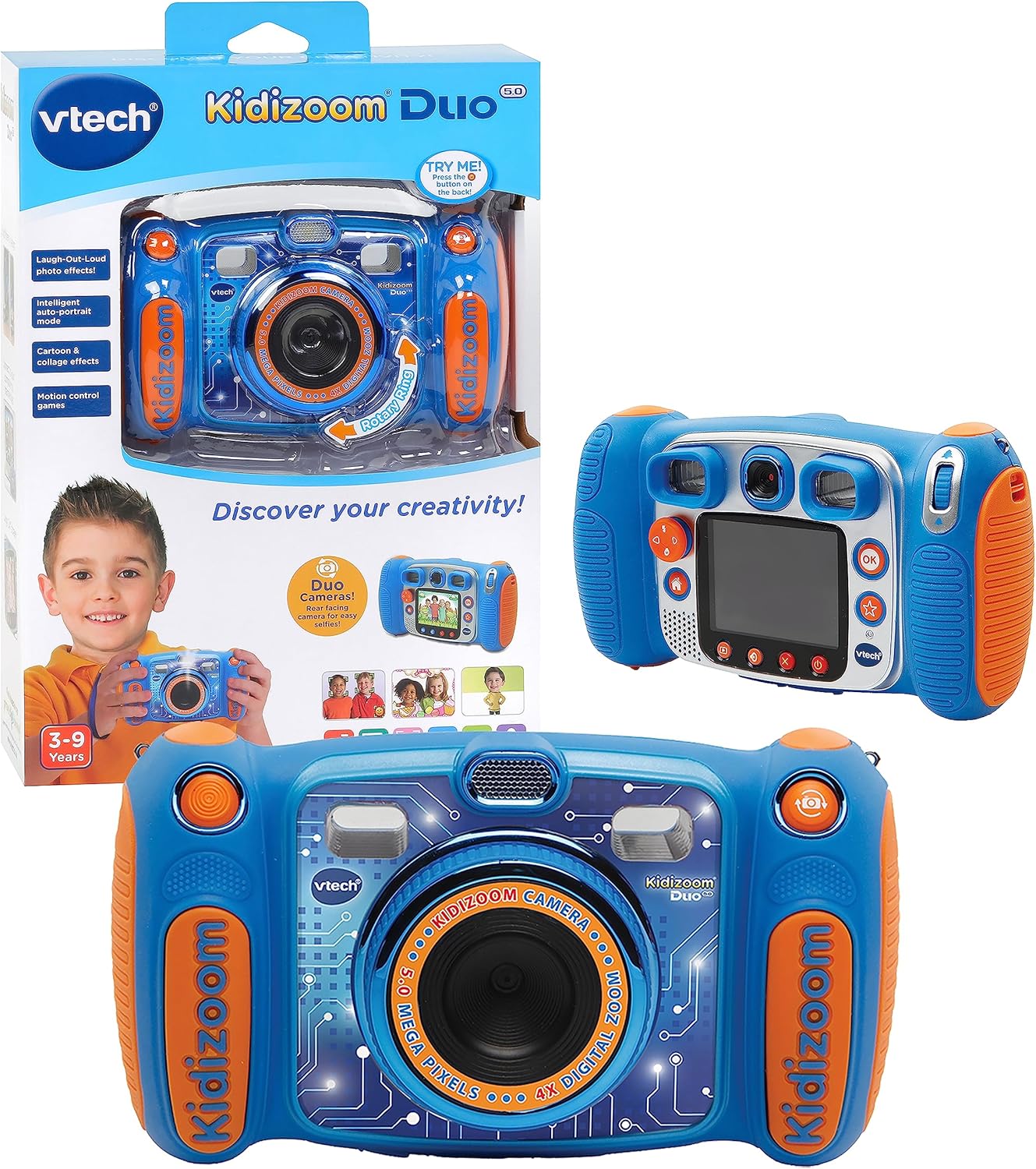
Image: The VTech Kidizoom Duo Camera 5.0, shown both in its retail packaging and as the standalone blue and orange camera unit, highlighting its design and presentation.
Гол онцлогууд:
- Хос линз: Easily switch between front and rear lenses for photos and videos.
- 5 мегапикселийн камер: Capture high-quality photos and videos.
- Бүтээлч эффектүүд: Add fun effects, stamps, and frames to photos and videos.
- Дуу бичигч: Record voices and apply funny effects.
- Бат бөх дизайн: Built to withstand drops and rough handling.
- 2.4-Inch Color LCD Screen: Large screen for easy viewing болон навигаци.
- Суралцах тоглоомууд: Includes fun, educational games.
- 4X дижитал томруулалт: Zoom in on subjects for closer shots.
Тохиргоо
1. Хайрцагнаас задлах ба Агуулга
Carefully remove all contents from the packaging. Ensure all components are present. The package should contain the VTech Kidizoom Duo Camera 5.0 and 4 AA batteries (included).
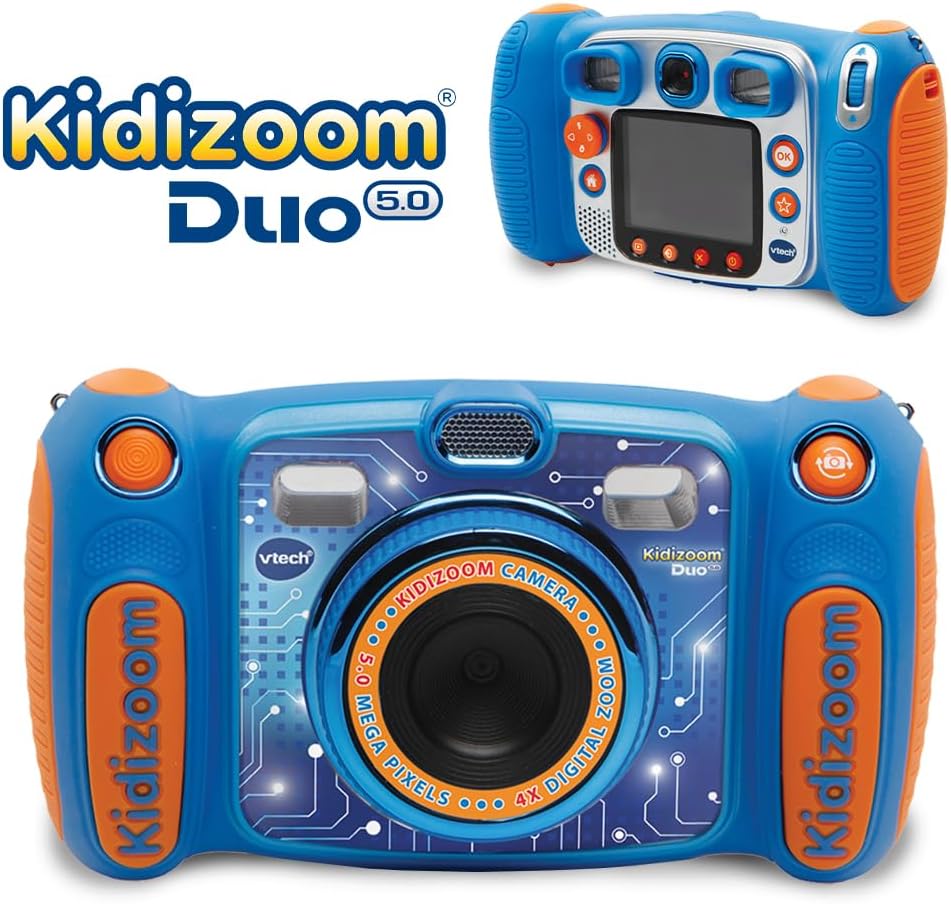
Image: The VTech Kidizoom Duo Camera 5.0 displayed within its retail packaging, ready for unboxing.
2. Зай суурилуулах
- Камер дээрх зайны тасалгааг олоорой.
- Using a small Phillips head screwdriver, loosen the screw on the battery compartment cover.
- Бүрхүүлийг ав.
- Тасалгааны дотор заасан зөв туйлшралыг (+/-) баталгаажуулж, 4 шинэ АА батерейг оруулна уу.
- Тагийг нь таглаад боолтыг чангална.
Жич: For optimal performance and to save on replacement costs, rechargeable AA batteries are recommended.
3. Санах ойн карт оруулах (заавал биш)
The Kidizoom Duo Camera has internal memory, but for extended storage of photos and videos, a microSD card (not included) can be inserted. Locate the microSD card slot, typically near the battery compartment, and gently insert the card until it clicks into place.
Камер ажиллуулах
1. Асаах/унтраах
Press and hold the Power button (usually marked with a circle and a line) to turn the camera on or off. The 2.4-inch color LCD screen will illuminate.

Зураг: Нарийвчилсан арын хэсэг view of the VTech Kidizoom Duo Camera 5.0, highlighting its LCD screen and the various control buttons for navigation and operation.
2. Цэснүүдээр аялах
Use the directional pad (D-pad) and the OK button to navigate through the camera's menus and select options displayed on the LCD screen.
3. Зураг авах
- Линз солих: The Kidizoom Duo features two lenses. Use the dedicated lens switch button (often a rotating ring or a button near the lens) to toggle between the front-facing lens and the rear-facing lens. This is ideal for selfies or taking photos of others.
- Таны зураг авалт: -оор харна уу viewfinder or use the LCD screen to compose your picture.
- Capturing the Photo: Press the Shutter button (usually a large, prominent button) to take a picture.

Зураг: Ойрын зураг view of the VTech Kidizoom Duo Camera 5.0, illustrating the large 2.4-inch color LCD screen, the 5-megapixel lens with 4X digital zoom, and the mechanism for switching between the two lenses.
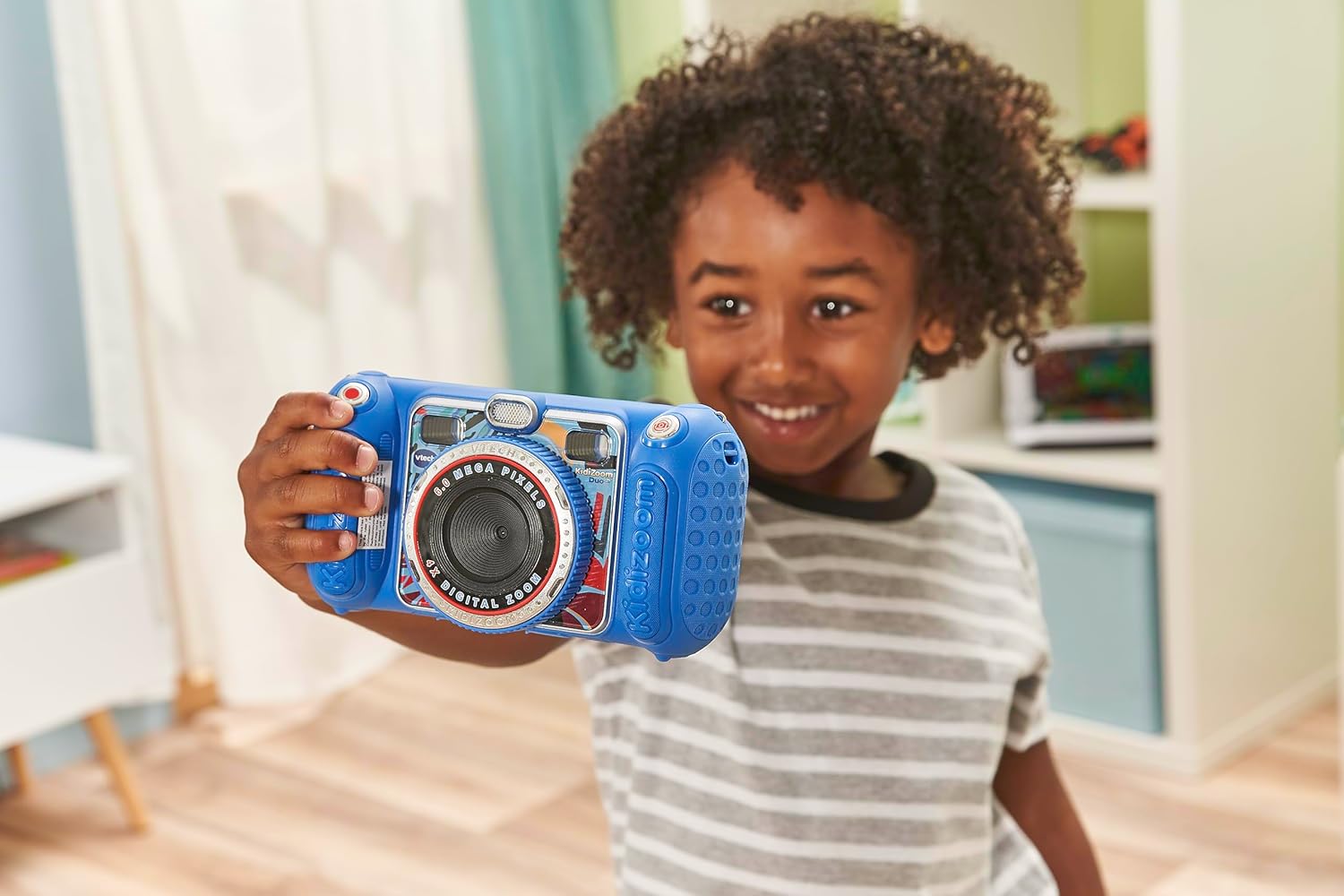
Image: A child holding the VTech Kidizoom Duo Camera 5.0, demonstrating its use for taking a selfie with the front-facing lens.
4. Видео бичлэг хийх
Select the video recording mode from the main menu. Press the Record button to start and stop recording. The camera will capture both video and audio.
5. Applying Effects and Editing
The camera offers various built-in effects, stamps, and frames to personalize your photos and videos. Access these features through the editing menu. You can also use the auto-portrait feature for automatic photo capture.

Зураг: эвлүүлэг шоуasing various fun effects, stamps, and frames that can be added to photos using the VTech Kidizoom Duo Camera 5.0, demonstrating creative possibilities.
6. Дуу бичлэг
Navigate to the voice recorder function to record your voice. You can then apply funny effects to the recorded audio.
7. Тоглоом тоглох
The Kidizoom Duo Camera includes several pre-loaded learning games. Select the Games icon from the main menu to access and play them.
Засвар үйлчилгээ
1. Камерыг цэвэрлэх
- Камерын биеийг цэвэрлэхийн тулд зөөлөн, хуурай даавуу ашиглана уу.
- For the screen and lenses, use a microfiber cloth specifically designed for electronics. Do not use abrasive cleaners or solvents.
- Аливаа нүхэнд чийг орохоос зайлсхий.
2. Зайны арчилгаа
- Хэрэв камерыг удаан хугацаагаар ашиглахгүй бол гоожихоос сэргийлж батерейг нь салгаж авна уу.
- Үргэлж шинэ, өндөр чанартай батерей ашиглаарай.
- Хэрэв цэнэглэдэг батерей ашиглаж байгаа бол ашиглахаасаа өмнө бүрэн цэнэглэгдсэн эсэхийг шалгаарай.
3. Хадгалах
Store the camera in a cool, dry place away from direct sunlight and extreme temperatures. Consider using a protective case to prevent scratches and damage.
Алдааг олж засварлах
| Асуудал | Боломжит шалтгаан | Шийдэл |
|---|---|---|
| Камер асахгүй байна. | Батерей бага эсвэл буруу суурилуулсан. | Replace with fresh batteries or ensure correct polarity. |
| Pictures/Videos are blurry. | Lens is dirty; insufficient lighting; subject too close/far. | Clean the lens; ensure adequate lighting; adjust distance to subject. |
| Cannot save more photos/videos. | Internal memory is full; no microSD card inserted or card is full. | Хуучин устга files; insert a microSD card; transfer fileкомпьютерт. |
| Камер хөлддөг эсвэл хариу өгөхгүй байна. | Програм хангамжийн алдаа. | Remove and reinsert batteries to perform a hard reset. |
Үзүүлэлтүүд
| Онцлог | Дэлгэрэнгүй |
|---|---|
| Бүтээгдэхүүний хэмжээс | 1.57 x 4.49 x 3.35 инч |
| Зүйлийн жин | 7.1 унц |
| Загварын дугаар | 80-507103 |
| Үйлдвэрлэгчийн санал болгосон нас | 3 жил ба түүнээс дээш |
| Батерей | 4 АА батерей шаардлагатай (дагсан) |
| Гарсан огноо | 31 оны аравдугаар сарын 2019 |
| Үйлдвэрлэгч | Vtech Electronics |
| Фото мэдрэгчийн технологи | MOS |
| Дэмжигдсэн File Формат | JPEG, RAW |
| Зураг тогтворжуулах | Дижитал |
| Оптик томруулалт | 4X |
Баталгаат болон дэмжлэг
VTech products are manufactured to high standards and are designed to provide a fun and enriching experience. For information regarding warranty coverage, please refer to the warranty card included with your product or visit the official VTech webсайт.
For technical support, frequently asked questions, or to purchase accessories, please visit the VTech support section on their official website or contact their customer service department. Keep your model number (80-507103) handy when contacting support.
Онлайн нөөцүүд:
- VTech албан ёсны Webсайт: www.vtechkids.com
- Product Support Page: (Check VTech webтодорхой бүтээгдэхүүний дэмжлэгийн хуудасны сайт)


