1. Танилцуулга
This manual provides detailed instructions for the setup, operation, and maintenance of your KADAMS Battery Digital Alarm Clock. Please read this manual thoroughly before using the device to ensure proper function and longevity.

Figure 1: KADAMS Battery Digital Alarm Clock (Front View)
This image shows the front of the KADAMS digital alarm clock, featuring a large, clear LCD display. The display shows the time (10:58 AM), date (March 29, Thursday), temperature (64.7°F), and humidity (56%). The clock is white with a minimalist design.
2. Үндсэн шинж чанарууд
- Цагийн дэлгэц: 12/24 hour format switchable.
- Дотор температур: Celsius (°C) and Fahrenheit (°F) switchable. Range: -10°C to 50°C (14°F to 122°F). Displays LL/HH outside range.
- Дотор чийгшил: Relative Humidity (RH) range 10% - 99%. Displays LL/HH outside range.
- Хуанли: Month, Date (mm/dd), and Day of Week (3 characters).
- Сэрүүлгийн функц: Rings for 2 minutes, with increasing intensity. Automatically stops.
- Залгах функц: 5-minute repeat, no limit on repeats.
- Арын гэрэлтүүлэг: Activates for 10 seconds when button is pressed.
- Зайны үзүүлэлт: Displays on LCD when battery power is low (below 2.45V).
- LCD дэлгэц: Eye-friendly color for better vision and wider viewөнцөг.
- Power Cut Memory: Presets are memorized if batteries are re-assembled within 30 seconds.
3. Тохиргоо
3.1 Батерей суурилуулах
The KADAMS Digital Alarm Clock requires 2 х АА шүлтлэг зай (not included). It is recommended to use new batteries for optimal performance.
- Цагны ард байгаа зайны тасалгааг ол.
- Зайны тасалгааны тагийг гулсуулж нээнэ үү.
- Insert two new AA alkaline batteries, ensuring the correct polarity (+ and -) as indicated inside the compartment.
- Зайны тасалгааны тагийг сайтар хаа.
Чухал: Do not mix alkaline and rechargeable batteries. If the clock is not used for an extended period, remove the batteries to prevent leakage.

Зураг 2: Ар талд View with Controls and Battery Compartment
This image displays the back of the KADAMS digital alarm clock, highlighting the battery compartment and the control buttons. The buttons are clearly labeled for setting time, alarm, and adjusting values.
4. Ашиглалтын заавар
The clock features several buttons on the back for setting and adjusting functions:
- ЦАГ товч: Цаг тохируулах горимд ороход ашигладаг.
- SET товч: Used to confirm settings or cycle through setting options.
- UP (▲) товчлуур: Used to increase values or switch modes.
- ДООШ (▼) товчлуур: Used to decrease values or switch modes.
- ON/OFF товч: Used to activate/deactivate the alarm.
- УНТАХ / ГЭРЭЛ button (top): Activates backlight and snooze function.
4.1 Цаг, огноог тохируулах
- -г удаан дар ЦАГ Цаг тохируулах горимд орохын тулд товчийг 3 секунд дарна уу. Цагийн цифрүүд анивчих болно.
- -г ашиглана уу UP or ДООШ цагийг тохируулах товчлуурууд.
- дээр дарна уу SET button to confirm the hour and move to minute setting. The minute digits will flash.
- -г ашиглана уу UP or ДООШ минут тохируулах товчлуурууд.
- дээр дарна уу SET button to confirm minutes and move to year setting.
- Continue using UP/ДООШ болон SET to set the Year, Month, and Date. The day of the week will automatically adjust based on the date.
- Огноо тохируулсны дараа товчийг дарна уу SET тохиргооны горимоос гарахын тулд.
- To switch between 12-hour (AM/PM) and 24-hour format, press the UP хэвийн цаг харуулах горимд байх үед товчийг дарна уу.
4.2 Сэрүүлэг тохируулах
- -г удаан дар СЭРҮҮЛЭГ button (often indicated by a bell icon) for 3 seconds to enter alarm setting mode. The alarm hour digits will flash.
- -г ашиглана уу UP or ДООШ Сэрүүлгийн цагийг тохируулах товчлуурууд.
- дээр дарна уу SET button to confirm the alarm hour and move to alarm minute setting. The alarm minute digits will flash.
- -г ашиглана уу UP or ДООШ Сэрүүлгийн минутыг тохируулах товчлуурууд.
- дээр дарна уу SET Сэрүүлгийн тохиргооны горимоос гарах товчийг дарна уу.
- Сэрүүлгийг идэвхжүүлэх эсвэл идэвхгүй болгохын тулд товчийг дарна уу ON/OFF товчлуур. Идэвхжүүлсэн үед дэлгэц дээр дохиоллын дүрс гарч ирнэ.
4.3 Түр хойшлуулах болон арын гэрэлтүүлгийн функц
The large button on the top of the clock serves two functions:
- Арын гэрэлтүүлэг: дээр дарна уу УНТАХ / ГЭРЭЛ button briefly to illuminate the LCD screen. The backlight will remain active for approximately 10 seconds.
- Түр хойшлуулах: Сэрүүлэг дуугарах үед товчийг дарна уу УНТАХ / ГЭРЭЛ button to temporarily silence the alarm. The alarm will sound again after 5 minutes. This function can be repeated indefinitely.

Figure 3: Snooze/Light Button Location
This image shows the top of the KADAMS digital alarm clock, with an arrow pointing to the "SNOOZE/LIGHT" button. Text overlays explain its functions: "Press button to Light-Up LCD Screen Deactivates after 10 seconds" and "Press button to Turn Off Alarm Sound 5 Minute Repeat".
4.4 Температур ба чийгшлийн дэлгэц
The clock continuously displays indoor temperature and relative humidity.
- Температурын нэгж: Цельсийн (°C) болон Фаренгейтийн (°F) хооронд шилжихийн тулд товчийг дарна уу ДООШ хэвийн цаг харуулах горимд байх үед товчийг дарна уу.
- Дэлгэцийн хүрээ: If the temperature or humidity falls outside the measurable range, the display will show "LL" (Low) or "HH" (High).
5. Засвар үйлчилгээ
5.1 Батерейг солих
When the battery indicator appears on the LCD screen, it signifies that the battery power is low (below 2.45V). Replace both AA batteries promptly to ensure continued accurate operation. Follow the battery installation steps in Section 3.1.
5.2 Цэвэрлэгээ
To clean the clock, gently wipe the surface with a soft, dry cloth. Do not use abrasive cleaners, solvents, or immerse the clock in water.
6. Алдаа засах
| Асуудал | Боломжит шалтгаан | Шийдэл |
|---|---|---|
| Дэлгэц бүдэг эсвэл хоосон байна. | Батерей бага эсвэл батерейг буруу суурилуулсан. | Батерейг шинэ АА шүлтлэг батерейгаар сольж, зөв туйлшралыг баталгаажуулна уу. |
| Temperature/Humidity shows "LL" or "HH". | Environmental conditions outside the measurable range. | This is normal. The clock will display readings once conditions return within the range (-10°C to 50°C for temp, 10% to 99% for humidity). |
| Сэрүүлэг дуугарахгүй байна. | Сэрүүлэг идэвхжээгүй эсвэл буруу тохируулагдсан байна. | Сэрүүлэг асаалттай байгаа эсэхийг шалгана уу (дохиоллын дүрс харагдаж байна). Сэрүүлгийн цаг зөв тохируулагдсан эсэхийг шалгана уу. |
| Day of the week is incorrect. | Year or date is set incorrectly. | Re-enter the correct Year, Month, and Date. The day of the week is calculated automatically. |
| Screen is too dark to read without backlight. | This is a characteristic of the LCD panel. | Press the SNOOZE/LIGHT button for temporary illumination. Ensure adequate ambient lighting for continuous viewing without backlight. |
7. Техникийн үзүүлэлтүүд
- Загвар: K0337STHW
- Хэмжээ: L 145mm * H 62mm * W 44mm (5.7 in * 2.4 in * 1.7 in)
- Цэвэр жин: 165 гр (0.36 фунт)
- Эрчим хүчний эх үүсвэр: 2 x AA Alkaline Batteries (3.0V total)
- Температурын хүрээ: -10°C - 50°C (14°F - 122°F)
- Чийглэгийн хүрээ: 10% RH - 99% RH
- Дэлгэцийн төрөл: Дижитал LCD
- Өнгө: Цагаан
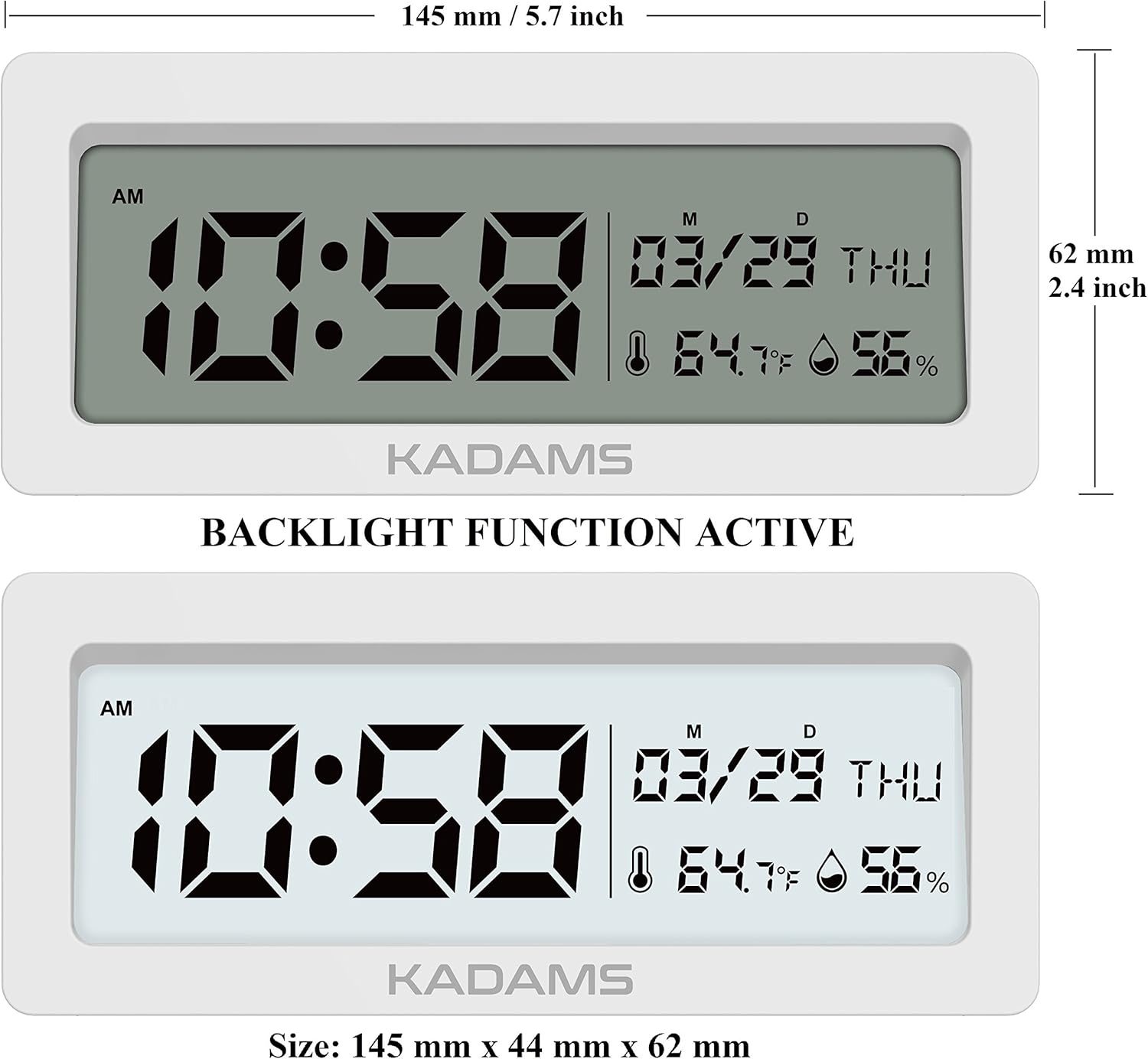
Зураг 4: Бүтээгдэхүүний хэмжээс
This image provides a detailed diagram of the KADAMS digital alarm clock with its precise measurements. It shows the length as 145 mm (5.7 inches) and the height as 62 mm (2.4 inches).
8. Баталгаат хугацаа ба дэмжлэг
Specific warranty information and direct customer support contact details are not provided within this manual. For warranty claims, technical assistance, or further inquiries, please refer to the official KADAMS webсайт эсвэл бүтээгдэхүүнийг худалдаж авсан жижиглэн худалдаачинтайгаа холбоо барина уу.
You may also visit the KADAMS Store on Amazon for more information: KADAMS Amazon Store


