Танилцуулга
The Polaroid OneStep+ is an analog instant camera designed to connect with your smartphone, offering a blend of classic instant photography and modern creative tools. This manual provides essential information for setting up, operating, and maintaining your camera, ensuring you get the most out of its features.
Гол онцлогууд нь:
- Original Polaroid Format for instant prints.
- Bluetooth connectivity for smartphone app integration.
- Dual lens system: Standard (3ft to infinity) and Portrait (1ft to 3ft).
- Integrated powerful flash and self-timer mode.
- Compatible with Polaroid i-Type and 600 film.

Зураг 1: Урд view of the Polaroid OneStep+ camera with an ejecting instant photo.
Тохиргоо
1. Хайрцагнаас задлах, анхны үзлэг
Your Polaroid OneStep+ camera package includes the camera body and essential accessories. Please inspect all components upon arrival to ensure everything is present and undamaged.
2. Камерыг цэнэглэж байна
The camera is powered by a built-in Lithium Ion battery. Before first use, fully charge the camera using the provided USB cable. A full charge provides approximately 60 days of battery life, depending on usage.

Зураг 2: Буцах view камерын цэнэглэх портыг тодруулсан.
3. Кино ачаалж байна
The OneStep+ is compatible with both i-Type and 600 instant film. To load film:
- Камерын урд доод хэсэгт байрлах хальсны хаалгыг нээнэ үү.
- Insert a new film pack into the film compartment with the darkslide facing up.
- Close the film door. The darkslide will automatically eject.
- The LED counter on top of the camera will indicate the number of remaining photos.
Видео 1: Энэ видео нь нэмэлт мэдээллийг өгдөгview of the Polaroid OneStep+ camera, demonstrating how to load film, switch between standard and portrait lenses, and use the flash override button.
Камер ажиллуулах
1. Асаах/унтраах
To turn the camera on, slide the red 'ON' switch located on the back of the camera. To turn it off, slide the switch back to the 'OFF' position.
2. Зураг авах
ашиглан өөрийн зургийг хүрээлэх viewfinder. Press the red shutter button on the front of the camera to capture your image. The photo will eject from the film slot.
3. Flash Control
The camera features a powerful built-in flash. To disable the flash for a specific shot, press and hold the small button located on the side of the camera (near the charging port) while pressing the shutter button.
4. Lens Modes (Standard & Portrait)
The OneStep+ offers two fixed-focus lenses:
- Стандарт линз: For subjects 3 feet (0.9m) and beyond.
- Portrait Lens: For subjects between 1 foot (0.3m) and 3 feet (0.9m).
Switch between these lenses using the toggle switch on top of the camera.
Зураг 3: Жишээ ньample of a close-up photo taken using the Portrait Lens mode.
5. Гэрлийн тохируулга
Use the light/dark toggle switch located near the flash to adjust the exposure. Move it towards '+' for brighter photos or towards '-' for darker photos, depending on lighting conditions.
6. Bluetooth Connection and App Features
The Polaroid OneStep+ connects to the Polaroid Originals smartphone app (available for iOS and Android) via Bluetooth, unlocking advanced creative modes:
- Remote Trigger: Take photos from a distance using your phone.
- Цаг хэмжигч: Set a timer for your shots.
- Давхар өртөлт: Capture two scenes in a single frame.
- Light Painting: Use light sources to create unique effects.
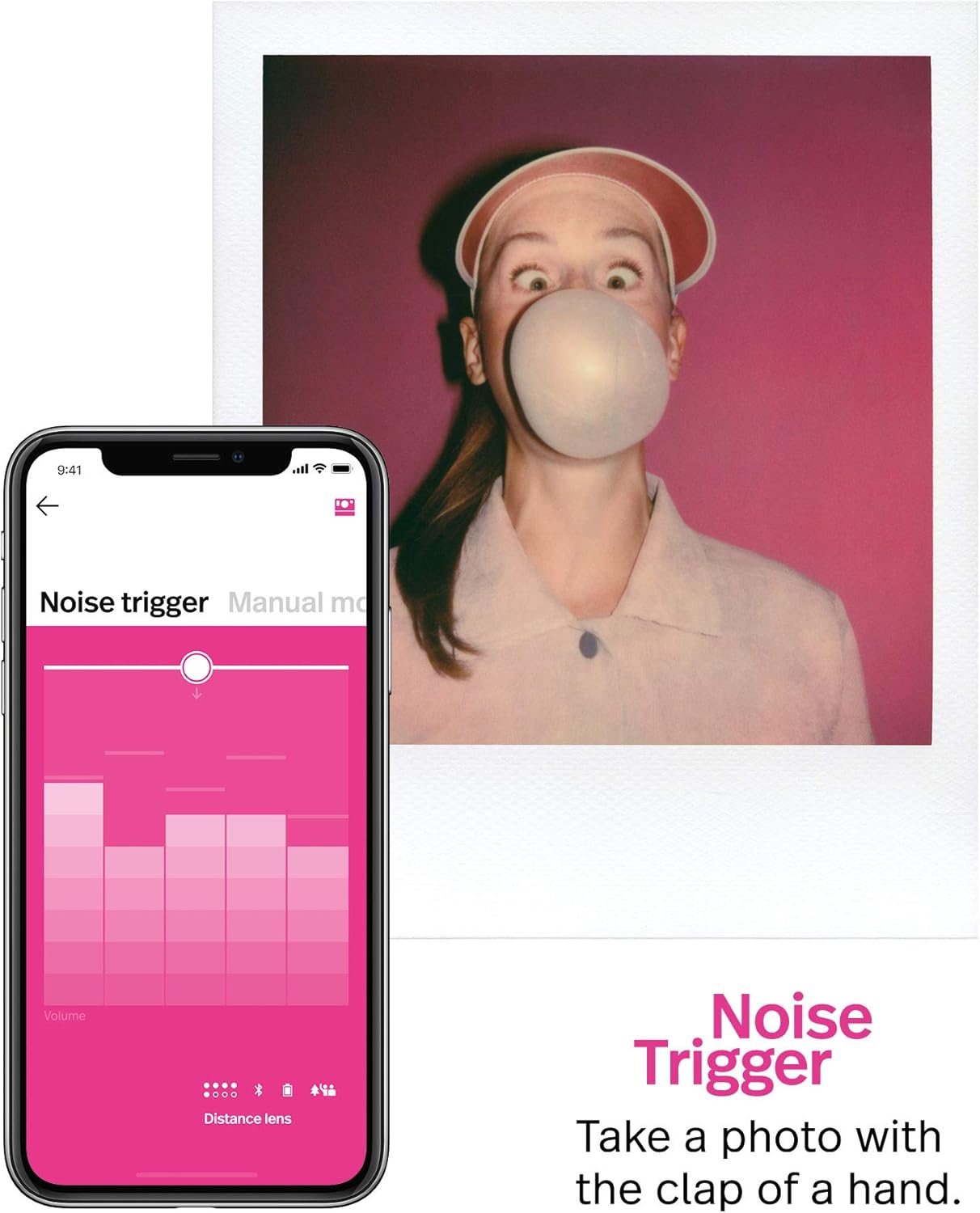
- Noise Trigger: Trigger the shutter with sound.
- Гар горим: Full control over aperture, shutter speed, and flash.
Video 2: This official video from Polaroid Originals demonstrates the key features of the OneStep+ camera, including Bluetooth connectivity, app-controlled modes like remote trigger, self-timer, double exposure, light painting, noise trigger, and manual mode, as well as the photo scanner.
App Feature Examples:

Давхар өртөг

Алсын гох

Гар горим

Noise Trigger

Хөнгөн зураг

Өөрөө цаг хэмжигч
Засвар үйлчилгээ
1. Камерыг цэвэрлэх
Use a soft, dry, lint-free cloth to clean the camera's exterior. For the lens, use a specialized lens cleaning cloth and solution. Avoid abrasive materials or harsh chemicals.
2. Зайны арчилгаа
To prolong battery life, store the camera in a cool, dry place when not in use. Recharge the battery regularly, even if the camera is not used frequently.
3. Film Storage
Store film packs in a cool, dark place. Avoid exposing film to direct sunlight or extreme temperatures, as this can affect image quality.
Алдааг олж засварлах
- Камер асахгүй байна: Батерей цэнэглэгдсэн эсэхийг шалгана уу. Камерыг USB кабель ашиглан тэжээлийн эх үүсвэрт холбоно уу.
- Кино салгахгүй байна: Check if a film pack is correctly loaded and if there are any photos remaining (indicated by the LED counter).
- Poor photo quality: Ensure proper lighting, use the correct lens mode (Standard/Portrait), and adjust exposure settings if necessary. Keep the film shielded from light immediately after ejection.
- Bluetooth холболттой холбоотой асуудлууд: Ensure Bluetooth is enabled on your smartphone and the camera. Try restarting both devices and re-pairing through the Polaroid Originals app.
For more detailed troubleshooting, refer to the Polaroid Originals app's help section or visit the official Polaroid support webсайт.
Үзүүлэлтүүд
| Онцлог | Дэлгэрэнгүй |
|---|---|
| Бүтээгдэхүүний хэмжээс | 5.9 x 3.8 x 4.37 инч |
| Зүйлийн жин | 1.08 фунт |
| Загварын дугаар | 9010 |
| Батерей | 1 лити ион батерей (дагсан) |
| Онцлог шинж чанар | Built-In Flash, Timer, Compact |
| Киноны форматын төрөл | Instant (i-Type & 600 film) |
| Холболт | Bluetooth |
| Үйлдвэрлэгч | Polaroid Originals |
Баталгаат болон дэмжлэг
For information regarding product warranty, please refer to the warranty card included with your purchase or visit the official Polaroid website. For further assistance, technical support, or to purchase accessories and film, please visit the Полароид дэлгүүр эсвэл харилцагчийн үйлчилгээтэй холбогдоно уу.


