1. Бүтээгдэхүүн дууссанview
The SANSCO 5MP 8-Channel Home Security Camera System provides comprehensive surveillance for your property. This system includes an 8-channel DVR (Digital Video Recorder) and 8 high-resolution 5MP (2560TVL) outdoor waterproof CCTV cameras. Designed for reliable performance, it features H.265+ video compression for efficient storage, night vision capabilities, motion detection alerts, and easy remote access via compatible devices.

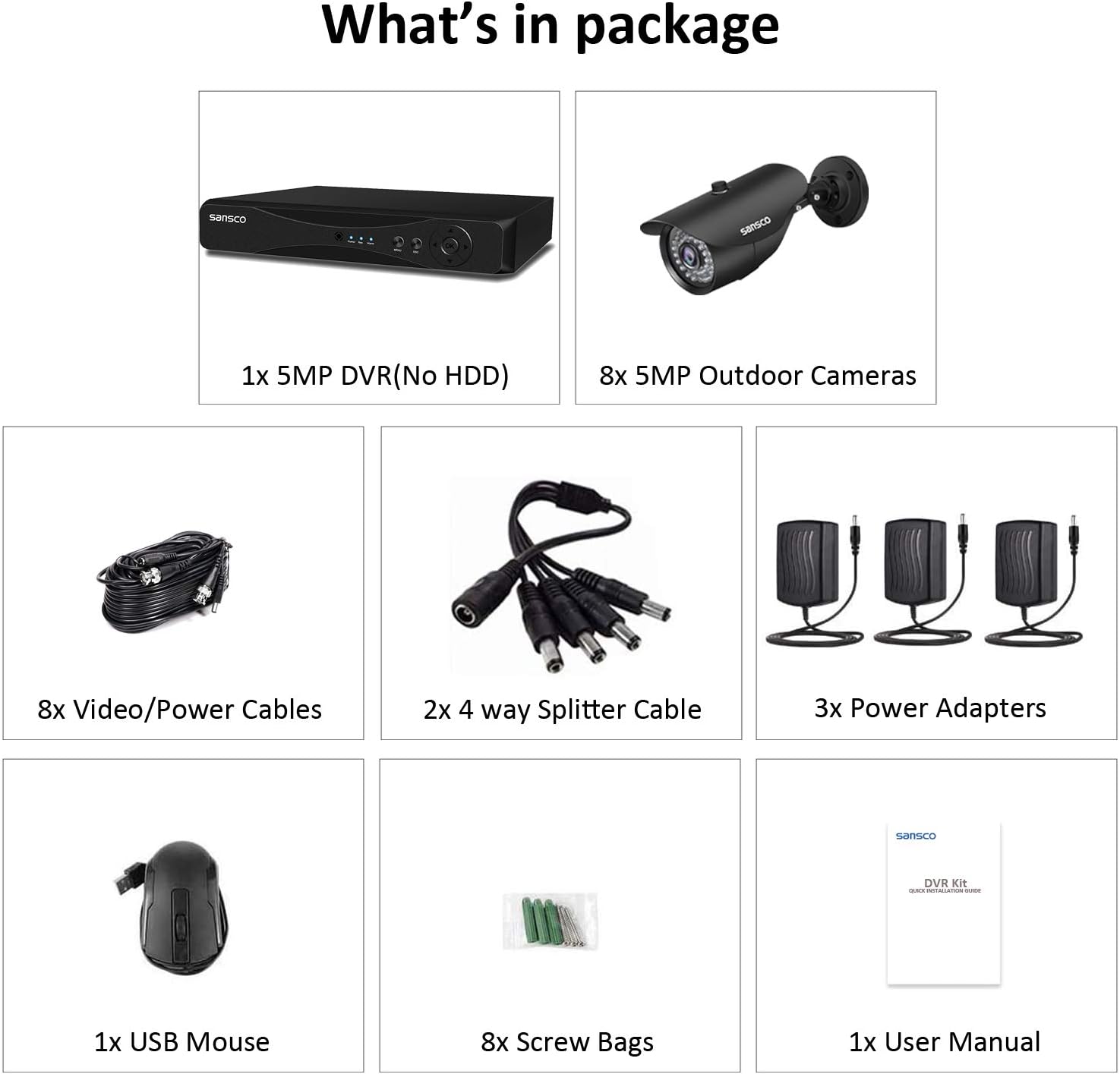
Figure 1: SANSCO 5MP 8-Channel Home Security Camera System components.
Гол онцлогууд:
- Өндөр нягтрал: 5MP (2560TVL) cameras for clear and detailed video.
- 8 сувгийн DVR: Өргөн хүрээг хамрахын тулд 8 хүртэлх камерыг дэмждэг.
- H.265+ видео шахалт: Advanced compression technology for reduced storage space and bandwidth usage.
- Outdoor Waterproof Cameras: IP66 rated for reliable operation in various weather conditions.
- Шөнийн хараа: Equipped with infrared LEDs for clear monitoring in low-light or no-light conditions.
- Хөдөлгөөн илрүүлэх: Configurable motion detection with instant email and app push alerts.
- Алсын хандалт: View амьд footage and recordings from smartphones and other compatible devices.
- Утастай холболт: Ensures stable and secure video transmission.
Видео 1: Дууслааview of the SANSCO 2K Wired Home Security CCTV Cameras System, demonstrating its general features and capabilities.
2. Тохируулах гарын авлага
Follow these steps to set up your SANSCO security camera system:
- Бүрэлдэхүүн хэсгүүдийг задалж, тодорхойлох: Carefully unpack all items and verify against the packing list. The system typically includes the DVR, cameras, video/power cables, power adapters, USB mouse, and a user manual. Note that a hard drive for recording is not included and must be purchased separately if continuous recording is desired.
- Connect the DVR System:
- Connect the cameras to the DVR using the provided video/power cables. Each camera requires one cable for both video signal and power.
- Connect the DVR to a monitor or TV using an HDMI or VGA cable.
- Connect the USB mouse to the DVR's USB port.
- Connect the DVR to power using the provided power adapter.

Figure 2: Basic connection diagram for the DVR and cameras.
- Connect the DVR to a Router (for Remote Access):
- Use an Ethernet cable to connect the DVR's LAN port to your internet router.
Зураг 3: Нарийвчилсан view of DVR ports for various connections.
- Power On and Initial Configuration:
- Power on the DVR. It will boot up and display the live view on the connected monitor.
- Follow the on-screen instructions for initial setup, including setting a password, date/time, and network settings.
- Download Mobile App and Enable Remote View:
- Download the recommended mobile application (e.g., XMeye or similar) from your smartphone's app store.
- Апп дотор бүртгэлээ бүртгүүлнэ үү.
- Add your DVR device to the app by scanning the QR code displayed on the DVR's monitor or by manually entering the device ID.
- Нэгэнт нэмсэн бол та чадна view амьд footage and access recordings remotely.
3. Ашиглалтын заавар
This section covers the basic operation of your SANSCO security system.
3.1 Амьд View болон тоглуулах
- Амьд View: The DVR automatically displays live feeds from all connected cameras. You can switch between single-camera view болон олон камерын сүлжээ view using the DVR's interface or the mobile app.
- Тоглуулах: Бүртгэгдсэн foo руу нэвтрэхtage through the DVR's menu or the mobile app. Select the desired date, time, and camera channel to review бичлэгүүд.
3.2 Video Resolution and Compression
The system supports 5MP resolution for detailed images. It utilizes H.265+ video compression, which significantly reduces file sizes compared to older H.264 standards, allowing for longer recording times with the same storage capacity.

Figure 4: Visual comparison of different video resolutions.

Figure 5: H.265+ video compression offers extended recording duration.
3.3 Хөдөлгөөн илрүүлэх
The system can be configured to detect motion within specified areas. When motion is detected, it can trigger recording, send instant email notifications, and push alerts to your mobile application.
- Тохиргоо: Access the DVR settings to define motion detection zones, sensitivity levels, and alert actions.
- Анхааруулга: Ensure your mobile app notifications are enabled to receive real-time alerts.

Figure 6: Motion detection triggering alerts on a smartphone.
3.4 Шөнийн хараа
The cameras are equipped with 36 infrared LEDs, providing clear night vision up to 65 feet (20 meters). This ensures continuous surveillance even in complete darkness.
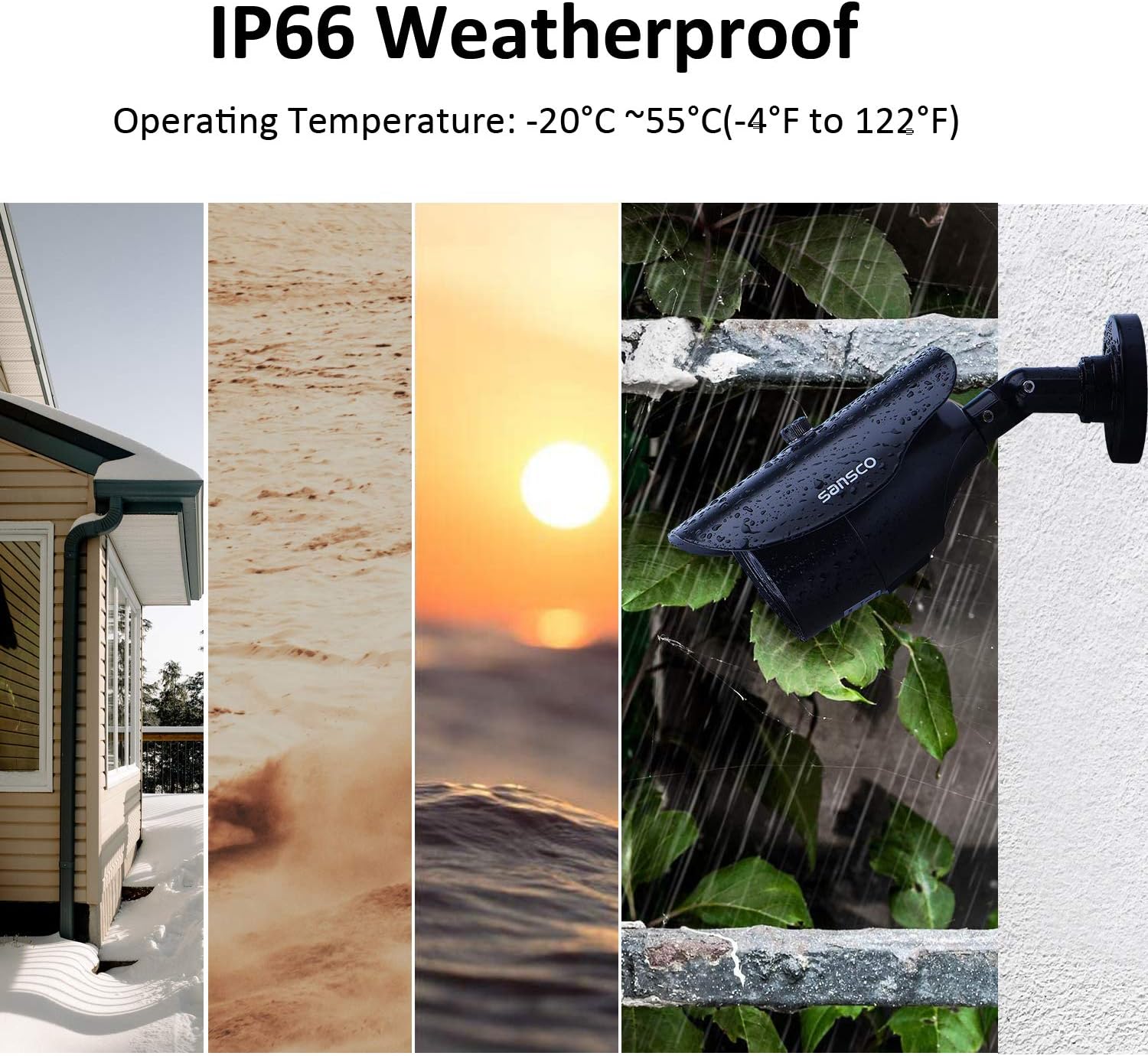
Figure 7: Camera with 36 infrared LEDs for enhanced night vision.
Video 2: Demonstration of the clear night vision capabilities of SANSCO 5MP Security Cameras System.
4. Засвар үйлчилгээ
Proper maintenance ensures the longevity and optimal performance of your security system.
- Камер цэвэрлэх: Камерын линзийг зөөлөн, damp саад болох тоос, шороо, усны толбыг арилгахын тулд даавуу view. Зүлгүүрийн цэвэрлэгчээс зайлсхий.
- Кабелийн үзлэг: Periodically check all cables for any signs of wear, damage, or loose connections. Secure any loose cables to prevent accidental disconnections.
- DVR агааржуулалт: Хэт халалтаас сэргийлэхийн тулд DVR-г агааржуулалт сайтай газар байрлуулсан эсэхээ шалгаарай. Агааржуулалтын нүхийг бөглөрөлгүй байлгаарай.
- Програм хангамжийн шинэчлэлтүүд: Check the SANSCO official website for any available firmware updates for your DVR to ensure optimal performance and security.
4.1 Цаг агаарын нөлөөнд тэсвэртэй дизайн
The cameras are IP66 weatherproof, meaning they are protected against dust ingress and powerful water jets. This allows them to operate effectively in various outdoor conditions, with an operating temperature range of -20°C to 55°C (-4°F to 122°F).

Figure 8: IP66 weatherproof cameras designed for outdoor use.
Video 3: A waterproof test demonstrating the durability of the SANSCO 5MP Home Security Cameras System.
5. Алдаа засах
If you encounter issues with your SANSCO security system, refer to the following common troubleshooting steps:
- Видео дохио байхгүй:
- Check all power connections to the DVR and cameras.
- Verify that video cables (BNC) are securely connected at both the camera and DVR ends. Loose or damaged BNC cables are a common cause of signal loss.
- Ensure the monitor/TV input source is correctly selected.
- Хэрэв боломжтой бол эвдэрсэн камер эсвэл кабелийг тусгаарлахын тулд камеруудыг тус тусад нь туршина уу.
- Алсын хандалт ажиллахгүй байна:
- Confirm the DVR is connected to your router via an Ethernet cable and has a stable internet connection.
- Check your router's internet connectivity.
- Ensure the mobile app is updated to the latest version.
- Verify device ID and login credentials in the app.
- Check firewall settings on your router; some ports may need to be forwarded (refer to your router's manual or ISP for assistance).
- Хөдөлгөөн илрүүлэх нь идэвхгүй:
- Review motion detection settings in the DVR menu, ensuring zones are correctly defined and sensitivity is appropriate.
- Check that recording schedules are active.
- Ensure push notifications are enabled in both the DVR settings and your mobile app.
- Зургийн чанар муу:
- Clean camera lenses as described in the Maintenance section.
- Ensure cameras are positioned correctly and not facing direct light sources that could cause glare.
- Check cable quality and length; long or low-quality cables can degrade signal.
If these steps do not resolve the issue, please contact SANSCO customer support for further assistance.
6. Техникийн үзүүлэлтүүд
| Брэнд | SANSCO |
| Загвар | B07GP5LBHG |
| Холболтын технологи | Утастай |
| Онцлог шинж чанарууд | Image, Motion Sensor, Night Vision, Waterproof |
| Сувгийн тоо | 8 |
| Санах ойн хадгалах багтаамж | 1 TB (Hard Drive not included, capacity if installed) |
| Эрчим хүчний эх үүсвэр | Утастай цахилгаан |
| Тохиромжтой төхөөрөмжүүд | Ухаалаг утаснууд |
| Камерын бусад онцлогууд | Урд |
| Гэрэл багатай технологи | Шөнийн өнгө |
| Бичлэгийн горим | Хөдөлгөөн илрүүлэх |
| Ашиглалтын температур | -20°C ~ 55°C (-4°F - 122°F) |
| UPC | 712319558911 |
| Зүйлийн жин | 15.92 фунт |
| Багцын хэмжээ | 17.25 x 13 x 7.75 инч |
7. Баталгаат хугацаа ба дэмжлэг
SANSCO products are designed for reliability and performance. For specific warranty details, please refer to the warranty card included with your product or visit the official SANSCO webсайт. Баталгаат нэхэмжлэл гаргахын тулд худалдан авалтаа нотлох баримтаа хадгалаарай.
For technical support, troubleshooting assistance, or any inquiries regarding your SANSCO 5MP 8-Channel Home Security Camera System, please contact SANSCO customer service through their official channels. Contact information can typically be found in the product packaging or on the SANSCO webсайт.


