Танилцуулга
The Nyko Wireless Core Controller is designed to enhance your gaming experience across multiple platforms, including Nintendo Switch, Android devices, and PC. This controller features an ergonomic design, reliable Bluetooth connectivity, and a programmable turbo function. Please read this manual thoroughly to ensure proper setup and operation of your new controller.
Юу багтсан бэ
Бүх зүйл багцад байгаа эсэхийг шалгана уу:
- 1x Nyko Wireless Core Controller
- 1x USB Type-C цэнэглэгч кабель

Image: Contents of the Nyko Wireless Core Controller package, showing the controller and its USB Type-C charging cable.
Онцлогууд
The Nyko Wireless Core Controller offers a range of features for an optimized gaming experience:
- Утасгүй холболт: Utilizes Bluetooth for a responsive, lag-free connection.
- Эргономик дизайн: Full-sized controller with comfortable grips for extended gameplay sessions.
- Турбо функц: Programmable turbo button for any face buttons or triggers, allowing for rapid, automatic inputs.
- Цэнэглэдэг батерей: Internal battery provides up to 20 hours of playtime, recharged via the included USB Type-C cable.
- Хөдөлгөөний удирдлага: Integrated gyroscope supports games requiring motion control.
- Чичиргээний санал хүсэлт: Тоглоомын явцад гүнзгий мэдрэгдэх мэдрэмжийг өгдөг.
- Олон платформын нийцтэй байдал: Works with Nintendo Switch, Android, and PC.
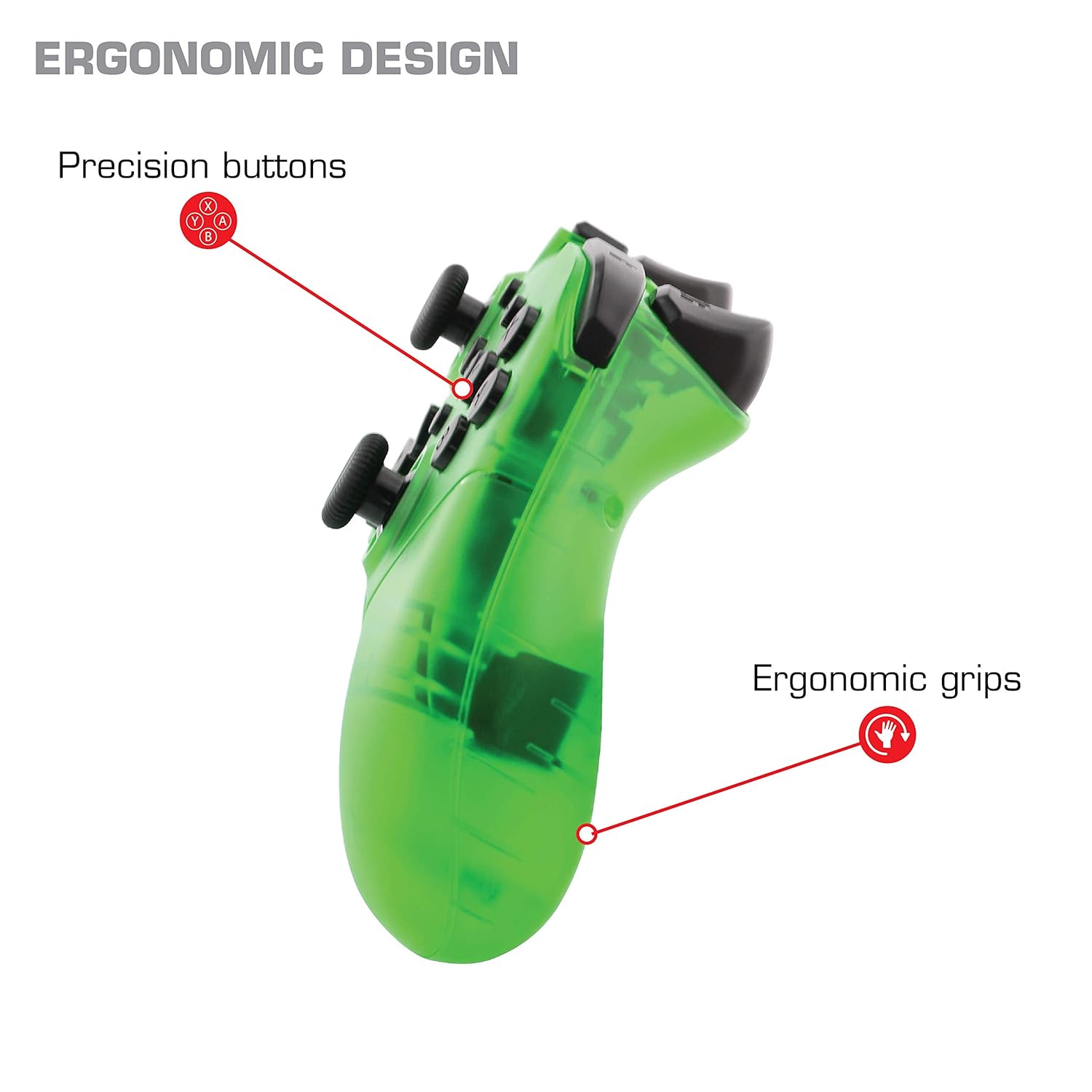
Зураг: Ойролцоогоор view of the Nyko Wireless Core Controller highlighting its ergonomic design and precision buttons.

Зураг: Урд view of the Nyko Wireless Core Controller, indicating its compatibility with PC, the turbo feature, and LED player indicators.
Video: A comparison between the Nyko Wireless Core Controller and a standard Nintendo Switch Pro Controller, showcasing their similar layouts and features.
Тохиргоо
Анхны цэнэглэлт
Before first use, fully charge the controller using the included USB Type-C cable. Connect the small end of the cable to the controller's USB-C port and the larger end to a USB power source (e.g., Nintendo Switch dock, PC, or USB wall adapter).
Nintendo Switch-тэй хослуулж байна
- Nintendo Switch консолоо асааж, хамгийн сүүлийн үеийн системийн програм хангамж руу шинэчилсэн эсэхээ шалгаарай.
- НҮҮР Цэснээс "Хянагч" > "Бариул/Дарааллыг өөрчлөх"-г сонгоно уу.
- While on this screen, press and hold the SYNC button on the top of the Nyko controller for a few seconds until the player indicator LEDs begin to flash.
- Once the controller is recognized and paired, the player indicator LED(s) will light up solid.
- Жич: For the first connection, it may be necessary to connect the controller physically to the Switch dock via the USB-C cable to initiate pairing.
Pairing with Android/PC
- Ensure Bluetooth is enabled on your Android device or PC.
- Төхөөрөмж дээрээ Bluetooth тохиргоо руу очоод шинэ төхөөрөмжүүдийг хайгаарай.
- Press and hold the SYNC button on the top of the Nyko controller until the player indicator LEDs begin to flash, indicating it's in pairing mode.
- Select "Nyko Core Controller" (or similar name) from the list of available devices on your Android/PC.
- Once paired, the player indicator LED(s) will light up solid.
Ашиглалтын заавар
Үндсэн удирдлага
The controller features standard button layouts including A, B, X, Y buttons, D-Pad, Left and Right Analog Sticks, L/R and ZL/ZR shoulder buttons, HOME, +, -, and Screenshot buttons. Refer to your game's instructions for specific button functions.
Programmable Turbo Functionality
The turbo function allows for rapid, repeated input of a button press. This can be set for multiple buttons simultaneously.

Image: Diagram of the Nyko Wireless Core Controller indicating which buttons are programmable for turbo functionality and which are not.
Enabling Turbo and Auto-Fire
- To enable Turbo: -г удаан дар Турбо товч, then press any face button (Y, X, B, A) or trigger (L, R, ZL, ZR) you wish to have turbo functionality. While holding the assigned button, it will rapidly input.
- To enable Auto-Fire: -г удаан дар Турбо товч, then press the desired button хоёр удаа. The button will now continuously input without needing to be held down.
Disabling Turbo and Auto-Fire
- To disable Turbo/Auto-Fire for a specific button: -г удаан дар Турбо товч, then press the assigned button хоёр удаа.
- To reset all Turbo/Auto-Fire settings: -г удаан дар Турбо товч болон (-) товчлуур нэгэн зэрэг.
Changing the Speed of Turbo and Auto-Fire
This setting affects the speed of all active turbo/auto-fire enabled buttons.
- -г удаан дар Турбо товч.
- To increase speed, tilt the right analog stick up.
- To decrease speed, tilt the right analog stick down.
- -г суллана Турбо товч when your desired speed is set.
Засвар үйлчилгээ
Цэвэрлэгээ
Хянагчийг цэвэрлэхийн тулд зөөлөн, хуурай даавуу ашиглаарай. Зөрүүд бохирдлыг бага зэрэг арчина.ampДаавууг усаар норгоно. Хүчтэй химийн бодис, уусгагч эсвэл зүлгүүрийн цэвэрлэгч хэрэглэхээс зайлсхий, учир нь эдгээр нь хянагчийн өнгөлгөө болон дотор эд ангиудыг гэмтээж болзошгүй.
Батерейны арчилгаа
The controller contains a built-in Lithium Ion battery. To prolong battery life:
- Байнга зайгаа бүрэн цэнэглэхээс зайлсхий.
- Удирдлагыг удаан хугацаагаар ашиглаагүй үед сэрүүн, хуурай газар хадгална уу.
- Хянагчийг хэт өндөр температурт бүү оруул.
Алдааг олж засварлах
Хянагч холбогдоогүй/холболт тасарсан
- Батерейг шалгах: Ensure the controller is fully charged. A completely drained battery may prevent initial connection.
- Хянагчийг дахин холбох: Follow the pairing instructions in the "Setup" section. For Nintendo Switch, try connecting via USB-C to the dock first.
- Зай ба хөндлөнгийн оролцоо: Ensure the controller is within range of the console/device and there are no major obstructions or sources of wireless interference.
- Системийн шинэчлэл: Ensure your Nintendo Switch console or PC operating system is up to date.
Товчнууд хариу өгөхгүй байна
- Дахин синк хийх: Try re-syncing the controller with your device.
- Дахин эхлүүлэх: Power off and on both the controller and the console/device.
- Цэвэр: Товчлуурын эргэн тойронд хог хаягдал байхгүй эсэхийг шалгаарай.
Rumble is Too Strong
The controller's vibration feature is designed to provide strong feedback. If the rumble intensity is too high, check the in-game settings of the specific game you are playing, as some games allow for rumble intensity adjustment. The controller itself does not have a direct setting to adjust rumble strength.
Үзүүлэлтүүд
- Загварын дугаар: 87264
- Холболт: Bluetooth утасгүй
- Цэнэглэх порт: USB Type-C
- Зайны төрөл: Лити ион (оруулсан)
- Approximate Playtime: 20 цаг хүртэл
- Бүтээгдэхүүний хэмжээ: 6.3 x 2.76 x 5.91 инч
- Барааны жин: 10.6 унц
- Үйлдвэрлэгч: Нико
- Тохиромжтой байдал: Nintendo Switch, Android, PC
Баталгаат болон дэмжлэг
Nyko products are manufactured to high-quality standards. For specific warranty information, please refer to the warranty card included with your product or visit the official Nyko website. For technical support, troubleshooting assistance, or to inquire about replacement parts, please contact Nyko Customer Support through their official channels.
Онлайн дэмжлэг: www.nyko.com/support


