1. Танилцуулга
Thank you for choosing the lightmaXX Vega 3-Way PRO Beam/WASH/FX Moving Head Scanner. This versatile lighting fixture is designed for professional stage, event, and club applications, offering dynamic beam, wash, and special effect capabilities. This manual provides essential information for safe operation, setup, maintenance, and troubleshooting to ensure optimal performance and longevity of your device.
2. Аюулгүй ажиллагааны заавар
Please read and understand all safety instructions before installing or operating this device. Failure to comply with these instructions may result in electric shock, fire, or personal injury.
- Энэ төхөөрөмж нь зөвхөн мэргэжлийн хэрэглээнд зориулагдсан.
- Эрчим хүчний хангамжийн хэмжээг баталгаажуулна ууtage ботьтой таарч байнаtage нэгж дээр заасан.
- Төхөөрөмжийг үргэлж газардуулсан цахилгаан залгуурт холбоно уу.
- Disconnect from mains power before any service, cleaning, or maintenance.
- Цахилгааны утас гэмтсэн бол төхөөрөмжийг бүү ажиллуул.
- Нүдний гэрлийн эх үүсвэрт шууд өртөхөөс зайлсхий.
- Ensure adequate ventilation around the unit to prevent overheating. Maintain a minimum distance of 0.5 meters from flammable materials.
- Тохирох товчлуурыг ашиглан төхөөрөмжийг найдвартай суурилуулна ууamps болон аюулгүйн кабель.
- Орон сууцыг нээж болохгүй; дотор нь хэрэглэгчийн засвар үйлчилгээ хийх хэсэг байхгүй. Бүх үйлчилгээг мэргэшсэн боловсон хүчинд шилжүүлээрэй.
- Төхөөрөмжийг бороо, чийг, хэт өндөр температураас хол байлга.
3. Бүтээгдэхүүн дууссанview
The lightmaXX Vega 3-Way PRO is a hybrid moving head fixture designed to deliver powerful and versatile lighting effects. It combines beam, wash, and special effect functionalities in one compact unit.
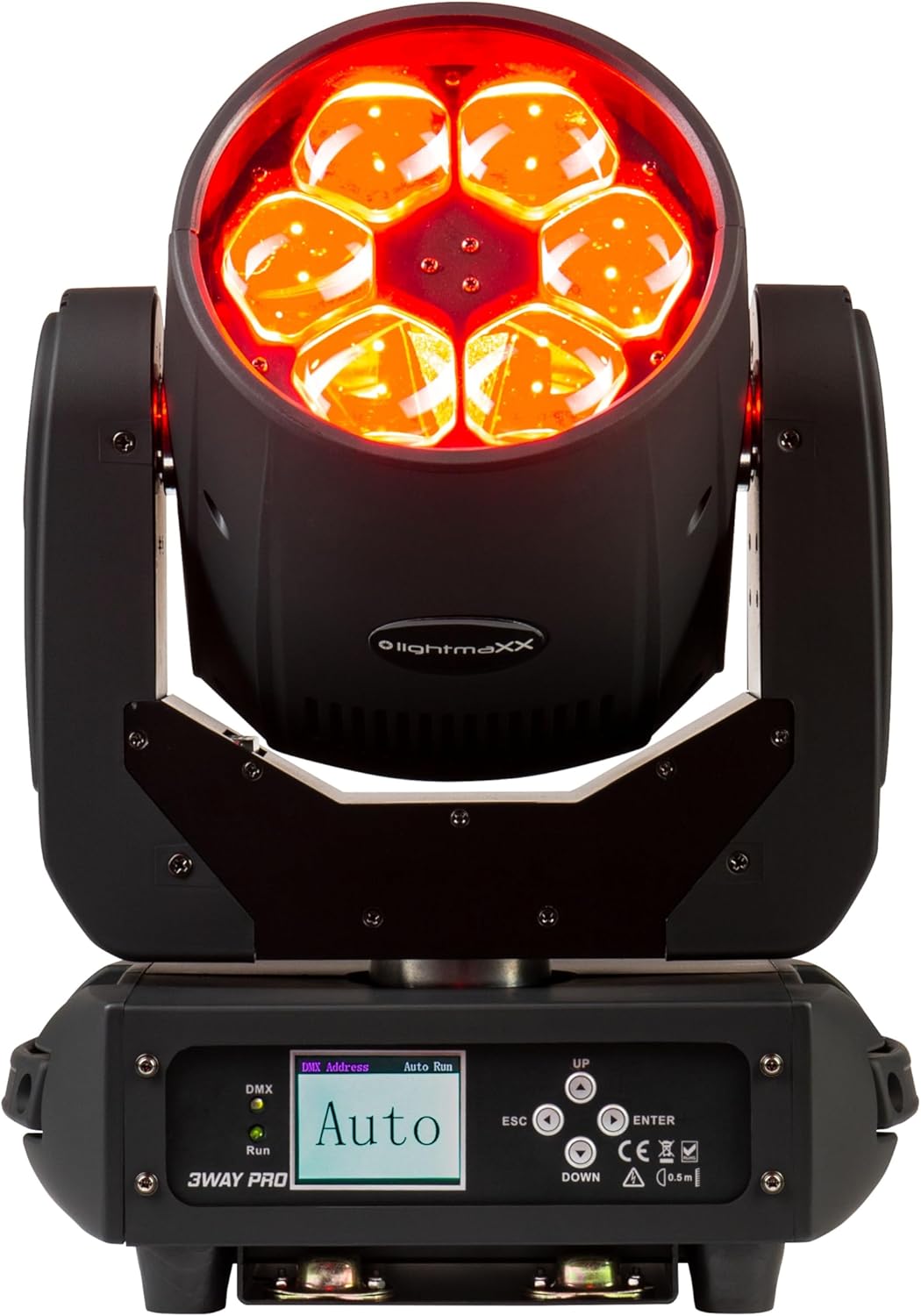
Зураг 3.1: Урд view of the lightmaXX Vega 3-Way PRO, displaying red light output.

Зураг 3.2: Урд view of the lightmaXX Vega 3-Way PRO with lights off, showing the lens array.
3.1 Control Panel and Connections
The rear of the unit features the control panel and various input/output connections for power and DMX control.

Figure 3.3: Close-up of the control panel and connection ports.

Зураг 3.4: Ар талд view of the lightmaXX Vega 3-Way PRO, showing DMX In/Out, Power In/Out, and fuse.
- DMX IN/OUT: DMX дохионы оролт болон гаралтын 3 зүүтэй XLR холбогч.
- ОРОХ/ГАРАЛТ: PowerCon compatible connectors for mains power input and daisy-chaining power to other units.
- Гал хамгаалагч: Хэлхээний хамгаалалтын гал хамгаалагч.
- ON/OFF унтраалга: Төхөөрөмжийн үндсэн цахилгаан унтраалга.
- Дэлгэц: LCD screen for menu navigation and settings.
- Хяналтын товчлуурууд: UP, DOWN, ESC, ENTER for navigating the menu and adjusting settings.
- DMX/Run Indicators: LEDs indicating DMX signal presence and auto-run mode.
4. Тохиргоо
4.1 Суурилуулалт
The lightmaXX Vega 3-Way PRO can be mounted in various orientations (floor, truss, wall) using appropriate mounting hardware (not included). Always ensure the mounting surface or truss is capable of supporting the weight of the fixture and any additional equipment.
- Use a safety cable (not included) attached to the designated safety point on the fixture to prevent accidental drops.
- Ensure the fixture is securely fastened and balanced.
- Allow sufficient space around the fixture for ventilation and movement.
4.2 Эрчим хүчний холболт
Connect the provided power cable to the POWER IN connector on the fixture and then to a suitable grounded power outlet. The unit supports daisy-chaining power to other fixtures using the POWER OUT connector, but ensure the total current draw does not exceed the circuit breaker's rating.
4.3 DMX холболт
To control the fixture via DMX, connect a DMX controller to the DMX IN port using a 3-pin XLR cable. If connecting multiple DMX fixtures, daisy-chain them by connecting the DMX OUT of the first fixture to the DMX IN of the next. The last fixture in the chain should have a DMX terminator connected to its DMX OUT port to prevent signal reflection.
5. Ажиллаж байгаа
5.1 Хяналтын самбарын навигаци
Use the control buttons to navigate the menu and adjust settings:
- ДЭЭШЭЭ ДООШОО: Scroll through menu options or increase/decrease values.
- ОРУУЛАХ: Сонголтыг сонгох эсвэл тохиргоог баталгаажуулна уу.
- ESC: Go back to the previous menu or cancel an action.
5.2 DMX хаягийн тохиргоо
To control the fixture with a DMX controller, you must set a unique DMX start address for each unit. Refer to the DMX channel chart in your DMX controller's manual for channel assignments.
- дарна уу ENTER үндсэн цэс рүү нэвтрэх.
- Navigate to the 'DMX Address' or 'Address Set' option using ДЭЭШ/ДООШ.
- дарна уу ENTER сонгох.
- Ашиглах ДЭЭШ/ДООШ to set the desired DMX start address.
- дарна уу ENTER to confirm and save the address.
5.3 Үйлдлийн горимууд
The lightmaXX Vega 3-Way PRO typically offers several operating modes:
- DMX горим: Full control over all functions via a DMX controller.
- Автомат ажиллуулах горим: Pre-programmed internal light shows that run automatically. Select 'Auto Run' from the menu and choose a program.
- Дууны идэвхтэй горим: The fixture reacts to sound via its built-in microphone. Select 'Sound Active' from the menu.
- Мастер/Боол горим: Link multiple units together. Set one unit as 'Master' and others as 'Slave'. The slave units will mirror the master's actions.
6. Засвар үйлчилгээ
Regular maintenance ensures the longevity and optimal performance of your lightmaXX Vega 3-Way PRO.
- Цэвэрлэгээ: Periodically clean the lenses and exterior housing with a soft, lint-free cloth. Do not use abrasive cleaners or solvents. Ensure the unit is powered off and cool before cleaning.
- Агааржуулалт: Keep ventilation openings clear of dust and debris. Use compressed air to gently clear vents if necessary.
- Гал хамгаалагч солих: If the unit does not power on, check the fuse. Disconnect power, unscrew the fuse holder, and replace with a fuse of the exact same type and rating (refer to specifications).
- Шалгалт: Regularly inspect power cables, DMX cables, and mounting hardware for any signs of wear or damage. Replace damaged components immediately.
7. Алдаа засах
If you encounter issues with your lightmaXX Vega 3-Way PRO, refer to the following common problems and solutions:
| Асуудал | Боломжит шалтгаан | Шийдэл |
|---|---|---|
| Хүч чадалгүй | No mains power; Blown fuse; Damaged power cable | Check power outlet; Replace fuse; Replace power cable |
| DMX хяналт байхгүй | DMX хаяг буруу байна; DMX кабель эвдэрсэн байна; DMX дохио байхгүй байна; Терминатор байхгүй байна | Verify DMX address; Check/replace DMX cables; Ensure DMX controller is active; Add DMX terminator to last fixture |
| Fixture not moving/responding | DMX issue; Internal error; Motor blockage | Check DMX connection/address; Power cycle the unit; Ensure no physical obstructions |
| Хэт халалт | Агааржуулалт бөглөрсөн; Агаарын урсгал хангалтгүй | Clear vents; Ensure proper spacing for airflow |
If the problem persists after attempting these solutions, please contact lightmaXX customer support or your authorized dealer.
8. Техникийн үзүүлэлтүүд
| Онцлог | Тодорхойлолт |
|---|---|
| Загвар | Vega 3-Way PRO Beam/WASH/FX |
| Үйлдвэрлэгчийн лавлагаа | LIG0014819-000 |
| Эрчим хүчний хэрэглээ | 240 ватт |
| Хэмжээ (L x W x H) | 43.5 x 36.5 x 33 см |
| Жин | 11.1 кг |
| Холболт | DMX (3-pin XLR), PowerCon compatible (In/Out), USB (for service/firmware) |
| Оптик мэдрэгчийн технологи | CMOS |
| Шийдвэр | 600 (units not specified, likely for internal sensor) |
9. Баталгаат хугацаа ба дэмжлэг
For warranty information, please refer to the terms and conditions provided at the time of purchase or contact your authorized lightmaXX dealer. If you require technical assistance or have questions not covered in this manual, please contact lightmaXX customer support or your retailer for further guidance.


