Танилцуулга
The Blackstar HT-5R MK III is a versatile 5-watt 1x12 inch guitar tube combo amplifier designed for both practice and performance. It features a powerful tube amplifier, a 12-inch Celestion speaker, and a dual-channel design offering clean and overdrive tones. Key features include the patented ISF (Infinite Shape Feature) for tonal shaping, power reduction to 0.5W for quiet practice, a built-in CabRig speaker simulator, and a USB output for direct recording. Its compact and portable design makes it suitable for various environments.

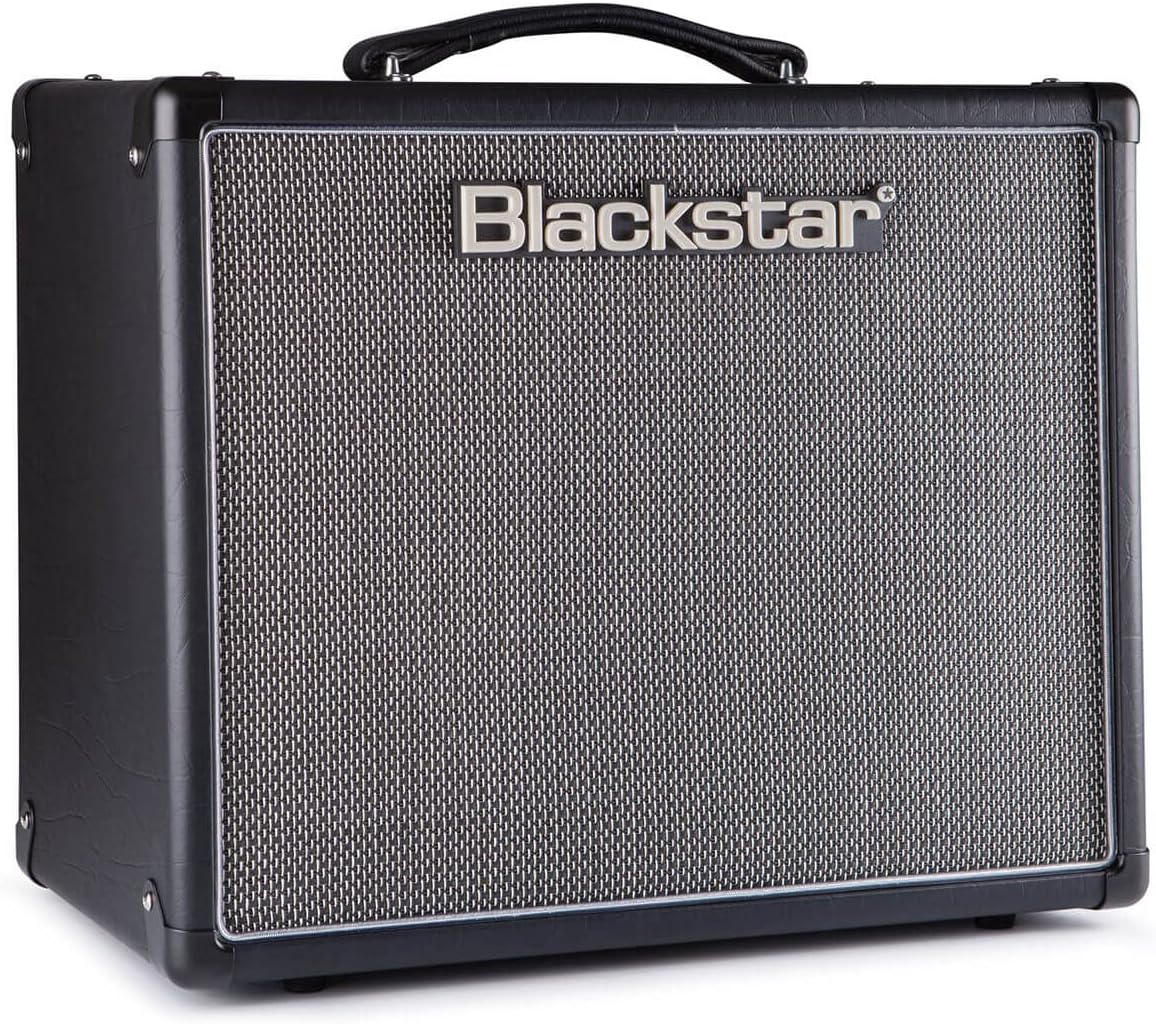
Урд view of the Blackstar HT-5R MK III Guitar Ampөргөгч, үзүүлэнasing its classic black finish and speaker grille.
Тохиргоо
Follow these steps to set up your Blackstar HT-5R MK III ampамь нас:
- Эрчим хүчний холболт: -г холбоно уу amplifier to a suitable power outlet using the provided cord. Ensure the power switch is in the OFF position before connecting.
- Гитарын оролт: Гитараа залгуурт залгана уу ОРОЛТ урд самбар дээрх үүр.
- External Speaker (Optional): If using an external speaker cabinet, connect it to the appropriate ЯРИГЧИЙН ГАРЦ on the rear panel (1 x 16 OHM or 1 x 8 OHM / 2 x 16 OHM). Ensure the impedance matches your cabinet.
- Headphones/Emulated Output (Optional): For silent practice or direct recording, connect headphones or a recording device to the EMULATED OUTPUT & HEADPHONES Жак.
- MP3 / Line Input (Optional): Connect an external audio source (e.g., MP3 player, phone) to the MP3 / LINE INPUT jack to play along with music.
- Хөлийн унтраалга (заавал биш): Connect a compatible footswitch to the ХӨЛ АВАХ input for remote channel switching.
- Асаах: эргүүлэх ХҮЧ switch to ON. The amplifier will enter standby mode. Wait approximately one minute for the tubes to warm up before engaging the СТАНДАРТ ON горимд шилжүүлнэ.
Rear panel of the Blackstar HT-5R MK III, showing speaker outputs, emulated output, MP3 input, and effects loop connections.
Ашиглалтын заавар
-тай танилцана уу amplifier's controls for optimal performance:
Урд самбарын удирдлага:
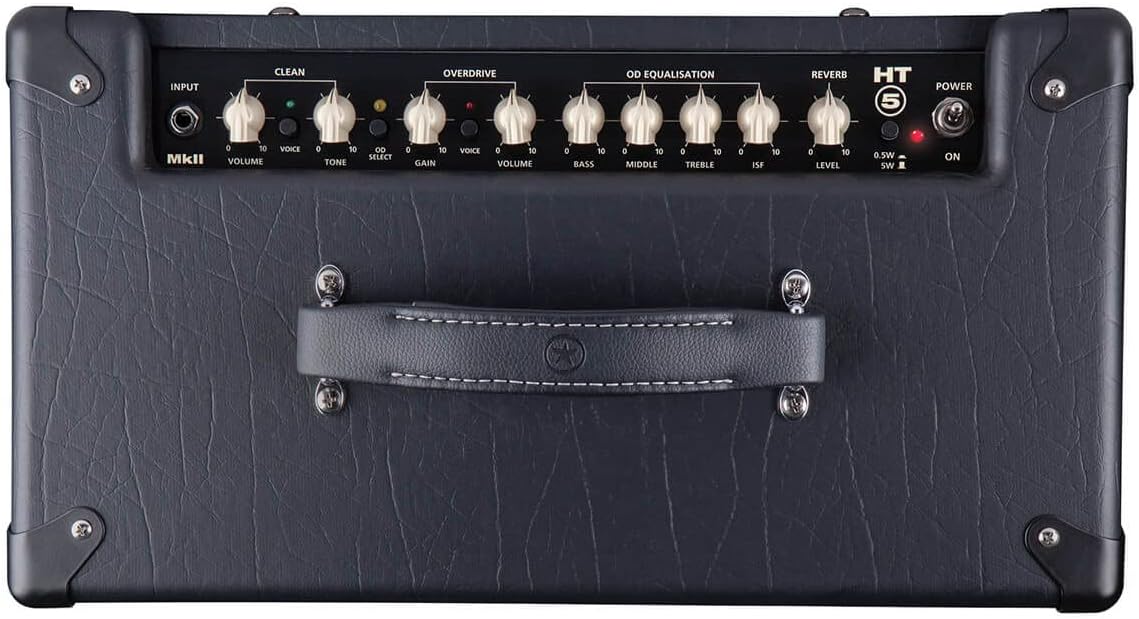
- Power Standby / On: -ийг хянадаг amplifier's power state. Allow tubes to warm up in standby before switching to ON.
- Cabinet Select (HT5): Selects the internal speaker or emulated output settings.
- Emulated Output & Headphones: Provides a speaker-emulated signal for headphones or direct recording.
- Equalisation (Treble, Middle, Bass): Adjusts the tone of your ampнастан.
- ISF (Хязгааргүй хэлбэрийн онцлог): This patented control allows you to dial in tones from classic British crunch to modern American high-gain. Turning clockwise shifts the tone from a British characteristic to an American characteristic.
- Overdrive Channel (Volume, Gain, Voice):
- Олз: Controls the amount of overdrive.
- Эзлэхүүн: Хэт ачааллын сувгийн гаралтын түвшинг тохируулна.
- Дуу хоолой: Selects between different overdrive voicings.
- Clean Channel (Volume, Tone, Voice):
- Эзлэхүүн: Adjusts the output level of the clean channel.
- Ая: Controls the brightness of the clean tone.
- Дуу хоолой: Selects between different clean voicings.
- Reverb түвшин: Controls the amount of built-in reverb effect.
- Power Reduction (0.5W / 5W): Switches between full 5-watt output and a reduced 0.5-watt output, ideal for lower volume practice without sacrificing tone.
Close-up of the Blackstar HT-5R MK III front panel, detailing the various knobs and switches for tone shaping and channel selection.
Засвар үйлчилгээ
Зөв засвар үйлчилгээ нь таны урт наслалт, оновчтой гүйцэтгэлийг баталгаажуулдаг ampамь нас:
- Цэвэрлэгээ: Гаднах хэсгийг цэвэрлэхийн тулд зөөлөн, хуурай даавуугаар цэвэрлээрэй. Зүлгүүрийн цэвэрлэгч эсвэл уусгагчаас зайлсхий.
- Байгаль орчин: ажиллуулах amplifier in a dry, well-ventilated area. Avoid exposure to extreme temperatures, humidity, or direct sunlight.
- Хоолойн арчилгаа: As a tube amplifier, the internal vacuum tubes have a finite lifespan. If you notice a decrease in performance or unusual noise, tube replacement may be necessary. Consult a qualified technician for tube replacement.
- Илтгэгчийн тусламж үйлчилгээ: The 12-inch Celestion speaker is designed for durability. Avoid puncturing or exposing the cone to excessive force.
- Тээвэр: шилжүүлэх үед amplifier, ensure it is powered off and disconnected from all cables. Use the integrated handle for carrying.
Алдааг олж засварлах
Хэрэв танд асуудал тулгарвал amplifier бол дараах нийтлэг алдааг олж засварлах алхмуудыг анхаарч үзээрэй.
- Дуугүй:
- -ийг баталгаажуулах amplifier is powered on and out of standby mode.
- Check all cable connections (guitar, speaker, power).
- Verify the guitar's volume and tone controls are not set to zero.
- Test with a different guitar cable or guitar.
- Unwanted Noise (Humming, Buzzing, Crackling):
- Бүх кабель найдвартай холбогдсон, гэмтээгүй эсэхийг шалгаарай.
- Залгуурыг залгаарай ampөргөгчийг өөр цахилгаан залгуурт холбоно уу.
- -г хөдөлгө ampӨргөгчийг хөндлөнгийн оролцоо үүсгэж болзошгүй бусад электрон төхөөрөмжөөс хол байлга.
- Excessive noise can sometimes indicate aging or faulty tubes. If the issue persists, professional servicing may be required.
- Сул эсвэл гажуудсан дуу чимээ:
- -г шалгана уу amplifier's volume and gain settings.
- Ensure the power reduction switch is set appropriately for your desired volume level.
- Inspect the speaker for any visible damage.
- Faulty tubes can also cause weak or distorted sound.
For issues not resolved by these steps, please contact Blackstar customer support or a certified service technician.
Үзүүлэлтүүд
| Онцлог | Дэлгэрэнгүй |
|---|---|
| Загварын дугаар | HT5RMK3 |
| Гаралтын ватtage | 5 Watts (switchable to 0.5W) |
| Илтгэгч | 12-inch Celestion Speaker |
| Сувгууд | Цэвэр, Хэт ачаалалтай |
| Хяналтууд | Volume, Tone, Gain, EQ (Treble, Middle, Bass), ISF, Reverb, Voice switches |
| Холболт | Guitar Input, Speaker Outputs, Emulated Output & Headphones, MP3 / Line Input, USB, Effects Loop (Send/Return), Footswitch |
| Эрчим хүчний эх үүсвэр | Утастай цахилгаан |
| Өнгө | Хар |
| Материал | Blackstar designed [speaker material] |
| Зүйлийн жин | 28.8 фунт |
| Эхний боломжтой огноо | 8 оны нэгдүгээр сарын 2019 |
Баталгаат болон дэмжлэг
This product may be eligible for an extended protection plan. For specific details regarding your product's warranty, please refer to the documentation included with your purchase or visit the official Blackstar webсайт.
For technical assistance, service, or warranty claims, please contact Blackstar customer support. Keep your purchase receipt and product serial number handy when contacting support.
- Хамгаалалтын төлөвлөгөө: A 4-Year Protection Plan may be available for purchase.
- Үйлдвэрлэгчийн дэмжлэг: Refer to the official Blackstar webхолбоо барих мэдээлэл болон нэмэлт дэмжлэгийн эх сурвалжуудын сайт.


