1. гаруйview
The Motorola Moto G7 is an unlocked smartphone designed for use on major US carrier networks. It features a 6.2-inch Full HD+ Max Vision display, a 12MP dual camera system, and runs on Android 9.0. This device is equipped with a Qualcomm Snapdragon 632 processor, 4GB RAM, and 64GB internal storage, expandable up to 512GB via Micro SD.
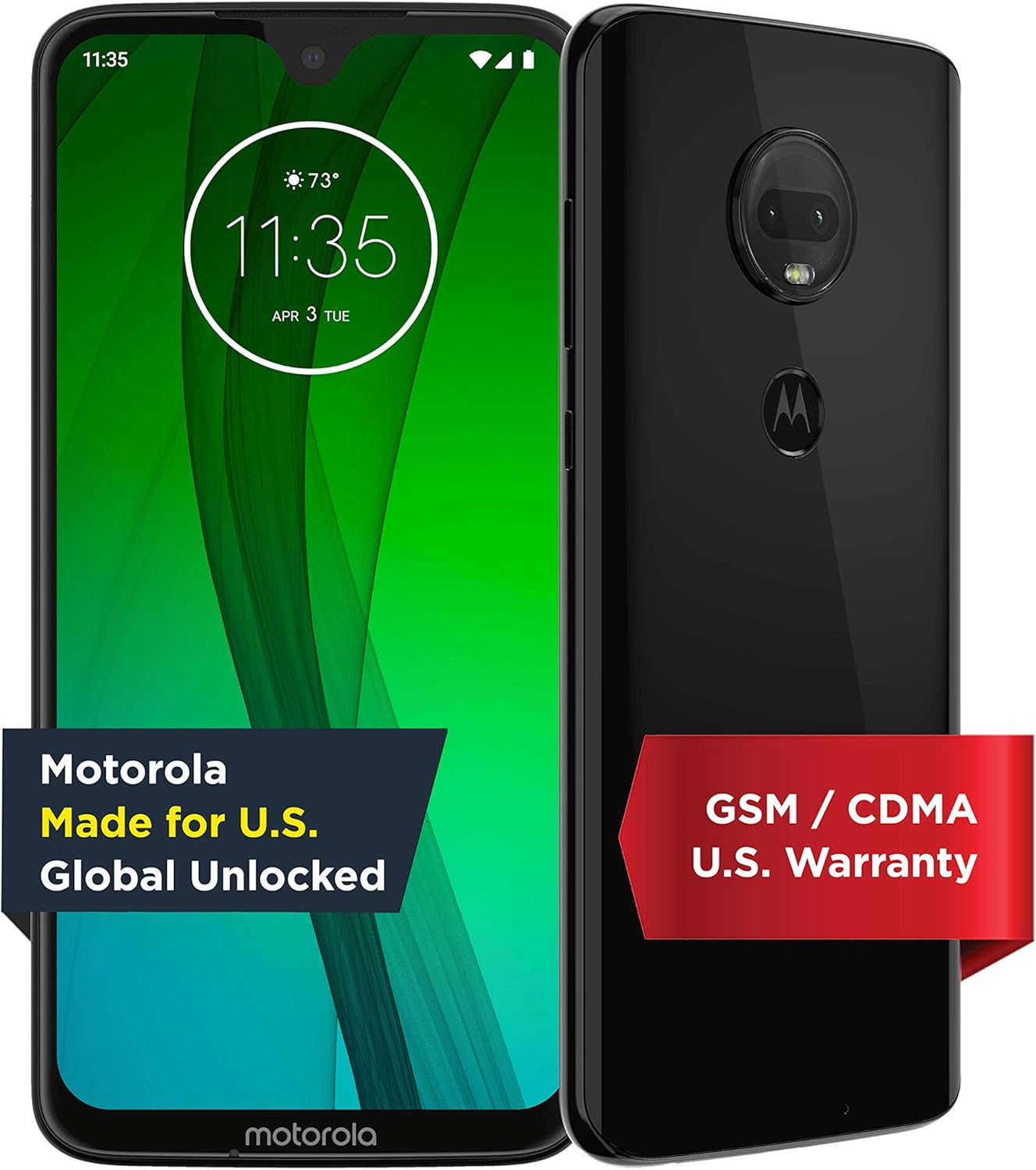
Зураг 1.1: Урд ба хойд view Motorola Moto G7 ухаалаг гар утасны.
2. Эхлэл
2.1 Unboxing the Device
Upon opening the package, you will find the Motorola Moto G7 smartphone, a Motorola TurboPower charger brick, a USB-C cable, and a SIM ejector tool along with documentation.
Video 2.1: An unboxing demonstration of the Motorola Moto G7, showing the contents of the retail package including the device, charger, cable, and SIM tool.
2.2 SIM картыг оруулах
- Locate the SIM tray on the top edge of the phone.
- SIM гаргагч хэрэгслийг SIM тавиур дээрх жижиг нүхэнд оруулаад нээнэ үү.
- Place your nano-SIM card(s) and/or Micro SD card into the tray with the gold contacts facing down.
- Тавиурыг товшиж байрандаа орох хүртэл болгоомжтой буцааж утас руу оруулна.

Figure 2.2: Top edge of the Moto G7, illustrating the location of the SIM tray.
2.3 Анхдагч асаалт ба тохиргоо
- Press and hold the Power button on the right side of the device until the Motorola logo appears.
- Дэлгэц дээрх зааврыг дагаж хэлээ сонгож, Wi-Fi-д холбогдож, Google бүртгэлээ тохируулна уу.
- You can choose to restore data from a previous device or set up as new.

Figure 2.3: The initial setup screen of the Moto G7, prompting for language selection.
2.4 Төхөөрөмжийг цэнэглэх
Connect the USB-C cable to the charging port at the bottom of the phone and the other end to the TurboPower adapter. Plug the adapter into a power outlet. The device supports 18W TurboPower for fast charging.

Figure 2.4: Bottom edge of the Moto G7, highlighting the USB-C charging port and 3.5mm audio jack.
3. Төхөөрөмжийн зохион байгуулалт
The Motorola Moto G7 features a sleek design with strategically placed components for ease of use.
- Урд: 6.2-inch Full HD+ Max Vision display with a teardrop notch for the front-facing camera.
- Буцах: Dual camera system with LED flash, and a fingerprint sensor integrated into the Motorola logo.
- Баруун тал: Power button and Volume rocker.
- Доод талд: USB Type-C port, 3.5mm audio jack, and speaker grille.
- Топ: SIM/Micro SD card tray and secondary microphone.

Зураг 3.1: Ар талд view of the Moto G7, showing the dual camera module and the fingerprint sensor embedded in the Motorola logo.
4. Төхөөрөмжөө ажиллуулах
4.1 Үндсэн навигаци
The Moto G7 runs on Android 9.0, offering an intuitive user experience. Use touch gestures to navigate: swipe up for the app drawer, swipe down for notifications and quick settings, tap to open apps, and pinch to zoom.
4.2 Камерын онцлог
The device features a 12MP + 5MP dual camera system on the rear and an 8MP front-facing camera. The camera app includes various modes and features such as:
- Хөрөг горим: For artistic depth-of-field effects.
- Гар горим: For advanced control over camera settings.
- Google Lens-ийн интеграци: For object recognition and information retrieval.
- Screen Flash: For improved low-light selfies.

Figure 4.1: Close-up of the Moto G7's 12MP dual camera system.
4.3 Аюулгүй байдлын онцлог
The Moto G7 offers multiple security options to protect your device and data:
- Хурууны хээ мэдрэгч: Located on the back, it allows for quick and secure unlocking.
- Нүүр царай таних: Утасныхаа түгжээг царайгаа ашиглан тайлна уу.
- Pattern, PIN, and Password: Standard Android security options.
4.4 Холболт
Төхөөрөмж нь янз бүрийн холболтын сонголтыг дэмждэг:
- Үүрэн холбоо: Compatible with AT&T (VoLTE), Verizon (VoLTE), T-Mobile (VoLTE, WiFi Calling, Video Calling), and Tracfone (GSM, CDMA). Does not support Boost, U.S. Cellular, or Xfinity Wireless.
- Wi-Fi: Supports Wi-Fi 802.11 a/b/g/n, 2.4GHz + 5GHz, and Wi-Fi hotspot functionality.
- Bluetooth: Bluetooth 4.2 LE.
- GPS: True GPS, A-GPS, GLONASS, Galileo, Beidou.

Figure 4.2: Detailed chart of carrier compatibility for the Motorola Moto G7.
5. Засвар үйлчилгээ
5.1 Усны хамгаалалт
The Moto G7 features a water protection design with an IP54 rating. This means the device is protected against dust ingress and splashing water from any direction. It is not designed to be submerged in water.
5.2 Батерейны арчилгаа
The device has a 3,000 mAh non-removable battery. To maximize battery life:
- Хэт их температураас зайлсхий.
- Use the provided TurboPower charger for optimal charging speed and battery health.
- Periodically discharge the battery fully before recharging.
5.3 Програм хангамжийн шинэчлэлтүүд
Ensure your device is running the latest software version for optimal performance and security. You can check for updates in the phone's settings menu under 'System' > 'System updates'.
6. Алдаа засах
If you encounter issues with your Moto G7, try the following steps:
- Төхөөрөмжийг дахин эхлүүлэх: Энгийн дахин эхлүүлэх нь програм хангамжийн олон жижиг алдааг шийдэж чадна.
- Сүлжээний холболтыг шалгана уу: If experiencing call or data issues, verify your SIM card is properly inserted and that you have network coverage.
- Аппликейшний кэшийг цэвэрлэх: If an app is misbehaving, try clearing its cache in 'Settings' > 'Apps & notifications' > [App Name] > 'Storage & cache'.
- Үйлдвэрийн анхны байдал: Эцсийн арга хэмжээ болгон үйлдвэрийн тохиргоонд дахин тохируулах нь програм хангамжийн байнгын асуудлыг шийдэж чадна. Анхааруулга: Энэ нь таны утсан дээрх бүх өгөгдлийг устгах болно. Үргэлжлүүлэхээсээ өмнө чухал мэдээллээ нөөцлөөрэй.
7. Техникийн үзүүлэлтүүд
| Онцлог | Тодорхойлолт |
|---|---|
| Загварын дугаар | PAE00009US |
| Үйлдлийн систем | Android 9.0 |
| Дэлгэц | 6.2 Inches Full HD+ Max Vision (2270 x 1080) |
| Процессор | Qualcomm Snapdragon 632 Octa-Core 1.8 GHz |
| RAM | 4 ГБ |
| Дотоод санах ой | 64 ГБ (Micro SD-ээр дамжуулан 512 ГБ хүртэл өргөтгөх боломжтой) |
| Арын камер | 12MP + 5MP Dual Camera with LED flash |
| Урд камер | 8MP with screen flash |
| Батерей | 3000 mAh (non-removable) with 18W TurboPower charging |
| Холболт | Wi-Fi, Cellular (GSM/CDMA), Bluetooth 4.2 LE, GPS |
| Портууд | USB Type-C, 3.5 мм аудио залгуур |
| Аюулгүй байдал | Fingerprint Sensor, Facial Recognition |
| Усны хамгаалалт | IP54 (water repellent design) |
| Хэмжээ | 15.99 x 8.99 x 1 инч |
| Жин | 11.2 унц |
8. Баталгаат хугацаа ба дэмжлэг
For warranty information and technical support, please refer to the documentation included with your device or visit the official Motorola support website. You can find additional resources and contact information at motorola.com/us/support.


