1. Танилцуулга
The GameMax Mirage 120mm PC Cooling Fan is designed to provide efficient cooling for computer components while offering customizable RGB lighting. This fan features a dual-ring Rainbow LED design, a hydraulic bearing for quiet operation, and a 7-blade fan structure. It is compatible with 5V addressable 3-pin Aura Sync systems, allowing for synchronized lighting effects with compatible motherboards or controllers.

Зураг 1.1: Урд view of the GameMax Mirage fan with active Rainbow LED lighting.
2. Аюулгүй байдлын мэдээлэл
- Суулгах эсвэл засвар үйлчилгээ хийхээс өмнө компьютерийн системээ унтрааж, ханын залгуураас салгасан эсэхээ шалгаарай.
- Handle components with care to avoid damage from static electricity. Consider using an anti-static wrist strap.
- Do not force connectors. Ensure correct orientation before plugging in cables.
- Сэнсийг шингэн болон хэт их чийгнээс хол байлга.
- Do not attempt to disassemble the fan unit beyond what is described in this manual.
3. Багцын агуулга
Таны багцад бүх зүйл байгаа эсэхийг шалгана уу:
- 1 x GameMax Mirage 120mm PC Cooling Fan
- 4 х холбох эрэг
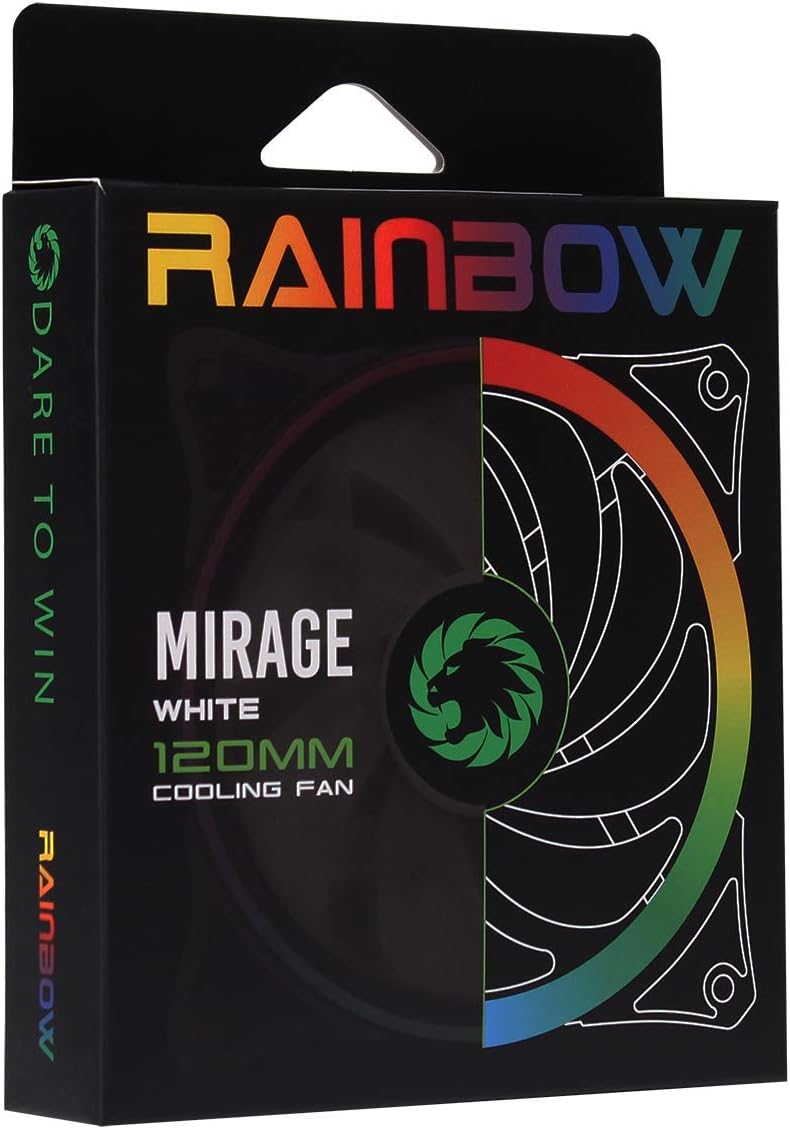
Image 3.1: Retail packaging for the GameMax Mirage fan.
4. Тохиргоо ба суурилуулалт
Follow these steps to install your GameMax Mirage 120mm PC Cooling Fan:
- Системээ бэлтгэ: Power off your computer and unplug it from the power outlet. Open your computer case to access the fan mounting locations.
- Сэнс суурилуулах: Position the fan in your desired location (e.g., case front, rear, top, or radiator). Ensure the airflow direction is correct for your cooling setup. Use the four included mounting screws to secure the fan to the chassis or radiator. The fan features rubber pads on the corners to help reduce vibration.
- Сэнсний цахилгааныг холбох: Locate the 3-pin power connector on the fan cable. Connect this cable to an available 3-pin fan header on your motherboard or a fan controller.
- Connect RGB Lighting: Locate the 5V addressable 3-pin Aura connector on the fan cable. Connect this to a compatible 5V ARGB header on your motherboard (often labeled 'VDG' or 'ARGB') or an external RGB controller/hub. Warning: Do not connect this to a 12V RGB header, as it will damage the LEDs.

Image 4.1: The 3-pin power connector (top) and 5V addressable 3-pin Aura connector (bottom).
The fan cables are braided for improved aesthetics and durability, helping to keep your build neat and tidy.
5. Ашиглалтын заавар
Once installed, the GameMax Mirage fan operates as follows:
- Сэнсний хурдны хяналт: The fan speed is controlled via the 3-pin power connector. If connected to a motherboard fan header, the speed can typically be adjusted through your motherboard's BIOS/UEFI settings or dedicated software.
- RGB гэрэлтүүлгийн удирдлага: The Rainbow LED lighting is controlled via the 5V addressable 3-pin Aura connector.
- If connected to a compatible motherboard (e.g., ASUS Aura Sync, MSI Mystic Light, Gigabyte RGB Fusion, ASRock Polychrome Sync), you can use the motherboard's software to customize lighting effects, colors, and synchronization with other ARGB components.
- If connected to an external RGB hub/controller, refer to the instructions provided with your specific hub/controller for lighting customization options.

Зураг 5.1: Өнцөг view of the GameMax Mirage fan showcasing its dual-ring Rainbow LED lighting.
6. Засвар үйлчилгээ
Тогтмол засвар үйлчилгээ нь хөргөлтийн сэнсний оновчтой ажиллагаа, урт наслалтыг хангахад тусална:
- Тоос цэвэрлэх: Periodically inspect the fan blades and frame for dust accumulation. Use compressed air or a soft brush to gently remove dust. Ensure the fan is powered off and unplugged before cleaning.
- Кабелийн үзлэг: Occasionally check the power and RGB cables for any signs of wear or damage.
7. Алдаа засах
- Сэнс эргэхгүй байна:
- Ensure the 3-pin power connector is securely plugged into a functional fan header on the motherboard or controller.
- Check motherboard BIOS/UEFI settings to ensure the fan header is enabled and configured correctly.
- LEDs Not Lighting Up or Incorrect Colors:
- Verify the 5V addressable 3-pin Aura connector is securely connected to a compatible 5V ARGB header (not 12V RGB).
- Ensure your motherboard's RGB software or external controller is properly installed and configured.
- If using a splitter or hub, ensure it is powered and functioning correctly.
- Хэт их дуу чимээ:
- Сэнсний ирэнд саад болж буй ямар нэгэн кабель эсвэл саад байгаа эсэхийг шалгана уу.
- Ensure the fan is securely mounted and the rubber pads are properly seated to absorb vibrations.
- Dust accumulation can cause imbalance and noise; clean the fan as described in the Maintenance section.
8. Техникийн үзүүлэлтүүд
| Онцлог | Тодорхойлолт |
|---|---|
| Загвар | MIRAGEWHITE FINS |
| Сэнсний хэмжээ | 120мм x 120мм x 25мм (0.98 x 4.72 x 4.72 инч) |
| Холхивчийн төрөл | Гидравлик холхивч |
| Фен ир | 7 ир |
| LED төрөл | Addressable Rainbow LED (Dual-Ring) |
| Сэнсний цахилгаан холбогч | 3 зүү |
| RGB холбогч | 5V Addressable 3-Pin Aura Connector |
| Үйл ажиллагааны ботьtage | 5 Volts (for RGB) / 12 Volts (for fan motor, typical for 3-pin) |
| Үнэлгээтэй Ватtage | 3 ватт |
| Хамгийн их эргэлтийн хурд | 1800 эргэлт |
| Дуу чимээний түвшин | Ойролцоогоор 25 дБ(А) |
| Материал | Rubber (for vibration dampening) |

Зураг 8.1: Буцах view of the GameMax Mirage fan, displaying the product label with model and electrical specifications.
9. Баталгаат хугацаа ба дэмжлэг
Баталгаат хугацаа болон техникийн дэмжлэг авахыг хүсвэл албан ёсны GAMEMAX-аас лавлана уу webсайт эсвэл худалдагчтайгаа холбогдоно уу. Баталгаат нэхэмжлэл гаргахын тулд худалдан авалтаа нотлох баримтаа хадгалаарай.


