1. Танилцуулга
The CHACON DiO 1.0 Nano On/Off Plugs and 3-Channel Remote Control system allows you to wirelessly control your lamps and electrical appliances. This system offers individual, centralized, or automatic control via the included remote control, a compatible switch, or a smartphone when integrated with a home automation hub. This manual provides essential information for safe and effective use of your device.
2. Багцын агуулга
Таны багцад бүх зүйл байгаа эсэхийг шалгана уу:
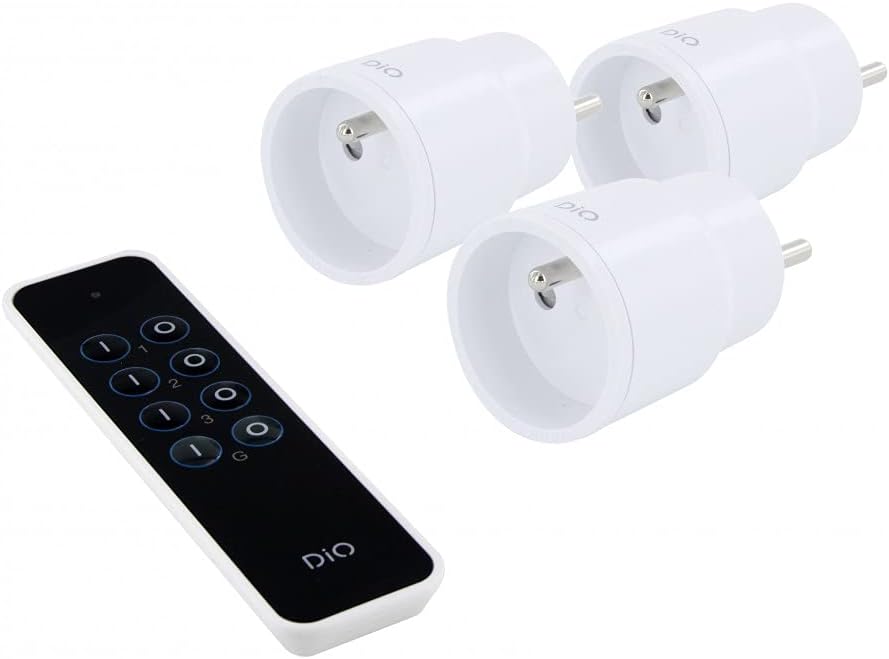
- 3 x DiO 1.0 Nano On/Off Plugs
- 1 x 3 сувгийн алсын удирдлага
- 1 x CR2032 - 3V Battery (for remote control)

Зураг 1: Contents of the CHACON DiO 1.0 Nano Plugs and Remote Control package. Shows three compact white plugs and a sleek black remote control.
3. Техникийн үзүүлэлтүүд
| Брэнд | ЧАКОН |
| Загварын дугаар | 54895 |
| Холболтын технологи | Радио давтамж (RF) |
| Давтамж | 433.92 MHz (DiO 1.0) |
| Хамгийн их хүрээ | 30 метр хүртэл (саадгүй) |
| Power Supply (Plugs) | 230VAC / 50Hz |
| Maximum Load (Plugs) | 2300 Вт |
| Тохиромжтой чийдэнгийн төрлүүд | LED, Halogen, Energy-saving, Incandescent |
| Алсын удирдлагатай батерей | 1 x CR2032 (3V) Lithium Manganese Dioxide |
| Number of Channels (Remote) | 3 channels + 1 group |
| Maximum Emitters Supported | Up to 32 commands |
| Хэмжээ (ойролцоогоор) | 16cm (L) x 9cm (W) x 5cm (H) (Package) |
| Жин (ойролцоогоор) | 250g (Package) |

Зураг 2: Illustration of the wireless connection between a DiO plug and the remote control, highlighting the 230VAC/50Hz power and CR2032 3V battery for the remote.
4. Тохиргоо
4.1. Алсын удирдлагатай батерей суурилуулах
- Алсын удирдлагын ар талд байгаа зайны тасалгааг ол.
- Тасалгааны тагийг нээ.
- Insert the CR2032 3V battery, ensuring the correct polarity (+/-).
- Зайны тасалгааны тагийг сайтар хаа.
4.2. Pairing Plugs with the Remote Control
Each plug needs to be paired with the remote control to establish communication. Follow these steps for each plug:
- Plug the DiO Nano On/Off Plug into a standard wall socket. The LED indicator on the plug will flash slowly.
- Within 5 seconds of plugging in the device, press the ON button for the desired channel (1, 2, or 3) on your remote control.
- The LED indicator on the plug will flash rapidly to confirm successful pairing.
- Repeat this process for each plug, assigning each to a different channel (or the same channel if you wish to control multiple plugs simultaneously).
Жич: If the pairing is not successful within 5 seconds, unplug the device and try again. Each plug can be linked to up to 32 different DiO 1.0 transmitters.
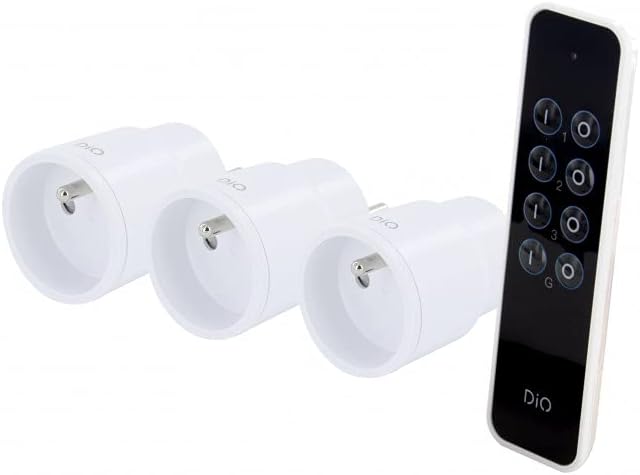
Зураг 3: The remote control and three nano plugs, ready for pairing and use.
5. Ажиллаж байгаа
Once paired, you can control your appliances using the remote control.
5.1. Individual Control
- To turn on an appliance connected to a specific plug, press the ON button corresponding to its assigned channel (1, 2, or 3).
- To turn off an appliance, press the OFF button corresponding to its assigned channel (1, 2, or 3).

Зураг 4: A hand operating the DiO remote control to switch an appliance on or off.
5.2. Бүлгийн хяналт
The remote control includes a group function to control all paired plugs simultaneously.
- To turn on all paired appliances, press the G ON товч.
- To turn off all paired appliances, press the G OFF товч.
Зураг 5: A user comfortably controlling home lighting with the DiO remote control from a sofa.
6. Засвар үйлчилгээ
- Цэвэрлэгээ: Use a soft, dry cloth to clean the plugs and remote control. Do not use liquid cleaners or abrasive materials.
- Зай солих: Replace the CR2032 battery in the remote control when its range decreases or it stops responding. Ensure proper disposal of used batteries according to local regulations.
- Хадгалах: Store the devices in a cool, dry place away from direct sunlight and extreme temperatures when not in use for extended periods.
7. Алдаа засах
| Асуудал | Боломжит шалтгаан | Шийдэл |
|---|---|---|
| Plug does not respond to remote control. |
|
|
| LED on plug does not flash during pairing. |
|
|
| Алсын удирдлагын хүрээ багассан. |
|
|
8. Аюулгүй байдлын мэдээлэл
- Төхөөрөмжийг задлах, өөрчлөхийг хориглоно.
- Төхөөрөмжийг ус, чийг эсвэл хэт өндөр температурт бүү байлга.
- Ensure the total load of connected appliances does not exceed 2300W.
- Хүүхдийн гар хүрэхгүй газар хадгална.
- Зөвхөн дотор ашиглах.
- Орон нутгийн дүрэм журмын дагуу электрон хог хаягдал, батерейг хариуцлагатай устгана уу.
9. Баталгаат хугацаа ба дэмжлэг
This product comes with a 2-year warranty. For technical support or warranty claims, please contact your retailer or the manufacturer directly. Information regarding spare parts availability is not provided.
Manufacturer: Chacon


