Танилцуулга
This manual provides detailed instructions for the Superior Electronics Ready5 Smart Universal Remote Control, Model SUPTRB019. This remote is designed for immediate use with a wide range of LG, Samsung, Sony, Philips, and Panasonic televisions, eliminating the need for complex programming.
Гол онцлогууд нь:
- Universal compatibility with major TV brands (LG, Samsung, Sony, Philips, Panasonic).
- Ready-to-use functionality; no programming required.
- Full Smart TV compatibility for enhanced control.
- Dedicated quick access buttons for popular streaming services like Netflix and Prime Video.
- Ergonomic design with intuitive button layout for comfortable and immediate operation.
- Удаан эдэлгээтэй байхын тулд удаан эдэлгээтэй материалаар хийгдсэн.

Image: The Superior Electronics Ready5 Smart Universal Remote Control shown in its retail packaging, highlighting its "Ready to Use" feature and compatibility with various TV brands.
Тохиргоо
1. Батерейг оруулах
The remote control requires two (2) AAA batteries (not included). Follow these steps to insert them correctly:
- Алсын удирдлагын ар талд байгаа зайны тасалгааны тагийг ол.
- Тасалгааг нээхийн тулд тагийг доош нь гулсуулж эсвэл түгжээг (хэрэв байгаа бол) дарна уу.
- Insert two AAA batteries, ensuring that the positive (+) and negative (-) terminals align with the indicators inside the compartment. Incorrect polarity can prevent the remote from functioning.
- Батерейны тасалгааны тагийг найдвартай товших хүртэл шургуулна уу.

Зураг: Ар талд view of the remote control, illustrating the location of the battery compartment for easy access and battery insertion.
2. Анхны хэрэглээ
The Superior Electronics Ready5 Smart remote control is designed for immediate use with compatible LG, Samsung, Sony, Philips, and Panasonic TVs. Once the batteries are correctly inserted, the remote is ready to operate your television without any additional programming or setup. Simply point the remote at your TV and begin using its functions.
Ашиглалтын заавар
This section details the primary functions of the buttons on your Ready5 Smart remote control.

Зураг: Урд view of the Superior Electronics Ready5 Smart remote control, displaying all buttons and their layout for easy identification.
Товчлуурын ажиллагаа дууссанview
| Товчлуур | Чиг үүрэг |
|---|---|
| Эрчим хүч (●) | ТВ-г асаах эсвэл унтраана. |
| Оруулах | Оролтын эх үүсвэрийг сонгоно (HDMI, AV гэх мэт). |
| Smart Video / NET.TV | Direct access to Smart TV features or specific streaming apps. |
| 3D | 3D горимыг идэвхжүүлдэг эсвэл идэвхгүй болгодог (хэрэв ТВ дэмждэг бол). |
| Хөтөч | Цахим хөтөлбөрийн гарын авлагыг харуулна. |
| Цэс | ТВ-ийн үндсэн цэсийг нээнэ. |
| Дэд. | Хадмал орчуулгыг асааж, унтраадаг. |
| Дуртай | Дуртай сувгуудын жагсаалтад хандана. |
| Мэдээлэл | Одоогийн програм эсвэл оролтын талаарх мэдээллийг харуулна. |
| Навигаци (Дээш, Доош, Зүүн, Баруун, За) | Цэсүүдээр гүйлгэж, сонголтыг баталгаажуулна. |
| Буцах | Өмнөх дэлгэц эсвэл цэс рүү буцна. |
| Гарах | Одоогийн цэс эсвэл програмаас гарна. |
| Эзлэхүүн +/- | Дууны хэмжээг дээш эсвэл доош тохируулна. |
| Дууг хаах | ТВ-ийн дууг хаадаг эсвэл нээдэг. |
| Ch +/- | Сувгийг дээш эсвэл доош нь өөрчилдөг. |
| Тоон самбар (0-9) | Directly enters channel numbers or numerical inputs. |
| Жагсаалт | Displays a list of channels or media. |
| Netflix | Netflix програмыг шууд эхлүүлнэ. |
| Ерөнхий видео | Directly launches the Amazon Prime Video application. |
| Өнгөт товчлуурууд (Улаан, Ногоон, Шар, Цэнхэр) | Functions vary depending on the TV model and current menu/application. |
| Media Control (Play, Pause, Stop, Rewind, Fast Forward, Record) | Controls media playback (e.g., USB, streaming apps). |
Smart TV and Streaming Access
The Ready5 Smart remote is designed to seamlessly integrate with your Smart TV's functionalities. Use the navigation buttons to browse Smart TV menus and applications. The dedicated Netflix and Prime Video buttons provide instant access to these popular streaming platforms, allowing you to start watching your favorite content with a single press.
Засвар үйлчилгээ
Алсын удирдлагыг цэвэрлэх
To ensure optimal performance and longevity of your remote control, follow these cleaning guidelines:
- Цэвэрлэхийн өмнө зайгаа үргэлж салга.
- Удирдлагын гадаргууг зөөлөн, хуурай даавуугаар арчина.
- Зөрүүд шороонд бага зэрэг dampдаавууг усаар эсвэл зөөлөн, зүлгүүргүй цэвэрлэгчээр угаана. Хэт их чийгээс зайлсхий.
- Хүчтэй химийн бодис, зүлгүүрийн цэвэрлэгч, уусгагчийг бүү ашигла, учир нь эдгээр нь алсын удирдлага эсвэл дотоод эд ангиудыг гэмтээж болно.
- Ensure the remote is completely dry before reinserting batteries.
Батерейны арчилгаа болон солих
Replace batteries when the remote's response becomes sluggish or it stops functioning. Always replace both batteries at the same time with new AAA batteries. Do not mix old and new batteries, or different types of batteries. Dispose of used batteries responsibly according to local regulations.
Алдааг олж засварлах
If you encounter issues with your Ready5 Smart remote control, refer to the following common problems and solutions:
Алсын удирдлага хариу өгөхгүй байна
- Батерейг шалгах: Батерейг зөв туйлшралтай (+/-) зөв оруулсан, цэнэг нь дуусаагүй эсэхийг шалгаарай. Шаардлагатай бол шинэ AAA батерейгаар солино уу.
- Харааны шугам: Make sure there are no obstructions between the remote control and the TV's infrared receiver. Point the remote directly at the TV.
- Зай: Ensure you are within the effective operating range (up to 10 meters).
- ТВ-ийн хүч: Confirm that your TV is powered on and not in standby mode.
Тодорхой товчлуурууд ажиллахгүй байна
- Ерөнхий функциональ байдал: If most buttons work but a few do not, it might indicate a specific TV model's lack of support for that particular function via universal remote, or a dirty contact under the button.
- Smart TV/Streaming Buttons: Ensure your TV is a Smart TV and has the respective applications (Netflix, Prime Video) installed and updated.
Тохиромжтой байдлын асуудал
The Ready5 Smart remote is pre-programmed for LG, Samsung, Sony, Philips, and Panasonic TVs manufactured from 2000 onwards. If your TV is from a different brand or an older model, full functionality may not be guaranteed. No programming is required for the listed compatible brands.
Үзүүлэлтүүд
| Онцлог | Дэлгэрэнгүй |
|---|---|
| Загварын нэр | Ready5 Smart |
| Загварын дугаар | SUPTRB019 |
| Брэнд | Superior Electronics |
| Тохиромжтой төхөөрөмжүүд | LG, Samsung, Sony, Philips, Panasonic Televisions (models from 2000 onwards) |
| Холболтын технологи | Хэт улаан туяаны (IR) |
| Эрчим хүчний эх үүсвэр | 2 x AAA батерей (оруулаагүй) |
| Хамгийн их хүрээ | 10 метр (ойролцоогоор 33 фут) |
| Бүтээгдэхүүний хэмжээс | 5 x 1.5 x 19 см (ойролцоогоор 1.97 x 0.59 x 7.48 инч) |
| Жин | 100 грамм (ойролцоогоор 3.53 унц) |
| Өнгө | Хар |
| Онцлог шинж чанар | Universal, immediately ready for use (no programming) |
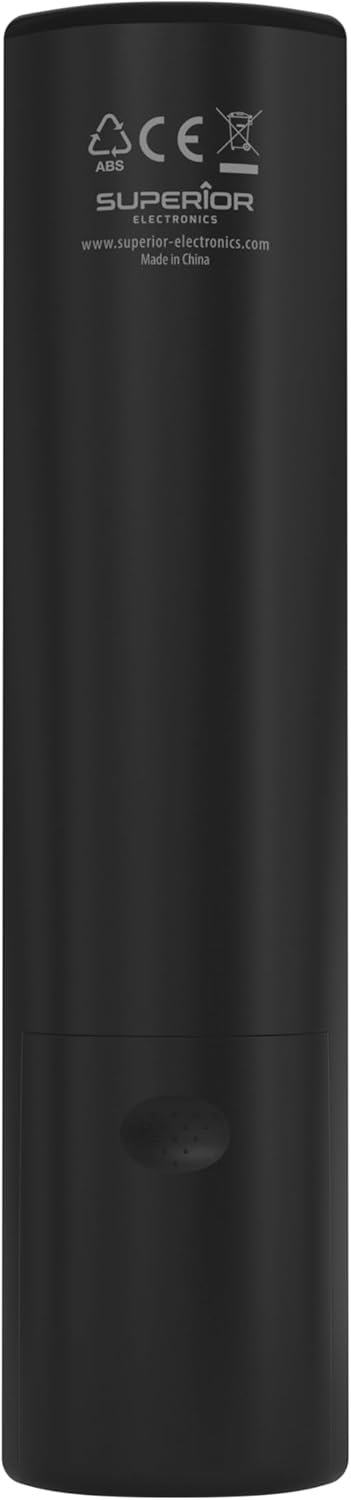
Image: The remote control with its approximate dimensions (4.8 cm width, 19.5 cm length) highlighted for reference.
Баталгаат хугацааны мэдээлэл
Specific warranty details for the Superior Electronics Ready5 Smart Universal Remote Control are typically provided with your purchase documentation or can be found on the official Superior Electronics website. Please refer to these resources for comprehensive information regarding warranty coverage, terms, and conditions.
Дэмжлэг
For further assistance, technical support, or additional product information, please visit the official Superior Electronics webсайтад зочлох эсвэл тэдний хэрэглэгчийн үйлчилгээний хэлтэстэй холбогдоно уу. Холбоо барих мэдээллийг ихэвчлэн бүтээгдэхүүний сав баглаа боодол эсвэл үйлдвэрлэгчийн заавар дээрээс авах боломжтой. webсайт.
Manufacturer: Superior Electronics
Дэлгэрэнгүй мэдээллийг эндээс авна уу Superior Electronics Store on Amazon.


