Танилцуулга
PELONIS 3 шатлалт хэлбэлзэлтэй цамхаг сэнс нь таймер болон алсын удирдлагатай тул хамгийн бага зайд хамгийн их тав тухыг хангадаг. Өндөр, нарийн мэргэжлийн загвартайfile, this fan is ideal for smaller rooms or areas with limited floor space. It features three speeds, multiple modes, and a timer for automatic shutoff. A convenient remote control allows for easy operation from a distance.
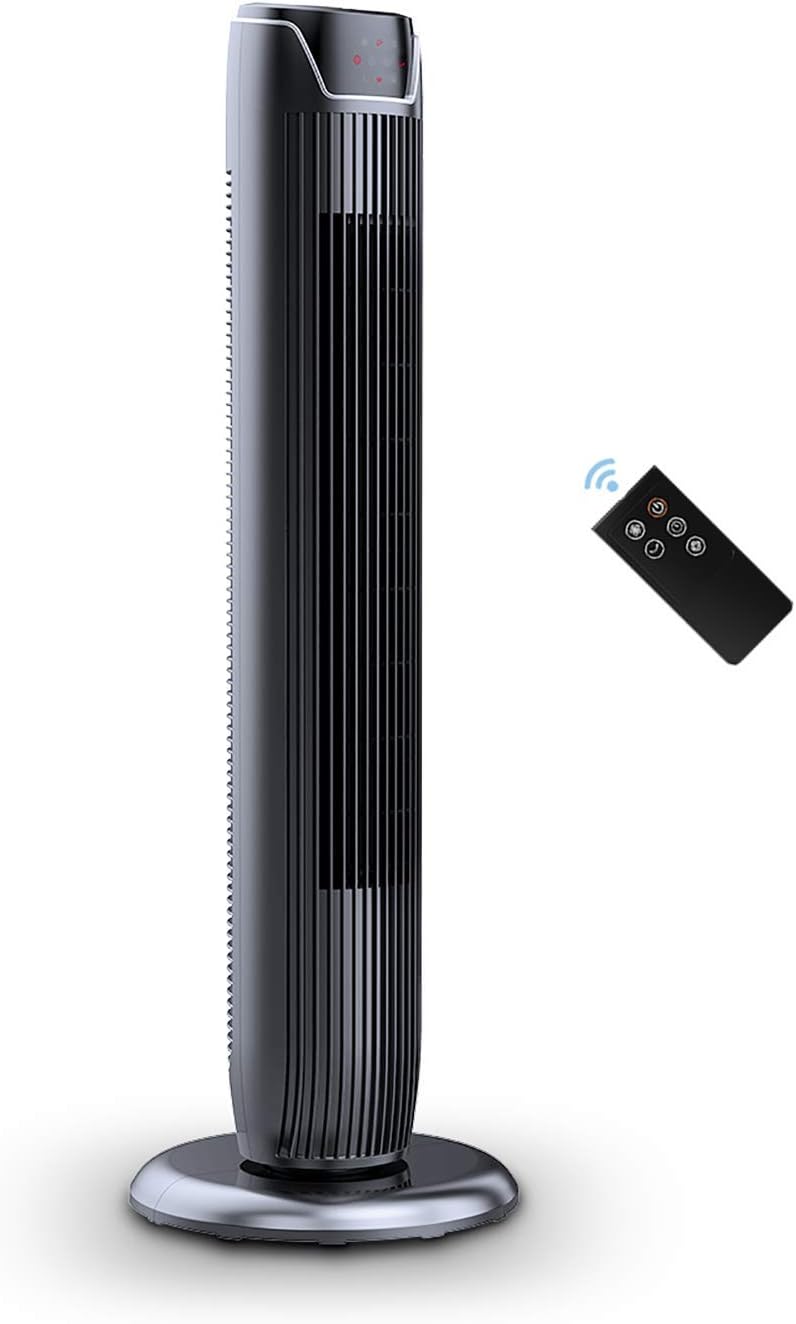
Figure 1: PELONIS FZ10-19JR Quiet Oscillating Tower Fan and Remote Control.
Аюулгүй байдлын мэдээлэл
Always read and follow all safety instructions before using this appliance to prevent injury or damage. Keep this manual for future reference.
- Хэт халалтаас хамгаалах: The motor has built-in overheat protection for peace of mind, automatically shutting off the fan if it overheats.
- Хүүхдийн аюулгүй байдал: The compact design on the fan grid ensures the safety of children by preventing finger penetration.
- Санал 65 Анхааруулга: Энэ бүтээгдэхүүн нь хорт хавдар, ургийн гажиг эсвэл нөхөн үржихүйн бусад хор уршгийг үүсгэдэг Калифорнийн муж улсад мэдэгддэг химийн бодис агуулсан байж болно.
- Сэнсийг хазайлгахаас сэргийлж тогтвортой, тэгш гадаргуу дээр байрлуулсан эсэхийг шалгаарай.
- Сэнсний сараалж руу хуруу эсвэл гадны биет хийж болохгүй.
- Цэвэрлэх, засвар үйлчилгээ хийхээсээ өмнө сэнсээ цахилгааны залгуураас салга.
Багцын агуулга
Сав баглаа боодлыг нээхдээ бүх бүрэлдэхүүн хэсгүүд байгаа эсэхийг шалгана уу:
- PELONIS FZ10-19JR Tower Fan Unit
- Алсын удирдлага
- Base Parts (multiple pieces for assembly)
- Хэрэглэгчийн гарын авлага (PDF онлайнаар авах боломжтой)
Тохиргоо
The PELONIS FZ10-19JR Tower Fan requires minimal assembly. Follow these steps to set up your fan:
- Суурийг угсарна: The base comes in multiple pieces. Snap the base pieces together securely.
- Attach Fan Unit to Base: Carefully align the fan unit with the assembled base. Ensure the power cord is routed through the designated opening in the base.
- Суурийг хамгаалах: Locate the screw underneath the base and tighten it to firmly attach the fan unit to the base.
- Байршил: Place the assembled fan on a stable, flat surface.
- Эрчим хүчний холболт: Plug the fan into a standard 120V/60HZ power outlet.
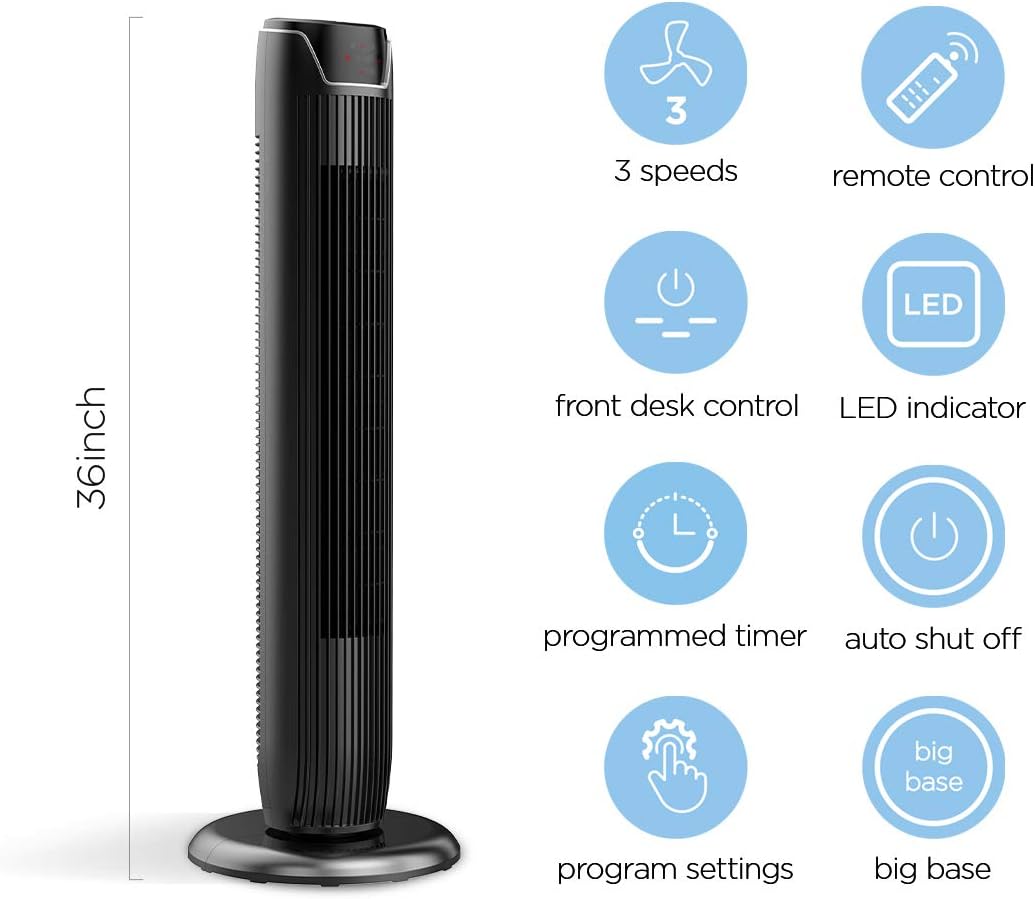
Figure 2: The 36-inch height of the tower fan, highlighting its compact design and various features.

Figure 3: Key features of the PELONIS tower fan, including silent operation, wide-angle airflow, timer, and auto shut-off.
Видео 1: Дууслааview of the 36-inch PELONIS FZ10-19JR Oscillating Tower Fan, demonstrating its compact size and features.
Ашиглалтын заавар
Your PELONIS tower fan can be operated using the multi-functional control panel on top of the unit or the included remote control.
Хяналтын самбар ба алсын удирдлага
Both the control panel and the remote offer identical functions for convenience. The control panel is located on the top of the fan for easy access without bending.

Figure 4: Close-up of the overhead control panel, highlighting the tight fence design for safety and the internal gale wheel for air volume.
- Цахилгаан товч (ON/OFF): Сэнсийг асаах эсвэл унтраана.
- Горимын товчлуур: Cycles through different wind modes (Normal, Natural, Sleep).
- Хурдны товчлуур: Сэнсний хурдыг тохируулна (Бага, Дунд, Өндөр).
- Oscillation Button (Osc): Activates or deactivates the 60° wide-angle oscillation function.
- Цаг хэмжигч товчлуур: Sets the automatic shutoff timer (up to 7 hours).
Сэнсний горимууд
- Ердийн салхи: Provides a constant airflow.
- Байгалийн салхи: Simulates natural breezes with alternating strong and weak airflows.
- Унтах горим: Operates at a low noise level (as low as 48 dB) for undisturbed sleep. The LED display auto-off after 30 seconds to minimize light disturbance.
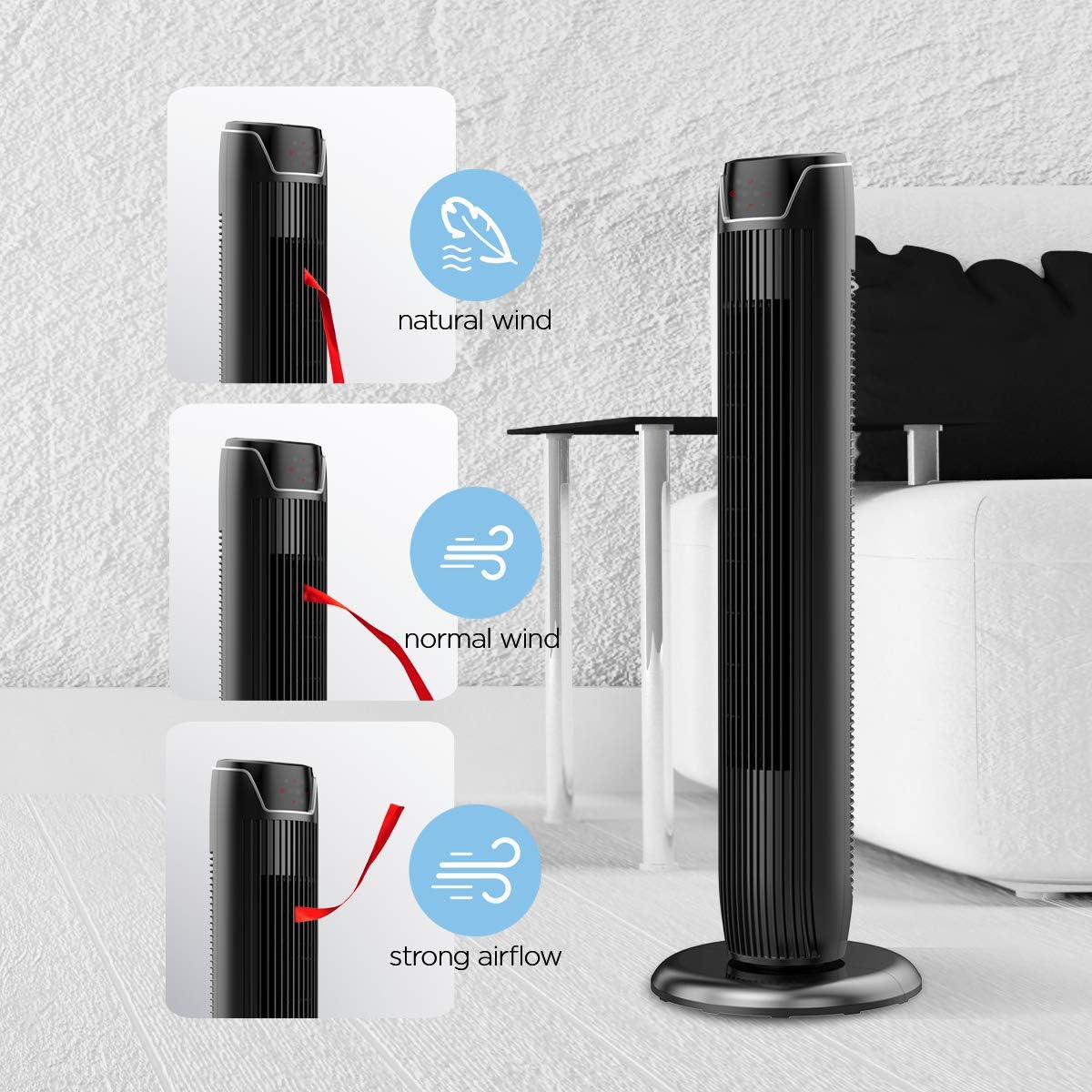
Figure 5: Visual representation of the fan's different wind modes: Natural Wind, Normal Wind, and Strong Airflow.

Figure 6: The fan's quiet operation in sleep mode, ideal for bedrooms and nurseries.
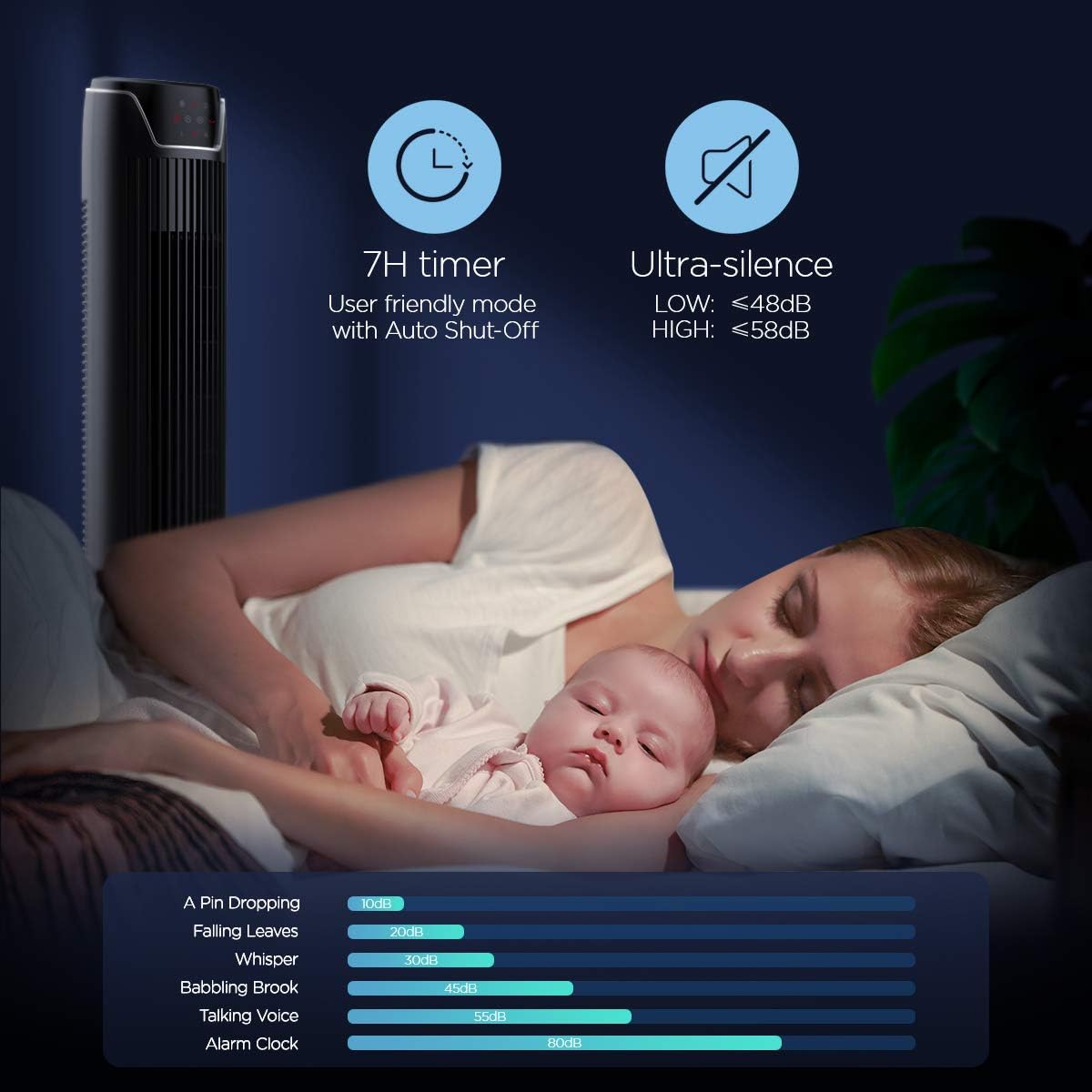
Figure 7: Illustration of the fan's ultra-silence feature (below 48dB on low speed), perfect for quiet environments.
Алсын удирдлагатай хадгалах сан
The fan features a built-in cubby at the back for convenient storage of the remote control, ensuring it is always within reach and not easily misplaced.
Video 2: Demonstration of the remote control storage slot on the back of the Pelonis Tower Fan.
Засвар үйлчилгээ
Тогтмол цэвэрлэгээ хийх нь сэнсний гүйцэтгэлийг хадгалж, ашиглалтын хугацааг уртасгахад тусалдаг.
- Гадна цэвэрлэгээ: Зөөлөн ашиглах, damp Сэнсний гаднах гадаргууг арчихын тулд даавуугаар арчина. Зүлгүүрийн цэвэрлэгч эсвэл уусгагч хэрэглэж болохгүй.
- Сараалж цэвэрлэх: Use a vacuum cleaner with a brush attachment to remove dust from the fan grilles. For deeper cleaning, a compressed air can may be used to dislodge dust from hard-to-reach areas.
- Дотоод цэвэрлэгээ: The fan is not designed for easy disassembly for internal cleaning. Regular external cleaning and compressed air use are recommended to minimize dust accumulation inside.
- Сэнсийг дахин залгахаасаа өмнө бүрэн хатсан эсэхийг шалгаарай.
Алдааг олж засварлах
If you encounter issues with your PELONIS tower fan, try the following troubleshooting steps:
- Сэнс асахгүй байна:
- Цахилгааны утсыг ажиллаж байгаа цахилгааны залгуурт найдвартай залгасан эсэхийг шалгаарай.
- Цахилгаан залгуур ажиллаж байгаа эсэхийг өөр төхөөрөмжид залгаж шалгана уу.
- Verify the fan's power button is pressed.
- Fan Not Oscillating:
- Хяналтын самбар эсвэл алсын удирдлага дээрх хэлбэлзлийн товчийг дарна уу.
- Ensure there are no obstructions preventing the fan from rotating.
- Агаарын урсгал сул:
- Сэнсний хурдны тохиргоог нэмэгдүүлэх.
- Clean the fan grilles to remove any dust or debris that may be obstructing airflow.
- Ер бусын дуу чимээ:
- Сэнсийг тогтвортой, тэгш гадаргуу дээр байрлуулсан эсэхийг шалгаарай.
- Check for any loose parts or foreign objects within the fan grilles.
- If the noise is a creaking sound during oscillation, ensure the base is not overtightened. Loosen it slightly if necessary.
- Алсын удирдлага ажиллахгүй байна:
- Ensure the remote control's batteries are correctly installed and not depleted.
- Point the remote directly at the fan's control panel.
- Алсын удирдлага болон сэнсний хооронд ямар ч саад бэрхшээл байхгүй эсэхийг шалгаарай.
Үзүүлэлтүүд
| Онцлог | Дэлгэрэнгүй |
|---|---|
| Брэнд | ПЕЛОНИ |
| Загварын нэр | FZ10-19JR |
| Өнгө | Гялгар хар |
| Цахилгаан сэнсний дизайн | Шалны сэнс |
| Эрчим хүчний эх үүсвэр | Утастай цахилгаан |
| Загвар | Орчин үеийн |
| Бүтээгдэхүүний хэмжээс | 11.8"D x 11.8"W x 36.14"H |
| Өрөөний төрөл | Унтлагын өрөө |
| Онцлог шинж чанар | Хөсрөлт |
| Зөвлөмж болгож буй хэрэглээ | Office, Air Circulation, Bedroom, Living Room, Home |
| Дуу чимээний түвшин | 48 дБ |
| Төгсгөлийн төрөл | Гялгар |
| Ботьtage | 120 вольт |
| Оруулсан бүрэлдэхүүн хэсгүүд | Алсын удирдлага |
| Дотор/гадаа ашиглах | Дотор |
| Үзүүлэлт | ETL |
| Хяналтын арга | Алсын удирдлага |
| Хутганы материал | Хуванцар |
| Эрчим хүчний түвшний тоо | 3 |
| Үйлдвэрлэгч | Пелонис |
| UPC | 750545105431 |
| Зүйлийн жин | 9.13 фунт |
Баталгаат болон дэмжлэг
PELONIS offers a 1 жилийн үйлдвэрлэгчийн баталгаа with the purchase of this product, demonstrating confidence in its quality.
For detailed information, refer to the official User Manual (PDF) available online:
Хэрэглэгчийн гарын авлага (PDF) татаж авах
For further assistance or inquiries, please visit the official PELONIS Store on Amazon: PELONIS Store