Танилцуулга
The PDP Gaming Faceoff Deluxe+ Audio Wired Controller is designed for use with the Nintendo Switch. It features a 3.5mm audio jack for in-game audio and USB chat, customizable programmable back buttons, and interchangeable faceplates. This manual provides instructions for setting up, operating, and maintaining your controller.
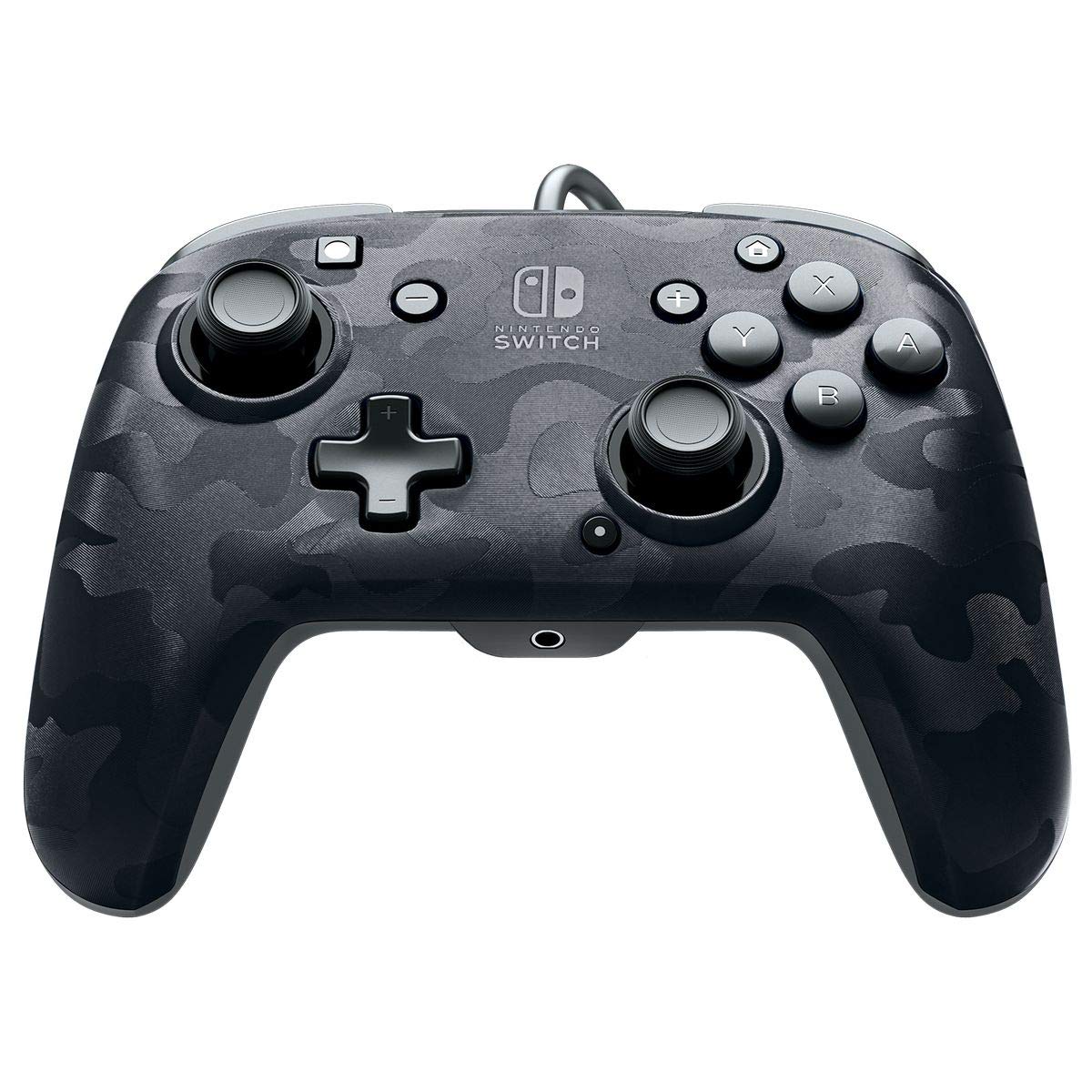
Зураг: Урд view of the PDP Gaming Faceoff Deluxe+ Audio Wired Controller in Black Camo.
Тохиргоо
1. Анхны холболт
- Ensure your Nintendo Switch console is docked and powered on.
- Connect the controller's fixed USB cable to an available USB port on the Nintendo Switch dock.
- The controller should automatically be recognized by the console.
2. Аудио тохиргоо
- Plug your 3.5mm headset into the audio jack located at the bottom center of the controller.
- In-game audio will now be routed through your headset. USB chat is supported for compatible titles.
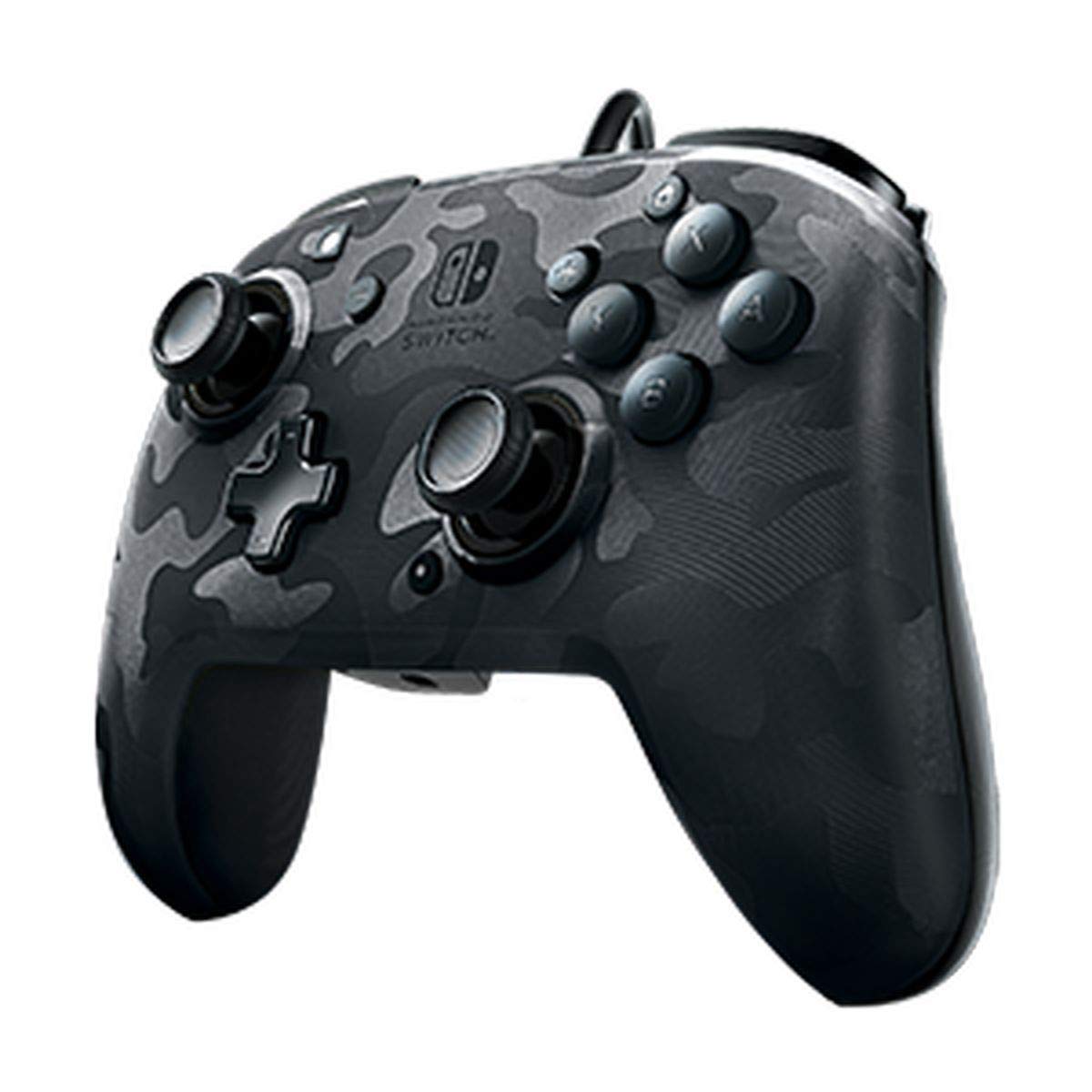
Image: A user playing with the PDP Gaming Faceoff Deluxe+ Audio Wired Controller, demonstrating the headset connection.
Хянагчийг ажиллуулах
1. Товчлуурын байршил ба функцууд
Тоглолтыг оновчтой болгохын тулд хянагчийн товчлуурын зохион байгуулалттай танилцаарай.

Зураг: Нарийвчилсан view of the controller with key buttons labeled for easy identification.
- View Товчлуур: Typically used for in-game menus or map access.
- Нүүр хуудас товч: Nintendo Switch-н НҮҮР ХУУДАС цэс рүү буцна.
- Дууны хяналт: Adjusts headset audio volume.
- Функцийн товчлуур: Used in conjunction with other buttons for specific features (refer to game instructions).
- Аналог саваа: Provide precise movement and camera control. Features low friction rings for smooth performance.
2. Программчлагдах буцах товчлуурууд
The controller features dual programmable paddle-style buttons on the back, allowing for customized gameplay. These can be mapped to other buttons on the controller to suit your play style.

Image: The back of the controller highlighting the programmable paddle buttons.
3. Аудио дууны хэмжээг тохируулах
Volume can be adjusted directly on the controller using the D-pad while holding the Function button (refer to the labeled image above for button location).
4. Faceplate Customization
The unique interchangeable design allows you to swap out and snap in different Faceoff faceplates to personalize your controller's appearance.

Image: Illustration demonstrating the interchangeable faceplate design of the controller.
Засвар үйлчилгээ
- Хянагчийг зөөлөн, хуурай даавуугаар арчиж цэвэр байлгаарай.
- Хянагчийг хэт өндөр температур, чийгшил эсвэл нарны шууд тусгалд өртөхөөс зайлсхий.
- Хянагчийг задлах гэж бүү оролдоорой, учир нь энэ нь баталгааг хүчингүй болгож болзошгүй юм.
Алдааг олж засварлах
- Хянагч хариу өгөхгүй байна: Ensure the USB cable is securely connected to the Nintendo Switch dock. Try a different USB port.
- Чихэвчээр дамжуулан аудио байхгүй байна: Verify the headset is fully plugged into the controller's 3.5mm jack. Check the volume settings on the controller and the Nintendo Switch console.
- Buttons not working correctly: Ensure the controller's firmware is up to date (if applicable, check PDP's official website). If issues persist, try restarting the Nintendo Switch console.
Үзүүлэлтүүд
| Онцлог | Дэлгэрэнгүй |
|---|---|
| Загварын дугаар | 500-134-NA-CM00 |
| Холболт | Wired (10-foot fixed USB cable) |
| Аудио залгуур | 3.5mm (supports in-game audio and USB chat) |
| Тохируулга | Interchangeable faceplates, dual programmable paddle-style back buttons |
| Хэмжээ | 0.35 x 0.12 x 0.83 инч |
| Жин | 14.1 унц |
| Тохиромжтой байдал | Nintendo Switch |
| Үйлдвэрлэгч | PDP |

Image: Controller dimensions for reference.
Бүтээгдэхүүний албан ёсны видео
Video: An honest review of the PDP Gaming Wired Nintendo Switch Controller, showcasing түүний онцлог, функциональ байдал.
Баталгаат болон дэмжлэг
For warranty information and customer support, please refer to the documentation included with your product or visit the official PDP webсайт.
Та мөн зочилж болно Амазон дээрх PDP дэлгүүр нэмэлт бүтээгдэхүүний мэдээлэл болон туслах эх сурвалжийг авах.


