1. Бүтээгдэхүүн дууссанview
The myCharge HubMax HBLC10V is a portable power bank designed to charge various mobile devices. It features an internal 10050mAh battery, built-in Lightning and USB-C cables, and an integrated foldable wall plug for convenient recharging.

Image 1.1: The myCharge HubMax HBLC10V portable charger, showcasing its compact design with integrated Lightning and USB-C cables, and a foldable wall plug.
2. Багцын агуулга
- myCharge HubMax HBLC10V Portable Charger
- Аянгын нэгдсэн кабель
- Нэгдсэн USB-C кабель
- Integrated Wall Plug
3. Тохиргоо болон анхны цэнэглэлт
Before first use, it is recommended to fully charge your myCharge HubMax HBLC10V.
- Locate the Wall Plug: Extend the foldable wall prongs located on the side of the device.
- Цахилгаанд холбогдох: Plug the device directly into a standard AC wall outlet.
- Цэнэглэх хяналт: The LED indicator lights on the device will illuminate to show the charging status. A full charge typically takes approximately 4.6 hours. All indicator lights will be solid when fully charged.
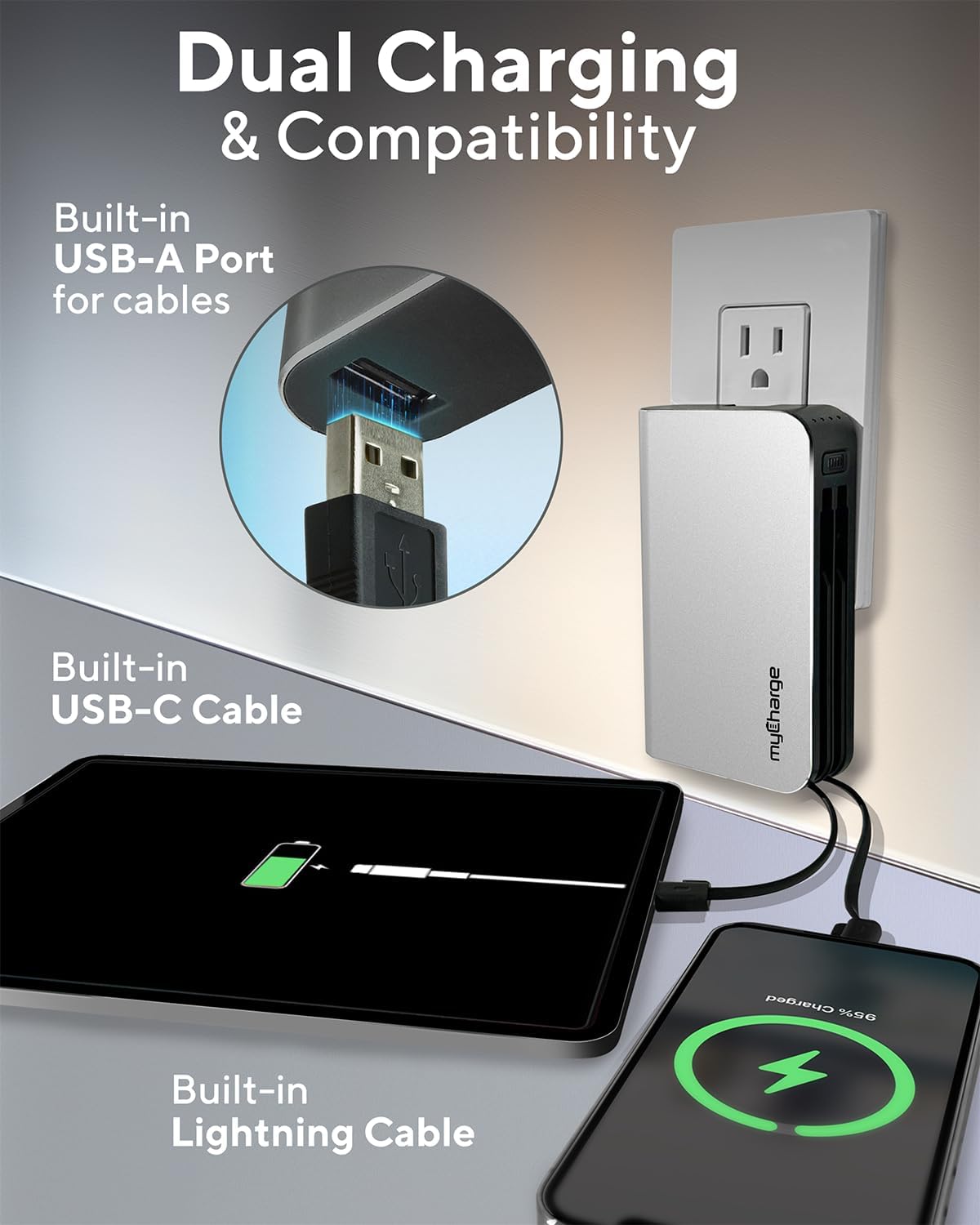
Image 3.1: The myCharge HubMax HBLC10V connected to a wall outlet for recharging, illustrating its integrated wall plug and multiple charging outputs.
4. Ашиглалтын заавар
The myCharge HubMax HBLC10V allows you to charge up to three devices simultaneously.
4.1 Charging Devices with Built-in Cables
- Кабелийг тодорхойлох: Select the appropriate built-in cable for your device (Lightning for Apple devices, USB-C for compatible Android and other devices).
- Төхөөрөмжийг холбох: Plug the selected cable directly into your mobile device's charging port.
- Цэнэглэж эхлэх: The myCharge HubMax will automatically begin charging your device. The LED indicator lights will show the remaining battery level of the power bank.
4.2 Charging a Third Device via USB-A Port
For devices requiring a standard USB-A connection, use the integrated USB-A port.
- Connect Your Cable: Plug your device's USB-A charging cable (not included) into the USB-A port on the myCharge HubMax.
- Төхөөрөмжийг холбох: Plug the other end of your cable into your mobile device.
- Цэнэглэж эхлэх: Цэнэглэх нь автоматаар эхлэх болно.

Зураг 4.1: Нарийвчилсан view of the myCharge HubMax HBLC10V, emphasizing its all-in-one design with built-in wall prongs, Lightning and USB-C cables, and an additional USB-A port for charging up to three devices.
4.3 Хурдан цэнэглэх чадвар
The HubMax supports Power Delivery and Quick Charge 3.0 via its USB-C cable, enabling faster charging for compatible devices. This can charge devices up to 2.4 times faster than standard chargers.
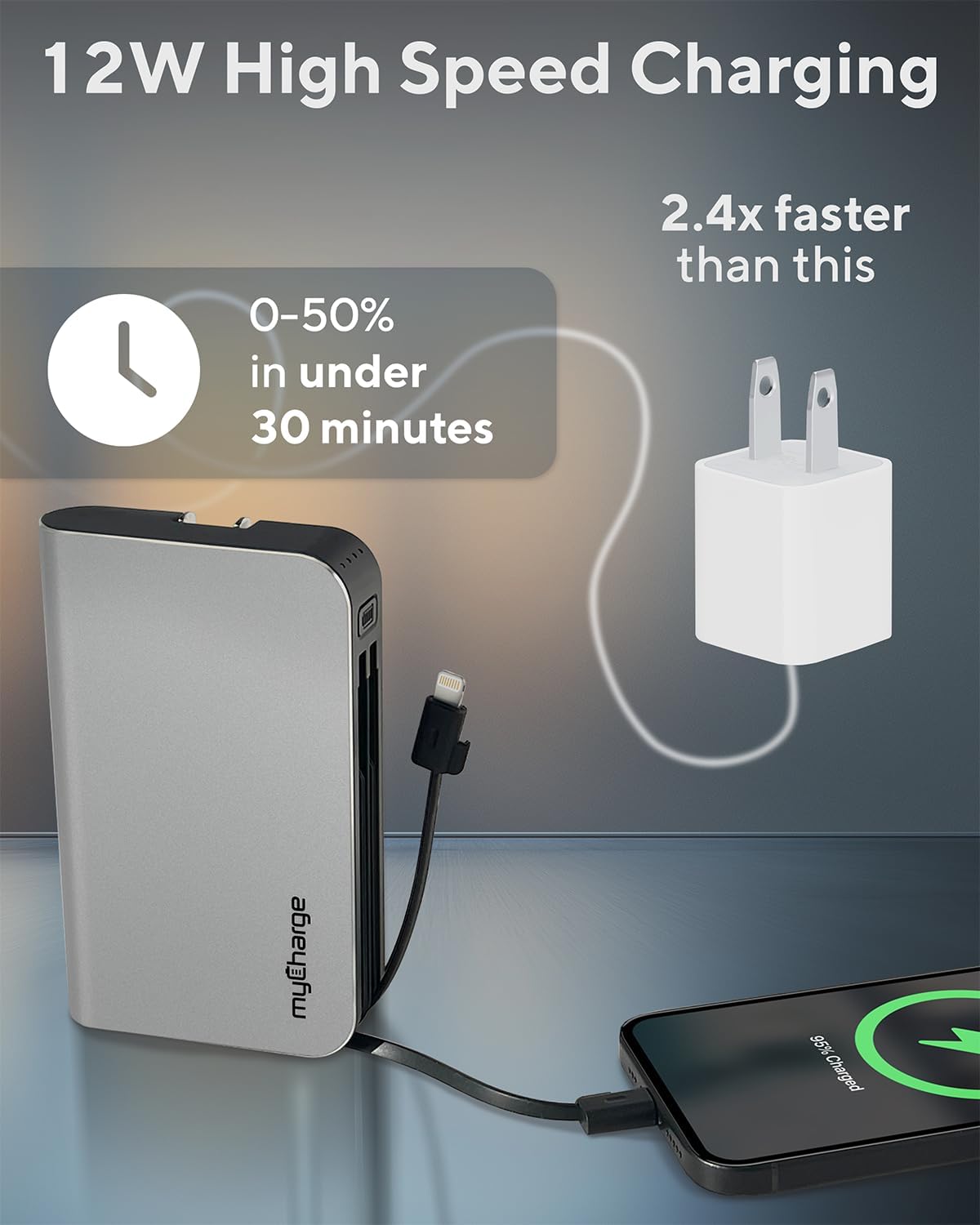
Image 4.2: The myCharge HubMax HBLC10V demonstrating its 12W high-speed charging capability, capable of charging a device from 0% to 50% in under 30 minutes.
5. Засвар үйлчилгээ, арчилгаа
- Хадгалах: Эрчим хүчний банкийг нарны шууд тусгал, хэт температураас хол, сэрүүн, хуурай газар хадгална.
- Цэвэрлэгээ: Төхөөрөмжийн гадна талыг цэвэрлэхийн тулд зөөлөн, хуурай даавуугаар цэвэрлээрэй. Химийн хатуу бодис, зүлгүүрийн материал ашиглахаас зайлсхий.
- Харьцуулах: Handle the device with care. Avoid dropping it or subjecting it to strong impacts, as this can damage internal components and shorten its lifespan.
- Зайны хугацаа: Батерейны эрүүл мэндийг сайжруулахын тулд эрчим хүчний банкийг байнга бүрэн шавхахаас зайлсхий. Батерейны цэнэг бага байх үед цэнэглэ.
6. Алдаа засах
If you encounter issues with your myCharge HubMax HBLC10V, refer to the following common solutions:
- Төхөөрөмж цэнэглэхгүй байна:
- Ensure the myCharge HubMax itself is sufficiently charged. Check the LED indicators.
- Verify that the built-in cable or your external USB-A cable is securely connected to both the power bank and your device.
- Try a different device or cable to rule out issues with the connected device or cable.
- Удаан цэнэглэх:
- Ensure your device supports fast charging protocols (Power Delivery, Quick Charge 3.0) to benefit from the HubMax's fast charging capabilities.
- Олон төхөөрөмжийг нэгэн зэрэг цэнэглэх нь тусдаа төхөөрөмжүүдийн цэнэглэх хурдыг бууруулж болзошгүй.
- Цэнэглэх кабель гэмтсэн эсэхийг шалгана уу.
- Power Bank Not Recharging:
- Ensure the wall plug is fully extended and securely inserted into a working AC wall outlet.
- Өөр ханын залгуураар оролдоно уу.
If problems persist, please contact myCharge customer support for further assistance.
7. Техникийн үзүүлэлтүүд
| Онцлог | Дэлгэрэнгүй |
|---|---|
| Загварын дугаар | HBLC10V |
| Зайны багтаамж | 10050 мАч (литийн ион) |
| Бүтээгдэхүүний хэмжээс | 2.8 x 0.9 x 4.6 инч |
| Зүйлийн жин | 10.2 унц |
| Баригдсан кабель | Lightning, USB-C |
| Additional Port | USB-A |
| Цэнэглэх хугацаа | Approx. 4.6 hours (via integrated wall plug) |
| Онцлог шинж чанарууд | Integrated Wall Plug, Fast Charging (PD, QC 3.0) |
| Үйлдвэрлэгч | myCharge |
8. Баталгаат хугацаа ба дэмжлэг
myCharge products are typically covered by a manufacturer's warranty. For specific warranty details, registration, or to initiate a warranty claim, please refer to the official myCharge webсайт эсвэл тэдний хэрэглэгчийн дэмжлэгтэй шууд холбогдоно уу.
For technical assistance, troubleshooting not covered in this manual, or general inquiries, please visit the myCharge support page or contact their customer service department.
Note: Warranty terms and support availability may vary. Always refer to the latest information provided by the manufacturer.


