Танилцуулга
This manual provides detailed instructions for the safe and effective operation of your Donner DJ Par Light. Please read this manual thoroughly before use and retain it for future reference. This device is designed to produce various lighting effects for events, parties, and stage тоглолтууд.
Аюулгүй байдлын мэдээлэл
- Эрчим хүчний хангамжийн хэмжээг баталгаажуулна ууtage нь төхөөрөмжийн шаардлагад нийцдэг.
- Цахилгаан цочрол, гал гарахаас сэргийлэхийн тулд төхөөрөмжийг бороо, чийгэнд бүү тавь.
- Цэвэрлэх, засвар үйлчилгээ хийхээсээ өмнө үргэлж цахилгаан тэжээлээс салга.
- Нүдэнд гэмтэл учруулж болзошгүй тул гэрлийн эх үүсвэрт шууд өртөхөөс зайлсхий.
- Хэт халалтаас урьдчилан сэргийлэхийн тулд зохих агааржуулалтыг хангах. Агааржуулалтын нүхийг хааж болохгүй.
- Төхөөрөмжийг болгоомжтой харьц. Унах, хүчтэй нөлөө үзүүлэхээс зайлсхий.
- Хүүхдийн гар хүрэхгүй газар хадгална.
Багцын агуулга
Савлахдаа бүх зүйл байгаа эсэхийг шалгана уу:
- Donner DJ Par Light (1 unit)
- Алсын удирдлага (1 нэгж)
- Суурилуулах хаалт (1 ширхэг)
- Цахилгаан кабель (1 нэгж)
- Хэрэглэгчийн гарын авлага (энэ баримт бичиг)
Бүтээгдэхүүний онцлог
- 18 RGB LEDs: Features 18 x 3W RGB LED lights (6 Red, 6 Green, 6 Blue) for a wide range of color effects.
- Multi-mode Operation: Includes Static Color, Color Changing, Color Fade, Auto, Sound-activated, Master-slave, and DMX modes.
- Алсын удирдлага: Easy control via the included IR remote.
- DMX512 нийцтэй: For professional lighting control.
- Баригдсан хөргөх сэнс: Ensures stable operation and extends lifespan.
- Adjustable Dual Brackets: Allows for flexible mounting on trusses, walls, or standing on the floor.
Тохиргоо
- Савлах: Carefully remove the light and all accessories from the packaging.
- Хаалт суурилуулах: Attach the dual brackets to the sides of the light using the provided screws and knobs. Ensure they are securely fastened.
- Суурилуулалт:
- Шалны тавиур: Position the light on a flat, stable surface using the brackets as a stand. Adjust the angle as desired.
- Hanging/Truss Mount: Тохиромжтой cl ашиглахamps (not included) to secure the light to a truss or ceiling. Always use a safety cable (not included) when hanging the unit.
- Эрчим хүчний холболт: Connect the power cable to the light's power input and then to a suitable power outlet.

Үйлдлийн горимууд
The Donner DJ Par Light offers multiple operating modes, selectable via the remote control or the control panel on the back of the unit.

- Статик өнгөний горим: Displays a single, constant color. Use the remote's color buttons (Red, Green, Blue) or the control panel to select specific colors or mix RGB values.
- Color Changing (Jump) Mode: The light rapidly switches between different colors. The speed of the color change can be adjusted.
- Color Fade (Gradual) Mode: The light smoothly transitions from one color to another. The transition speed can be adjusted.
- Авто горим: The light cycles through various pre-programmed lighting effects automatically.
- Дуу идэвхжүүлсэн горим: The light reacts to ambient sound or music, changing colors and patterns in sync with the beat. Ensure the built-in microphone is not obstructed.
- Мастер-Боолын горим: Connect multiple lights using DMX cables. One unit acts as the master, controlling all connected slave units, ensuring synchronized lighting effects.
- DMX горим: For advanced control using a DMX512 controller. This mode allows precise control over individual light parameters such as color intensity, strobe, and mode selection.
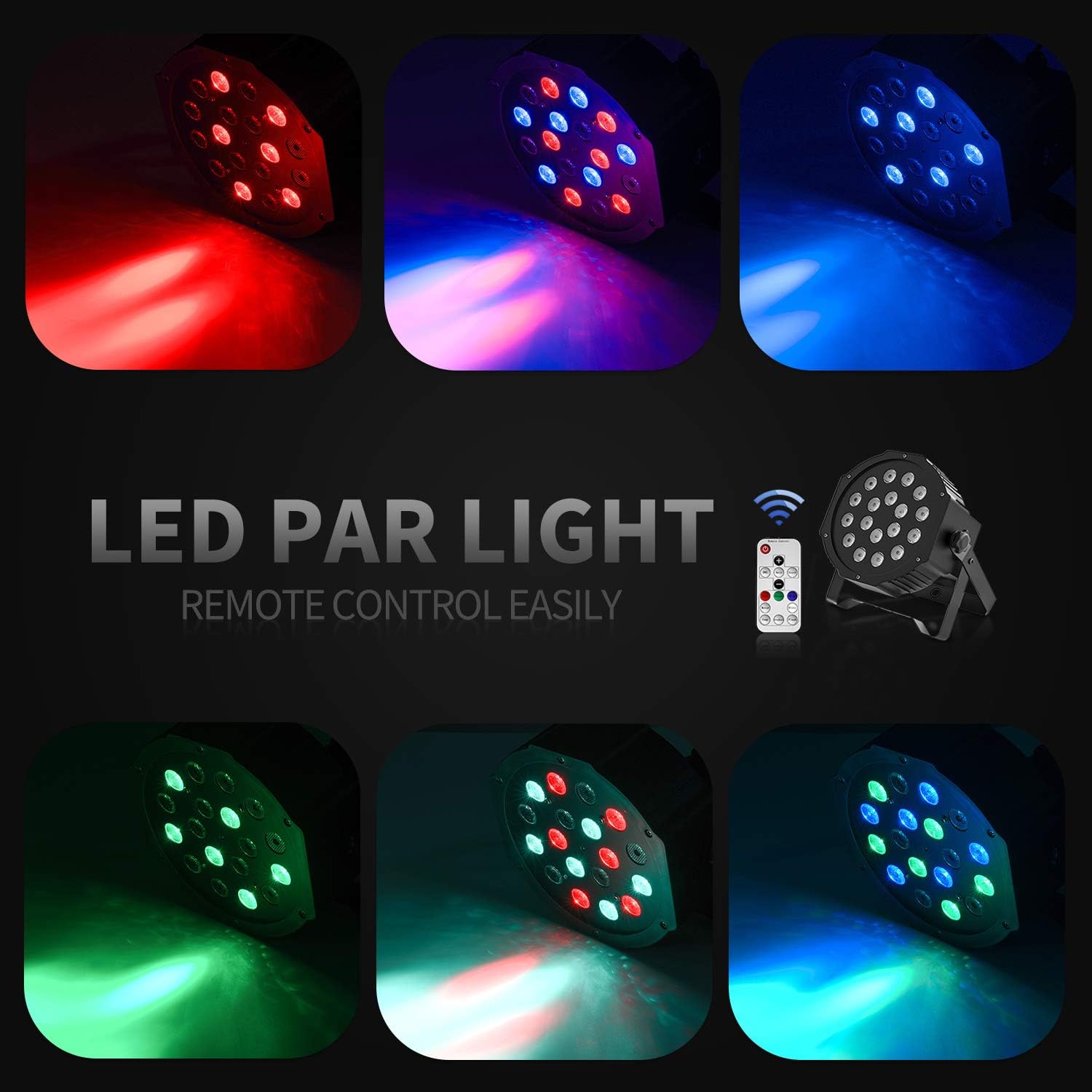
Алсын удирдлагатай ажиллагаа
The included IR remote control provides convenient access to the light's functions:
- АСААЛТТАЙ/БҮЛЭГТ: Press to power on or put the device in standby mode.
- DMX: Activates DMX mode. Use '+' and '-' to adjust the DMX address.
- Автомат: Activates Auto mode.
- Дуу: Activates Sound-Activated mode.
- Улаан/Ногоон/Цэнхэр: Selects static red, green, or blue color.
- Цагаан: Selects static white color.
- Үсрэх: Activates Color Changing (Jump) mode.
- Gradual: Activates Color Fade (Gradual) mode.
- Флэш: Activates Strobe mode.
- +/- Товчлуур: Adjust speed in Jump/Gradual/Flash modes, or DMX address in DMX mode.
DMX хяналт
The Donner DJ Par Light supports DMX512 protocol for professional control. Connect a DMX controller to the DMX IN port using a 3-pin XLR cable. For multiple units, daisy-chain them by connecting the DMX OUT of one unit to the DMX IN of the next.
DMX Channel Functions (Example for 7-channel mode):
| Суваг | Чиг үүрэг | Утгын хүрээ | Тодорхойлолт |
|---|---|---|---|
| 1 | Мастер Диммер | 0-255 | Overall brightness (0=off, 255=max) |
| 2 | Улаан эрч хүч | 0-255 | Red LED brightness (0=off, 255=max) |
| 3 | Ногоон эрчим | 0-255 | Green LED brightness (0=off, 255=max) |
| 4 | Цэнхэр эрч хүч | 0-255 | Blue LED brightness (0=off, 255=max) |
| 5 | Строб | 0-255 | Strobe speed (0=off, 255=fastest) |
| 6 | Горим сонгох | 0-255 | Selects various internal programs (Auto, Sound, Jump, Gradual) |
| 7 | Програмын хурд | 0-255 | Adjusts speed of selected program (0=slow, 255=fast) |
Засвар үйлчилгээ
- Цэвэрлэгээ: Regularly clean the lens and housing with a soft, lint-free cloth. Do not use abrasive cleaners.
- Хадгалах: Төхөөрөмжийг ашиглаагүй үед хуурай, тоосгүй орчинд хадгална.
- Шалгалт: Periodically check the power cable and DMX connections for any signs of damage.
Алдааг олж засварлах
| Асуудал | Боломжит шалтгаан | Шийдэл |
|---|---|---|
| Гэрэл асдаггүй. | No power, faulty cable, device in standby. | Check power connection. Ensure outlet is functional. Press ON/STANDBY button on remote or control panel. |
| Алсын удирдлага ажиллахгүй байна. | Low battery, remote not aimed correctly, IR sensor blocked. | Replace remote battery. Point remote directly at the IR sensor on the front of the light. Ensure no obstructions. |
| Light not responding in DMX mode. | Incorrect DMX address, faulty DMX cable, incorrect DMX mode selected. | Verify DMX address matches controller. Check DMX cable connections. Ensure DMX mode is active on the light. |
| Sound-activated mode not working. | Microphone obstructed, sound level too low. | Ensure the microphone on the back panel is clear. Increase music volume or move the light closer to the sound source. |
Үзүүлэлтүүд
| Загвар: | Remote Control/DMX |
| Гэрлийн эх үүсвэр: | 18 x 3W RGB LEDs (6 Red, 6 Green, 6 Blue) |
| Эрчим хүчний эх үүсвэр: | Утастай цахилгаан |
| Хяналтын горимууд: | Static Color, Color Changing, Color Fade, Auto, Sound-activated, Master-slave, DMX512 |
| Материал: | Хуванцар |
| Бүтээгдэхүүний хэмжээ: | 7.48"L x 5.12"W x 7.48"H |
| Барааны жин: | 1.45 фунт |
Баталгаат болон дэмжлэг
Donner provides a 12-month warranty for this product, covering manufacturing defects from the date of purchase. For warranty claims, technical support, or service inquiries, please contact Donner customer service through the retailer where the product was purchased or visit the official Donner webхолбоо барих мэдээлэл авах сайт.


