Танилцуулга
Thank you for choosing the AKASO C330 Dash Cam. This manual provides detailed instructions to help you set up, operate, and maintain your device. Please read it carefully before use to ensure optimal performance and safety.
Бүтээгдэхүүн дууссанview ба Гол онцлогууд
The AKASO C330 Dash Cam is designed to record your driving journey in high definition, offering a wide range of features for enhanced road safety and evidence collection.

The AKASO C330 Dash Cam is fully functional, featuring G-sensor protection, parking monitor, loop recording, super night vision, 1080P recording, 170° wide angle, and a fatigue reminder.
- 1080P Full HD Recording: Тодорхой foo видео авдагtage at 1920 x 1080 resolution.
- 170° Өргөн өнцгийн линз: Provides extensive road coverage, minimizing blind spots.
- 3.0 инчийн IPS дэлгэц: Offers a clear display for real-time viewing болон тоглуулах.
- Супер шөнийн хараа: Enhanced low-light performance for clear recordings at night.
- Давталтын бичлэг: Хамгийн эртний foo-г автоматаар дарж бичнэtage санах ойн карт дүүрсэн үед тасралтгүй бичлэг хийх боломжтой.
- G-мэдрэгч: Detects sudden movements or collisions and automatically locks the current video file дарж бичихээс сэргийлэхийн тулд.
- Зогсоолын монитор: Records automatically if an impact is detected while the vehicle is parked.
- Хөдөлгөөн илрүүлэх: Starts recording when movement is detected in front of the camera, useful for surveillance.

The dash cam records every detail in 1080P Full HD resolution, utilizing an F1.8 aperture lens and displaying on a 3.0-inch screen.

The 170° wide-angle lens provides extensive coverage, typically spanning about four lanes of traffic.

The Super Night Vision feature ensures clear video recording even in low-light conditions.

The dash cam includes three emergency recording functions: G-sensor for impact detection, motion detection for security, and parking monitor for surveillance when parked.
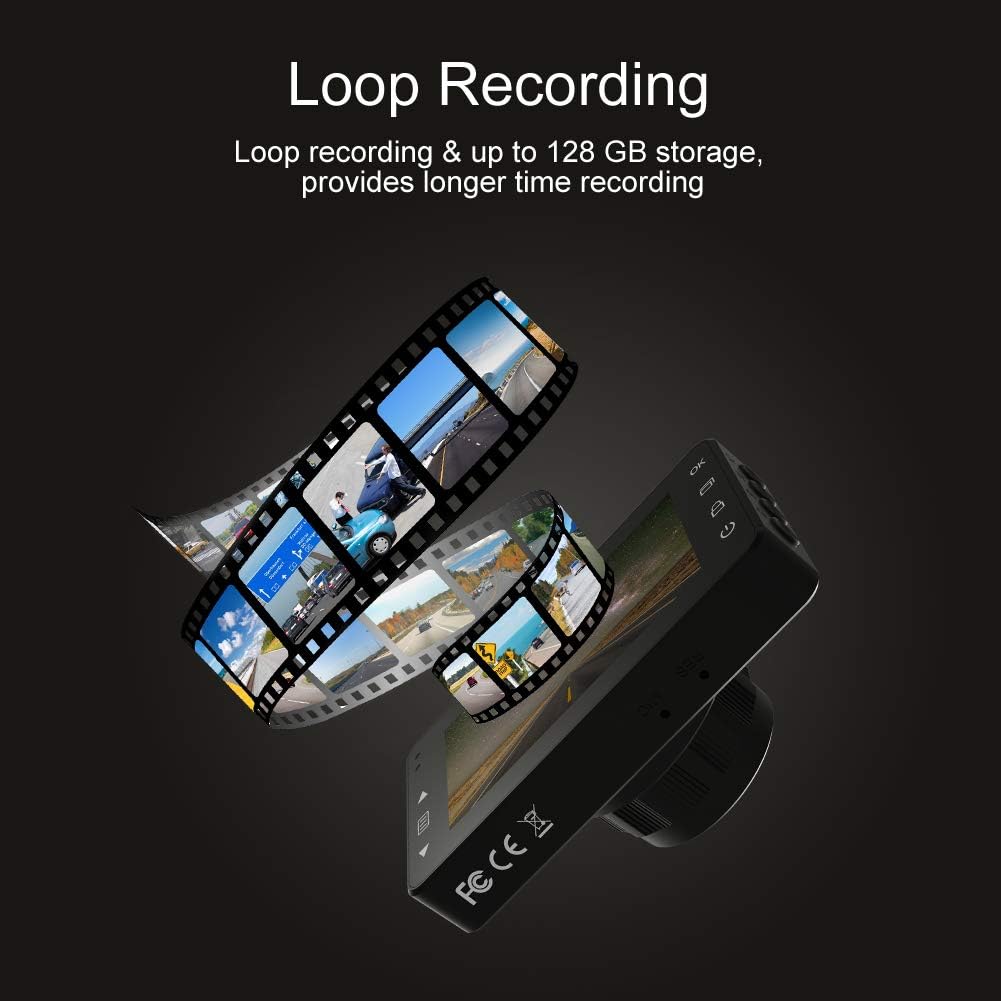
Loop recording ensures continuous video capture, automatically overwriting older files, and supports up to 128 GB storage for longer recording times.
Албан ёсны бүтээгдэхүүний видео шоуasing the features and capabilities of the AKASO C330 Dash Cam, including its 1080P HD recording, 3-inch LCD screen, and 170° wide-angle view.
Багцын агуулга
Дараах зүйлсийн нүдийг шалгана уу.
- AKASO C330 Dash Cam
- Сорох уул
- Машины цэнэглэгч
- USB кабель
- Хэрэглэгчийн гарын авлага (энэ баримт бичиг)
- Memory Card (if included in your specific package)
Бүтээгдэхүүний диаграм
Familiarize yourself with the various parts and buttons of your AKASO C330 Dash Cam:

Detailed diagram of the AKASO C330 Dash Cam, highlighting the Micro SD Power Slot, OK Button, Up Button, Mode Button, Menu Button, Lock Button, Power Mode Button, Down Button, and USB Port, along with its dimensions.
- Micro SD Power Slot: Микро SD картаа энд оруулна уу.
- OK товчлуур: Сонголтуудыг баталгаажуулах эсвэл бичлэгийг эхлүүлэх/зогсоох.
- Дээш товчлуур: Navigates up in menus or zooms in during playback.
- Горимын товчлуур: Switches between video, photo, and playback modes.
- Цэсийн товчлуур: Тохиргооны цэс рүү хандана.
- Түгжих товчлуур: Manually locks the current recording.
- Эрчим хүчний горимын товчлуур: Төхөөрөмжийг асаах/унтраах.
- Доош товч: Navigates down in menus or zooms out during playback.
- USB порт: Цахилгаан хангамж эсвэл компьютерт холбогддог.
Тохиргоо
1. Installing the Micro SD Card
The AKASO C330 requires a Micro SD card (Class 10 or higher, 8GB-128GB) for recording. The memory card is not always included and may need to be purchased separately.
- Хяналтын камер унтарсан эсэхийг шалгаарай.
- Insert the Micro SD card into the Micro SD Power Slot until it clicks into place.
- To remove, gently push the card in until it clicks, then release.
Жич: It is recommended to format the Micro SD card in the dash cam before first use and periodically thereafter to ensure stable recording.
2. Зураасны камерыг суурилуулах
Use the provided suction mount to securely attach the dash cam to your vehicle's windshield.
- Хяналтын камер суурилуулах гэж буй салхины шилнийхээ хэсгийг цэвэрлэ.
- Attach the suction mount to the dash cam.
- Сорогчийг салхины шилэнд хүчтэй дарж, хөшүүргийг эргүүлж бэхлээрэй.
- Тодорхой байхын тулд камерын өнцгийг тохируулна уу view урд талын замын.
3. Powering the Dash Cam
Connect the dash cam to your car's power supply using the car charger.
- Plug one end of the car charger into the dash cam's USB Port.
- Нөгөө үзүүрийг машиныхаа 12 вольтын цахилгаан залгуурт (тамхины асаагуурын залгуур) залгаарай.
- Таны машин асахад хяналтын камер автоматаар асаж, бичлэг хийж эхэлнэ.
Ашиглалтын заавар
Үндсэн үйл ажиллагаа
- Асаах/унтраах: The camera automatically powers on/off with the car ignition. You can also manually press and hold the Power Mode Button to turn it on or off.
- Бичлэг эхлүүлэх/ зогсоох: Once powered on and connected to power, the camera will automatically start loop recording. Press the OK Button to manually start or stop recording.
Цэсийн навигаци
Use the Menu Button to access settings, and the Up/Down Buttons to navigate. Press the OK Button to confirm selections.
Давталтын бичлэг
Энэ функц нь хамгийн хуучин бичлэгийг дарж бичих замаар тасралтгүй бичлэг хийх боломжийг олгодог files when the SD card is full. You can set the loop recording duration (1, 3, or 5 minutes) in the settings menu. To disable, select 'off'.
G-мэдрэгч
The G-Sensor detects sudden impacts or rapid acceleration/deceleration. When triggered, it automatically locks the current video segment, preventing it from being overwritten by loop recording. The sensitivity can be adjusted in the settings.
Машины зогсоолын хяналт
When enabled, the dash cam will automatically start recording if it detects a collision or vibration while your vehicle is parked and the engine is off. This feature requires a continuous power supply or the camera's internal battery to be charged.
Хөдөлгөөн илрүүлэх
With motion detection enabled, the camera will begin recording when it senses movement in its field of view. This is useful for monitoring your vehicle when parked. Ensure the camera has power for this function.
Шөнийн хараа
The AKASO C330 features updated night vision technology to provide clearer video quality in low-light conditions. This feature activates automatically.
Засвар үйлчилгээ
SD картыг форматлах
Regularly formatting your Micro SD card helps maintain its performance and prevents data corruption. It is recommended to format the card every 2-4 weeks.
- Insert the Micro SD card into the dash cam.
- Хяналтын камерыг асаана уу.
- Navigate to the settings menu using the Menu Button.
- Find the 'Format' option and confirm.
Линзийг цэвэрлэх
To ensure clear video quality, keep the camera lens clean.
- Use a soft, lint-free cloth to gently wipe the lens.
- Avoid using abrasive cleaners or solvents that could damage the lens coating.
Алдааг олж засварлах
If you encounter issues with your AKASO C330 Dash Cam, refer to the following common problems and solutions:
| Асуудал | Боломжит шийдэл |
|---|---|
| Камер асахгүй байна. | Check the power connection to the car charger and the vehicle's 12V outlet. Ensure the car's ignition is on. The internal battery may be depleted; charge it for a few hours. |
| Camera stops recording randomly. | Format the Micro SD card. Ensure the card is Class 10 or higher and not full. Disable parking monitor or motion detection if not needed, as they can affect continuous recording. |
| Видео footage нь бүдэг эсвэл тодорхойгүй байна. | Clean the camera lens and the windshield area where the camera is mounted. Ensure the protective film has been removed from the lens. |
| "SD Card Error" or "Please Insert SD Card" message. | Reinsert the Micro SD card. Format the card in the camera. Try a different, compatible Micro SD card. |
| Товчнууд хариу өгөхгүй байна. | Perform a soft reset by pressing the reset button (if available) or by powering off and on the device. Ensure the device is not in a locked state. |
Үзүүлэлтүүд
- LCD дэлгэц: 3.0 инчийн IPS дэлгэц
- Пиксел: 1.2 сая пиксел
- Урд линз: 170° HD wide-angle lens
- Линзний диафрагм: F1.8 aperture
- Видеоны хамгийн дээд нягтрал: 1080FHD (1920 x 1080)
- Циклийн бичлэг: 1 minute / 3 minutes / 5 minutes / off
- PC-ийн интерфейс: USB 2.0
- Эрчим хүчний интерфейс: 5V / 2A
- Хадгалах: 8-128 GB Micro SD card (not included)
- Барааны жин: 12 унц
- Батерей: 1 Лити Полимер батерей (дагсан)
- Суурилуулах төрөл: Сорох уул
Баталгаат болон дэмжлэг
AKASO products are designed for reliability and performance. For warranty information, technical support, or customer service, please refer to the contact details provided on the AKASO official website or your purchase documentation. Please have your product model (C330) and purchase date ready when contacting support.


