Танилцуулга
This manual provides detailed instructions for the installation, operation, and maintenance of your Foscam D2EP IP Camera. The D2EP is a high-definition 2-megapixel outdoor security camera designed for reliable surveillance with features such as infrared night vision, smart motion detection, and wired connectivity. Please read this manual thoroughly before using the product to ensure correct setup and optimal performance.
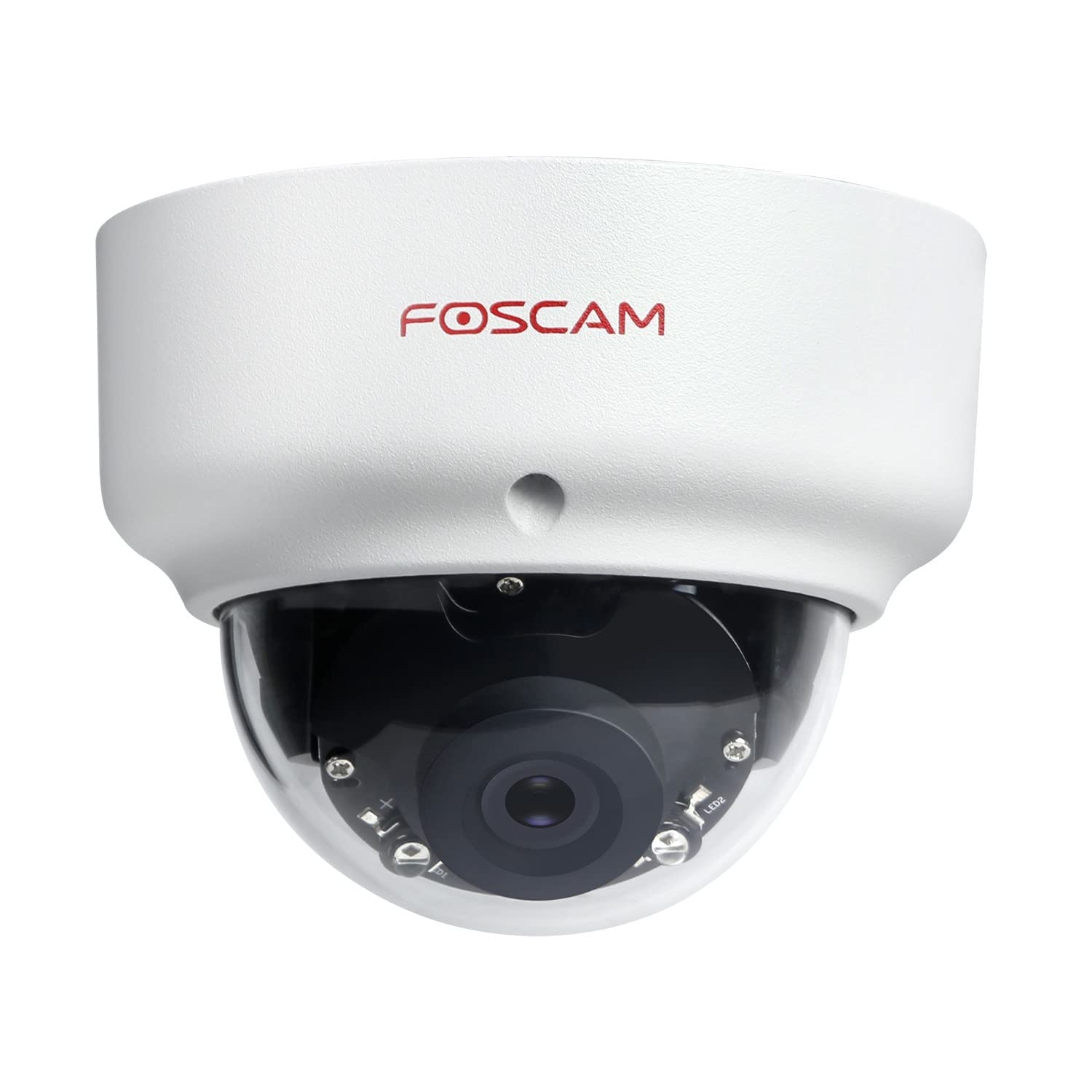
Image: The Foscam D2EP IP Camera, showcasing its compact, dome-shaped design suitable for outdoor environments.
1. Тохиргоо ба суурилуулалт
1.1 Багцын агуулга
Суулгацыг эхлүүлэхийн өмнө багцад бүх бүрэлдэхүүн хэсгүүд байгаа эсэхийг шалгана уу.
- Foscam D2EP IP Camera
- Суурилуулах эрэг ба ханын залгуур
- Ethernet кабель
- Эрчим хүчний адаптер
- Шуурхай суулгах гарын авлага

Image: Foscam D2EP IP Camera with its power and Ethernet cables, illustrating the main components included in the box.
1.2 Физик суурилуулалт
The Foscam D2EP camera is designed for outdoor use with an IP66 waterproof rating. Choose a suitable location that provides the desired viewing angle and is within reach of a power source and network connection.
- Суурилуулах байршил: Identify a secure mounting surface, such as a wall or ceiling, that offers a clear view хяналт тавихыг хүсч буй талбайн .
- Өрөмдлөгийн цооног: Use the provided mounting template (if included) or the camera base to mark and drill pilot holes for the mounting screws. Insert wall plugs if mounting on masonry.
- Аюулгүй камер: Өгөгдсөн боолтыг ашиглан камерын суурийг бэхэлгээний гадаргуу дээр найдвартай бэхлэнэ үү.
- Өнцөг тохируулах: Loosen the adjustment screws on the camera body to position the lens for the optimal viewing angle. Tighten the screws once the desired angle is achieved.

Image: Foscam D2EP IP Camera mounted under an outdoor patio roof, demonstrating a typical installation scenario for outdoor surveillance.
1.3 Сүлжээ ба тэжээлийн холболт
- Ethernet кабель холбох: Connect one end of the Ethernet cable to the camera's network port and the other end to your router or network switch.
- Цахилгаан адаптерийг холбоно уу: Plug the power adapter into the camera's power input and then into a suitable electrical outlet.
- Заагч гэрэл: Wait for the camera's indicator light to show a stable status, indicating it is powered on and connected to the network. Refer to the Quick Installation Guide for specific indicator light behaviors.
1.4 Анхны тохиргоо
To access and configure your camera, download the Foscam app on your smartphone or use the Foscam client software on your computer.
- Download App/Software: хайх "Foscam" in your app store (iOS/Android) or visit the official Foscam website for desktop software.
- Камер нэмэх: Follow the in-app or software instructions to add your D2EP camera. This typically involves scanning a QR code on the camera or manually entering its UID.
- Нууц үг тохируулах: For security, change the default password immediately upon first access.
- Сүлжээний тохиргоо: Configure any necessary network settings, such as static IP (if required by your network).
2. Ашиглалтын заавар
2.1 Амьд View болон Бичлэг
Once configured, you can access the live video feed from your Foscam D2EP camera through the Foscam app or desktop client.
- Амьд View: Select your camera from the device list to view the real-time 1080p HD video stream.
- Гараар бичлэг хийх: Most Foscam applications allow you to manually start and stop video recordings directly from the live view интерфейс.
- Хормын хувилбар: Шууд хангамжаас хөдөлгөөнгүй зураг аваарай.
2.2 Хөдөлгөөн илрүүлэх
The D2EP features smart motion detection to alert you to activity in the monitored area.
- Хөдөлгөөн мэдрэгчийг идэвхжүүлэх: Navigate to the camera settings in the Foscam app/software and enable motion detection.
- Configure Detection Area: Камерын доторх тодорхой хэсгийг тодорхойл view where motion should be detected, ignoring irrelevant zones.
- Мэдрэмжийг тохируулах: Set the motion detection sensitivity to minimize false alarms while ensuring important events are captured.
- Анхааруулгын тохиргоо: Configure how you receive alerts (e.g., push notifications, email).
2.3 Өдөр ба шөнийн хараа
The camera automatically switches between day (color) and night (infrared black and white) vision modes based on ambient light conditions. The infrared LEDs provide clear vision up to 20 meters in low-light environments.
2.4 Amazon Alexa-тай нийцтэй байдал
The Foscam D2EP camera is compatible with Amazon Alexa, allowing for voice control and integration into your smart home system. Refer to the Foscam website or Alexa app for detailed instructions on linking your Foscam account and controlling your camera via Alexa commands.
3. Засвар үйлчилгээ
3.1 Камерыг цэвэрлэх
Regularly clean the camera lens and housing to ensure optimal image quality and prevent debris buildup, especially for outdoor installations.
- Зөөлөн ашиглах, damp cloth to wipe the camera body.
- Линзний хувьд зурааснаас зайлсхийхийн тулд тусгай зориулалтын линз цэвэрлэх даавуу, уусмал хэрэглээрэй.
- Химийн хатуу бодис, зүлгүүрийн материалыг бүү ашигла.
3.2 Програм хангамжийн шинэчлэлтүүд
Foscam regularly releases firmware updates to improve camera performance, add new features, and enhance security. It is recommended to keep your camera's firmware up to date.
- Check for updates through the Foscam app or desktop client.
- Follow the on-screen instructions carefully during the update process. Do not power off the camera during an update.
4. Алдаа засах
4.1 Камер сүлжээнд холбогдоогүй байна
- Кабель шалгах: Ensure the Ethernet cable is securely connected to both the camera and the router/switch.
- Эрчим хүч: Verify the camera is powered on and the power adapter is working correctly.
- Чиглүүлэгчийн төлөв: Confirm your router is functioning and providing network access.
- IP хаягийн зөрчил: If using a static IP, ensure it does not conflict with other devices on your network. Try DHCP first.
- Камерыг дахин тохируулах: If issues persist, perform a factory reset (refer to the Quick Installation Guide for reset button location and procedure).
4.2 Зургийн чанар муу
- Цэвэр линз: Ensure the camera lens is clean and free from dirt or smudges.
- Гэрэлтүүлэг: Verify adequate lighting in the monitored area during the day.
- Шөнийн хараа: In night mode, ensure there are no obstructions blocking the infrared LEDs.
- Нарийвчлалын тохиргоо: Check that the camera's resolution is set to 1080p (2MP) in the app/software settings.
4.3 Motion Detection Not Working or Too Many False Alarms
- Онцлогыг идэвхжүүлэх: Confirm motion detection is enabled in the camera settings.
- Илрүүлэх талбай: Adjust the detection zone to cover only relevant areas.
- Мэдрэмж: Increase sensitivity if events are missed; decrease if there are too many false alarms (e.g., from moving trees, shadows).
- Хуваарь: Check if motion detection is scheduled to be active during the desired times.
5. Техникийн үзүүлэлтүүд
| Загварын нэр | D2EP |
| Брэнд | Фоскам |
| Шийдвэр | 2 Megapixel (1080p) |
| Холболтын технологи | Утастай |
| Зөвлөмж болгож буй хэрэглээ | Гадна талын хамгаалалтын камер |
| Цаг агаарын эсэргүүцэл | IP66 Усны хамгаалалттай |
| Шөнийн харааны хүрээ | 20 метр хүртэл (хэт улаан туяаны) |
| Гол онцлогууд | Motion Sensor, Day/Night Vision, Amazon Alexa Compatible |
6. Баталгаат хугацааны мэдээлэл
The Foscam D2EP IP Camera comes with a 2 жилийн баталгаат хугацаа from the date of purchase. This warranty covers manufacturing defects and ensures the product functions as described under normal use. Please retain your proof of purchase for warranty claims. For detailed warranty terms and conditions, please visit the official Foscam webсайт.
7. Хэрэглэгчийн дэмжлэг
If you encounter any issues or have questions regarding your Foscam D2EP IP Camera that are not covered in this manual, please refer to the following resources:
- Foscam албан тушаалтан Webсайт: зочилно уу www.foscam.com for FAQs, support articles, and the latest firmware.
- Техникийн дэмжлэг: Contact Foscam technical support directly via their webсайт эсвэл таны бүтээгдэхүүний савлагаанд заасан холбоо барих мэдээлэл.