1. Танилцуулга
Худалдан авалт хийсэнд баярлалааasing the ELECTROPRIME Digital Voice Recorder. This device is designed for high-quality audio recording and playback, functioning as both a dictaphone and an MP3 music player. Please read this manual carefully to ensure proper use and optimal performance.
Багцын агуулга:
- ELECTROPRIME Digital Voice Recorder (Model: ASHA20BEBUBEB16153)
- USB кабель
- Хэрэглэгчийн гарын авлага
2. Бүтээгдэхүүн дууссанview
Төхөөрөмжийн бүрэлдэхүүн хэсэг болон удирдлагын системтэй танилцаарай.
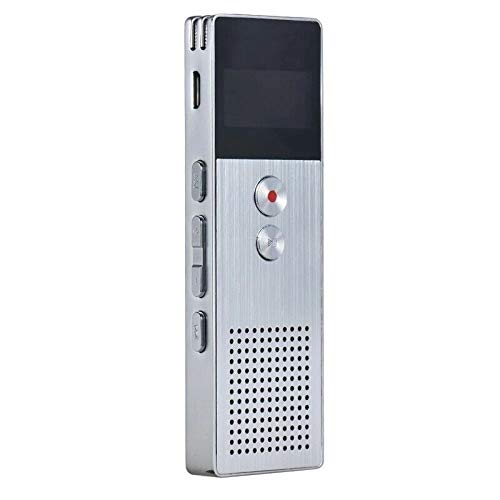
Зураг 2.1: Урд view of the ELECTROPRIME Digital Voice Recorder. This image displays the device's screen, the prominent red record button, and other control buttons on the front panel, along with the speaker grille at the bottom.
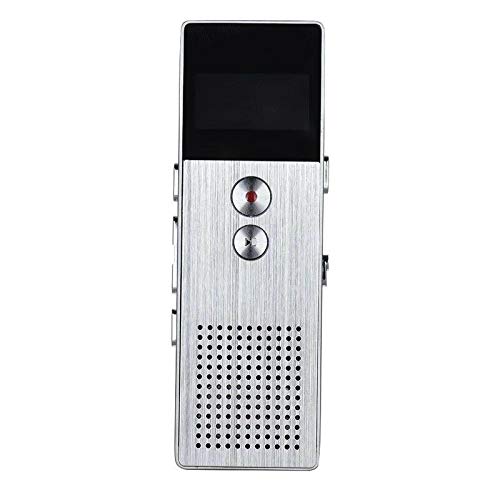
Зураг 2.2: Хажуу тал view of the ELECTROPRIME Digital Voice Recorder. This image highlights the side controls, including the power switch, volume buttons, and the USB charging/data transfer port. The device's compact design is visible.
Төхөөрөмжийн бүрэлдэхүүн хэсгүүд:
- Дэлгэц: Бичлэгийн төлөв, цаг, батерейны түвшин, цэсийн сонголтыг харуулна.
- Бичлэг хийх товч: Initiates and stops audio recording.
- Тоглуулах/түр зогсоох товчлуур: Starts and pauses playback of audio files.
- Дууны товчлуурууд (+/-): Тоглуулах дууны хэмжээг тохируулна.
- Menu/Mode Button: Navigates through menus and switches operating modes.
- USB порт: Цэнэглэх болон компьютерт өгөгдөл дамжуулах зориулалттай.
- Микрофон: Built-in stereo microphone for audio input.
- Илтгэгч: Шууд аудио тоглуулах зориулалттай.
- Чихэвчний Жак: Хувийн сонсох зориулалттай.
- Эрчим хүч солих: Төхөөрөмжийг асаах эсвэл унтраана.
3. Тохиргоо
3.1 Төхөөрөмжийг цэнэглэх
Before first use, fully charge the device. Connect the recorder to a computer's USB port or a USB wall adapter (not included) using the provided USB cable. The battery indicator on the screen will show charging status. A full charge typically takes 2-3 hours.
3.2 Асаах/унтраах
- Асаахын тулд гулсуулна уу Цахилгаан унтраалга ON байрлал руу.
- Унтраахын тулд гулсуулна уу Цахилгаан унтраалга OFF байрлал руу.
3.3 Анхны тохиргоо
Upon first power-on or after a reset, you may need to set the date, time, and language. Use the navigation buttons to select options and confirm with the Play/Pause button.
4. Ашиглалтын заавар
4.1 Дуу бичлэг
The device supports high-quality stereo recording in .WAV format, offering up to 23 hours of continuous recording with its 8GB internal memory.
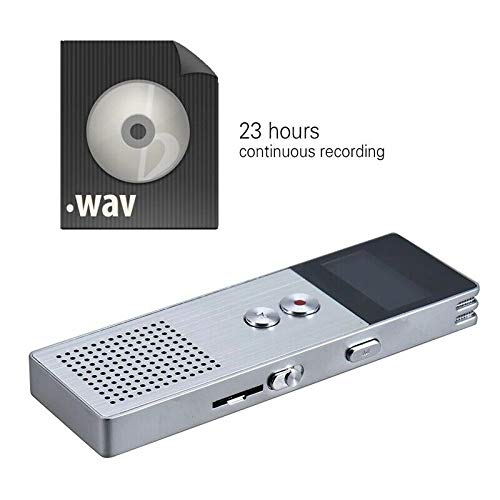
Зураг 4.1: The recorder's capability to record in .WAV format and its impressive 23-hour continuous recording capacity are highlighted in this image, alongside the device itself.
- Төхөөрөмж асаалттай байгаа эсэхийг шалгаарай.
- дээр дарна уу Бичлэг хийх товч (red circle) to start recording. The screen will display a recording indicator and elapsed time.
- Бичлэгийг түр зогсоохын тулд товчийг дарна уу Тоглуулах/түр зогсоох товч. Үргэлжлүүлэхийн тулд дахин дарна уу.
- Бичлэгийг зогсоож хадгалахын тулд file, товчийг дарна уу Бичлэг хийх товч дахин. The file автоматаар хадгалагдах болно.
Зөвлөгөө: For best recording quality, ensure the microphone is not obstructed and the device is placed on a stable surface.
4.2 Тоглуулах
- In the main menu, navigate to the "Recordings" or "Music" folder using the navigation buttons.
- Хүссэнээ сонго file болон товчийг дарна уу Тоглуулах/түр зогсоох товч тоглуулахыг эхлүүлэх.
- Дахин тоглуулах явцад ашиглана уу Дууны товчлуурууд (+/-) дууны хэмжээг тохируулах.
- дээр дарна уу Тоглуулах/түр зогсоох товч to pause playback, and again to resume.
- Дахин тоглуулахыг зогсоохын тулд Зогсоох товч (if available, otherwise navigate out of playback mode).
4.3 MP3 Music Player Functionality
Мөн төхөөрөмж нь MP3 тоглуулагчийн үүргийг гүйцэтгэх боломжтой. MP3 шилжүүлэх files to the device via USB connection to your computer.
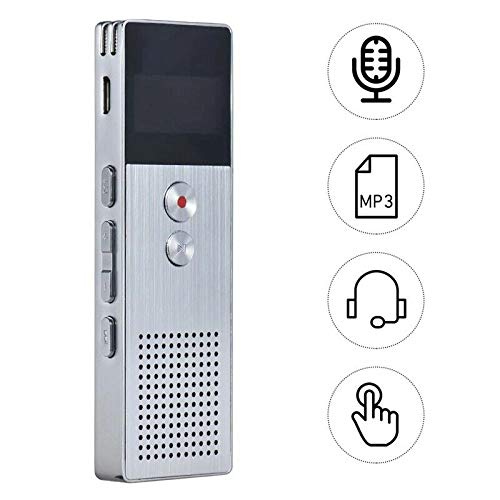
Зураг 4.2: This image illustrates the multi-functional capabilities of the device, including its use as a voice recorder (microphone icon), an MP3 player (MP3 icon), and its compatibility with headphones (headphone icon). The touch icon suggests ease of interaction.
- USB кабель ашиглан төхөөрөмжийг компьютерт холбоно уу.
- The device will appear as a removable disk. Copy your MP3 files into the "Music" folder on the device.
- Safely eject the device from your computer.
- On the recorder, navigate to the "Music" menu and select your desired MP3 file тоглуулах зориулалттай.
4.4 File Management (Connecting to PC)
To transfer, delete, or organize files, connect the recorder to your computer using the USB cable. The device will be recognized as a mass storage device. You can then drag and drop files as you would with any USB drive.
5. Засвар үйлчилгээ
- Keep the device dry. Moisture can damage internal circuits.
- Хэт их температураас зайлсхий.
- Төхөөрөмжийг унагаж эсвэл хүчтэй цохилтонд бүү оруул.
- Clean the device with a soft, dry cloth. Do not use harsh chemicals or detergents.
- Regularly back up important recordings to your computer.
6. Алдаа засах
Төхөөрөмж асахгүй байна:
- Батерейг цэнэглэсэн эсэхийг шалгаарай. Эрчим хүчний эх үүсвэрт холбогдоод дахин оролдоно уу.
- Цахилгаан унтраалга ON байрлалд байгаа эсэхийг шалгана уу.
Бичлэг хийх боломжгүй:
- Check available memory. If full, transfer files to a computer and delete them from the device.
- Ensure the microphone is not covered.
- Verify the device is in recording mode.
Тоглуулах явцад дуу гарахгүй:
- Adjust the volume using the Volume Buttons.
- Ensure headphones are properly connected if using them.
- Аудио байгаа эсэхийг шалгаарай file эвдэрсэн байна.
Төхөөрөмжийг компьютер танихгүй байна:
- Өөр USB порт эсвэл USB кабелийг туршиж үзнэ үү.
- Төхөөрөмжийг холбох үед асаалттай байгаа эсэхийг шалгаарай.
- Компьютерээ дахин эхлүүлнэ үү.
7. Техникийн үзүүлэлтүүд
| Брэнд | ЭЛЕКТРОПРАЙМ |
| Загварын дугаар | ASHA20BEBUBEB16153 |
| Санах ойн сан | 8 ГБ |
| Бичлэгийн формат | WAV |
| Дахин тоглуулах формат | MP3, WAV |
| Микрофон | Стерео |
| Тасралтгүй бичлэг | 23 цаг хүртэл |
| Холболт | USB |
8. Баталгаат хугацаа ба дэмжлэг
For warranty information or technical support, please refer to the product packaging or contact ELECTROPRIME customer service through their official website or the retailer where the product was purchased. Please have your model number (ASHA20BEBUBEB16153) and purchase details ready.