1. Танилцуулга
The Roccat Vulcan 122 is a high-performance mechanical gaming keyboard designed for precision and durability. It features Roccat's unique Titan switches, advanced AIMO RGB lighting, and a robust aluminum construction. This manual provides detailed instructions for setting up, operating, maintaining, and troubleshooting your keyboard.

Image: The Roccat Vulcan 122 keyboard shown with a Roccat mouse and headset, demonstrating its vivid, dynamic lighting synergy with AIMO.
Гол онцлогууд:
- Unique design with lowered keycaps and reduced reaction time.
- RGB lighting with configurable LED effects and adjustable AIMO effects.
- High-quality and resistant design with robust materials and an anodized aluminum surface.
- Advanced anti-ghosting with N-Key Rollover (NKRO).
- Programmable macro keys and ROCCAT Easy-Shift[+].
2. Тохиргоо
2.1 Гарыг холбох
To connect your Roccat Vulcan 122 keyboard:
- Unpack the keyboard and its accessories.
- Plug the USB connector from the keyboard into an available USB port on your computer.
- Үйлдлийн систем нь шаардлагатай драйверуудыг автоматаар илрүүлж, суулгана.
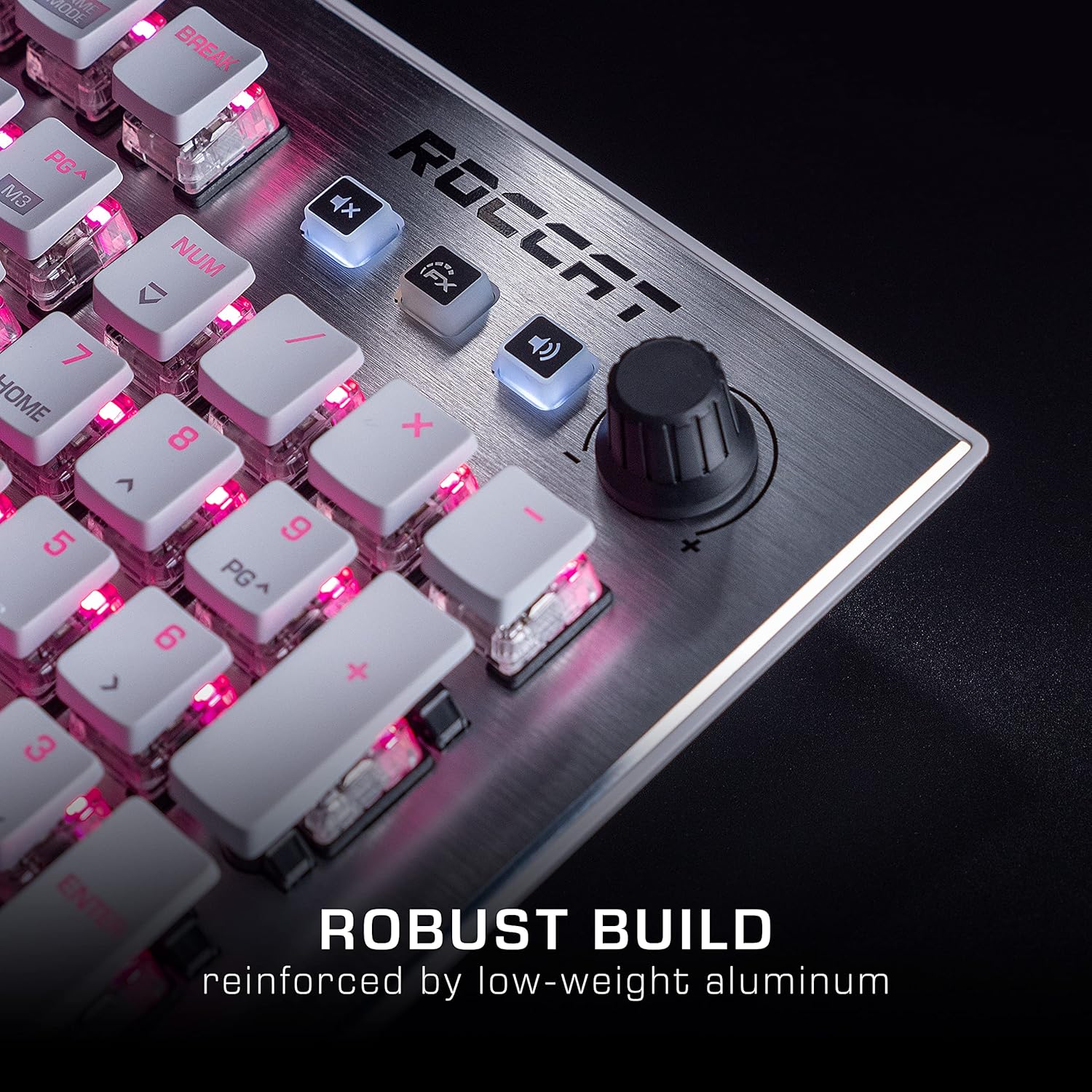
Image: The Roccat Vulcan 122 keyboard shown with its detachable wrist rest, ready for connection.
2.2 Software Installation (ROCCAT Swarm)
For full functionality and customization, install the ROCCAT Swarm software:
- Албан ёсны ROCCAT-д зочлоорой webсайт (www.roccat.com) болон тусламжийн хэсэг рүү очно уу.
- Download the latest version of the ROCCAT Swarm software for your operating system.
- Суулгагчийг ажиллуулаад дэлгэцэн дээрх зааврыг дагана уу.
- After installation, launch ROCCAT Swarm to configure your keyboard settings, lighting, and macros.
3. Гарыг ажиллуулах
3.1 Стандарт түлхүүрийн функцууд
The Vulcan 122 functions as a standard QWERTY keyboard. All alphanumeric keys, function keys (F1-F12), navigation keys, and the numeric keypad operate as expected.
3.2 Хэвлэл мэдээллийн хэрэгслийн удирдлага
The keyboard features dedicated media controls for convenient audio management.
- Эзлэхүүний товчлуур: Located in the upper right corner, rotate to adjust system volume.
- Дууг хаах товч: Аудиог хаах/нээхийн тулд дарна уу.
- FX товчлуур: Cycles through lighting effects or other programmable functions.

Зураг: Ойрын зураг view of the mixer-style media controls on the Roccat Vulcan 122, including the volume knob and dedicated function keys.
3.3 RGB Lighting Customization (AIMO)
The Vulcan 122 features advanced RGB lighting with Roccat's AIMO intelligent lighting system. Use the ROCCAT Swarm software to:
- Select from various pre-set lighting effects.
- Customize individual key illumination.
- Эффектийн тод байдал болон хурдыг тохируулна уу.
- Synchronize lighting with other AIMO-compatible devices.
3.4 Programmable Macro Keys and Easy-Shift[+]
The keyboard includes programmable macro keys and the Easy-Shift[+] function, allowing you to assign secondary functions to keys.
- Use the ROCCAT Swarm software to record and assign macros to designated keys.
- Easy-Shift[+] allows you to double the number of assignable functions by holding down the Easy-Shift[+] key (usually Caps Lock by default, configurable in Swarm) and pressing another key.
3.5 Anti-Ghosting with NKRO
The Vulcan 122 features advanced anti-ghosting technology with N-Key Rollover (NKRO), ensuring that every key press is registered accurately, even when multiple keys are pressed simultaneously.

Image: A hand demonstrating typing on the Roccat Vulcan 122 keyboard, emphasizing the ergonomic design of the keys for comfortable use.
4. Засвар үйлчилгээ
4.1 Гарыг цэвэрлэх
To ensure the longevity and optimal performance of your Vulcan 122 keyboard, regular cleaning is recommended.
- Цэвэрлэхийн өмнө гарыг компьютерээсээ салга.
- Зөөлөн, хөвөнгүй даавууг бага зэрэг хэрэглээрэй dampened with water or a mild cleaning solution to wipe the keycaps and surface. Avoid harsh chemicals.
- For dust and debris between keys, use compressed air. The raised keycap design makes cleaning easier.
- Гарыг дахин холбохоосоо өмнө бүрэн хуурай байгаа эсэхийг шалгаарай.

Image: A close-up of the Roccat Vulcan 122 keyboard keys, illustrating their design which facilitates easy cleaning and resistance to dust and liquids.
5. Алдаа засах
If you encounter issues with your Roccat Vulcan 122 keyboard, refer to the following common problems and solutions:
- Гар хариу өгөхгүй байна:
- USB кабель гар болон компьютерт найдвартай холбогдсон эсэхийг шалгаарай.
- Гараа өөр USB порт руу залгаад үзээрэй.
- Компьютерээ дахин эхлүүлнэ үү.
- Check if the keyboard is disabled in your operating system's device manager.
- RGB гэрэлтүүлэг ажиллахгүй эсвэл буруу байна:
- Ensure the ROCCAT Swarm software is installed and up to date.
- Swarm програм хангамж доторх гэрэлтүүлгийн тохиргоог шалгана уу.
- Perform a firmware update for the keyboard via Swarm.
- Түлхүүрүүд бүртгэгдээгүй эсвэл хий үзэгдэл харагдахгүй байна:
- Засвар үйлчилгээний хэсэгт тайлбарласны дагуу нөлөөлөлд өртсөн түлхүүрүүдийг цэвэрлэнэ үү.
- Гарын програм хангамж шинэчлэгдсэн эсэхийг шалгаарай.
- Системтэй холбоотой асуудлуудаас зайлсхийхийн тулд гарыг өөр компьютер дээр туршиж үзээрэй.
- ROCCAT Swarm software not detecting keyboard:
- Гар зөв холбогдсон эсэхийг шалгана уу.
- Restart the Swarm software and your computer.
- Reinstall the ROCCAT Swarm software.
- Зөрчилтэй програм хангамж эсвэл драйверуудыг шалгана уу.
6. Техникийн үзүүлэлтүүд
| Онцлог | Дэлгэрэнгүй |
|---|---|
| Брэнд | РОККАТ |
| Загварын нэр | Вулкан 122 |
| Загварын дугаар | ROC-12-940-BN |
| Гарын тайлбар | Механик |
| Шилжүүлэгчийн төрөл | Мэдрэхүй |
| Материал | Хөнгөн цагаан |
| Онцлог шинж чанарууд | Арын гэрэлтүүлэг |
| Тохиромжтой төхөөрөмжүүд | Laptop (PC) |
| Үйлдлийн системийн дэмжлэг | Windows 10, Windows 7, Windows 8 |
| Бүтээгдэхүүний хэмжээс | 46.2 x 23.5 x 3.2 см |
| Зүйлийн жин | 1.15 кг |

Зураг: дэлбэрсэн view diagram illustrating the components of a Roccat Titan Tactile mechanical switch, highlighting its design for swift and precise response.
7. Баталгаат хугацаа ба дэмжлэг
7.1 Баталгаат хугацааны мэдээлэл
Your Roccat Vulcan 122 keyboard is covered by a manufacturer's warranty. The specific terms and duration of the warranty may vary by region and retailer. Please retain your proof of purchase for warranty claims. For detailed warranty information, refer to the warranty card included with your product or visit the official ROCCAT webсайт.
7.2 Техникийн дэмжлэг
For technical assistance, driver updates, or further inquiries, please visit the official ROCCAT support page:
You can find FAQs, troubleshooting guides, and contact information for customer service on their webсайт.