1. Танилцуулга
Thank you for choosing the CREATE NETBOT S15 Robot Vacuum Cleaner. This manual provides essential information for the safe operation, maintenance, and troubleshooting of your device. Please read it thoroughly before first use and retain it for future reference.
Бүтээгдэхүүн дууссанview

The image above displays the CREATE NETBOT S15 Robot Vacuum Cleaner, its dedicated remote control, and a smartphone screen showing the companion application interface. The robot is black with a textured top surface and a central green power button. The remote control features a digital display and various control buttons. The app shows a map of a cleaned area.
The NETBOT S15 is designed to simplify your cleaning routine, offering multiple cleaning modes and smart features for efficient floor maintenance.
2. Аюулгүй ажиллагааны заавар
Аюулгүй ажиллагааг хангах, эвдрэлээс урьдчилан сэргийлэхийн тулд дараах аюулгүй байдлын урьдчилан сэргийлэх арга хэмжээг дагаж мөрдөнө үү.
- Төхөөрөмжийг ашиглахаасаа өмнө бүх зааврыг уншина уу.
- Хүүхдүүдийг робот тоос сорогч ажиллуулахыг бүү зөвшөөр. Робот ажиллаж байх үед хүүхэд болон гэрийн тэжээвэр амьтдыг хянаж байгаарай.
- Ensure the charging base is placed against a wall on a hard, level surface, with adequate clear space around it.
- Үс, сул хувцас, хуруу, биеийн бүх хэсгийг нүх, хөдлөх хэсгүүдээс хол байлга.
- Do not pick up large objects, sharp objects, liquids, or burning/smoking materials.
- Роботыг чийгтэй орчин эсвэл нойтон гадаргуу дээр бүү ашигла.
- Remove power cords, small objects, and fragile items from the floor before operation to prevent entanglement or damage.
- Use only the original charger and battery provided by the manufacturer.
- Do not modify or attempt to repair the robot vacuum yourself. Contact qualified service personnel for repairs.
3. Багцын агуулга
Бүх бүрэлдэхүүн хэсгүүд багцад байгаа эсэхийг шалгана уу:

The image shows the retail box for the CREATE NETBOT S15 Robot Vacuum Cleaner, indicating the product and its key features.
- NETBOT S15 робот тоос сорогчийг үүсгээрэй
- Цэнэглэх суурь
- Эрчим хүчний адаптер
- Алсын удирдлага
- Dustbin (600 ml capacity)
- Усны сав (400 мл багтаамжтай)
- Side Brushes (2 + 2 replacements)
- HEPA Filter (1 + 1 replacement)
- Cleaning Mop (1 + 1 replacement)
- Цэвэрлэх сойз
- Соронзон тууз
- Хэрэглэгчийн гарын авлага
4. Тохиргоо
4.1 Цэнэглэх суурийн байршил

The image shows the CREATE NETBOT S15 Robot Vacuum Cleaner correctly docked on its charging station, indicating proper placement for recharging.
- Place the charging base against a wall in an open area.
- Ensure there is at least 1 meter (3 feet) of clear space on both sides of the charging base and 2 meters (6 feet) in front of it.
- Цахилгаан адаптерийг цэнэглэх сууринд холбож, залгуурт залгаарай.
- Ensure the power indicator light on the charging base is illuminated.
4.2 Анхны цэнэглэлт

This image depicts the CREATE NETBOT S15 Robot Vacuum Cleaner positioned near its charging dock in a room, ready for or undergoing charging.
Before first use, fully charge the robot vacuum. Place the robot onto the charging base, ensuring the charging contacts align. The indicator light on the robot will show charging status. A full charge typically takes 4-5 hours.
4.3 Програм суулгах ба холболт
The CREATE NETBOT S15 can be controlled via a smartphone application, compatible with Alexa and Google Home.
- Download the official CREATE app from your smartphone's app store.
- Бүртгэлээ бүртгүүлээд нэвтэрнэ үү.
- Follow the in-app instructions to add your NETBOT S15 device. This typically involves putting the robot into pairing mode and connecting it to your home Wi-Fi network.
- Once connected, you can program cleaning schedules, select cleaning modes, and monitor the robot's status from your phone.
- For voice control, link the CREATE app with your Alexa or Google Home account through their respective applications.
5. Ашиглалтын заавар
5.1 цэвэрлэх горим
The NETBOT S15 offers four cleaning functions:
- Хөлс: Uses side brushes to gather debris.
- Вакуум: Utilizes suction power to collect dust and dirt. Features up to 1500 Pa suction power with adjustable levels.
- шүүр: Wipes floors with a damp cloth from the water tank.
- Угаах: Combines sweeping, vacuuming, and mopping for comprehensive cleaning.

This image illustrates the CREATE NETBOT S15 Robot Vacuum Cleaner actively cleaning under a sofa, demonstrating its ability to reach confined spaces. Two dogs are visible in the foreground, suggesting a pet-friendly environment.
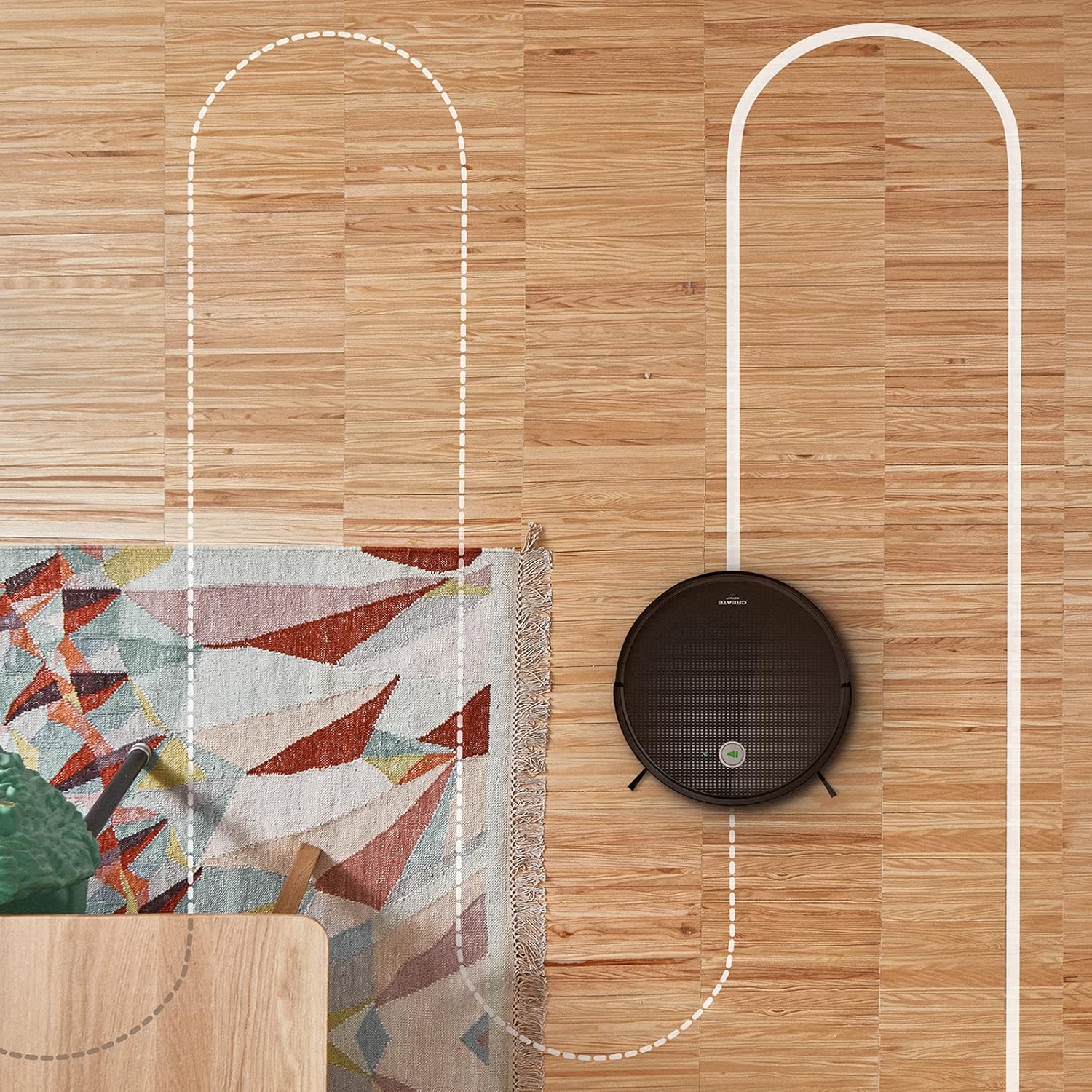
Антен view shows the CREATE NETBOT S15 Robot Vacuum Cleaner moving across a wooden floor, with a dotted line indicating its systematic cleaning path, highlighting its gyroscopic navigation.
5.2 Алсын удирдлага ашиглах
The included remote control allows for direct operation of the robot vacuum. Refer to the remote control diagram in your quick start guide for button functions. Common functions include:
- Цэвэрлэгээг эхлүүлэх / түр зогсоох
- Цэнэглэх бааз руу буцах
- Directional Control (manual steering)
- Толбо цэвэрлэх
- Захын цэвэрлэгээ
- Хуваарийн хуваарь
5.3 Magnetic Strip Usage
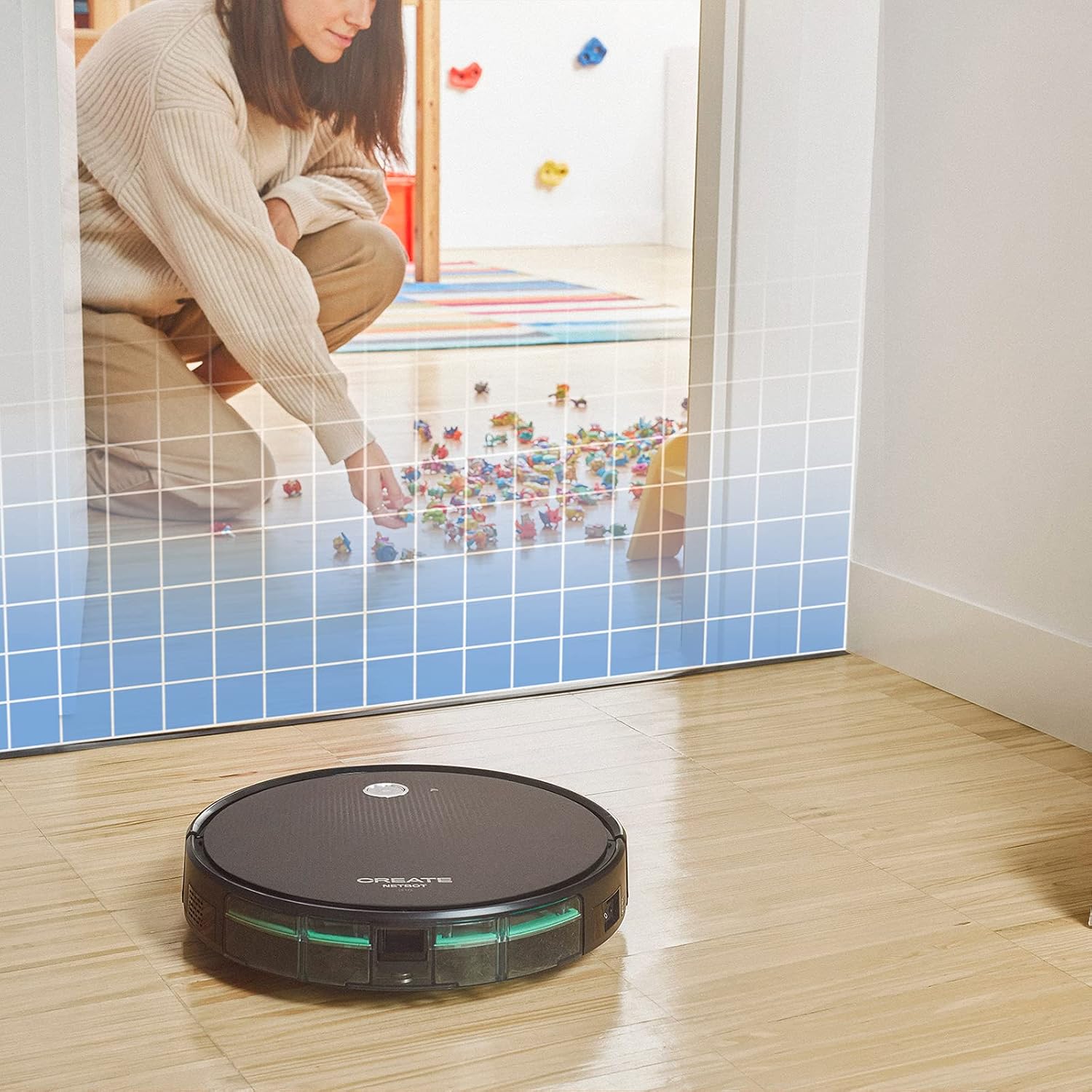
This illustration demonstrates the CREATE NETBOT S15 Robot Vacuum Cleaner approaching a virtual boundary, represented by a grid, which prevents it from entering a specific area, such as where toys are located.
Use the provided magnetic strip to create virtual boundaries that the robot will not cross. Place the strip on the floor to delimit areas where the robot should not enter, such as pet feeding zones or areas with delicate items.
5.4 Батерейны ашиглалтын хугацаа
The NETBOT S15 is equipped with a long-lasting LG Lithium battery, providing up to 120 minutes of cleaning autonomy on a single charge, depending on the selected power mode.
6. Засвар үйлчилгээ
Тогтмол засвар үйлчилгээ нь таны роботын тоос сорогчийн ашиглалтын хугацааг уртасгаж, оновчтой гүйцэтгэлийг баталгаажуулдаг.
6.1 Dustbin and Water Tank Cleaning
Empty the dustbin after each use. The 600 ml dustbin is easily removable. If using the mopping function, empty and rinse the 400 ml water tank after each use to prevent mold or odors.
6.2 Сойз цэвэрлэх

Ойрын зураг view of the CREATE NETBOT S15 Robot Vacuum Cleaner's side brush, showing its design for sweeping debris into the main suction path.
- Хажуугийн сойз: Regularly check for hair or debris entanglement. Remove and clean as needed. Replace worn brushes with the provided spares.
- Үндсэн сойз: Remove the main brush cover and lift out the brush. Use the cleaning tool to remove tangled hair and debris.
6.3 Шүүлтүүрийг цэвэрлэх/солих
The robot uses a double filter system: a sponge filter and a HEPA filter. Tap the filters to remove loose dirt. Do not wash HEPA filters with water. Replace filters every 3-6 months, or more frequently with heavy use, to maintain suction performance.
6.4 Мэдрэгчийг цэвэрлэх
Wipe the cliff sensors (located on the bottom of the robot) and the bumper sensors (on the front) with a clean, dry cloth to ensure proper navigation and obstacle detection.
7. Алдаа засах
If you encounter issues with your NETBOT S15, refer to the following common problems and solutions:
| Асуудал | Боломжит шалтгаан | Шийдэл |
|---|---|---|
| Робот эхлэхгүй эсвэл хариу үйлдэл үзүүлэхгүй. | Батерей бага; Цахилгаан унтраах; Робот гацсан. | Роботыг цэнэглэ; Цахилгаан унтраалга асаалттай байгаа эсэхийг шалга; Аливаа саадыг арилгана. |
| Цэвэрлэгээний гүйцэтгэл муу. | Full dustbin; Clogged brushes/filters; Worn brushes. | Empty dustbin; Clean brushes and filters; Replace brushes/filters. |
| Робот цэнэглэх суурийг олж чадахгүй байна. | Charging base obstructed; Robot too far from base; Base not powered. | Ensure clear space around base; Manually place robot closer; Check power connection to base. |
| Робот байнга гацдаг. | Cables/small objects on floor; Uneven surfaces; Dark colored carpets. | Clear floor of obstacles; Use magnetic strips for problem areas; Robot may struggle on very dark surfaces. |
| Wi-Fi холболтын асуудал. | Incorrect Wi-Fi password; Router too far; 5GHz network. | Verify password; Move robot closer to router; Ensure connection to a 2.4GHz Wi-Fi network. |
8. Техникийн үзүүлэлтүүд
Key technical specifications for the CREATE NETBOT S15 Robot Vacuum Cleaner:
- Брэнд: БҮТЭЭХ
- Загварын дугаар: Netbot S15
- Өнгө: Black - Turquoise
- Хэмжээ (L x W x H): 33 x 33 x 7.5 см
- Жин: 3 кг
- Эрчим хүч: 25 ватт
- Сорох хүч: 1500 Па хүртэл
- Дуу чимээний түвшин: 62 дБ
- Зайны төрөл: Лити-ион
- Зайны хугацаа: 120 минут хүртэл
- Хогийн савны багтаамж: 600 мл
- Усны савны багтаамж: 400 мл
- Шүүлтүүрийн систем: Double sponge Clean + HEPA filter
- Холболт: Wi-Fi, Аппликейшн удирдлага
- Дуут туслахын нийцтэй байдал: Google Home, Alexa
- Онцлог шинж чанарууд: Gyroscopic navigation, Magnetic strip boundary, 4 cleaning modes (sweep, vacuum, mop, wash)
9. Баталгаат хугацаа ба дэмжлэг
For warranty information, technical support, or service inquiries, please refer to the warranty card included with your product or visit the official CREATE webсайт. Худалдан авалтын баримтаа худалдан авалтын баталгаа болгон хадгалаарай.


