Танилцуулга
The GENAI Wireless Bluetooth Headset B112 provides a convenient and hands-free communication experience. This manual offers detailed instructions for setting up, operating, maintaining, and troubleshooting your headset to ensure optimal performance and longevity.
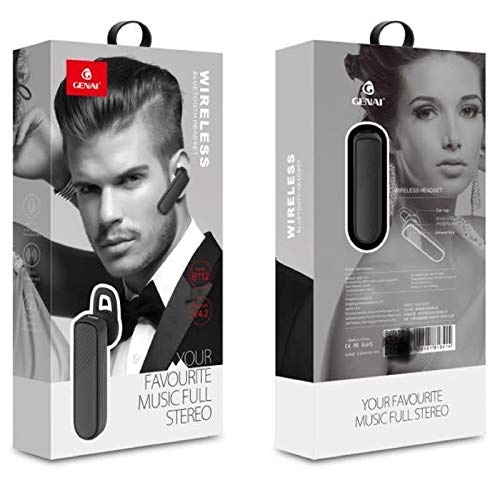
Image: GENAI Wireless Bluetooth Headset B112, main unit with ear hook.
Хайрцагт юу байна
Бүтээгдэхүүний багцад дараахь зүйлс орно.
- GENAI Wireless Bluetooth Headset B112
- Чихний дэр
- Цэнэглэх кабель (микро USB)
Тохиргоо
1. Чихэвчийг цэнэглэж байна
- Connect the Micro USB charging cable to the charging port on the headset.
- Цэнэглэгч кабелийн нөгөө үзүүрийг тохирох USB тэжээлийн эх үүсвэрт (жишээ нь, компьютерын USB порт, USB ханын адаптер) холбоно уу.
- Цэнэглэх үед заагч гэрэл асах болно.
- Бүрэн цэнэглэхэд ихэвчлэн ойролцоогоор зарцуулдаг 2 цаг.
- Once fully charged, the indicator light may change color or turn off, depending on the model. Disconnect the charging cable.
2. Bluetooth төхөөрөмжтэй хослуулах
- Чихэвч бүрэн цэнэглэгдсэн эсэхийг шалгаарай.
- Асаах: Press and hold the multi-function button (usually the main button) on the headset until the indicator light flashes, typically alternating blue and red, indicating pairing mode.
- Bluetooth-г идэвхжүүлэх: On your mobile phone or other Bluetooth-enabled device, go to the Bluetooth settings and ensure Bluetooth is turned on.
- хайх Төхөөрөмжүүд: Your device will scan for available Bluetooth devices. Look for "B112" or "GENAI B112" in the list.
- Холбох: Select "B112" or "GENAI B112" to initiate the pairing process. If prompted for a password, enter "0000" (four zeros).
- Once successfully paired, the indicator light on the headset will typically flash blue slowly, and you may hear a voice prompt confirming the connection.
3. Чихэвч зүүх
The GENAI B112 headset is designed for comfortable wear. Attach the ear hook if desired, and adjust it to fit securely over your ear. The ear cushions can be changed for a better fit.
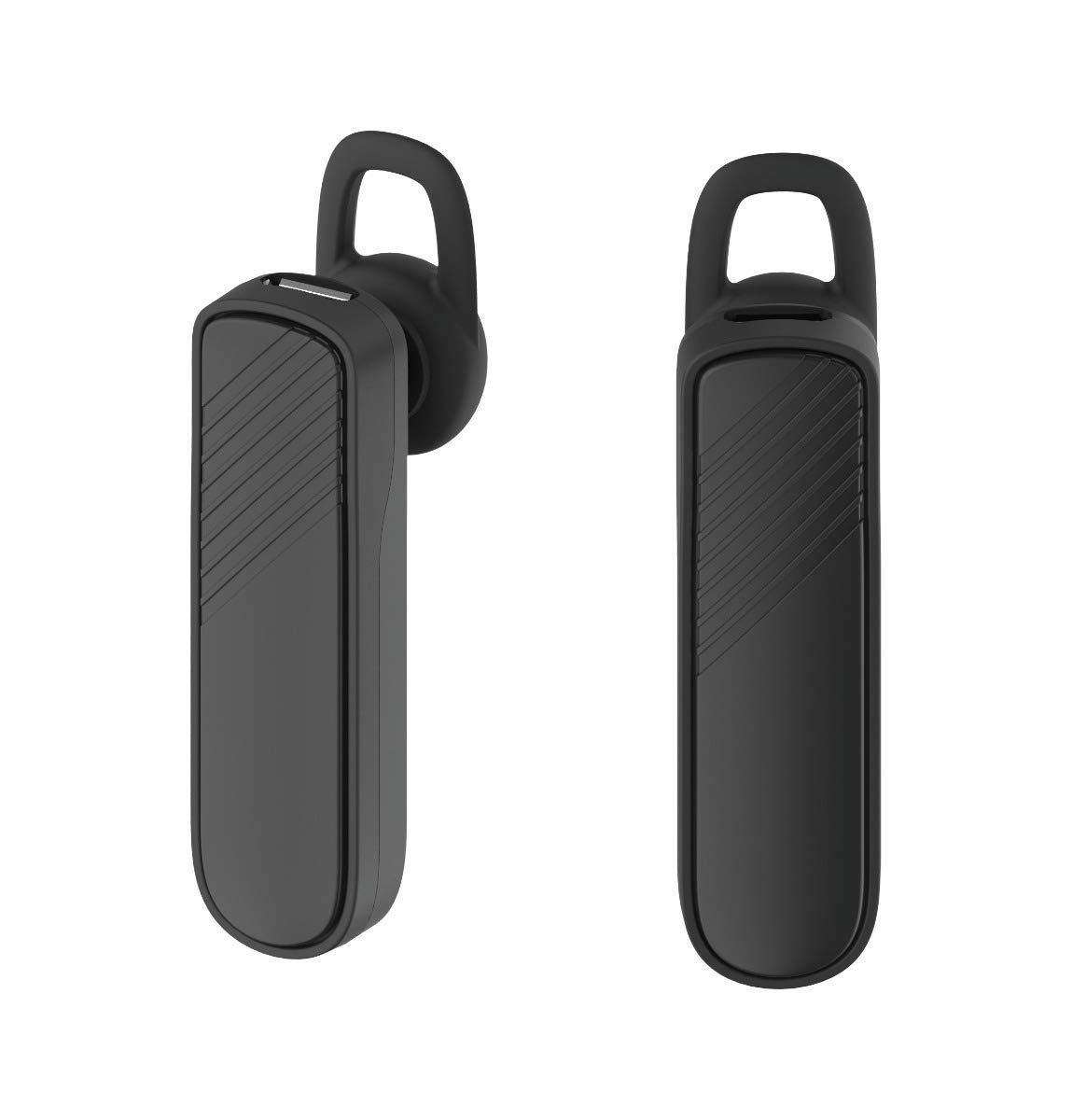
Зураг: Хоёр views of the GENAI Wireless Bluetooth Headset B112, illustrating its design.
Ашиглалтын заавар
- Асаах/унтраах: Press and hold the multi-function button for approximately 3-5 seconds to power on or power off the headset. A voice prompt will confirm the action.
- Дуудлагад хариулах / дуусгах: Press the multi-function button once to answer an incoming call. Press it again to end an active call.
- Дуудлагаас татгалзаж байна: Ирж буй дуудлагаас татгалзахын тулд олон үйлдэлт товчлуурыг ойролцоогоор 2 секундын турш барина уу.
- Сүүлийн дугаарыг дахин залгах: Сүүлийн залгасан дугаар руу дахин залгахын тулд олон үйлдэлт товчлуурыг хоёр удаа дарна уу.
- Дууны хяналт: Use the dedicated volume buttons (if present) or the multi-function button (depending on model variation) to adjust the call or music volume. Refer to your device's manual for specific button functions.
- Хөгжим тоглуулах: When connected, you can play music from your paired device. The multi-function button may also control play/pause.
- Дуут сануулга: The headset provides voice alerts for power on/off and pairing status.
Засвар үйлчилгээ
- Цэвэрлэгээ: Use a soft, dry, lint-free cloth to clean the headset. Do not use harsh chemicals, cleaning solvents, or strong detergents.
- Хадгалах: When not in use, store the headset in a cool, dry place, away from extreme temperatures and direct sunlight.
- Батерейны арчилгаа: To prolong battery life, avoid fully discharging the battery frequently. Charge the headset regularly, even if not used for extended periods.
- Усанд өртөх: This headset is not waterproof. Avoid exposure to water, moisture, or rain.
Алдааг олж засварлах
- Чихэвч асахгүй байна:
- Чихэвч бүрэн цэнэглэгдсэн эсэхийг шалгаарай. Үүнийг тэжээлийн эх үүсвэрт холбоод дахин асаахаасаа өмнө дор хаяж 30 минут цэнэглээрэй.
- Чихэвчийг миний төхөөрөмжтэй холбох боломжгүй:
- Ensure the headset is in pairing mode (indicator light flashing blue/red).
- Таны төхөөрөмж дээр Bluetooth идэвхжсэн эсэхийг шалгана уу.
- Keep the headset and your device within close proximity (within 1 meter) during pairing.
- Чихэвч болон төхөөрөмжөө унтрааж, асаагаад дахин холбож үзнэ үү.
- If previously paired, try "forgetting" or "unpairing" the headset from your device's Bluetooth list and then re-pair.
- Дуу байхгүй эсвэл дуу багатай:
- Check the volume levels on both the headset and your paired device.
- Ensure the headset is properly connected to your device. Sometimes, the audio output might switch to the phone speaker.
- Хоёр төхөөрөмжийг дахин асааж үзнэ үү.
- Чихэвч байнга салдаг:
- Ensure there are no obstacles between the headset and your device.
- Move closer to your paired device to reduce interference.
- Саад учруулж болзошгүй бусад идэвхтэй Bluetooth төхөөрөмжүүдийг шалгана уу.
- Чихэвч хангалттай цэнэглэгдсэн эсэхийг шалгаарай.
Үзүүлэлтүүд
| Загварын нэр | В112 |
| Холболтын технологи | Bluetooth V4.2 |
| Цэнэглэх порт | Микро USB |
| Цэнэглэх хугацаа | Ойролцоогоор 2 цаг |
| Ярилцах цаг | 20 цаг хүртэл |
| Хөгжим тоглох цаг | Ойролцоогоор 20 цаг |
| Зогсоолын цаг | 1000 цаг хүртэл |
| Зүйлийн жин | 30 гр |
| Материал | Хуванцар |
| Онцлог шинж чанар | Чих |
| Оруулсан бүрэлдэхүүн хэсгүүд | Чихний дэр |
| Тохиромжтой төхөөрөмжүүд | Android, iOS, Mi devices (Bluetooth-enabled smartphones) |
Баталгаат хугацааны мэдээлэл
This GENAI Wireless Bluetooth Headset B112 comes with a 3 сарын орлуулах баталгаа from the date of purchase. Please retain your proof of purchase for warranty claims. This warranty covers manufacturing defects. Please note that this warranty does not include refunds.
Дэмжлэг
For further assistance, technical support, or warranty claims, please contact your retailer or the GENAI customer service department. Refer to the product packaging or the official GENAI webхолбоо барих мэдээллийг авах сайт.


