Танилцуулга
Thank you for choosing the MEDION P66096 Shower Radio. This device is designed to provide entertainment and convenience in your bathroom environment, featuring FM radio, Bluetooth connectivity, and an IPX6 waterproof rating. Please read this manual carefully before using the product to ensure proper operation and to maximize its lifespan.
Аюулгүй байдлын мэдээлэл
Төхөөрөмжийг гэмтээх эсвэл өөрийгөө гэмтээхээс сэргийлэхийн тулд дараах аюулгүй байдлын удирдамжийг дагаж мөрдөнө үү.
- Усны эсэргүүцэл: The MEDION P66096 is IPX6 rated, meaning it is protected against strong jets of water. It is suitable for use in a shower environment but should not be submerged in water.
- Батерейны аюулгүй байдал: The device contains a built-in lithium-polymer battery. Do not attempt to replace the battery yourself. Do not expose the device to extreme temperatures, direct sunlight, or fire.
- Цэвэрлэгээ: Зөөлөн ашиглах, damp цэвэрлэх зориулалттай даавуу. Зүлгүүрийн цэвэрлэгч, уусгагчийг бүү ашигла.
- Байршил: Ensure the suction cup is securely attached to a clean, smooth, non-porous surface to prevent the radio from falling.
- Цэнэглэж байна: Only use the provided micro USB charging cable. Ensure the charging port is dry before connecting the cable.

The MEDION P66096 shower radio is designed for use in wet environments, offering IPX6 water protection against strong water jets.
Багцын агуулга
Бүх зүйл багцад байгаа эсэхийг шалгана уу:
- MEDION P66096 Shower Radio
- Микро USB цэнэглэгч кабель
- Хэрэглэгчийн гарын авлага (энэ баримт бичиг)
- Баталгаат карт
Бүтээгдэхүүн дууссанview
Familiarize yourself with the buttons, display, and ports of your shower radio.

Урд view of the shower radio, highlighting the LED display and control buttons.

Нарийвчилсан view of the LED display, showing the current time and battery status.
Хяналт ба дэлгэц:
- Цахилгаан товч (⑁): Press and hold to turn the device on or off. Short press to change display brightness.
- Горимын товчлуур (M): Short press to switch between FM radio and Bluetooth modes.
- Call Button (☎): In Bluetooth mode, short press to answer/end calls. Long press to reject a call.
- Play/Pause Button (⏸/⏸): In FM mode, long press to auto-scan and save stations. In Bluetooth mode, short press to play/pause music.
- Previous/Volume Down (⏪): Short press to go to the previous station/track. Long press to decrease volume.
- Next/Volume Up (⏩): Short press to go to the next station/track. Long press to increase volume.
- Лэд дэлгэц: Shows time, current mode (FM/BT), frequency, and battery level.
Ports and Suction Cup:

Хажуу тал view of the shower radio, illustrating the micro USB charging port and the removable suction cup.
- Микро USB порт: Used for charging the internal battery. Located on the side, protected by a waterproof cover.
- Сорох аяга: Detachable suction cup for mounting the radio on smooth, non-porous surfaces.
Тохиргоо
1. Анхны цэнэглэлт
Before first use, fully charge the shower radio. Open the waterproof cover on the side and connect the micro USB charging cable to the port. Connect the other end to a USB power adapter (not included) or a computer USB port. The LED display will indicate charging status. A full charge takes approximately 3-4 hours.
2. Радио суурилуулах
Ensure the surface where you intend to mount the radio is clean, dry, and smooth (e.g., tile, glass). Press the suction cup firmly against the surface until it adheres securely. You can also place the radio on a flat surface without using the suction cup.
Ашиглалтын заавар
Асаах/унтраах
-г удаан дар Асаах товчлуур (⑁) for approximately 3 seconds to turn the radio on or off.
Горим сонгох
товчийг дарна уу Горимын товчлуур (M) to switch between FM radio mode and Bluetooth mode.
FM радиогийн үйл ажиллагаа
- ашиглан FM горимд шилжинэ Горимын товчлуур (M).
- To auto-scan and save available FM stations, long press the Play/Pause Button (⏸/⏸). The radio will scan and store stations automatically.
- To navigate through saved stations, short press the Previous (⏪) or Next (⏩) товчлуурууд.
- To adjust the volume, long press the Previous (⏪) (volume down) or Next (⏩) (volume up) buttons.
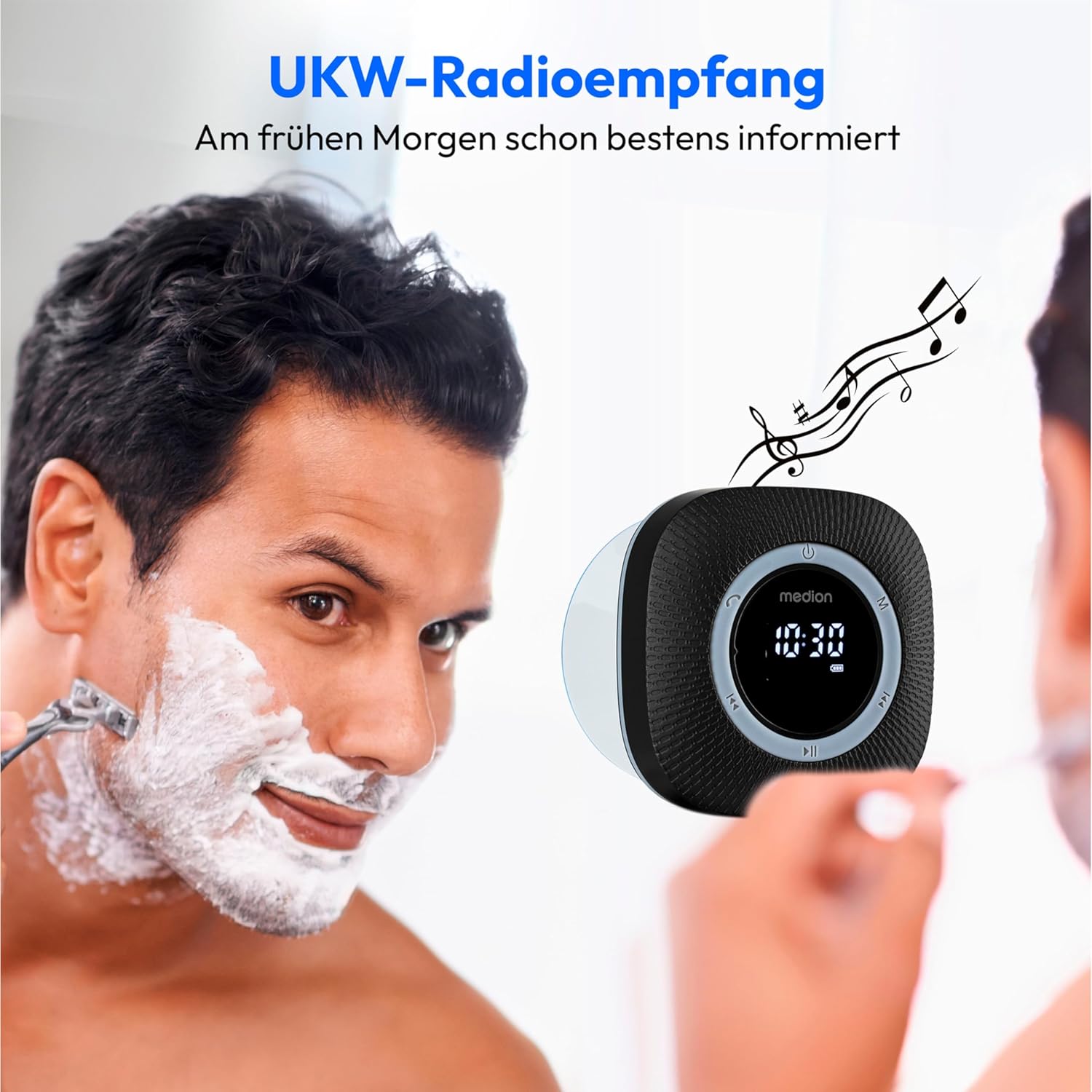
Enjoy FM radio reception with clear sound, perfect for your morning routine.
Bluetooth ажиллагаа
- ашиглан Bluetooth горим руу шилжинэ үү Горимын товчлуур (M). The display will show 'BT' and the radio will enter pairing mode, indicated by a flashing Bluetooth icon.
- On your smartphone or tablet, enable Bluetooth and search for available devices. Select 'MEDION P66096' from the list.
- Once paired, the Bluetooth icon on the radio's display will stop flashing. You can now stream audio from your device to the shower radio.
- -г ашиглана уу Play/Pause Button (⏸/⏸) to control playback. Use the Previous (⏪) болон Next (⏩) buttons to skip tracks. Adjust volume by long pressing these buttons.

Wirelessly stream your favorite music from your smartphone or tablet via Bluetooth 5.0.
Гаргүй дуудлага
When connected via Bluetooth to your smartphone, the radio can be used for hands-free calls:
- Дуудлагад хариулах/дуусах: товчийг дарна уу Call Button (☎).
- Дуудлагаас татгалзах: дээр удаан дар Call Button (☎).
Setting Clock and Alarm
The radio features an LED clock display and an alarm function. Refer to the detailed instructions in the included printed manual for specific steps on setting the time and alarm, as button combinations may vary.
Батерейг цэнэглэж байна
The MEDION P66096 has a built-in rechargeable lithium-polymer battery, providing up to 12 hours of music playback on a full charge.
- When the battery is low, the battery icon on the LED display will flash.
- Connect the micro USB charging cable to the radio's charging port and a USB power source.
- The battery icon will show charging progress. Once fully charged, the icon will indicate a full battery.
- Ensure the waterproof cover for the USB port is securely closed after charging to maintain water resistance.

The integrated lithium-polymer battery provides up to 12 hours of continuous music playback.
Засвар үйлчилгээ
- Цэвэрлэгээ: Радиог зөөлөн арчих, damp даавуу. Химийн хатуу бодис, зүлгүүрийн материалыг бүү ашигла.
- Хадгалах: Радиог удаан хугацаагаар ашиглахгүй бол сэрүүн, хуурай газар хадгална уу.
- Батерейны арчилгаа: Зайны ашиглалтын хугацааг уртасгахын тулд зайгаа ойр ойрхон бүрэн цэнэггүй болгохоос зайлсхий. Байнгын хэрэглээгүй байсан ч тогтмол цэнэглээрэй.
Алдааг олж засварлах
| Асуудал | Боломжит шалтгаан | Шийдэл |
|---|---|---|
| Радио асахгүй байна. | Батерей цэнэггүй болсон. | Микро USB кабель ашиглан зайгаа цэнэглэ. |
| Дуу байхгүй эсвэл дуу багатай. | Дууны түвшин хэт бага эсвэл дуугүй байна. | -г ашиглан дууны хэмжээг нэмэгдүүлнэ Next (⏩) button. Check volume on connected Bluetooth device. |
| Bluetooth-ээр холбогдож чадахгүй байна. | Radio is not in pairing mode or too far from device. | Ensure radio is in Bluetooth mode (flashing 'BT'). Move device closer to the radio. Forget device on your phone and re-pair. |
| FM радио хүлээн авах чадвар муу. | Сул дохио эсвэл хөндлөнгийн оролцоо. | Try repositioning the radio. Perform an auto-scan again. |
| Сорох аяга барихгүй байна. | Surface is not clean, smooth, or non-porous. | Clean the surface and the suction cup. Ensure the surface is completely smooth and dry. |
Үзүүлэлтүүд
| Онцлог | Дэлгэрэнгүй |
|---|---|
| Брэнд | МЕДИОН |
| Загварын дугаар | P66096 |
| Өнгө | Хар |
| Холболтын технологи | Bluetooth 5.0 |
| Тааруулах технологи | FM |
| Дэмжигдсэн радио хамтлагууд | FM (87.5 MHz) |
| Онцлог шинж чанарууд | Integrated Battery, Bluetooth, Microphone, LED Display, Clock with Alarm Function, Suction Cup |
| Усны хамгаалалтын зэрэглэл | IPX6 (Protected against strong water jets) |
| Эрчим хүчний эх үүсвэр | Battery Powered (1 Lithium-polymer battery, included) |
| Зайны ашиглалт | 12 цаг хүртэл |
| Тохиромжтой төхөөрөмжүүд | Ухаалаг утас, таблет |
| Оруулсан бүрэлдэхүүн хэсгүүд | Shower Radio, Micro USB Charging Cable |
Баталгаат болон дэмжлэг
Your MEDION P66096 Shower Radio comes with a warranty. Please refer to the included warranty card for detailed information regarding warranty terms and conditions, including the duration and coverage. For technical support or service inquiries, please contact MEDION customer service through the contact information provided on your warranty card or the official MEDION webсайт.


