Танилцуулга
The Edimax EdiGreen Airbox AI-1001W V3 is a smart wireless air quality detector designed to monitor indoor air conditions. It accurately measures PM2.5 levels, temperature, and humidity, providing real-time data and historical trends through the EdiGreen mobile application. This manual provides instructions for setting up, operating, maintaining, and troubleshooting your device.
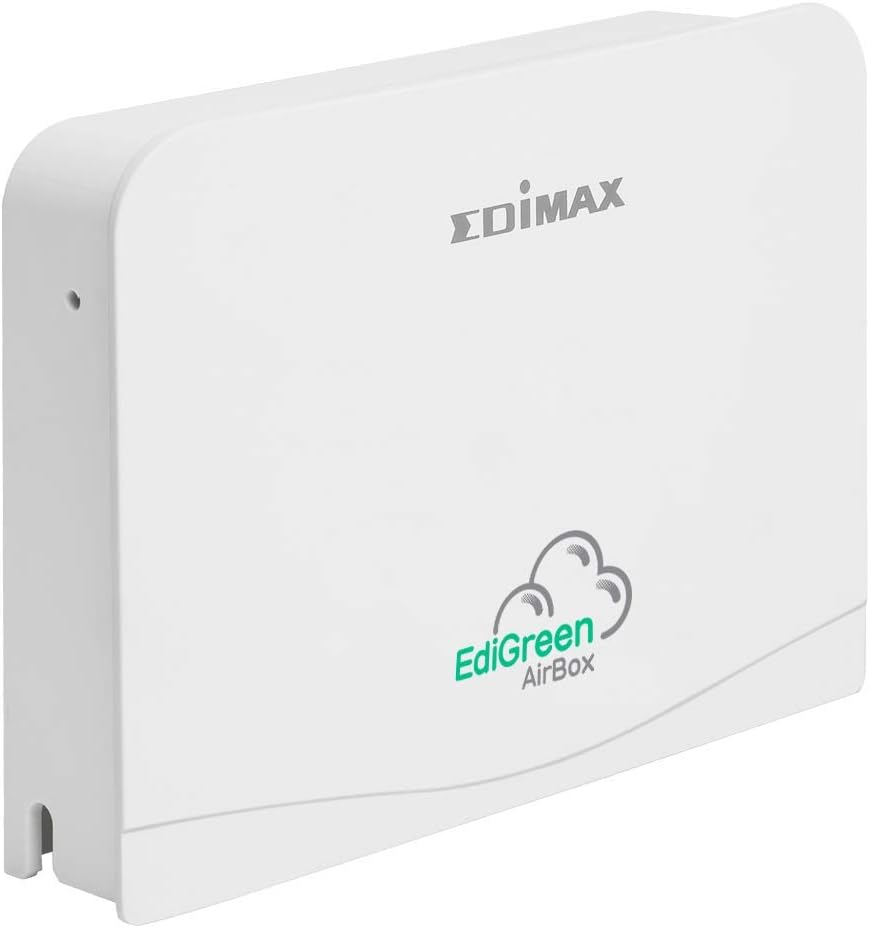
Зураг 1: Урд view of the Edimax EdiGreen Airbox AI-1001W V3, showing the EdiGreen AirBox logo.
Тохиргоо
Багцын агуулга
Before proceeding with installation, ensure all items are present:
- Edimax EdiGreen Airbox AI-1001W V3 unit
- Эрчим хүчний адаптер
- Mounting Bracket and Screws (if included with your model)
- Шуурхай суулгах гарын авлага
Физик суурилуулалт
The Airbox can be placed on a flat surface or mounted on a wall. For optimal readings, place the device in a central location away from direct airflow sources like vents or windows.
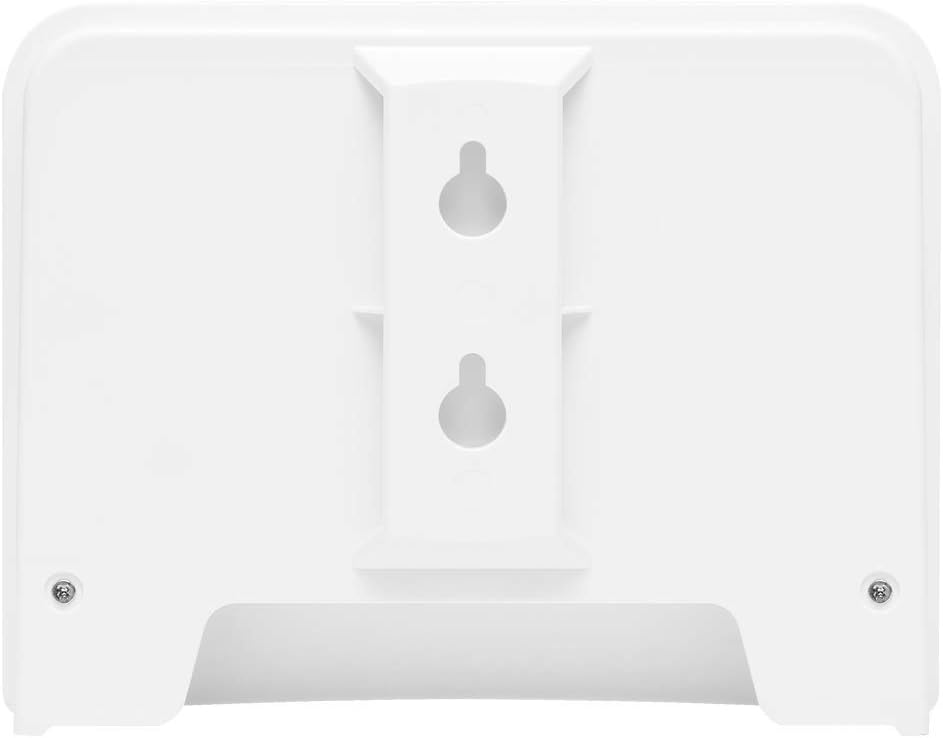
Зураг 2: Буцах view of the Edimax EdiGreen Airbox AI-1001W V3, illustrating keyhole slots for wall mounting.
To wall mount the device:
- Select a suitable location on a wall.
- Mark the positions for the mounting screws using the keyhole slots on the back of the device as a template.
- Нислэгийн нүхийг өрөмдөж, шаардлагатай бол хананд бэхэлгээ хийнэ.
- Drive screws into the wall, leaving a small gap for the device to hang.
- Align the keyhole slots with the screws and slide the device down to secure it.

Зураг 3: Хажуу тал view of the Airbox with an optional mounting arm, demonstrating flexible placement options.

Зураг 4: Нарийвчилсан view of the adjustable mounting arm, allowing for varied installation angles.
Эрчим хүчний холболт
Connect the provided power adapter to the DC input port on the back of the Airbox. Plug the adapter into a standard electrical outlet. The device will power on automatically.
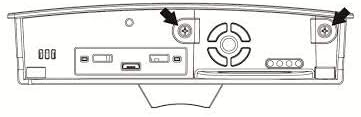
Figure 5: Line drawing of the Airbox back panel, highlighting the power input and other ports.
App Installation and Device Pairing
- -г татаж авах EdiGreen Apple App Store эсвэл Google Play Store-ийн програм.
- Аппликешныг нээж, дэлгэцэн дээрх зааврыг дагаж бүртгэл үүсгэх эсвэл нэвтрэх.
- Select "Add Device" and choose the EdiGreen Airbox AI-1001W V3 from the list.
- Follow the app's prompts to connect the Airbox to your Wi-Fi network. Ensure your mobile device is connected to the same 2.4GHz Wi-Fi network during setup.
- Once connected, the device will begin transmitting data to the app.
Төхөөрөмжийг ажиллуулах
Үзүүлэлтүүдийг ойлгох
The EdiGreen Airbox features LED indicators that provide status information:
- Эрчим хүчний LED: Эрчим хүчний төлөвийг заана.
- Wi-Fi LED: Сүлжээний холболтыг илтгэнэ.
- Air Quality LED: Changes color based on PM2.5 levels (e.g., Green for Good, Yellow for Moderate, Red for Unhealthy). Refer to the app for specific thresholds.
Using the EdiGreen App
The EdiGreen app is the primary interface for monitoring and managing your Airbox. Through the app, you can:
- View real-time PM2.5, temperature, and humidity readings.
- Access historical data and trend graphs.
- Set custom alerts for specific air quality thresholds.
- Manage device settings and firmware updates.
For detailed app functionalities, refer to the in-app help section or the Edimax support webсайт.
Засвар үйлчилгээ
Төхөөрөмжийг цэвэрлэх
To ensure accurate readings and prolong the life of your Airbox, perform regular cleaning:
- Цэвэрлэхийн өмнө тэжээлийн адаптерийг салга.
- Төхөөрөмжийн гадна талыг зөөлөн, хуурай даавуугаар арчина.
- Do not use liquid cleaners, aerosols, or abrasive materials, as these can damage the sensors or casing.
- Ensure the air intake and exhaust vents are free from dust accumulation. Use a soft brush or compressed air if necessary.

Зураг 6: Дотоод view of the Airbox, revealing the sensor module. Handle with care during any maintenance.
Батерейны мэдээлэл
The EdiGreen Airbox AI-1001W V3 is primarily powered by an external power adapter. While it may contain internal components that require power, it is not designed for user-replaceable batteries for primary operation. For any battery-related concerns, please contact Edimax support.
Алдааг олж засварлах
If you encounter issues with your EdiGreen Airbox, refer to the following common problems and solutions:
| Асуудал | Боломжит шалтгаан | Шийдэл |
|---|---|---|
| Төхөөрөмж асахгүй байна | Цахилгаан адаптер холбогдоогүй эсвэл залгуур эвдэрсэн байна | Цахилгаан адаптер найдвартай холбогдсон эсэхийг шалгаад өөр залгуурыг туршаад үзээрэй. |
| No data in EdiGreen app | No Wi-Fi connection or app issue | Check Wi-Fi LED on device. Restart device and router. Re-pair device in app if necessary. Ensure app is updated. |
| Буруу уншилтууд | Sensor obstruction or environmental factors | Clean device vents. Move device away from direct airflow, heat sources, or high humidity areas. Allow time for sensors to stabilize. |
| Wi-Fi холболт байнга тасалддаг | Сул Wi-Fi дохио эсвэл хөндлөнгийн оролцоо | Move device closer to the Wi-Fi router. Ensure no large obstructions. Check for other devices causing interference. |
If the problem persists after attempting these solutions, please contact Edimax customer support.
Үзүүлэлтүүд
| Онцлог | Дэлгэрэнгүй |
|---|---|
| Загварын дугаар | AI 1001W V3 |
| Брэнд | Эдимакс |
| Мэдрэгч | PM2.5, Температур, Чийгшил |
| Холболт | Утасгүй (Wi-Fi) |
| Эрчим хүчний эх үүсвэр | Battery Powered (Primary: External Power Adapter) |
| Өнгө | ЦАГААН |
| Материал | Хуванцар |
| Зүйлийн жин | 0.59 килограмм (1.3 фунт) |
| Багцын хэмжээ | 6.8 x 4.9 x 3.5 инч |
| Сэрүүлэг | Audible (via app alerts) |
| UPC | 649659035034 |
| ASIN | B07ZQSWQWQ |
| Эхний боломжтой огноо | 28 оны аравдугаар сарын 2019 |
Баталгаат хугацааны мэдээлэл
Edimax products are covered by a limited warranty. For specific warranty terms and conditions, including duration and coverage, please refer to the warranty card included with your product or visit the official Edimax webсайт. Баталгаат нэхэмжлэл гаргахын тулд худалдан авалтаа нотлох баримтаа хадгалаарай.
Дэмжлэг
For technical assistance, product inquiries, or further support, please visit the Edimax official support website or contact their customer service department. You can typically find contact information and FAQs on the Edimax webсайт:
- Эдимакс Webсайт: www.edimax.com
- Туслах хуудас: Refer to the support section on the Edimax webөөрийн загварт зориулсан сайт.


