1. Бүтээгдэхүүн дууссанview
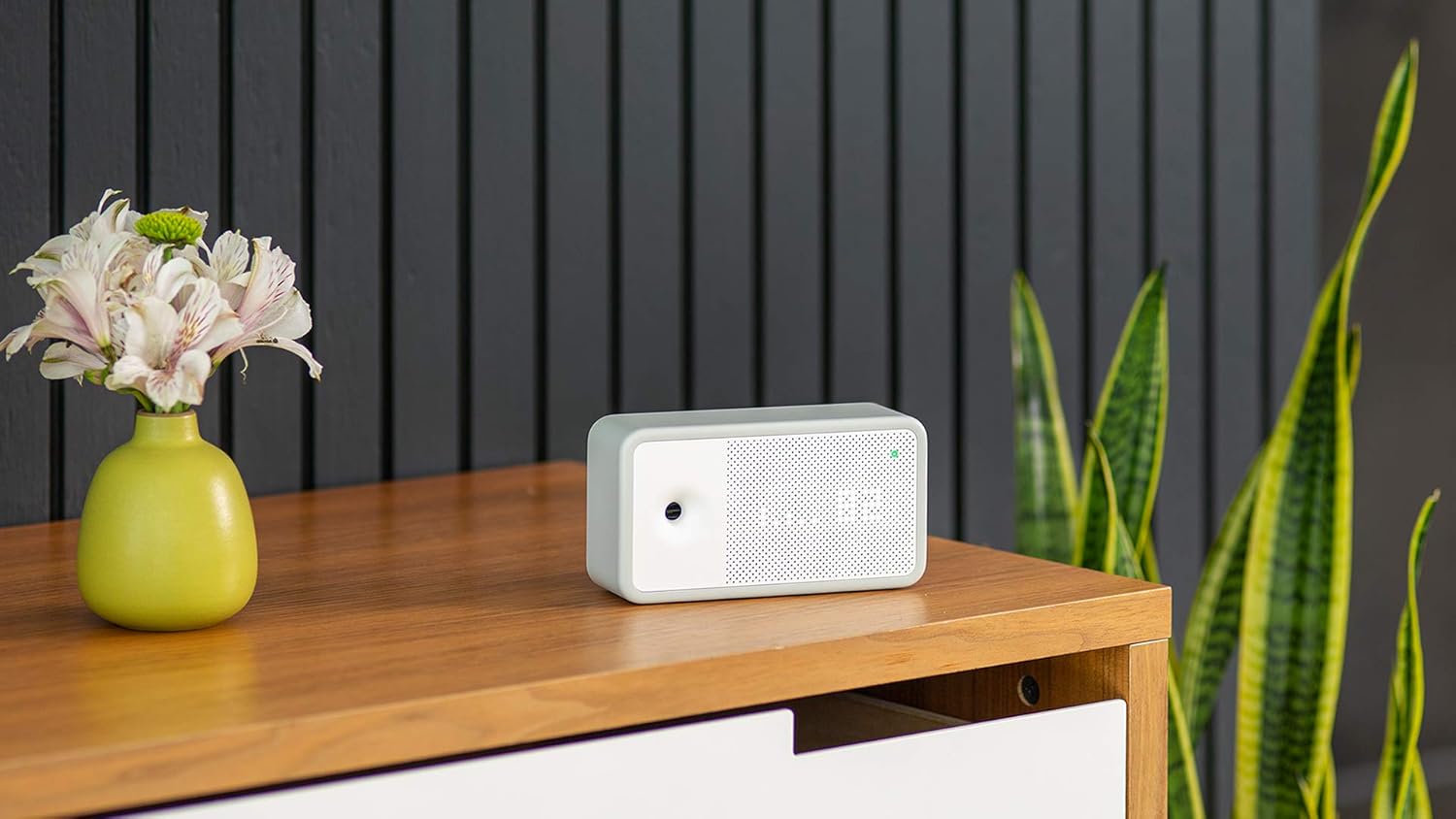
The Awair Element is an advanced indoor air quality monitor designed to provide real-time insights into your home or office environment. It accurately tracks five key air quality factors: temperature, humidity, carbon dioxide (CO2), volatile organic compounds (VOCs), and particulate matter (PM2.5).

Understanding these factors helps you identify potential issues and take steps to improve your indoor air quality, contributing to a healthier living or working space.
2. Тохируулах гарын авлага
2.1 Хайрцагнаас задлах, байрлуулах
Carefully remove the Awair Element from its packaging. The device is designed for indoor use only. Place the monitor on a flat, stable surface in the area where you wish to monitor air quality. Avoid placing it near windows, vents, or direct heat sources, as this can affect sensor accuracy.
2.2 Эрчим хүчний холболт
Connect the provided USB-C power cable to the port on the back of the Awair Element and plug the power adapter into a standard electrical outlet. The device will power on automatically.

2.3 Апп татаж авах болон холбох
- Download the 'Awair Home' app from your smartphone's app store (available on iOS and Android).
- Програмаа нээгээд бүртгэл үүсгэ эсвэл нэвтэрнэ үү.
- Follow the in-app instructions to pair your Awair Element. This process typically involves enabling Bluetooth on your phone and connecting to the device via Wi-Fi (2.4 GHz network required).
3. Төхөөрөмжийг ажиллуулах
3.1 Understanding the Device Display
The Awair Element features a minimalist LED display that shows your overall air quality score or individual sensor readings. A small button on the back allows you to cycle through different display modes, including temperature, humidity, CO2, chemicals (VOCs), PM2.5, and time.

3.2 Using the Awair Home App
The Awair Home app provides a comprehensive view of your air quality data, historical trends, and personalized recommendations. You can view real-time readings for all five factors, track daily and weekly averages, and receive alerts when air quality levels change.

The app also offers integration with smart home systems like Amazon Alexa and Google Assistant, allowing for voice control and automated actions based on air quality data.

4. Засвар үйлчилгээ
4.1 Цэвэрлэх заавар
To ensure optimal performance, keep your Awair Element clean. Gently wipe the exterior with a soft, dry cloth. Do not use liquid cleaners or abrasive materials, as these can damage the sensors or finish. Ensure the air intake and exhaust vents are free from dust and obstructions.
5. Алдаа засах
5.1 Холболтын асуудал
- Төхөөрөмж Wi-Fi-д холбогдоогүй байна: Ensure your Wi-Fi network is 2.4 GHz. Check that the device is within range of your router. Try restarting your router and the Awair Element.
- Аппликейшн өгөгдөл харуулахгүй байна: Verify that your smartphone has an active internet connection and that the Awair Element is powered on and connected to Wi-Fi. Close and reopen the app.
5.2 Буруу уншилт
- Sudden spikes in VOCs or PM2.5: This can be normal during activities like cooking, cleaning with chemicals, or burning candles. Observe if readings return to normal after the activity ceases.
- Consistent unusual readings: Ensure the device is not placed near strong air currents, direct sunlight, or sources of heat/cold. Allow the device to operate for at least 24 hours after initial setup for sensors to stabilize.
5.3 Төхөөрөмжийг дахин тохируулах
If you experience persistent issues, a factory reset may be necessary. Locate the reset button on the back of the device (often a small pinhole). Use a paperclip to press and hold the button for approximately 5-10 seconds until the display changes or the device restarts. You will then need to re-pair the device with the Awair Home app.
6. Техникийн үзүүлэлтүүд
| Онцлог | Дэлгэрэнгүй |
|---|---|
| Брэнд | УХААН |
| Загварын дугаар | Элемент |
| Хэмжээ | 1.8"D x 6.06"W x 3.33"H |
| Жин | 8.5 унц |
| Эрчим хүчний эх үүсвэр | Electric (Power Adapter, USB-C Power Cable included) |
| Холболт | Bluetooth (for setup), 2.4 GHz Wi-Fi |
| Monitored Factors | Temperature, Humidity, Carbon Dioxide (CO2), Chemicals (VOCs), Particulate Matter (PM2.5) |
| Хянагчийн төрөл | Амазон Алекса, Google Туслах, Вера |
| Дуу чимээний түвшин | 50 децибел |
7. Баталгаат хугацаа ба дэмжлэг
7.1 Баталгаат хугацааны мэдээлэл
The Awair Element Indoor Air Quality Monitor comes with a 1 жилийн хязгаарлагдмал баталгаат хугацаа худалдан авсан өдрөөс. Энэхүү баталгаа нь ердийн ашиглалтын үед хийгдсэн материал, хийцийн согогийг хамарна. Баталгаат заргад зориулж худалдан авалтаа нотлох баримтаа үлдээнэ үү.
7.2 Хэрэглэгчийн дэмжлэг
For further assistance, technical support, or to inquire about warranty services, please visit the official AWAIR webсайтад бүртгүүлэх эсвэл тэдний хэрэглэгчийн үйлчилгээний хэлтэстэй холбогдоно уу. Дэлгэрэнгүй холбоо барих мэдээллийг ихэвчлэн үйлдвэрлэгчийн вэбсайтаас олж болно. webсайт эсвэл бүтээгдэхүүний савлагаанд .


