Танилцуулга
The Hyperkin Armor3 NuWave Controller is designed to provide accurate and fluid motion control for your Nintendo Wii U and Wii consoles. Featuring built-in Nu+ technology, this controller enhances your gaming experience by offering a wider range of motion in compatible titles. This manual provides essential information on setting up, operating, maintaining, and troubleshooting your NuWave Controller.
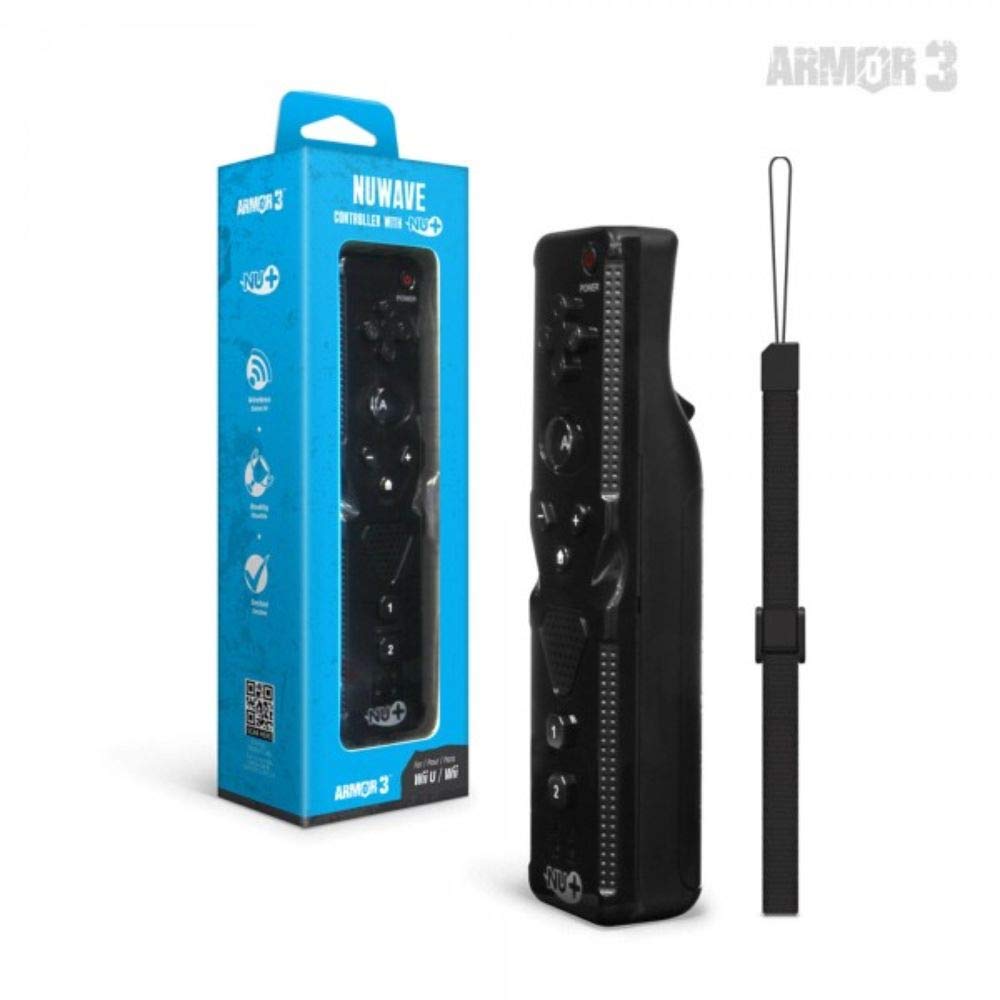
Зураг 1: Hyperkin Armor3 NuWave Controller and its packaging. The controller is black with a wrist strap, and the packaging highlights its Nu+ technology and compatibility with Wii U and Wii.
Бүтээгдэхүүн дууссанview
The Armor3 NuWave Controller is a motion-sensing controller compatible with both Wii U and Wii systems. It integrates advanced Nu+ technology for enhanced motion detection and precision in supported games.
Гол онцлогууд:
- Тохиромжтой байдал: Fully compatible with Nintendo Wii U and Nintendo Wii consoles.
- Nu+ Technology: Built-in technology for a wider range of motion and improved accuracy in compatible titles.
- Эргономик дизайн: Designed for comfortable grip and extended gameplay sessions.
- Эрчим хүчний эх үүсвэр: 2 АА батерей шаардлагатай (оруулаагүй).
Тохиргоо
1. Зай суурилуулах
- Хянагчийн ар талд батерейны тасалгааг олоорой.
- Зайны тагийг нээхийн тулд доошоо гулсуулна уу.
- Тасалгааны дотор талд заасанчлан зөв туйлшралыг (+/-) хангаж, хоёр (2) АА батерейг оруулна уу.
- Батерейны тагийг байрандаа товших чимээ гартал дээш гулсуулж буцааж тавь.
2. Connecting to Your Console
To connect the NuWave Controller to your Wii U or Wii console, follow these steps:
- Консолоо асаалттай байгаа эсэхийг шалгаарай.
- On your Wii U or Wii console, press the SYNC button (usually located near the SD card slot or battery compartment).
- On the NuWave Controller, open the battery cover and locate the small red SYNC button inside the battery compartment.
- Press and release the SYNC button on the controller.
- The player indicator lights on the bottom of the controller will flash. Once a single light remains lit, the controller is successfully connected.
- If connection fails, repeat steps 2-5. Ensure the controller is within range of the console.
Ашиглалтын заавар
Үндсэн удирдлага:
- Чиглэлийн дэвсгэр (D-Pad): Used for menu navigation and character movement.
- Товч: Primary action button, often used for selection or interaction.
- B Button (Trigger): Located on the underside, typically used for grabbing or firing.
- 1 ба 2 товчлуурууд: Auxiliary action buttons, functions vary by game.
- Нүүр хуудас товч: Returns to the console's Home Menu.
- Plus (+) & Minus (-) Buttons: Often used for zooming, adjusting settings, or specific in-game actions.
- Цахилгаан товч: Хянагчийг асаана/унтраана.
Motion Sensing with Nu+ Technology:
The built-in Nu+ technology provides enhanced motion tracking. For games that support it, you will experience more precise and responsive movements. Hold the controller firmly and ensure clear line of sight to the sensor bar for optimal performance.
- Шалгалт тохируулга: Some games may require initial calibration. Follow on-screen prompts.
- Бугуйн оосор: Always use the included wrist strap to prevent accidental drops during active gameplay.
Засвар үйлчилгээ
Цэвэрлэгээ:
- Хянагчийг зөөлөн, хуурай даавуугаар арчина.
- Зөрүүд шороонд бага зэрэг dampдаавуугаар усаар. Химийн хүчтэй бодис, зүлгүүрийн цэвэрлэгч хэрэглэж болохгүй.
- Ensure no liquid enters the controller's openings.
Хадгалах:
- Удирдагчийг нарны шууд тусгал, хэт температураас хол, сэрүүн, хуурай газар хадгална.
- Хэрэв удаан хугацаагаар хадгалах юм бол гоожихоос сэргийлж батерейг салга.
Батерейны арчилгаа:
- Always use new, high-quality AA batteries.
- Хуучин болон шинэ батерей, өөр төрлийн батерейг бүү холь.
- Ашигласан батерейг орон нутгийн дүрэм журмын дагуу хариуцлагатайгаар устгана уу.
Алдааг олж засварлах
| Асуудал | Боломжит шалтгаан | Шийдэл |
|---|---|---|
| Хянагч асахгүй байна. | Дууссан эсвэл буруу оруулсан батерей. | Зөв туйлшралыг хангаж, батерейг шинэ АА батерейгаар солино уу. |
| Controller does not sync with console. | Incorrect syncing procedure; out of range; console interference. | Ensure console is on. Repeat syncing steps (press SYNC on console, then on controller). Move closer to console. Check for other wireless device interference. |
| Товчлуурууд хариу өгөхгүй эсвэл хойшлогдсон байна. | Low battery; connection issue; physical obstruction. | Replace batteries. Re-sync the controller. Ensure buttons are not stuck. |
| Motion control is inaccurate. | Sensor bar obstruction; improper calibration; environmental factors. | Ensure clear line of sight to the sensor bar. Re-calibrate in-game if prompted. Avoid strong light sources directly facing the sensor bar. |
Үзүүлэлтүүд
- Загвар: M07399-bk
- Брэнд: Гиперкин
- Тохиромжтой байдал: Nintendo Wii U, Nintendo Wii
- Эрчим хүчний эх үүсвэр: 2 х АА батерей (оруулаагүй)
- Хэмжээ: 2.8 x 1.8 x 8 инч (ойролцоогоор)
- Жин: 3.88 ounces (approximate, without batteries)
- Технологи: Built-in Nu+ motion technology
- Өнгө: Хар
Баталгаат болон дэмжлэг
For specific warranty information and terms, please refer to the documentation included with your purchase or visit the official Hyperkin website. Hyperkin provides customer support for their products.
Онлайн дэмжлэг: Visit the official Hyperkin webТүгээмэл асуултууд, алдааг олж засварлах гарын авлага, холбоо барих мэдээллийн сайт. www.hyperkin.com
Холбоо барих: Refer to the Hyperkin website for the most current customer service contact methods (phone, email, etc.).


