1. Танилцуулга
The Cosmic Byte CB-GK-14 Sirius is a versatile mechanical keyboard designed for both wired and wireless use. Featuring Outemu Blue switches, per-key RGB backlighting, and multi-device Bluetooth connectivity, it offers a responsive and customizable typing and gaming experience. This manual provides detailed instructions for setup, operation, customization, and maintenance to ensure optimal performance.
2. Үндсэн шинж чанарууд
- Хос холболт: Supports both wired (USB) and Bluetooth modes for flexible usage across various devices.
- Эсрэг хий үзэгдэл: Full N-key rollover in wired mode and 6-key anti-ghosting in Bluetooth mode ensure accurate input during intense sessions.
- Outemu Blue Switches: Provides a tactile and audible click feedback, ideal for typing and gaming.
- Per Key RGB Backlighting: Offers 18 pre-set backlight effects and 15 levels of brightness adjustment. Customize and store individual key backlighting.
- Long Key Life: Each key is rated for over 60 million operations, ensuring durability.
- Олон төхөөрөмжтэй Bluetooth: Connects to up to three different Bluetooth devices simultaneously, allowing for easy switching.
- Өргөн нийцтэй байдал: Compatible with Windows, Android, Linux, and iOS operating systems.
- Нэгдсэн батерей: 1000mAh rechargeable lithium-ion battery for wireless operation with a range of up to 10 meters.
3. Тохируулах заавар
3.1 утастай холболт
- Гартай хамт ирсэн USB кабелийг олоорой.
- Connect one end of the USB cable to the keyboard's USB port.
- USB кабелийн нөгөө үзүүрийг компьютер дээрээ байгаа USB порт руу холбоно уу.
- Гар автоматаар илэрч, ашиглахад бэлэн болно.
3.2 Bluetooth холболт
The keyboard supports up to three Bluetooth devices. Ensure the keyboard is charged before attempting Bluetooth pairing.
- Turn on the keyboard using the power switch, usually located on the back or side.
- -г удаан дар FN + Q, FN + W, эсвэл FN + E keys for 3-5 seconds to enter Bluetooth pairing mode for the respective channel (Q, W, or E). The indicator light for the selected channel will flash rapidly.
- On your device (PC, mobile, tablet), enable Bluetooth and search for available devices.
- Select "CB-GK-14 Sirius" from the list of found devices.
- Follow any on-screen prompts to complete the pairing process. The indicator light will stop flashing once successfully paired.
- Repeat these steps for other devices using FN + W болон FN + E for the other two Bluetooth channels.

Зураг: дээд view of the Cosmic Byte CB-GK-14 Sirius Mechanical Keyboard with RGB lighting active.
4. Ашиглалтын заавар
4.1 Горимуудын хооронд шилжих
- Утастай горим: Connect the USB cable. The keyboard will automatically switch to wired mode.
- Bluetooth горим: Disconnect the USB cable. The keyboard will operate wirelessly. To switch between paired Bluetooth devices, press FN + Q, FN + W, эсвэл FN + E briefly to select the desired channel.
4.2 Мультимедиа болон функцийн товчлуурууд
The keyboard features dedicated multimedia keys and function key shortcuts. Refer to the keycaps for specific icons. Typically, these are accessed by pressing the FN key in combination with the F1-F12 keys or other designated keys.
- Дууны хяналт: Use the dedicated rotary dial on the right side of the keyboard to adjust volume. Press the dial to mute/unmute.
- Арын гэрлийн эрчим: Use the dedicated rotary dial on the left side of the keyboard to adjust backlight brightness. Press the dial to cycle through backlight patterns.

Зураг: өнцөгтэй view of the keyboard highlighting the RGB lighting and the control dials.
5. RGB тохируулга
The CB-GK-14 Sirius offers extensive RGB backlighting options:
- Pre-set Effects: Cycle through 18 different backlight effects using the dedicated backlight intensity dial (press to change patterns) or specific FN key combinations (refer to keyboard markings).
- Гэрэлтүүлгийн тохируулга: Adjust the brightness of the backlighting using the dedicated backlight intensity dial (rotate). There are 15 levels of brightness.
- Custom Backlight Mode: The keyboard features an inbuilt flash memory to store your custom LED configurations. To customize individual key backlighting, refer to the specific instructions provided in the full product manual or Cosmic Byte's support resources.
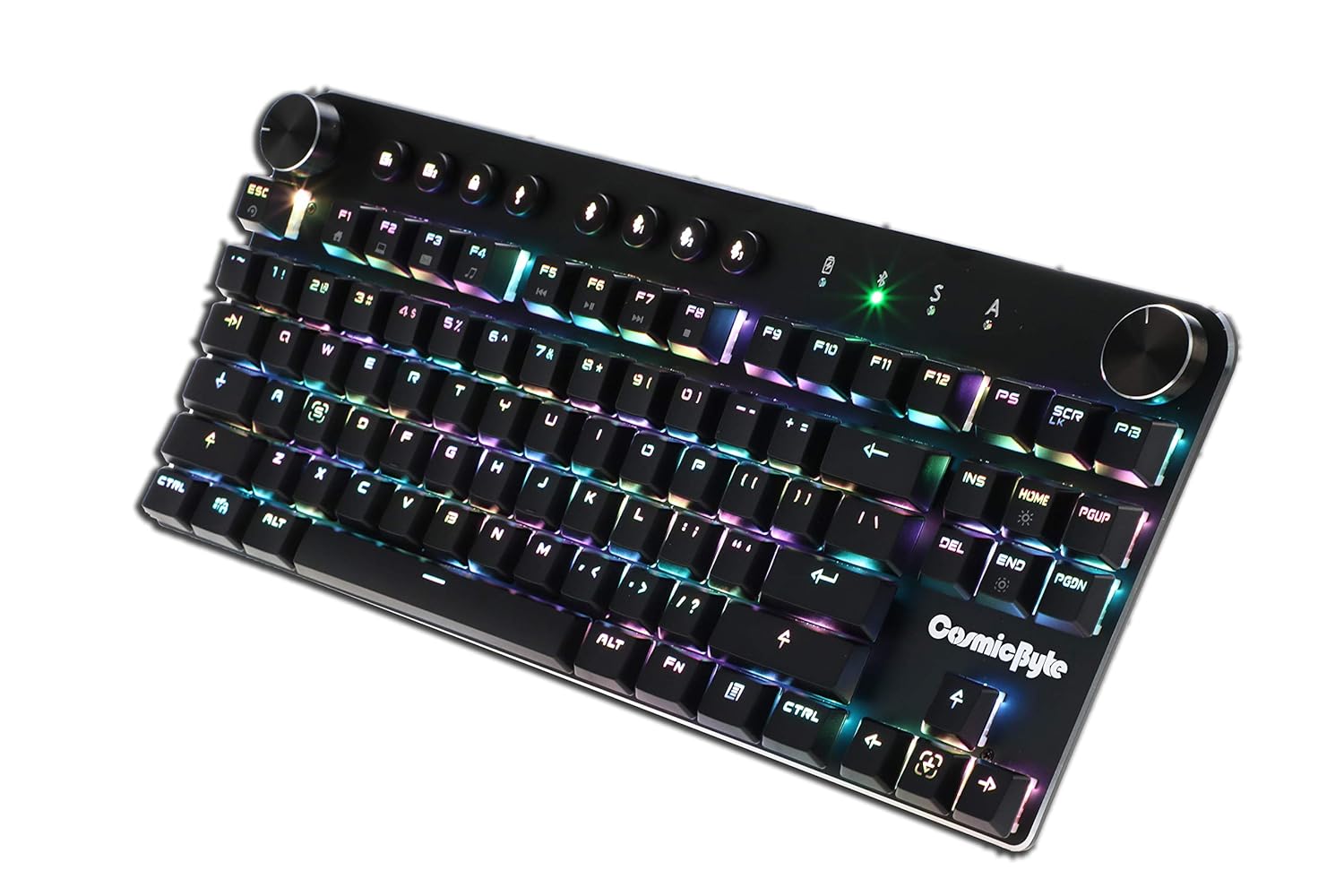
Image: Close-up angled view гарын шоуныasing the vibrant RGB lighting on the keys.
6. Засвар үйлчилгээ
To ensure the longevity and optimal performance of your keyboard:
- Цэвэрлэгээ: Use a soft, dry cloth to wipe down the keyboard. For deeper cleaning, use compressed air to remove dust and debris from between the keycaps. Avoid using harsh chemicals or abrasive materials.
- Батерейны арчилгаа: For wireless use, charge the keyboard regularly. Avoid completely draining the battery frequently to prolong its lifespan.
- Хадгалах: Гарыг нарны шууд тусгал, хэт температураас хол, сэрүүн, хуурай газар хадгална.
7. Алдаа засах
- Гар хариу өгөхгүй байна (утастай):
- USB кабель гар болон компьютерт найдвартай холбогдсон эсэхийг шалгаарай.
- Компьютер дээрээ өөр USB порт руу холбогдож үзнэ үү.
- Системтэй холбоотой асуудлуудаас зайлсхийхийн тулд гарыг өөр компьютер дээр туршиж үзээрэй.
- Bluetooth холболтын асуудал:
- Ensure the keyboard is in Bluetooth pairing mode (indicator light flashing).
- Таны төхөөрөмж дээр Bluetooth идэвхжсэн бөгөөд үүнийг илрүүлэх боломжтой эсэхийг шалгана уу.
- Төхөөрөмжийнхөө Bluetooth тохиргооноос гарны өмнөх хослолуудыг устгаад дахин хослуулахыг оролдоно уу.
- Гарны батерейг хангалттай цэнэглэсэн эсэхийг шалгаарай.
- Keep the keyboard within the 10-meter Bluetooth range of your device.
- Backlight Not Working/Customization Issues:
- Check the brightness level using the dedicated dial.
- Ensure the keyboard is not in a mode where backlighting is disabled.
- For custom backlight issues, ensure the settings were saved correctly.
- Бүртгүүлээгүй түлхүүрүүд:
- Аливаа хог хаягдлыг арилгахын тулд гэмтсэн түлхүүрүүдийг цэвэрлэ.
- If using Bluetooth, ensure anti-ghosting limits (6-key) are not being exceeded for simultaneous presses.
8. Техникийн үзүүлэлтүүд
| Онцлог | Дэлгэрэнгүй |
|---|---|
| Брэнд | Сансрын байт |
| Загварын нэр | Sirius Blue Switch |
| Холболтын технологи | Утасгүй (Bluetooth), Утастай (USB) |
| Гарын тайлбар | Тоглоомын механик гар |
| Шилжүүлэгчийн төрөл | Outemu Blue Switches |
| Арын гэрэлтүүлэг | Per Key RGB with 18 effects, 15 brightness levels |
| Эсрэг хий үзэгдэл | All key (wired), 6-key (Bluetooth) |
| Батерей | 1000 мАч цэнэглэдэг лити -ион |
| Bluetooth хүрээ | 10 метр |
| Тохиромжтой төхөөрөмжүүд | Laptop, PC, Mobiles, Tablets |
| Үйлдлийн систем | Windows, Android, Linux, iOS |
| Зүйлийн жин | 800 гр |
| Бүтээгдэхүүний хэмжээс | 34 x 14 x 50 см |
9. Баталгаат хугацаа ба дэмжлэг
9.1 Баталгаат хугацааны мэдээлэл
The Cosmic Byte CB-GK-14 Sirius Mechanical Keyboard comes with a 1 жилийн баталгаат хугацаа against manufacturing defects. Please note that physical damage, water damage, and tampered products are not covered under this warranty.
9.2 Хэрэглэгчийн дэмжлэг
For any warranty claims or technical assistance, please contact Cosmic Byte customer support. You can raise a ticket through their customer support portal or directly email them.
Video: This video illustrates the Cosmic Byte warranty claim process, detailing steps for submitting a claim and product replacement procedures. (Note: Actual video URL JSON хэлбэрээр өгөгдөөгүй, орлуулагч ашигласан.)
When contacting support, be prepared to provide your purchase invoice, product images from all angles, and a short video demonstrating the issue, if applicable. This will help expedite the support process.


