1. Танилцуулга
Thank you for choosing the DELIPOP 3D LED Digital Alarm Clock. This manual provides detailed instructions for the setup, operation, and maintenance of your new clock. Please read this manual thoroughly before use to ensure proper functionality and to maximize your user experience. Keep this manual for future reference.

Image 1.1: The DELIPOP 3D LED Digital Alarm Clock displaying the time 23:57 with bright white LED digits.
2. Аюулгүй байдлын мэдээлэл
- Ensure the clock is powered by a 5V 1A USB power source. Using an incorrect power adapter may damage the device.
- The CR2032 button cell battery (not included) is for memory backup only and does not power the clock's display. The clock requires continuous USB power to operate.
- Avoid placing the clock in direct sunlight, high temperatures, or high humidity environments.
- Do not disassemble or attempt to repair the clock yourself. Contact customer support for assistance.
- Keep the clock away from water and other liquids.
3. Багцын агуулга
Дараах зүйлсийн багцад байгаа эсэхийг шалгана уу.
- 1 x DELIPOP 3D LED Digital Alarm Clock
- 1 x USB Power Cable (5V)
- 1 х хэрэглэгчийн гарын авлага (энэ баримт бичиг)

Image 3.1: The DELIPOP 3D LED Digital Alarm Clock, USB cable, and the included instruction manual.
4. Бүтээгдэхүүн дууссанview
The DELIPOP 3D LED Digital Alarm Clock features a large, clear LED display for easy readability. It is designed for both wall mounting and desktop placement.

Зураг 4.1: Урд ба хажуу view of the clock with dimensions (235mm length, 93mm height, 40mm depth) and button labels (PM, AL, SET, UP, DOWN, ALARM, TEMP).
4.1 Бүрэлдэхүүн хэсэг
- Лэд дэлгэц: Large 3D LED digits for time display.
- Хяналтын товчлуурууд: SET, UP, DOWN buttons for configuration.
- Detachable Bracket: For desktop placement.
- Эрчим хүчний оролт (DC 5V): USB port for power connection.
- Memory Battery Compartment: For CR2032 button cell battery (not included) to retain settings during power loss.

Зураг 4.2: Ар талд view of the clock indicating the DC 5V power input and the memory battery compartment (CR2032, not included).
5. Тохиргоо
5.1 Эрчим хүчний холболт
- Connect the provided USB cable to the DC 5V input port on the back of the clock.
- USB кабелийн нөгөө үзүүрийг 5V 1A USB тэжээлийн адаптер (дагалдахгүй) эсвэл тохирох USB порт руу залгаарай.
- Цагийн дэлгэц гэрэлтэх болно.
5.2 Installing Memory Battery (Optional)
To retain time and alarm settings during a power outage, install a CR2032 button cell battery (not included) into the memory battery compartment on the back of the clock. This battery does not power the display.
5.3 Байршил
The clock can be placed on a table using its detachable bracket or mounted on a wall.
- Ширээний байршил: Attach the detachable bracket to the bottom of the clock.
- Хананд суурилуулах: Use the keyhole slots on the back of the clock to hang it on screws or hooks (not included) securely fastened to the wall.

Image 5.1: The DELIPOP 3D LED Digital Alarm Clock displayed mounted on a wall.
6. Ашиглалтын заавар
6.1 Товчлуурын функцууд
- Тохируулах: Enter setting mode, confirm settings.
- ДЭЭШ: Increase value, switch modes.
- ДООШ: Decrease value, switch modes.
6.2 Цагийн тохиргоо
- -г удаан дар SET Цаг тохируулах горимд орохын тулд товчийг 3 секунд дарна уу. Цагийн цифрүүд анивчих болно.
- -г ашиглана уу UP or ДООШ цагийг тохируулах товчлуурууд.
- дарна уу SET дахин дарж цагийг баталгаажуулж, минутын тохиргоо руу шилжинэ. Минутын тоо анивчих болно.
- -г ашиглана уу UP or ДООШ минут тохируулах товчлуурууд.
- дарна уу SET again to confirm the minute and exit time setting mode.
6.3 12/24 цагийн формат
Ердийн цагийн дэлгэцийн горимд дээр дарна уу UP button to switch between 12-hour and 24-hour formats. When 12-hour format is selected, the "PM" indicator will light up for afternoon hours.
6.4 Сэрүүлгийн тохиргоо
- -г удаан дар СЭРҮҮЛЭГ товчлуур (эсвэл SET button if ALARM is not a dedicated button, refer to product diagram) for 3 seconds to enter alarm setting mode. The alarm hour digits will flash.
- -г ашиглана уу UP or ДООШ Сэрүүлгийн цагийг тохируулах товчлуурууд.
- дарна уу СЭРҮҮЛЭГ (эсвэл SET) again to confirm the alarm hour and move to alarm minute setting. The alarm minute digits will flash.
- -г ашиглана уу UP or ДООШ Сэрүүлгийн минутыг тохируулах товчлуурууд.
- дарна уу СЭРҮҮЛЭГ (эсвэл SET) again to confirm the alarm minute and exit alarm setting mode.
- To activate/deactivate the alarm, short press the СЭРҮҮЛЭГ button (or a specific button indicated in the product diagram, e.g., SET) during the alarm sound. The "AL" indicator will light up when the alarm is active.
6.5 Түр хойшлуулах функц
When the alarm sounds, press any button (except the alarm off button) to activate the snooze function. The alarm will sound again after a few minutes (default snooze time is typically 5 minutes, refer to product specifics if available). To turn off the alarm completely, press the СЭРҮҮЛЭГ button (or a specific button indicated in the product diagram, e.g., SET) during the alarm sound.
6.6 Гэрэлт байдлын тохируулга
The clock features 3 levels of brightness. In normal time display mode, short press the UP or ДООШ button to cycle through the brightness levels (High, Medium, Low). The clock also has an automatic dimming feature for night time.
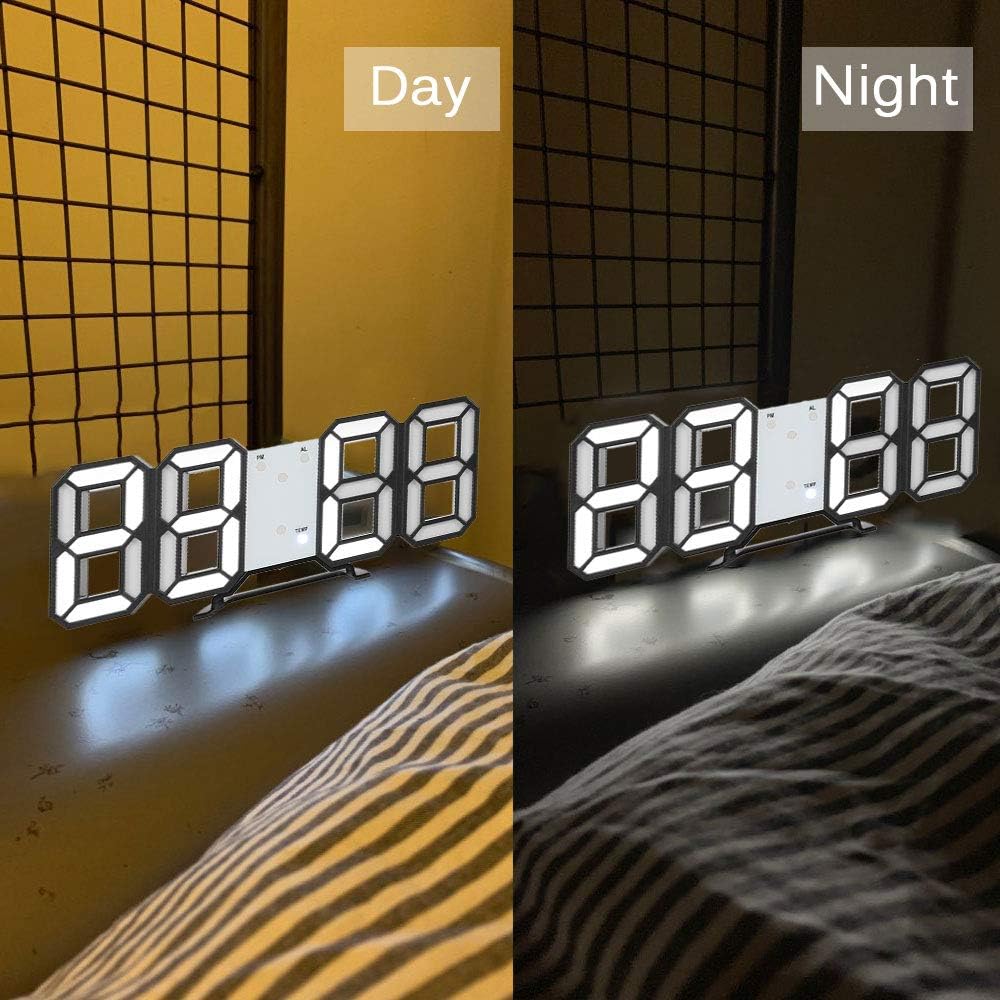
Image 6.1: The DELIPOP 3D LED Digital Alarm Clock showing its display brightness during daytime (brighter) and nighttime (dimmer).
7. Засвар үйлчилгээ
- Цагны гадаргууг зөөлөн, хуурай даавуугаар цэвэрлэ. Зүлгүүрийн цэвэрлэгч, уусгагчийг бүү ашигла.
- Ensure the USB cable and power adapter are in good condition.
- If the clock is not used for an extended period, disconnect it from power and remove the memory battery.
8. Алдаа засах
| Асуудал | Боломжит шалтгаан | Шийдэл |
|---|---|---|
| Цагны дэлгэц унтарсан. | Цахилгаан хангамж байхгүй. | Ensure the USB cable is securely connected to a 5V 1A power source. Check if the power outlet is working. |
| Цахилгаан тасарсаны дараа цаг/тохиргоог дахин тохируулна. | Санах ойн батерей суурилуулагдаагүй эсвэл дууссан байна. | Install a new CR2032 button cell battery in the memory compartment. |
| Сэрүүлэг дуугарахгүй байна. | Сэрүүлгийг идэвхжүүлээгүй эсвэл буруу тохируулсан. | Verify the alarm is set and activated (check for "AL" indicator). Ensure the volume is not muted (if applicable, though this model doesn't specify volume control). |
| Дэлгэц хэт бүдэг/тод байна. | Гэрэлтүүлгийн түвшинг тохируулах шаардлагатай. | товчийг дарна уу UP or ДООШ Товчлуурыг дарж гэрэлтүүлгийн түвшнийг эргүүлнэ. |
9. Техникийн үзүүлэлтүүд
| Брэнд | DELIPOP |
| Загварын дугаар | 307NZH57602 |
| Материал | Акрилонитрил бутадиен стирол (ABS) |
| LED өнгө | Цагаан |
| Эрчим хүчний хангамж | USB 5V 1A (cable included) |
| Санах ойн батерей | 1 x CR2032 button cell (not included) |
| Дэлгэцийн төрөл | Дижитал LED |
| Цагийн формат | 12/24 цагийн сонголттой |
| Функцүүд | Time display, Alarm, Snooze, Brightness adjustment |
| Бүтээгдэхүүний хэмжээ (L x W x H) | 23.5 x 3.81 x 9.3 см (9.25 x 1.5 x 3.66 инч) |
| Зүйлийн жин | 245 гр (8.64 унц) |
10. Баталгаат хугацаа ба дэмжлэг
DELIPOP products are designed for reliability and performance. For warranty information or technical support, please refer to the contact details provided with your purchase or visit the official DELIPOP website. Please have your model number (307NZH57602) ready when contacting support.

