1. Танилцуулга
The SUPLA SBW-02 WiFi Receiver is an integrated 2-channel module designed for convenient control of gates and garage doors. It allows seamless integration with existing gate motors, enabling remote operation via the Supla mobile application. This device is suitable for direct mounting within the motor housing and operates with a universal 12-24V AC/DC power supply, making it versatile for various applications. By connecting limit switch signals to the control unit's inputs, users can monitor the opening and closing status of their gate or door. The SBW-02 offers wireless control and monitoring capabilities via Wi-Fi, providing enhanced comfort and security from anywhere in the world through the Supla mobile application.
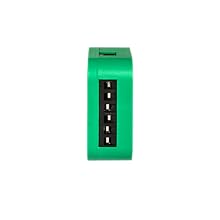
Зураг 1.1: Урд view of the SUPLA SBW-02 WiFi Receiver module.
2. Аюулгүй байдлын мэдээлэл
- Суулгах, ажиллуулахын өмнө энэ гарын авлагыг сайтар уншина уу.
- Суурилуулалтыг орон нутгийн цахилгааны код, дүрмийн дагуу мэргэшсэн цахилгаанчин гүйцэтгэх ёстой.
- Суурилуулалт, утас холбох эсвэл засвар үйлчилгээ хийхээс өмнө цахилгаан тэжээлийг салгасан эсэхээ шалгаарай.
- The device operates on 12-24V AC/DC. Verify your power source matches these requirements.
- Do not expose the device to moisture, extreme temperatures, or direct sunlight. The operating temperature range is -20°C to +55°C.
- The housing protection rating is IP20, meaning it is protected against solid objects larger than 12.5mm but has no protection against water. Install in a dry, protected environment.
- Use wires with a cross-section up to 2.5 mm² for connections.
- This device is compliant with EN 61010-1 standards.
3. Бүтээгдэхүүн дууссанview
The SBW-02 is a compact WiFi receiver designed for smart control of gates and garage doors. It features two independent channels, allowing control of one gate and one door, or two separate gates.
Гол онцлогууд:
- Хос сувгийн хяналт: Manages two independent outputs for gate or door operation.
- Бүх нийтийн эрчим хүчний хангамж: Compatible with 12-24V AC/DC power sources.
- Wi-Fi холболт: Operates on Wi-Fi 2.4GHz 802.11b/g/n for remote access.
- Статусын хяналт: Connects to limit switches to provide real-time gate/door status (open/closed).
- Мобайл програмын хяналт: Full control and monitoring via the Supla mobile application from anywhere.
- Компакт дизайн: Designed for direct mounting within a gate drive or a standard Ø 60mm installation box.
- Дуут туслахын нийцтэй байдал: Works with popular voice assistants like Google Home.

Image 3.1: The SUPLA SBW-02 allows control of gates and doors from anywhere in the world via the mobile application. It features two independent channels and universal 12-24V AC/DC power.
4. Суурилуулалт ба тохиргоо
4.1. Утасны диаграм
The SBW-02 is designed for simple installation within a Ø 60 mm installation box or directly into the gate motor housing. Refer to the diagram below for proper wiring.

Image 4.1: Wiring diagram for the SBW-02 module, showing connections for power (12-24V AC/DC), Wi-Fi, and two output channels (OUT1, OUT2) for gate control, along with inputs (IN1, IN2) for limit switches.
4.2. Quick Start Guide (5 Steps)
Follow these steps to quickly set up and commission your SUPLA SBW-02 device:
- Програмыг суулгана уу: Download and install the official Supla mobile application on your smartphone or tablet.
- Create Account / Log In: Open the Supla app and either create a new user account or log in with your existing credentials.
- Цахилгаанд холбогдох: Connect the SBW-02 module to a 12-24V AC/DC power supply according to the wiring diagram.
- Төхөөрөмж нэмэх: Within the Supla application, follow the on-screen instructions to add your new SBW-02 device. This typically involves putting the device into configuration mode (e.g., by pressing a button) and connecting it to your Wi-Fi network.
- Хяналтын төхөөрөмжүүд: Once successfully added, you can now control and monitor your connected gates or doors through the Supla app.

Image 4.2: Visual representation of the 5-step quick start guide for the SUPLA SBW-02.
4.3. Downloading the SUPLA Application
The SUPLA application is available for both Android and iOS devices. You can download it by scanning the QR code below or by visiting the provided link:

Image 4.3: QR code and app store logos for downloading the SUPLA mobile application.
Татаж авах холбоос: http://onelink.to/t6bzdj
5. Ашиглалтын заавар
5.1. Mobile Application Control
Once the SBW-02 is configured and connected to your Supla account, you can control your gates and doors directly from the mobile application. The app provides an intuitive interface to:
- Open and close gates/doors remotely.
- Monitor the real-time status (open/closed) of each connected channel.
- Set up schedules or automation rules for gate/door operation.
- Receive notifications regarding gate/door status changes.
5.2. Voice Assistant Integration
The SUPLA SBW-02 supports integration with popular voice assistants, such as Google Home. This allows for hands-free control of your gates and doors.
- Connecting to Voice Assistant: Follow the instructions within the Supla app or your voice assistant's app (e.g., Google Home app) to link your Supla account.
- Дуут тушаалууд: Once linked, you can use simple voice commands to operate your devices. For example, "Ok Google, open the garage door" or "Ok Google, close the gate."

Image 5.1: The SUPLA system integrates with voice assistants like Google Home for convenient hands-free control.
6. Засвар үйлчилгээ
The SUPLA SBW-02 WiFi Receiver is designed for minimal maintenance.
- Цэвэрлэгээ: Periodically wipe the device with a dry, soft cloth. Do not use liquid cleaners or solvents.
- Програм хангамжийн шинэчлэлтүүд: Ensure your device's firmware is up to date through the Supla mobile application to benefit from the latest features and security enhancements.
- Холболт шалгах: Regularly check the physical connections to ensure they are secure and free from corrosion.
- Байгаль орчны нөхцөл: Ensure the device remains within its specified operating temperature range (-20°C to +55°C) and is protected from moisture, as its IP20 rating does not provide water protection.
7. Алдаа засах
| Асуудал | Боломжит шалтгаан | Шийдэл |
|---|---|---|
| Төхөөрөмж асахгүй байна. | Буруу цахилгаан хангамж ботьtage; loose wiring; faulty power source. | Verify power supply is 12-24V AC/DC. Check all wiring connections. Test the power source. |
| Wi-Fi-д холбогдох боломжгүй байна. | Incorrect Wi-Fi password; device too far from router; 5GHz network selected; Wi-Fi interference. | Ensure correct 2.4GHz Wi-Fi password. Move device closer to router. Ensure router is broadcasting 2.4GHz. Reduce interference. |
| Gate/door not responding to app commands. | No internet connection; device offline; incorrect wiring to gate motor; motor issue. | Check internet connectivity on your phone. Verify device status in Supla app. Inspect wiring to gate motor. Test gate motor manually. |
| Incorrect gate/door status displayed. | Limit switches incorrectly wired or faulty. | Check wiring of limit switches to IN1/IN2. Ensure limit switches are functioning correctly. |
8. Техникийн үзүүлэлтүүд
| Онцлог | Дэлгэрэнгүй |
|---|---|
| Загварын дугаар | SBW-02 |
| Брэнд | Supla (by Zamel) |
| Эрчим хүчний хангамж | 12-24V AC / DC |
| Халдаах | Wi-Fi 2.4GHz 802.11b/g/n |
| Ялгарлын хүч | ERP < 20 мВт |
| Нэрлэсэн давтамж | 50 Гц |
| Нэрлэсэн хүч | 0.6 Вт |
| Оролтын тоо | 2 (for limit switches) |
| Гаралтын сувгийн тоо | 2 |
| Реле харилцагчид | 2 x potential-free contact, 3 A/250 V AC |
| Хамгийн их гаралтын гүйдэл | 3 А / 24 В хувьсах гүйдэл |
| Хамгийн их гаралтын ачаалал | 3 А / 250 В хувьсах гүйдэл |
| Терминалуудын тоо | 8 (for wires up to 2.5 mm² cross-section) |
| Ашиглалтын температурын хүрээ | -20 хэмээс +55 хэм хүртэл |
| Housing Protection Rating | IP20 |
| Хэмжээ (L x W x H) | 47 x 47 x 20 мм (4.7 x 4.7 x 2 см) |
| Жин | 4.54 грамм |
| Тохиромжтой үзүүлэлтүүд | EN 61010-1 |
| Гарал үүслийн улс | Польш |
9. Баталгаат хугацаа ба дэмжлэг
9.1. Баталгаат хугацааны мэдээлэл
The SUPLA SBW-02 WiFi Receiver comes with a standard manufacturer's warranty. Please refer to the warranty card included in your product packaging or visit the official Supla/Zamel webнарийвчилсан баталгаат нөхцөлийг сайтаас авна уу. Баталгаат нэхэмжлэл гаргахын тулд худалдан авалтаа нотлох баримтаа хадгалаарай.
9.2. Техникийн дэмжлэг
For technical assistance, troubleshooting beyond this manual, or inquiries about your SUPLA SBW-02 device, please contact Supla/Zamel customer support.
- Онлайн нөөцүүд: Visit the official Supla webсайт (supla.org) for FAQs, additional documentation, and community forums.
- Холбоо барих мэдээлэл: Specific contact details (phone, email) can usually be found on the product packaging or the official webсайт.


