Танилцуулга
Thank you for choosing the Haylou Solar LS05 Smartwatch. This manual provides essential information for setting up, operating, maintaining, and troubleshooting your device. Please read it carefully to ensure proper use and to maximize the benefits of your smartwatch. The Haylou Solar LS05 is designed to enhance your daily life with features like fitness tracking, heart rate monitoring, and smart notifications, compatible with both Android and iOS devices.
Хайрцагт юу байна
- Haylou Solar LS05 Smartwatch (with black rubber strap)
- Цэнэглэх кабель
- Хэрэглэгчийн гарын авлага
Тохиргоо
1. Ухаалаг цагийг цэнэглэж байна
Before first use, fully charge your Haylou Solar LS05. Connect the charging cable to the charging contacts on the back of the watch and to a USB power source. The watch display will show the charging status.
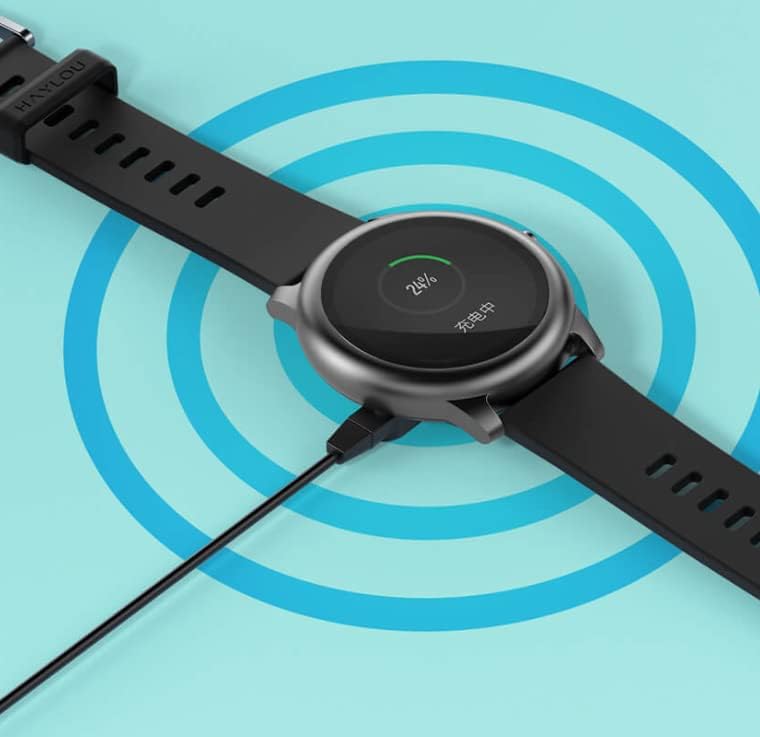
Image: The Haylou Solar LS05 Smartwatch connected to its charging cable, displaying a 24% charge level.
2. Асаах
Press and hold the side button for a few seconds until the Haylou logo appears on the screen.
3. Installing the Haylou Fit App
Download the official Haylou Fit app from your smartphone's app store (Google Play Store for Android or Apple App Store for iOS). хайх "Haylou Fit".
4. Ухаалаг утастайгаа хослуулах
- Ухаалаг утсан дээрээ Bluetooth идэвхжсэн эсэхийг шалгаарай.
- Open the Haylou Fit app and follow the on-screen instructions to create an account or log in.
- In the app, select "Add Device" and choose the Haylou Solar LS05 from the list of available devices.
- Хослуулах хүсэлтийг ухаалаг гар утас болон ухаалаг цагныхоо аль алинд нь баталгаажуулна уу.
Once paired, your smartwatch will synchronize data with the app and receive notifications.
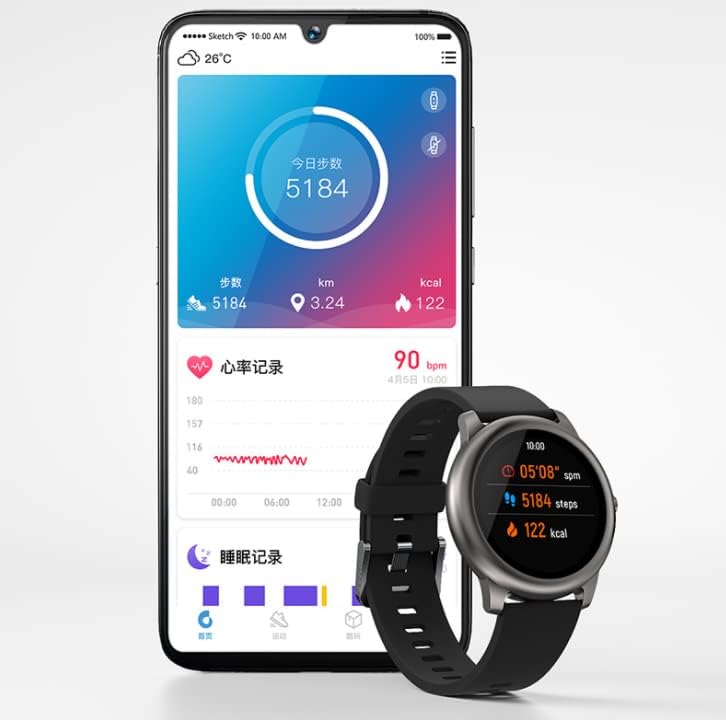
Image: The Haylou Solar LS05 Smartwatch displaying steps and calories, alongside a smartphone showing the Haylou Fit app interface with daily activity and sleep records.
Ашиглалтын заавар
Үндсэн навигаци
- Мэдрэгчтэй дэлгэц: Swipe up, down, left, or right to navigate through menus and features. Tap to select.
- Хажуугийн товчлуур: Press to return to the home screen or wake the device. Press and hold to power off or restart.
Гол онцлогууд
- Үйл ажиллагааг хянах: Өдрийн турш шатаасан алхмууд, зай, илчлэгийн тоог хянадаг.
- Зүрхний цохилтын хяналт: Continuously tracks your heart rate. Access detailed data in the Haylou Fit app.
- Унтах хяналт: Гүн нойр, хөнгөн нойр, сэрэх хугацаа зэрэг таны нойрны хэв маягийг хянадаг.
- Спортын горимууд: Select from various sports modes (e.g., running, cycling) to track specific workout data.
- Ухаалаг мэдэгдэл: Дуудлага, мессеж, програмын мэдэгдлийг бугуйндаа шууд хүлээн аваарай.
- Хөгжмийн хяналт: Ухаалаг гар утсан дээрээ хөгжим тоглуулахыг цагнаас шууд удирдаарай.
- Цаг агаарын урьдчилсан мэдээ: View current weather conditions and forecasts for the coming days.
- Амьсгалын дасгал: Амьсгалын дасгалууд нь таныг тайвшруулахад тусална.
- Цаг хэмжигч ба Секундомер: Үйл ажиллагааны цагийг тооцоолоход шаардлагатай үндсэн хэрэгслүүд.
- Утас хайх: Use your watch to locate your paired smartphone.
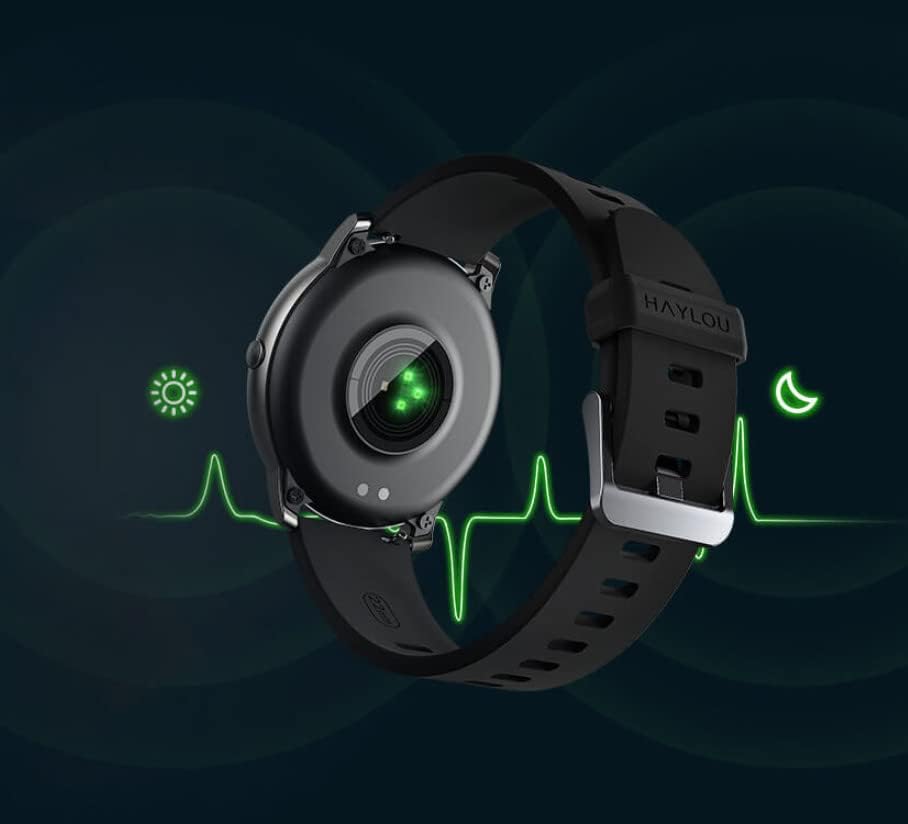
Image: The back of the Haylou Solar LS05 Smartwatch, highlighting the optical heart rate sensor with a green light, indicating active monitoring.

Image: A collage of Haylou Solar LS05 watch faces demonstrating various functions: 'Take a break' for breathing training, 'Find phone' for locating a device, 'Timer and stopwatch', 'Music Control', and 'Weather Forecast'.

Image: The Haylou Solar LS05 Smartwatch worn on a wrist, displaying the current time (00:15:18), heart rate (90 bpm), steps (3.24k), and distance, indicating active use during an activity.
Засвар үйлчилгээ
Цэвэрлэгээ
Regularly clean your smartwatch and strap to prevent skin irritation and maintain device functionality. Use a soft, damp Дэлгэц болон оосорыг арчихын тулд даавуугаар арчина. Хүчтэй химийн бодис эсвэл зүлгүүрийн материалаас зайлсхий.
Усны эсэргүүцэл
The Haylou Solar LS05 is water-resistant. It can withstand splashes, rain, and brief immersion. However, it is not suitable for hot showers, saunas, or diving. Avoid prolonged exposure to water and ensure the watch is dry before charging.

Image: The Haylou Solar LS05 Smartwatch partially submerged in water, with water splashing around it, illustrating its water-resistant capabilities.
Цэнэглэх практик
Use only the provided charging cable. Do not charge the watch in wet conditions. Avoid exposing the watch to extreme temperatures during charging.
Алдааг олж засварлах
- Цаг асахгүй байна: Ensure the watch is fully charged. Press and hold the side button for at least 10 seconds to force a restart.
- Ухаалаг утастай холбох боломжгүй: Make sure Bluetooth is enabled on your phone and the watch is within range. Restart both devices and try pairing again through the Haylou Fit app.
- Зүрхний цохилт/үйл ажиллагааны мэдээлэл буруу байна: Цагийг хэт бариу эсвэл хэт сул биш, бугуйндаа сайн зүүж байгаарай. Цагны арын хэсэгт мэдрэгчийг цэвэрлэ.
- Мэдэгдэл харагдахгүй байна: Check notification settings in the Haylou Fit app and your phone's system settings to ensure permissions are granted for the app to display notifications.
- Батерейны богино хугацаа: Reduce screen brightness, disable continuous heart rate monitoring if not needed, and limit background app refresh.
Үзүүлэлтүүд
| Онцлог | Дэлгэрэнгүй |
|---|---|
| Загварын нэр | LS05 |
| Брэнд | Хайлоу |
| Үйлдлийн систем | Wear OS |
| Хэмжээ | 7 x 1 x 6 см |
| Жин | 57 грамм |
| Батерей | 1 литийн полимер (оруулсан) |
| Холболт | Bluetooth |
| GPS | Үгүй |
| Онцлог шинж чанарууд | Зүрхний цохилтын хяналт |
| Дэлгэцийн төрөл | Мэдрэгчтэй дэлгэц |
| Дэлгэцийн хэмжээ | 1.28 инч |
| Шийдвэр | 240 x 240 |
| Өнгө | Хар |
| Оосорны материал | Резин |
| Хадгалах багтаамж | 512 MB |
Баталгаат болон дэмжлэг
For warranty information, please refer to the documentation provided at the time of purchase or contact your retailer. Specific warranty terms may vary by region and seller.
For technical support, software updates, and frequently asked questions, please refer to the official Haylou website or the Haylou Fit application. The app often provides troubleshooting tips and direct support options.


