1. Танилцуулга
Thank you for choosing the gorsun Kids Bluetooth Headphones. This manual provides essential information for the safe and effective use of your headphones. Please read it carefully before use and retain it for future reference.
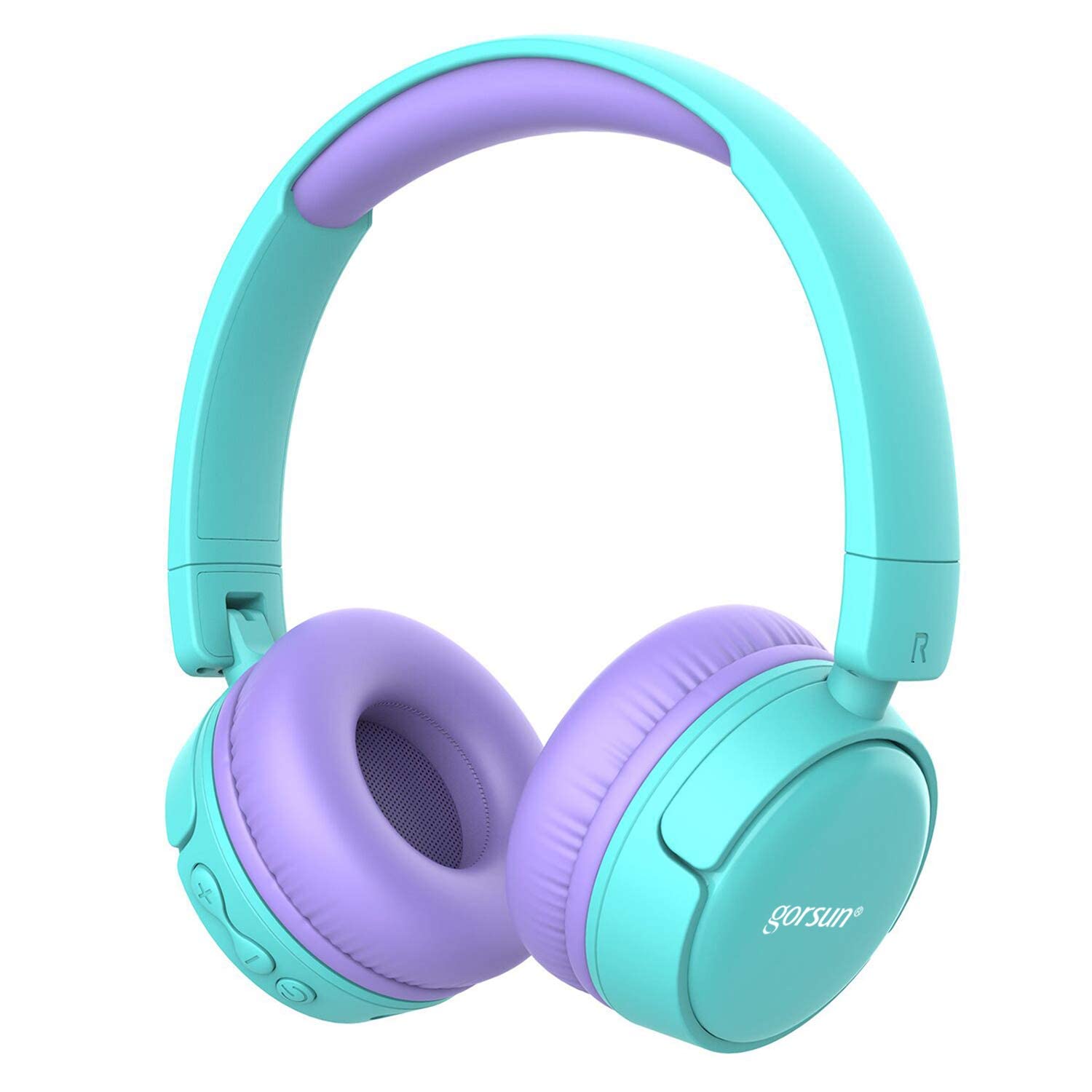
Image: gorsun Kids Bluetooth Headphones in purple and teal, showcasing ерөнхий загвар.
2. Багцын агуулга
Бүх зүйл багцад байгаа эсэхийг шалгаарай:
- 1 x gorsun Kids Bluetooth Headphones
- 1 x USB цэнэглэгч кабель
- 1 x 3.5 мм аудио кабель
- 1 х хэрэглэгчийн гарын авлага (энэ баримт бичиг)
- 1 x үүрэх цүнх

Image: The product box and its contents, including the headphones, USB charging cable, 3.5mm audio cable, and a black carrying bag.
3. Тохиргоо
3.1 Чихэвчийг цэнэглэх
Before first use, fully charge the headphones. Connect the small end of the USB charging cable to the charging port on the headphones and the larger end to a USB power source (e.g., computer, wall adapter). The charging indicator light will show the charging status. A full charge takes approximately 1 hour.
3.2 Асаах/унтраах
- Асаахын тулд: Заагч гэрэл анивчих хүртэл Асаах товчийг ойролцоогоор 3 секундын турш дарна уу.
- Унтраахын тулд: Заагч гэрэл унтрах хүртэл Power товчийг ойролцоогоор 3 секунд дарна уу.
3.3 Bluetooth холболт
- Чихэвч унтарсан эсэхийг шалгаарай.
- Press and hold the Power button for about 5-7 seconds until the indicator light flashes red and blue alternately. This indicates pairing mode.
- Төхөөрөмж дээрээ (ухаалаг утас, таблет, зөөврийн компьютер) Bluetooth-г идэвхжүүлж, боломжтой төхөөрөмжүүдийг хайж олоорой.
- Select "gorsun Kids Headphones" from the list of found devices.
- Хослуулсны дараа заагч гэрэл цэнхэр өнгөтэй аажмаар анивчина.
Чихэвч асаалттай үед хамгийн сүүлд холбогдсон төхөөрөмж рүү автоматаар дахин холбогдох оролдлого хийнэ.
3.4 утастай холболт
To use the headphones in wired mode, connect one end of the 3.5mm audio cable to the audio input jack on the headphones and the other end to your audio device's 3.5mm output jack. The Bluetooth function will automatically disable when the audio cable is connected.
3.5 Volume Limiter Adjustment
These headphones feature a volume limiter to protect children's hearing. You can switch between 85dB (Child Safety Mode) and 93dB (Flight Mode) depending on the environment.

Зураг: Ойрын зураг view of the gorsun Kids Bluetooth Headphones, highlighting the volume adjuster switch on the earcup, which allows selection between 85dB and 93dB modes.
Locate the volume adjuster switch on the earcup and slide it to your desired volume limit setting.
4. Ашиглалтын заавар
4.1 Үндсэн удирдлага
- Тоглуулах/түр зогсоох: Цахилгаан товчийг нэг удаа дарна уу.
- Дууг нэмэгдүүлэх: "+" товчийг дарна уу.
- Дууг багасгах: "-" товчийг дарна уу.
- Дараагийн дуу: "+" товчийг удаан дар.
- Өмнөх бичлэг: "-" товчийг удаан дар.
4.2 Утасны дуудлага
With the built-in microphone, you can manage phone calls when connected via Bluetooth:
- Дуудлагад хариулах/дуусах: Цахилгаан товчийг нэг удаа дарна уу.
- Дуудлагаас татгалзах: Power товчийг 2 секундын турш дарна уу.
- Сүүлийн дугаарыг дахин залгах: Power товчийг давхар дар.
4.3 Compatible Sharing Jack-Port
These headphones feature a sharing jack-port, allowing two or more headphones to be connected to a single audio source using standard 3.5mm Aux cables (one cable per additional headphone). This enables multiple users to listen to the same audio simultaneously.
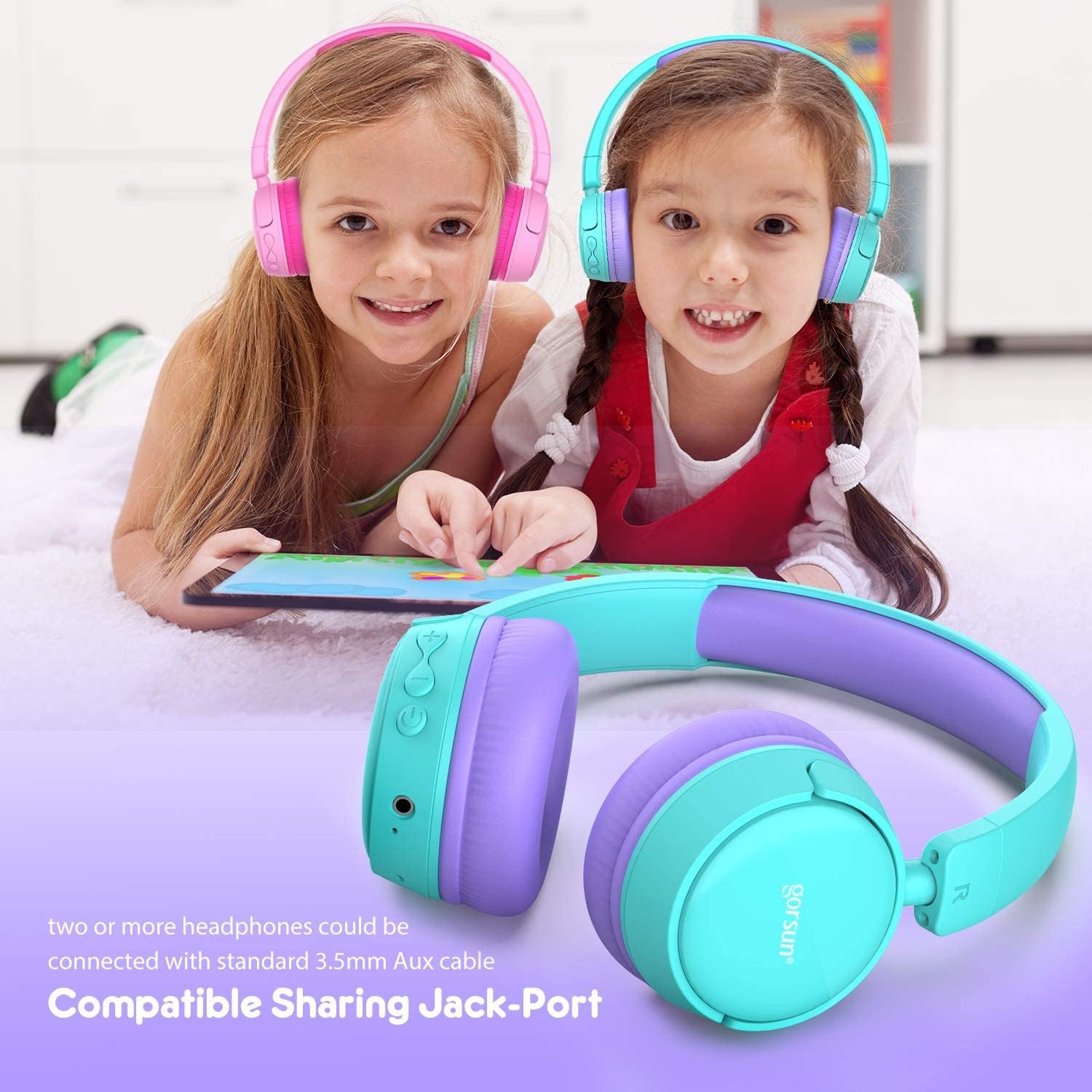
Image: Two children wearing gorsun Kids Bluetooth Headphones, connected together with an audio cable to share sound from a tablet, demonstrating the sharing jack-port feature.
5. Засвар үйлчилгээ
5.1 Цэвэрлэгээ
Wipe the headphones with a soft, dry cloth. Do not use harsh chemicals or abrasive cleaners. Avoid getting moisture into any openings.
5.2 Хадгалалт
When not in use, store the headphones in the provided carrying bag to protect them from dust and scratches. The headphones are foldable for compact storage.

Image: The gorsun Kids Bluetooth Headphones shown in a folded position, illustrating their compact design for easy storage and portability.
5.3 Батерейны арчилгаа
To prolong battery life, avoid fully discharging the headphones frequently. Charge them regularly, even if not in constant use. Store in a cool, dry place away from extreme temperatures.

Image: A detailed breakdown of the headphone's comfortable features, including protein sponge padding, an adjustable headband with numbered markings, soft protein ear cushions, and a polished outer casing.
6. Алдаа засах
- Headphones do not power on: Чихэвч цэнэглэгдсэн эсэхийг шалгаарай. USB кабель ашиглан тэжээлийн эх үүсвэрт холбоно уу.
- Bluetooth-ээр холбох боломжгүй: Make sure the headphones are in pairing mode (red and blue flashing light). Ensure Bluetooth is enabled on your device and it is within 10 meters of the headphones. Turn off and on both devices and try again.
- Дуу алга: Check the volume level on both the headphones and your connected device. Ensure the headphones are properly paired or the 3.5mm audio cable is fully inserted.
- Poor sound quality or connection drops: Move closer to your Bluetooth device to reduce interference. Ensure there are no obstacles between the headphones and the device. Disconnect and re-pair the headphones.
- Микрофон ажиллахгүй байна: Ensure the headphones are properly connected via Bluetooth. Check your device's audio input settings to confirm the headphone microphone is selected.
7. Техникийн үзүүлэлтүүд
| Онцлог | Тодорхойлолт |
|---|---|
| Загварын дугаар | f0b6f738-96a2-4a17-9d00-ed2fa798fbe0 |
| Холболт | Утасгүй (Bluetooth 4.0), Утастай (3.5 мм Aux) |
| Bluetooth хүрээ | 10 метр (33 фут) хүртэл |
| Зайны ашиглалт | 15 цаг хүртэл |
| Цэнэглэх хугацаа | Ойролцоогоор 1 цаг |
| Эзлэхүүний хязгаарлагч | 85dB (Child Safety Mode) / 93dB (Flight Mode) |
| Давтамжийн хариу үйлдэл | 20 Гц - 20 кГц |
| Материал | Хуванцар, силикон |
| Зүйлийн жин | 10.6 унц (300 грамм) |
| Бүтээгдэхүүний хэмжээс | 6.69 x 6.5 x 0.18 инч |
| Онцлог шинж чанарууд | Lightweight, Built-in Microphone, Foldable Design, Sharing Jack-Port |
8. Баталгаат хугацааны мэдээлэл
gorsun products are designed and manufactured to the highest quality standards. This product is covered by a limited warranty from the date of purchase. Please refer to the warranty card included in your package or contact customer support for detailed warranty terms and conditions.
9. Хэрэглэгчийн дэмжлэг
For any questions, technical assistance, or warranty claims, please contact gorsun customer support through the retailer where you purchased the product or visit the official gorsun webхолбоо барих мэдээлэл авах сайт.


