Танилцуулга
This manual provides detailed instructions for the installation, operation, and maintenance of your Eogifee UC7083T Ceiling Fan Remote Control. This remote is designed as a replacement for original Hampton Bay UC7083T remotes and is compatible with various Hampton Bay and Harbor Breeze ceiling fans that utilize a receiver with matching dip switches. Please read this manual thoroughly before use to ensure proper function and safety.
Аюулгүй байдлын мэдээлэл
- Ensure the ceiling fan's power is turned off at the circuit breaker before any installation or maintenance.
- This remote control is a transmitter only. It requires an existing compatible receiver within your ceiling fan.
- Do not expose the remote control to water or excessive moisture.
- Батерейг хүүхдэд хүрэхгүй газар хадгал.
- Ашигласан батерейг орон нутгийн дүрэм журмын дагуу хариуцлагатайгаар устгана уу.
Багцын агуулга
- 1 x Eogifee UC7083T Remote Control Transmitter
- 1 х хана холбох хаалт
- 2 х холбох эрэг
Жич: A 12V "A23" battery is required and is not included in this package. This package does not include a receiver.

Image: The Eogifee UC7083T remote control, its retail packaging, the wall mount bracket, and two mounting screws.
Бүтээгдэхүүн дууссанview
Familiarize yourself with the buttons and features of your remote control.

Зураг: Урд view of the Eogifee UC7083T remote control, showing the fan speed buttons (HI, MED, LOW), light control button, and OFF button.
- Гэрэл товчлуур: Controls the ceiling fan light. Press to turn on/off. For incandescent bulbs, press and hold to dim.
- HI Button: Сэнсний хурдыг Өндөр болгож тохируулна.
- MED Button: Сэнсний хурдыг дунд түвшинд тохируулна.
- LOW Button: Сэнсний хурдыг Бага болгож тохируулна.
- OFF товчлуур: Таазны сэнсийг унтраана.
- Заагч гэрэл: Illuminates when a button is pressed. If it stays on, the battery may be low.
Тохиргоо
1. Зай суурилуулах
- Алсын удирдлагын ар талд байгаа зайны тасалгааны тагийг ол.
- Press firmly below the arrow on the cover and slide it off.
- Insert one 12V "A23" battery, ensuring correct polarity (+/-).
- Зайны тасалгааны тагийг солих.

Image: The back of the remote control with the battery compartment open, revealing the slot for a 12V "A23" battery and the four dip switches.
2. Дүп унтраалгыг тохируулах
The remote control and your ceiling fan's receiver must have matching dip switch settings to communicate. There are 16 possible code combinations.
- Identify Receiver Dip Switches: Locate the dip switches on your ceiling fan's receiver. This is typically found within the fan's canopy or motor housing. Note the current ON/OFF (or UP/DOWN) positions of these switches.
- Access Remote Dip Switches: With the battery cover removed from your Eogifee UC7083T remote, you will see four small switches (numbered 1-4) inside the battery compartment.
- Тохиргооны тохиргоо: Using a small screwdriver or a pen, slide the dip switches on the remote control to match the exact ON/OFF (or UP/DOWN) positions of the dip switches on your ceiling fan's receiver. All four switches must match.
- Алсын удирдлага дээрх зайны тагийг солино.
Чухал тэмдэглэл: Before setting the code, ensure your fan is operated in "HIGH speed" and the light is in the "ON" condition at the switch knob (if applicable) for optimal setup.

Image: The retail packaging for the Eogifee UC7083T remote control, displaying detailed instructions for setting the dip switches on both the transmitter and receiver.
3. Хананд суурилуулах
The included wall mount bracket allows for convenient storage of your remote control.
- Нарны шууд тусгал эсвэл дулааны эх үүсвэрээс хол, ханан дээр тохиромжтой газрыг сонгоорой.
- Use the wall mount bracket as a template to mark the positions for the two mounting screws.
- Шаардлагатай бол туршилтын цооног өрөмдөх.
- Хананд бэхэлгээний бэхэлгээг хангасан эрэг ашиглан хананд бэхлээрэй.
- Алсын удирдлагыг суурилуулсан хаалтанд гулсуулна уу.

Image: The Eogifee UC7083T remote control shown alongside its wall mount bracket, illustrating how the remote fits into the bracket.
Ашиглалтын заавар
Утасны унтраалга таарч, батерейг суурилуулсны дараа таны алсын удирдлага ашиглахад бэлэн болно.
- Сэнсний хурдны хяналт:
- дарна уу HI for high fan speed.
- дарна уу ЭЗХЯ дундаж сэнсний хурдны хувьд.
- дарна уу БАГА for low fan speed.
- дарна уу OFF сэнсийг унтраахын тулд.
- Гэрлийн хяналт:
- дээр дарна уу Гэрэл товчлуур гэрлийг асаах эсвэл унтраахын тулд.
- If using incandescent bulbs, press and hold the Гэрэл товчлуур to dim or brighten the light. Release when the desired brightness is reached.
- Жич: If using LED bulbs, the light button will typically only control on/off functionality and may not support dimming, depending on the LED bulb and fan receiver capabilities.
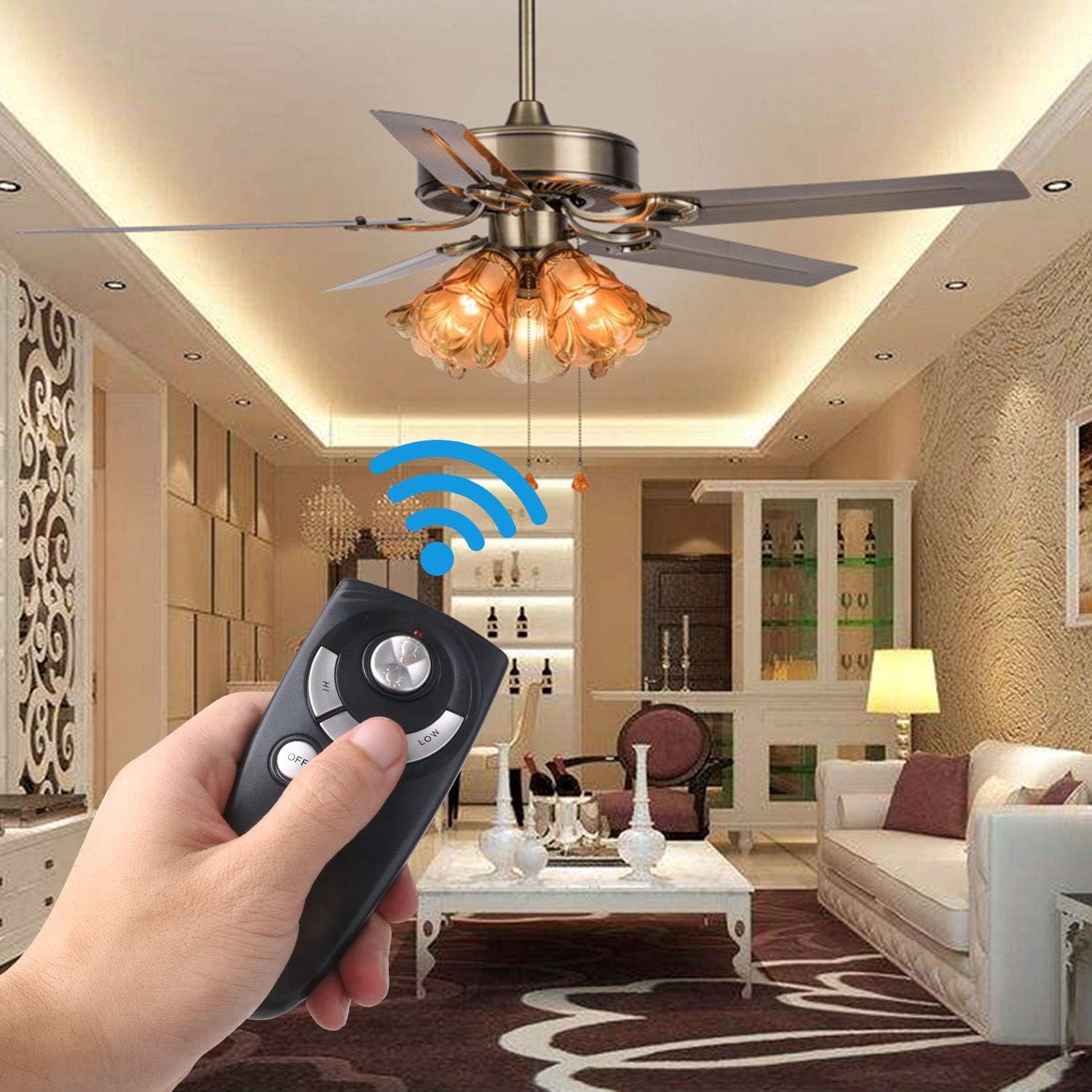
Image: A hand holding the Eogifee UC7083T remote control, with a ceiling fan and its lights visible in the background, illustrating the remote in active use.
Алдааг олж засварлах
| Асуудал | Боломжит шалтгаан | Шийдэл |
|---|---|---|
| Remote does not control the fan/light. |
|
|
| Үзүүлэлтийн гэрэл асаалттай байна. | Батерейны хүчин чадал бага. | Replace the 12V "A23" battery. |
| Гэрэл бүдгэрдэггүй. |
|
|
| Fan does not reverse direction. | This remote does not have a reverse function. | The UC7083T remote control does not support fan reverse. This function is typically controlled by a switch on the fan motor housing itself. |
Үзүүлэлтүүд
- Загвар: UC7083T
- Брэнд: Eogifee
- Эрчим хүчний эх үүсвэр: 1 x 12V "A23" battery (not included)
- Хэмжээ: Ойролцоогоор 4 x 2 x 0.01 инч (10.16 x 5.08 x 0.025 см)
- Жин: Ойролцоогоор 3.2 унц (90.7 грамм)
- Тохиромжтой байдал: Hampton Bay and Harbor Breeze ceiling fans with UC7083T compatible receivers.
- Онцлогууд: 3-speed fan control (High, Medium, Low), Light On/Off, Light Dimming (for incandescent bulbs).
Засвар үйлчилгээ
- Алсын удирдлагыг зөөлөн, хуурай даавуугаар цэвэрлээрэй. Зүлгүүрийн цэвэрлэгч эсвэл уусгагч хэрэглэж болохгүй.
- If the remote will not be used for an extended period, remove the battery to prevent leakage.
- Replace the battery when the indicator light stays on or when the remote's range decreases.
Баталгаат болон дэмжлэг
For warranty information or technical support, please refer to the seller's contact information or visit the Eogifee store on Amazon. Keep your purchase receipt for warranty claims.
Eogifee Store: Visit the Eogifee Store on Amazon


