Танилцуулга
Thank you for choosing the Mpow Air Pro 2.4G Wireless Gaming Headset. This manual provides detailed instructions on how to set up, operate, and maintain your headset to ensure optimal performance and longevity. The Mpow Air Pro is designed for an immersive gaming experience with 7.1 surround sound, a stable 2.4G wireless connection, and a noise-cancelling microphone.

Image: The Mpow Air Pro 2.4G Wireless Gaming Headset, featuring a black and red design with an adjustable microphone.
Багцын агуулга
Доор жагсаасан бүх зүйл таны багцад байгаа эсэхийг шалгана уу.
- Mpow Air Pro Wireless Gaming Headset
- USB Dongle (2.4G Wireless Receiver)
- USB цэнэглэгч кабель
- 3.5 мм аудио кабель
- Хэрэглэгчийн гарын авлага
- User Guide for Software (for 7.1 Surround Sound)

Image: A flat lay showing all items included in the Mpow Air Pro headset package: the headset, USB dongle, USB charging cable, 3.5mm audio cable, and two user guides.
Онцлогууд дууссанview
The Mpow Air Pro headset incorporates several key features for an enhanced audio experience:
7.1 Хүрээлэн буй орчны дуу чимээ
Experience immersive 7.1 Surround Sound, engineered for ultra-low distortion audio, bringing games, music, and movies to life. Note: The 7.1 surround sound software is available on Windows 7/8/10.

Image: A visual representation of the virtual 7.1 surround sound feature, showing the headset overlaid on a gaming scene with directional audio indicators.
2.4G утасгүй холболт
The 2.4G wireless technology provides wireless freedom with lag-free real-time transmission. Enjoy up to 17 hours of battery life and a wireless range of approximately 39 feet (12 meters).
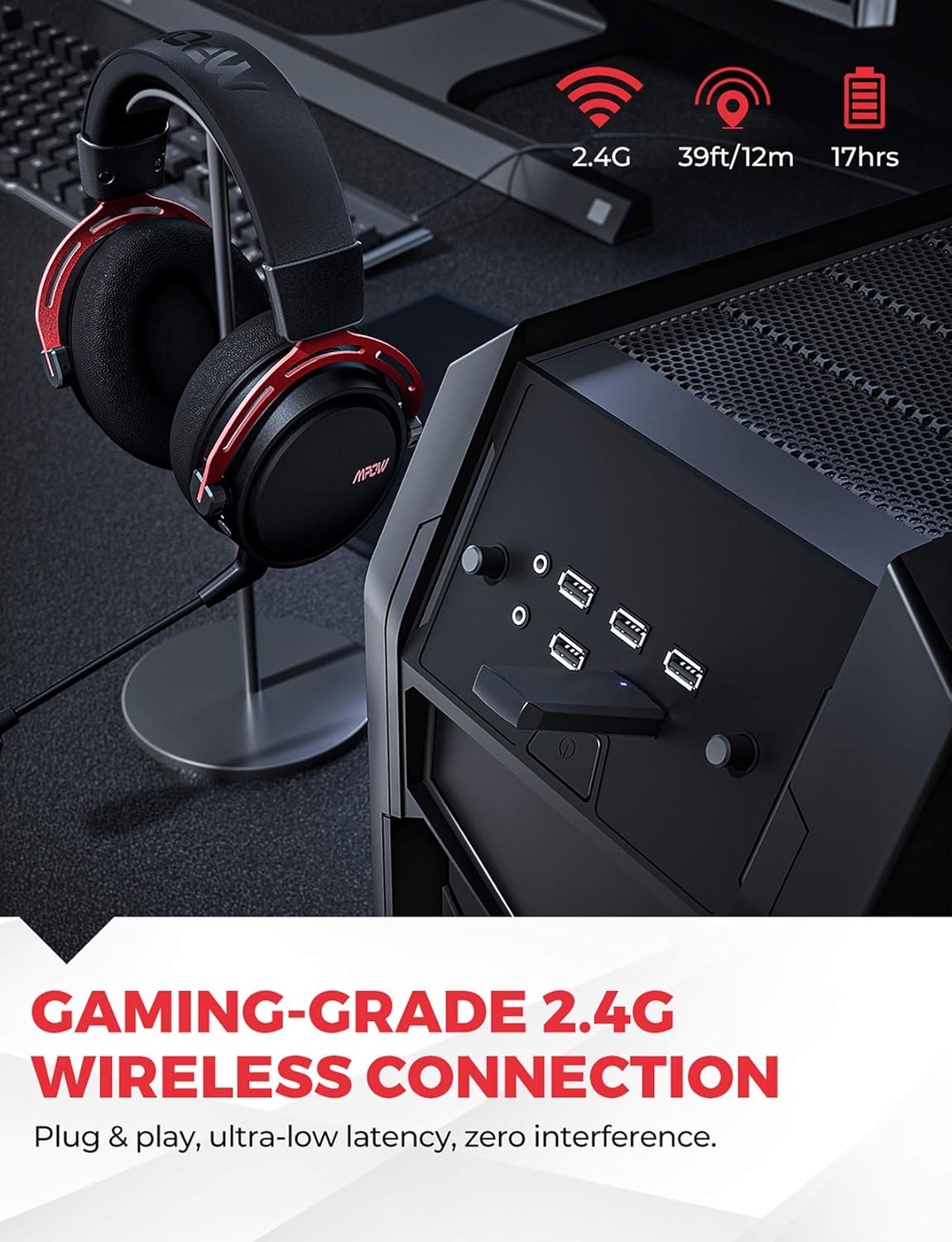
Image: The Mpow Air Pro headset connected wirelessly via a USB dongle to a PC, highlighting the 2.4G wireless, 39ft/12m range, and 17-hour battery life.
Дуу чимээг арилгах микрофон
The integrated noise-cancellation microphone delivers clear vocal communications by reducing background noise. The flexible microphone can be adjusted for optimal voice pickup.

Image: A gamer wearing the Mpow Air Pro headset, demonstrating the use of the noise-cancelling microphone during gameplay.
Тав тухтай байдал, бат бөх байдал
Constructed with an aluminum frame, soft leather headpad, memory foam ear cushions, and an adjustable steel headband, the headset is designed for extended comfort during use.

Зураг: Ойролцоогоор views highlighting the comfort features of the Mpow Air Pro headset, including the adjustable steel headband, leather head pad, lightweight aluminum frame, and memory-protein foam ear cushions.
Тохиргоо ба холболт
Wireless Connection (2.4G)
- Insert the USB dongle into an available USB port on your PC, Mac, or Nintendo Switch (TV Mode).
- Power on the Mpow Air Pro headset by pressing and holding the Power button until the indicator light illuminates.
- The headset will automatically pair with the USB dongle. A solid indicator light on the headset signifies a successful connection.
- Ensure the Mpow Air Pro is selected as the default audio output and input device in your operating system's sound settings.
Жич: The wireless function does not support PS4 temporarily. For 7.1 surround sound, software installation is required on Windows 7/8/10.
Wired Connection (3.5mm Audio Cable)
- Connect one end of the 3.5mm audio cable to the audio jack on the Mpow Air Pro headset.
- Connect the other end of the 3.5mm audio cable to the audio output jack on your PC, PS4, Xbox One, Nintendo Switch, or mobile phone.
- The headset will function in stereo mode when connected via the 3.5mm cable.
Чихэвчийг цэнэглэж байна
- USB цэнэглэгч кабелийг чихэвчний цэнэглэх порт руу холбоно уу.
- USB цэнэглэгч кабелийн нөгөө үзүүрийг USB тэжээлийн эх үүсвэрт (жишээ нь, компьютерын USB порт, USB ханын адаптер) холбоно уу.
- The indicator light will show charging status and turn off or change color when fully charged. A full charge provides approximately 17 hours of usage.
Ашиглалтын заавар
Асаах/унтраах
- Асаахын тулд Асаах товчийг 2 секундын турш удаан дарна уу.
- Унтраахын тулд Асаах товчийг 3 секундын турш удаан дарна уу.
Дууны хяналт
- Rotate the volume wheel located on the earcup to adjust the audio output level.
Микрофоны дууг хаах/нээх
- Use the microphone mute button on the earcup to toggle the microphone on or off.
- The microphone is flexible and can be adjusted to your preferred position.
7.1 Surround Sound Software (Windows Only)
- For Windows 7/8/10 users, download and install the dedicated software from the Mpow official website to enable and customize the 7.1 surround sound feature.
- Refer to the "User Guide for Software" included in your package for detailed installation and usage instructions.
Засвар үйлчилгээ
- Цэвэрлэгээ: Use a soft, dry cloth to clean the headset. Do not use abrasive cleaners or solvents. For ear cushions, gently wipe with a damp даавуугаар хийж, агаарт бүрэн хатаана.
- Хадгалах: Чихэвчийг сэрүүн, хуурай газар, нарны шууд тусгал болон хэт өндөр температураас хол хадгална уу. Чихэвч дээр хүнд зүйл тавихаас зайлсхий.
- Батерейны арчилгаа: To prolong battery life, avoid fully discharging the headset frequently. Charge the headset regularly, even if not in use for extended periods (e.g., once every 3 months).
- Харьцуулах: Do not bend or twist the microphone arm excessively. Avoid dropping the headset.
Алдааг олж засварлах
| Асуудал | Боломжит шалтгаан | Шийдэл |
|---|---|---|
| No sound from headset (Wireless) | Headset not powered on; Not paired; Incorrect audio output selected; Low battery. | Ensure headset is powered on. Re-pair with USB dongle. Check sound settings on PC/Mac and select "Mpow Air Pro". Charge the headset. |
| Микрофон ажиллахгүй байна | Microphone muted; Incorrect audio input selected; Microphone not properly connected (if detachable). | Unmute the microphone. Check sound settings on PC/Mac and select "Mpow Air Pro" as input device. Ensure microphone is securely attached. |
| Утасгүй холболт/тасралт муу | Too far from dongle; Interference from other 2.4G devices; Obstructions. | Move closer to the USB dongle. Reduce interference by moving away from other wireless devices (e.g., Wi-Fi routers). Ensure clear line of sight. |
| 7.1 Хүрээлэн буй орчны дуу чимээ ажиллахгүй байна | Software not installed; Incorrect settings; Not on Windows OS. | Install the 7.1 surround sound software (Windows 7/8/10 only). Check software settings. Ensure you are using a compatible Windows operating system. |
Үзүүлэлтүүд
| Онцлог | Дэлгэрэнгүй |
|---|---|
| Загварын нэр | BH473A |
| Холболтын технологи | 2.4G Wireless, 3.5mm Jack |
| Утасгүй сүлжээ | 39 фут (12 метр) хүртэл |
| Зайны ашиглалт | Ойролцоогоор 17 цаг |
| Аудио төрөл | 7.1 Surround Sound (via software on Windows), Stereo (via 3.5mm) |
| Микрофон | Noise-Cancelling, Fixed |
| Чихний байрлал | Чихний дээгүүр |
| Материал | Leather, Foam (ear cushions), Aluminum (frame) |
| Зүйлийн жин | 350 грамм |
| Бүтээгдэхүүний хэмжээс | 10 x 16.3 x 20.8 см |
| Compatible Devices (Wireless) | PC, MAC, Nintendo Switch (TV Mode) |
| Compatible Devices (Wired) | PC, PS4, Xbox One, Nintendo Switch, Cell Phone |
Баталгаат болон дэмжлэг
MPOW products come with a standard manufacturer's warranty. For detailed warranty terms and conditions, please refer to the warranty card included in your package or visit the official MPOW webсайт.
If you encounter any issues or have questions regarding your Mpow Air Pro headset, please contact MPOW Customer Support through their official website or the contact information provided in your product documentation. Please have your model number (BH473A) and purchase details ready when contacting support.