Introduction to Your iPad Air
The Apple iPad Air (4th Generation) is a versatile tablet designed for a wide range of tasks, from creative work to entertainment and productivity. It features a 10.9-inch Liquid Retina display, powered by the A14 Bionic chip with Neural Engine, offering robust performance and efficiency. This manual provides essential information for setting up, operating, and maintaining your device.

Зураг 1: Урд view of the Apple iPad Air (4th Generation).
Гол онцлогууд:
- Stunning 10.9-inch Liquid Retina display with True Tone and P3 wide color for vibrant visuals.
- A14 Bionic chip with Neural Engine for powerful performance and machine learning capabilities.
- Touch ID integrated into the top button for secure authentication and Apple Pay.
- 12MP back camera and 7MP FaceTime HD front camera for high-quality photos and video calls.
- Wide stereo audio for an immersive listening experience.
- Wi-Fi 6 (802.11ax) for fast wireless connectivity.
- Удаан хугацаанд ашиглахад 10 цаг хүртэл ажиллах батерейны ашиглалтын хугацаа.
- USB-C connector for charging and connecting various accessories.
- Support for Magic Keyboard, Smart Keyboard Folio, and Apple Pencil (2nd generation) to enhance productivity and creativity.
Видео 1: Дууслааview of the Apple iPad Air (4th Generation) features and design.
Хайрцагт юу байна
Upon opening your iPad Air packaging, you should find the following items:
- 10.9 инчийн iPad Air
- USB-C цэнэглэгч кабель (1 метр)
- 20W USB-C тэжээлийн адаптер

Figure 2: The iPad Air, USB-C charge cable, and 20W USB-C power adapter included in the box.
Тохируулах гарын авлага
1. Initial Power On and Charging:
- Apple -ийн лого гарч ирэх хүртэл дээд товчийг дарна уу.
- If the iPad does not turn on, connect it to the 20W USB-C Power Adapter using the USB-C Charge Cable and plug it into a power outlet. Allow it to charge for at least 30 minutes before attempting to power on again.
2. Үндсэн тохиргоо:
- Хэл болон бүс нутгаа сонгохын тулд дэлгэцэн дээрх зааврыг дагана уу.
- Connect to a Wi-Fi network. You will need the network name and password.
- Set up Touch ID by following the prompts to register your fingerprint. This is used for unlocking your iPad and making purchases.
- Нэмэлт аюулгүй байдлын үүднээс нууц код үүсгэ.
- Restore data from a previous backup (iCloud or computer) or set up as a new iPad.
- Apple ID-аараа нэвтэрнэ үү. Хэрэв танд байхгүй бол энэ алхамд нэгийг үүсгэж болно.
3. Холбох хэрэгслүүд:
- Apple-ийн харандаа (2-р үе): Attach the Apple Pencil magnetically to the right side of your iPad Air. It will automatically pair and begin charging.
- Шидэт гар: Align the iPad Air with the magnetic connectors on the Magic Keyboard. The iPad will snap into place and connect automatically.

Figure 3: iPad Air connected to the Magic Keyboard.
Ашиглалтын заавар
Үндсэн навигаци:
- Үндсэн дэлгэц: Үндсэн дэлгэц рүү очихын тулд дэлгэцийн доод ирмэгээс дээш шударна уу.
- Апп шилжүүлэгч: Доод ирмэгээс дээш шударсны дараа дэлгэцийн дундуур түр зогсоо view програмуудыг нээх.
- Хяналтын төв: Хурдан тохиргоонд хандахын тулд баруун дээд булангаас доош шударна уу.
- Мэдэгдэл: Зүүн дээд булангаас доош шударна уу view мэдэгдэл.
Using Touch ID:
The Touch ID sensor is integrated into the top button. To unlock your iPad or authorize purchases, place your registered finger on the top button until the device responds.

Figure 4: The top button with integrated Touch ID.
Apple Pencil (2nd Generation) Usage:
The Apple Pencil allows for precise drawing, note-taking, and marking up documents. Simply touch the tip of the Pencil to the screen to interact. Double-tap the side of the Apple Pencil to switch between tools (e.g., pen and eraser) in supported apps.
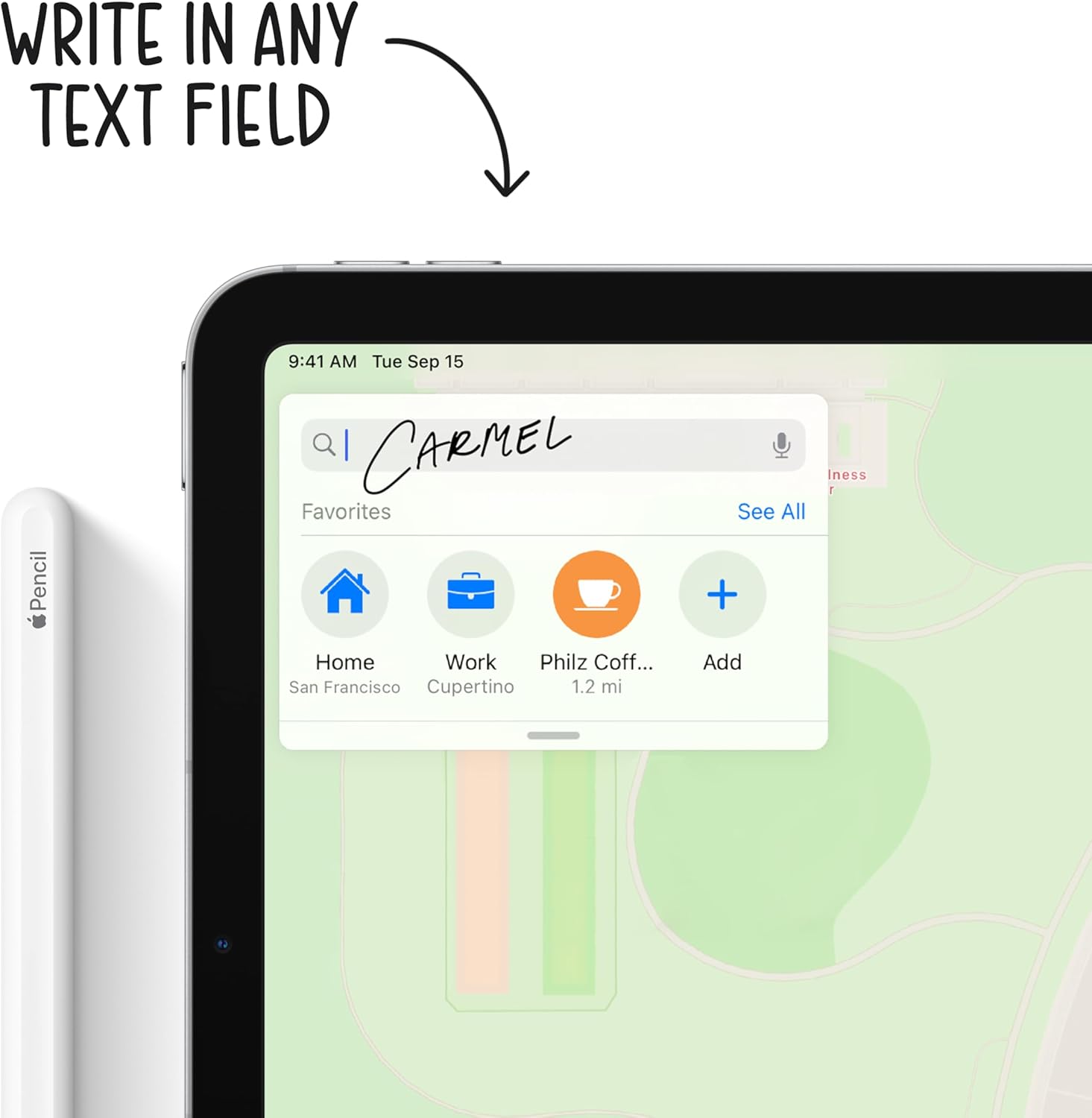
Figure 5: Using the Apple Pencil for writing on the iPad Air.
Камерын функцууд:
Your iPad Air is equipped with a 12MP Wide back camera and a 7MP FaceTime HD front camera. Open the Camera app to take photos, record videos, or use features like Panorama and Slo-mo. The back camera supports 4K video recording at various frame rates.
Батерейны удирдлага:
To optimize battery life, adjust screen brightness, enable Low Power Mode when needed, and manage background app refresh. Charge your iPad using the provided USB-C cable and 20W power adapter.
Засвар үйлчилгээ
Cleaning Your iPad Air:
- Бүх кабелийг салгаад iPad-аа унтраа.
- Зөөлөн, бага зэрэг хэрэглээрэй damp, lint-free cloth (e.g., a microfiber cloth).
- Avoid excessive wiping and do not use window cleaners, household cleaners, aerosol sprays, solvents, ammonia, abrasives, or cleaners containing hydrogen peroxide.
- Цэвэрлэгч бодисыг iPad дээр шууд цацаж болохгүй.
Програм хангамжийн шинэчлэлтүүд:
Regularly update your iPadOS to ensure optimal performance, security, and access to new features. Go to Тохиргоо > Ерөнхий > Програм хангамжийн шинэчлэл боломжтой шинэчлэлтүүдийг шалгаж суулгах.
Батерейны арчилгаа:
For long-term battery health, avoid exposing your iPad to extreme temperatures. If storing the device for an extended period, charge it to about 50% before powering it off.
Алдааг олж засварлах
Нийтлэг асуудал ба шийдэл:
- iPad хариу өгөхгүй байна: If your iPad is unresponsive, try a force restart. Press and quickly release the Volume Up button, press and quickly release the Volume Down button, then press and hold the Top button until the Apple logo appears.
- Wi-Fi холболттой холбоотой асуудлууд: Ensure Wi-Fi is enabled in Control Center or Settings. Try restarting your Wi-Fi router and your iPad.
- Аппликейшнууд гацах эсвэл хөлдөх: Close the app from the App Switcher and reopen it. If the issue persists, restart your iPad. Ensure all apps are updated to their latest versions.
- Цэнэглэх асуудал: Verify that the USB-C cable and power adapter are securely connected and free from damage. Try a different power outlet.
Дэлгэрэнгүй алдааг олж засварлах эсвэл байнгын асуудлуудыг Apple-ийн албан ёсны тусламжаас авна уу webсайт эсвэл Apple-ийн тусламжтай шууд холбогдоно уу.
Үзүүлэлтүүд
| Онцлог | Дэлгэрэнгүй |
|---|---|
| Бүтээгдэхүүний хэмжээс | 9.74 x 7 x 0.24 инч |
| Зүйлийн жин | 1 pounds (Wi-Fi model) |
| Загварын дугаар | MYFN2LL/A |
| Батерей | 1 Лити Полимер батерей шаардлагатай (дагсан) |
| Эхний боломжтой огноо | 15 оны есдүгээр сарын 2020 |
| Загварын нэр | iPad Air |
| Санах ойн хадгалах багтаамж | 64GB (as per this variant) |
| Дэлгэцийн хэмжээ | 10.9 инч |
| Дэлгэцийн хамгийн дээд нарийвчлал | 2360 x 1640 пиксел |
| Дэлгэцийн төрөл | 10.9 инчийн Liquid Retina дэлгэц |
| Чип | A14 Bionic chip with 64-bit architecture Neural Engine |
| Камер ба видео | 12MP Wide camera with Smart HDR and 4K video at 24 fps, 30 fps, or 60 fps |
| Урд камер | 7MP TrueDepth front camera with Smart HDR |
| Зайны ашиглалт | 10 цаг хүртэл серфинг хийх боломжтой web Wi-Fi дээр эсвэл видео үзэх |
| Холбогч | USB-C |
| Өндөр | 9.74 инч (247.6 мм) |
| Өргөн | 7 инч (178.5 мм) |
| Гүн | 0.24 инч (6.1 мм) |
Баталгаат болон дэмжлэг
Бүтээгдэхүүний баталгаа:
Your Apple iPad Air is covered by a limited warranty. For specific terms and conditions, including coverage duration and service options, please refer to the warranty information provided with your purchase or visit the official Apple webсайт.
Техникийн дэмжлэг:
Техникийн туслалцаа, програм хангамжийн дэмжлэг эсвэл техник хангамжийн үйлчилгээний талаар мэдээлэл авахыг хүсвэл Apple-ийн албан ёсны дэмжлэгт зочилно уу webсайт дээр support.apple.com/ipad. You can find articles, guides, and contact options for further help.


