Танилцуулга
This manual provides detailed instructions for the installation, operation, and maintenance of the HANWHA TECHWIN SND-3082P Network Dome Camera. The SND-3082P is a high-performance 4CIF resolution network camera designed for surveillance applications, featuring Wide Dynamic Range (WDR) technology, Day/Night functionality, and Power over Ethernet (PoE) support. Please read this manual thoroughly before using the product to ensure correct and safe operation.
Гол онцлогууд
- Өндөр нягтрал: Delivers 30(25)fps at 4CIF resolution for clear images.
- Advanced Codecs: Supports H.264, MPEG-4, and MJPEG multiple codecs for flexible streaming.
- Олон дамжуулалт: Enables simultaneous transmission of various streams for real-time monitoring, high-quality recording, and mobile access.
- Day and Night Function (ICR): Provides clear images in varying light conditions using an Infrared Cut-filter Removable mechanism.
- Өргөн динамик хүрээ (WDR): Optimizes image quality in challenging lighting conditions with strong light/dark contrasts.
- Ethernet дээрх хүч (PoE): Ганц Ethernet кабелиар цахилгаан болон өгөгдөл дамжуулах замаар суурилуулалтыг хялбарчилдаг.
- Micro SD үүр: Supports local recording to a Micro SD card.
- Bi-Directional Audio: Allows for two-way audio communication.
- Mobile Monitoring & E-mail Notifications: Facilitates remote viewing and alert notifications.
Багцын агуулга
Please check that all components are present and in good condition. If any items are missing or damaged, contact your supplier immediately.
- HANWHA TECHWIN SND-3082P Network Dome Camera Unit
- Холбох загвар
- Суурилуулах эрэг ба зангуу
- Түргэн эхлүүлэх гарын авлага
- Software CD or Download Information
- Ethernet Cable (may be sold separately)
Тохиргоо
1. Савлах, шалгах
Carefully remove the camera from its packaging. Inspect the camera and all accessories for any signs of damage.
2. Камер суурилуулах
The SND-3082P is designed for ceiling mount installation.
- Choose a suitable mounting location on a ceiling, ensuring it is sturdy enough to support the camera's weight.
- Өгөгдсөн бэхэлгээний загварыг ашиглан тааз дээрх өрөмдлөгийн нүхнүүдийг тэмдэглэнэ үү.
- Шаардлагатай бол чиглүүлэгч нүх өрөмдөж, хананы зангууг оруулна уу.
- Secure the camera's mounting plate to the ceiling using the provided screws.
- Attach the camera body to the mounting plate, ensuring it is firmly locked in place.
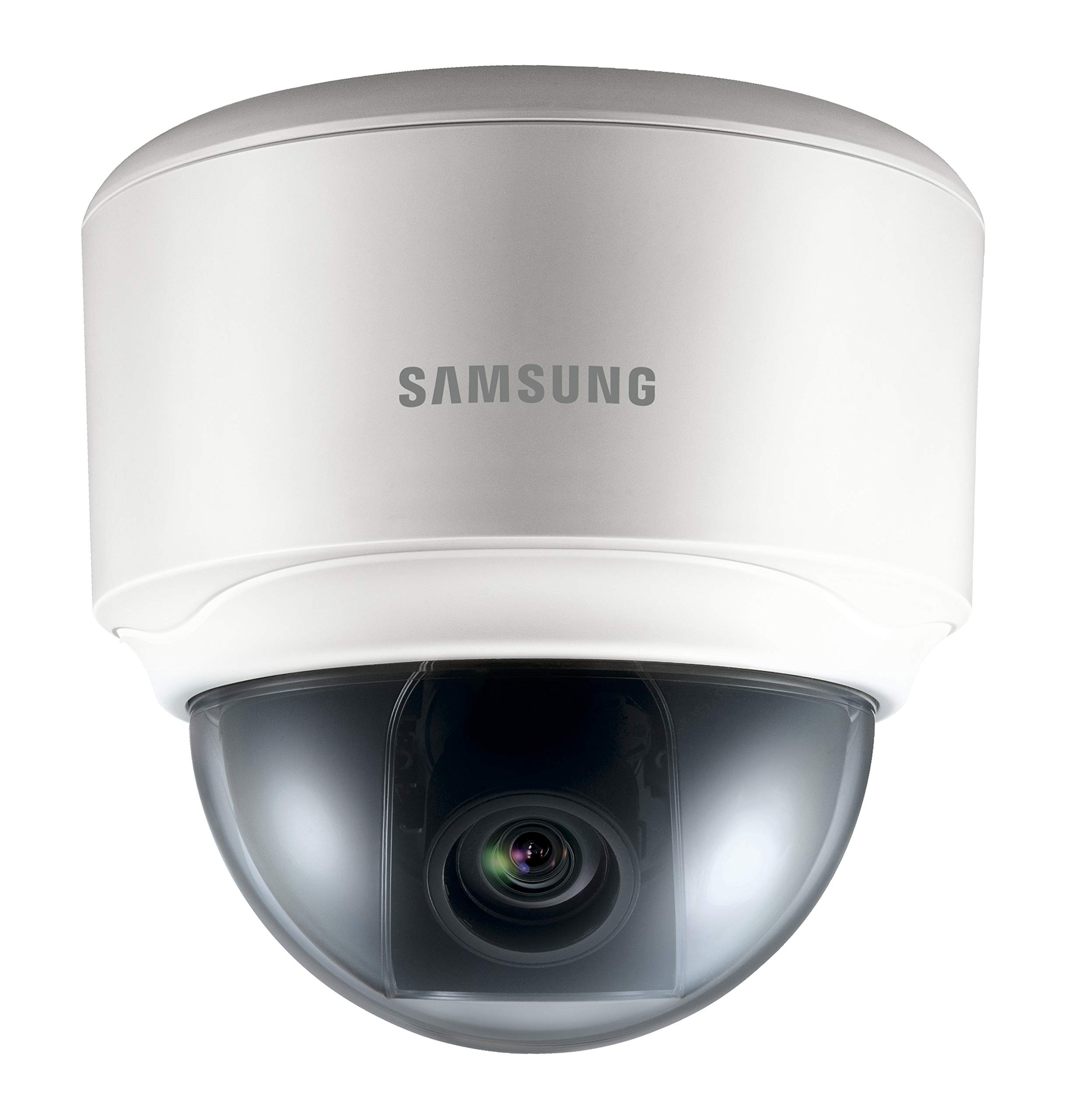
Image: The HANWHA TECHWIN SND-3082P Network Dome Camera, typically mounted on a ceiling for surveillance. This image illustrates the compact dome design.
3. Цахилгаан болон сүлжээний холболт
The camera supports Power over Ethernet (PoE) for simplified installation.
- PoE холболт: Connect an Ethernet cable from a PoE-enabled switch or injector to the camera's Ethernet port. This will provide both power and network connectivity.
- Стандарт хүч (заавал биш): If PoE is not used, connect a 12V DC power adapter (not included) to the camera's power input port. Then, connect an Ethernet cable from your network switch/router to the camera's Ethernet port.
Ensure the network connection is active and the camera receives power. The camera will typically perform a self-test upon power-up.
4. Анхны хандалт ба тохиргоо
Камерт хандахын тулд web interface for initial configuration:
- Install the provided IP Installer software (or similar discovery tool) on a computer connected to the same network as the camera.
- Run the software to discover the camera's IP address.
- Нээлттэй a web хөтөч (жишээ нь, Chrome, Firefox) руу ороод хаягийн мөрөнд камерын IP хаягийг оруулна уу.
- Анхдагч хэрэглэгчийн нэр болон нууц үгээ ашиглан нэвтэрнэ үү (анхдагч итгэмжлэлийн мэдээллийг Түргэн эхлүүлэх гарын авлагаас үзнэ үү). Аюулгүй байдлын үүднээс анхдагч нууц үгээ нэн даруй солихыг зөвлөж байна.
- Follow the on-screen prompts to configure basic settings such as network parameters, date/time, and video streaming options.
Камер ажиллуулах
1. Амьд View
-д нэвтэрсний дараа web interface, you can access the live video feed. Adjust the camera's pan, tilt, and zoom (if applicable) to achieve the desired viewөнцөг.
2. Видеоны тохиргоо
Navigate to the video settings section to configure:
- Нарийвчлал ба фрэймийн хурд: Set the desired resolution (up to 4CIF) and frame rate.
- Шахалт: Choose between H.264, MPEG-4, or MJPEG codecs.
- WDR: Enable or disable Wide Dynamic Range for improved image quality in high-contrast scenes.
- Өдөр/Шөнийн горим: Configure automatic switching between color (day) and black & white (night) modes.
3. Бичлэг ба Хадгалалт
Камер нь янз бүрийн бичлэг хийх сонголтыг дэмждэг:
- Микро SD карт: Insert a compatible Micro SD card into the camera's slot for local storage. Configure recording schedules and event-triggered recording (e.g., motion detection).
- Сүлжээний видео бичигч (NVR): Төвлөрсөн бичлэг болон удирдлагын хувьд камерыг нийцтэй NVR-тэй холбоно уу.
- FTP/NAS: Configure the camera to upload recordings or snapshots to an FTP server or Network Attached Storage.
4. Event Management
Configure event triggers and actions:
- Хөдөлгөөн илрүүлэх: Set up detection zones and sensitivity.
- Сэрүүлгийн үр дүн: Trigger external devices upon event detection.
- Имэйлийн мэдэгдэл: Receive email alerts with snapshots when an event occurs.
Засвар үйлчилгээ
- Цэвэрлэгээ: Камерын тагийг зөөлөн, d-ээр тогтмол цэвэрлээрэй.amp даавуу. Зүлгүүрийн цэвэрлэгчээс зайлсхий.
- Програм хангамжийн шинэчлэлтүүд: Үйлдвэрлэгчийг шалгана уу website periodically for firmware updates. Updating firmware can improve performance, add features, and enhance security. Follow the provided instructions carefully when performing updates.
- Сүлжээний аюулгүй байдал: Ensure your network is secure and change camera passwords regularly.
Алдааг олж засварлах
| Асуудал | Боломжит шалтгаан | Шийдэл |
|---|---|---|
| Видео хангамж байхгүй | No power; Network cable disconnected; Incorrect IP address; Firewall blocking access. | Check power supply/PoE connection; Verify network cable connection; Confirm camera's IP address; Adjust firewall settings. |
| Зургийн чанар муу байна | Dirty lens/dome; Incorrect video settings (resolution, compression); Insufficient lighting; WDR not enabled in high-contrast scenes. | Clean the dome cover; Adjust resolution and compression settings; Ensure adequate lighting or enable Day/Night mode; Activate WDR. |
| Нэвтрэх боломжгүй web интерфейс | Incorrect IP address; Network connectivity issue; Browser compatibility; Incorrect login credentials. | Use IP Installer to find IP; Check network cables; Try a different browser; Verify username/password (reset if necessary). |
| Бичлэг ажиллахгүй байна | SD card full or faulty; Recording schedule not configured; NVR not connected or configured correctly. | Check SD card status, format or replace; Configure recording schedules; Verify NVR connection and settings. |
Үзүүлэлтүүд
| Онцлог | Дэлгэрэнгүй |
|---|---|
| Брэнд | ХАНВХА |
| Загвар | SND-3082P |
| Шийдвэр | Up to 4CIF (704x480) at 30(25)fps |
| Видео кодлогч | H.264, MPEG-4, MJPEG |
| Өдөр/Шөнө | True Day/Night (ICR) |
| Өргөн динамик хүрээ (WDR) | Тиймээ |
| Эрчим хүчний эх үүсвэр | PoE (Power over Ethernet), 12V DC |
| Холболтын технологи | Утастай |
| Хадгалах | Бичил SD үүр |
| Аудио | Bi-Directional Audio |
| Суурилуулах төрөл | Таазны бэхэлгээ |
| Form Factor | Дом |
| Өнгө | Цагаан |
| Зүйлийн жин | 1.27 фунт (0.57 кг) |
| Багцын хэмжээ | 5.24 x 5.24 x 5.09 инч (13.3 x 13.3 x 12.9 см) |
| Олон улсын хамгаалалтын зэрэглэл | IP65 |
| Дотор/гадаа ашиглах | Дотор |
Баталгаат болон дэмжлэг
For warranty information and technical support, please refer to the documentation included with your product or visit the official HANWHA TECHWIN webсайт. Худалдан авалтын баримтаа баталгаат нэхэмжлэлд зориулж худалдан авалтын баталгаа болгон хадгална уу.