Танилцуулга
This manual provides essential information for the proper use and care of your Heyday 6-ft Lightning to USB-A Braided Cable. This cable is designed for charging and syncing compatible Apple devices with a Lightning port to devices with a USB-A port.
The braided TPU cord and metal-wrapped connectors are engineered for durability and ease of use, providing a reliable connection for your daily charging and data transfer needs.
Бүтээгдэхүүн дууссанview

Image: The Heyday 6-ft Lightning to USB-A Braided Cable in Midnight Purple, displaying the USB-A connector on the left and the Lightning connector on the right. Both connectors are purple, and the braided cable is a mix of purple and black.
The Heyday 6-ft Lightning to USB-A Braided Cable features:
- Lightning to USB-A Connectivity: Enables charging and data synchronization for compatible devices.
- Өргөтгөсөн урт: A 6-foot (approximately 1.8 meters) cable provides flexibility for use at home, work, or while traveling.
- MFi гэрчилгээтэй: Ensures compatibility and safe operation with Apple devices.
- Удаан эдэлгээтэй барилга: Features a braided nylon cord and metal-wrapped connectors for enhanced longevity and resistance to wear.
- Өндөр гүйцэтгэл: 2.4 хүртэл дэмждэг Amps for efficient charging and a data transfer rate of 480 Mbps.
Тохиргоо
Setting up your Heyday Braided Cable is straightforward. No software installation is required.
- Холбогчдыг тодорхойлох: Locate the Lightning connector (smaller, reversible end) and the USB-A connector (larger, rectangular end).
- Цахилгаан эх үүсвэр/компьютерт холбогдох: Insert the USB-A connector into a compatible USB-A port on a wall charger, power bank, computer, or other USB-A enabled device. Ensure the connection is firm.
- Төхөөрөмжид холбогдох: Insert the Lightning connector into the Lightning port of your compatible Apple device (e.g., iPhone, iPad, iPod). The Lightning connector is reversible, so it can be inserted in either orientation.
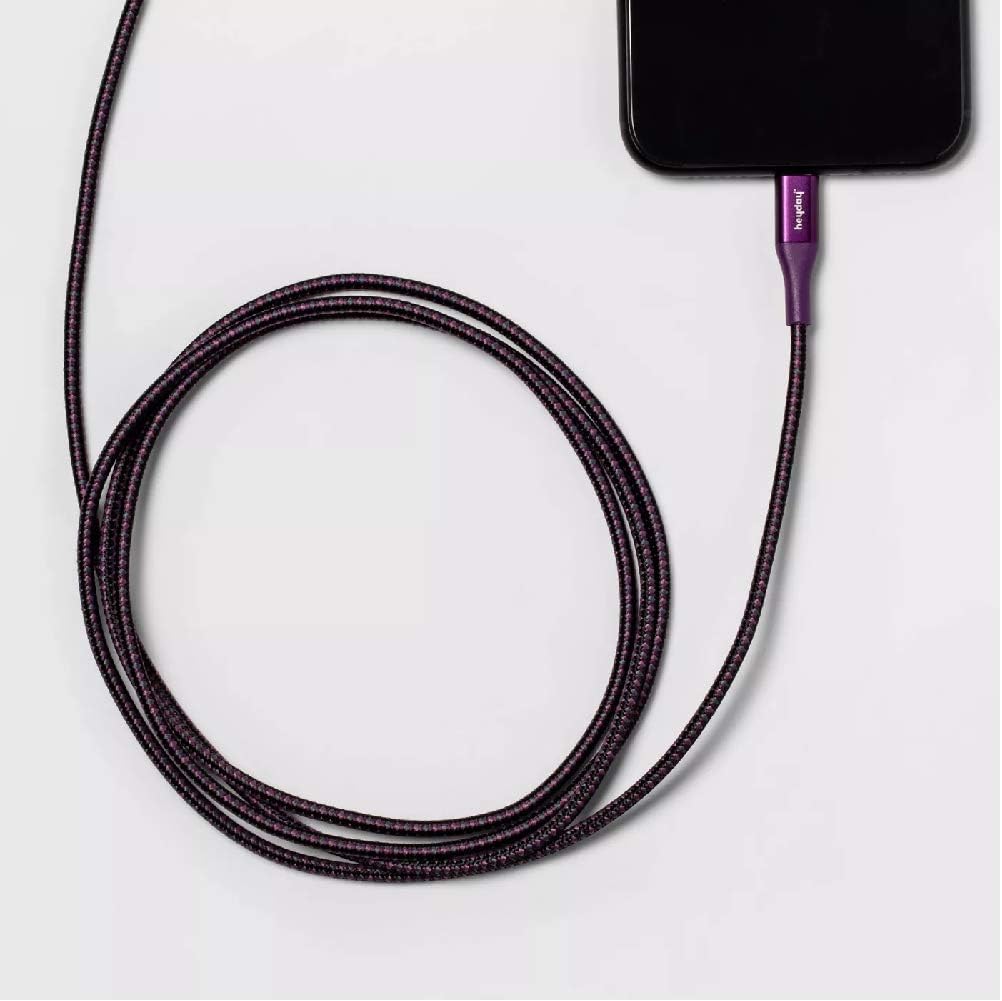
Image: The Heyday Lightning cable with its Lightning connector securely plugged into the charging port of a smartphone, demonstrating a typical connection for charging or data transfer.
Ашиглалтын заавар
Once connected, the cable will facilitate charging or data transfer automatically, depending on the connected devices and their settings.
- Цэнэглэж байна: When connected to a power source (e.g., wall adapter, power bank), your Apple device will begin charging. The charging indicator on your device will confirm this.
- Data Transfer/Syncing: When connected to a computer, your device may prompt you to "Trust This Computer." Follow the on-screen instructions to allow data transfer and syncing with applications like iTunes or Finder.
- Хамгийн оновчтой гүйцэтгэл: For best charging results, use with a power adapter that provides at least 2.4 Amps (e.g., 12W USB power adapter).
Засвар үйлчилгээ
Proper care will extend the life of your cable.
- Хадгалах: When not in use, coil the cable loosely. Avoid tight coiling or sharp bends, especially near the connectors, as this can damage the internal wires.
- Цэвэрлэгээ: If the cable or connectors become dirty, gently wipe them with a soft, dry, lint-free cloth. Do not use harsh chemicals or abrasive materials.
- Харьцуулах: Always grasp the connector housing when plugging or unplugging the cable. Do not pull directly on the cable itself, as this can strain the connection points.
- Байгаль орчны нөхцөл: Кабелийг хэт өндөр температурт, нарны шууд тусгалд удаан хугацаагаар өртөх, эсвэл хэт их чийгтэй байлгахаас зайлсхий.

Image: The Heyday 6-ft Lightning to USB-A Braided Cable neatly coiled, demonstrating proper storage to prevent damage and tangling.
Алдааг олж засварлах
Хэрэв та кабельтай холбоотой асуудалтай тулгарвал дараах алхмуудыг туршаад үзээрэй.
- Cable Not Charging/Syncing:
- Кабелийн хоёр үзүүрийг тус тусын портууддаа бүрэн, найдвартай оруулсан эсэхийг шалгаарай.
- Try using a different USB-A port or power adapter.
- Test the cable with a different compatible device to rule out an issue with your device.
- Check the Lightning port on your device for any debris or lint that might be obstructing the connection.
- Restart your device and the connected computer/power source.
- Удаан цэнэглэх:
- Ensure you are using a power adapter that provides sufficient amperage (e.g., 2.4A or higher).
- Avoid using the device heavily while it is charging.
- "Дагалдах хэрэгсэл дэмжигдээгүй" гэсэн мессеж:
- This message can sometimes appear if the cable is not fully inserted or if there's debris in the port. Re-insert the cable firmly.
- Төхөөрөмжийнхөө програм хангамж шинэчлэгдсэн эсэхийг шалгаарай.
- As the cable is MFi certified, this message is less likely but can occur with very old or damaged devices.
If problems persist after trying these steps, the cable may be damaged or defective. Please refer to the warranty information if applicable.
Үзүүлэлтүүд
| Брэнд | Хөөе |
| Загварын дугаар | 0818009024695 |
| Кабелийн төрөл | Lightning-ыг USB-A руу шилжүүлнэ |
| Урт | 6 фут (ойролцоогоор 1.8 метр) |
| Өнгө | Midnight Purple |
| Өгөгдөл дамжуулах хурд | 480 Mbps (0.48 Gigabits Per Second) |
| Цэнэглэх гүйдэл | 2.4 хүртэл Amps |
| Онцлог шинж чанарууд | Сүлжмэл, MFi гэрчилгээтэй |
| Тохиромжтой утасны загварууд | iPhone 12, iPhone 12 Pro, iPhone 12 Pro Max, iPhone 12 mini, iPhone SE (2020), iPhone 11, iPhone 11 Pro, iPhone 11 Pro Max, iPhone XR, iPhone XS, iPhone XS Max, iPhone X, iPhone 8, iPhone 8 Plus |
| Зүйлийн жин | 2.89 унц |
Баталгаат болон дэмжлэг
Энэ бүтээгдэхүүний баталгаат хугацааны талаарх тодорхой мэдээллийг бэлэн мэдээлэлд оруулаагүй болно. Бүтээгдэхүүний сав баглаа боодол эсвэл үйлдвэрлэгчийн албан ёсны мэдээллийг үзнэ үү. webбаталгаат нөхцлийн сайт.
For further assistance or technical support, please contact Heyday customer service through their official channels, typically found on their webсайт эсвэл бүтээгдэхүүний сав баглаа боодол.


