1. Танилцуулга
The Vgate VR800 OBD2 Scanner is a powerful and user-friendly diagnostic tool designed for automotive enthusiasts and professional mechanics alike. It provides comprehensive diagnostic functions for OBD-II/EOBD compliant vehicles, enabling users to quickly identify and resolve issues related to the Check Engine Light (CEL). This manual provides detailed instructions on how to set up, operate, and maintain your VR800 scanner to ensure optimal performance and accurate vehicle diagnostics.
2. Бүтээгдэхүүн дууссанview
The Vgate VR800 is a handheld diagnostic device featuring a color LCD display, intuitive button layout, and a durable OBD-II connector cable. Its compact design allows for easy portability and use in various automotive environments.
2.1 Гол бүрэлдэхүүн хэсгүүд
- LCD өнгөт дэлгэц: Provides clear and detailed diagnostic information.
- Навигацийн товчлуурууд: Дээш, доош, зүүн, баруун сумнууд цэсийг чиглүүлэх.
- OK товчлуур: Сонголтыг баталгаажуулна.
- I/M товчлуур: Shortcut for I/M Readiness status.
- Question Mark (?) Button: Provides help and DTC lookup information.
- Буцах товч: Өмнөх дэлгэц рүү буцна.
- OBD-II холбогч: Connects the scanner to the vehicle's diagnostic port.
- USB порт: Програм хангамжийн шинэчлэлт болон өгөгдөл хэвлэх зориулалттай.

3. Онцлогууд
The Vgate VR800 OBD2 Scanner offers a comprehensive set of features for vehicle diagnostics:
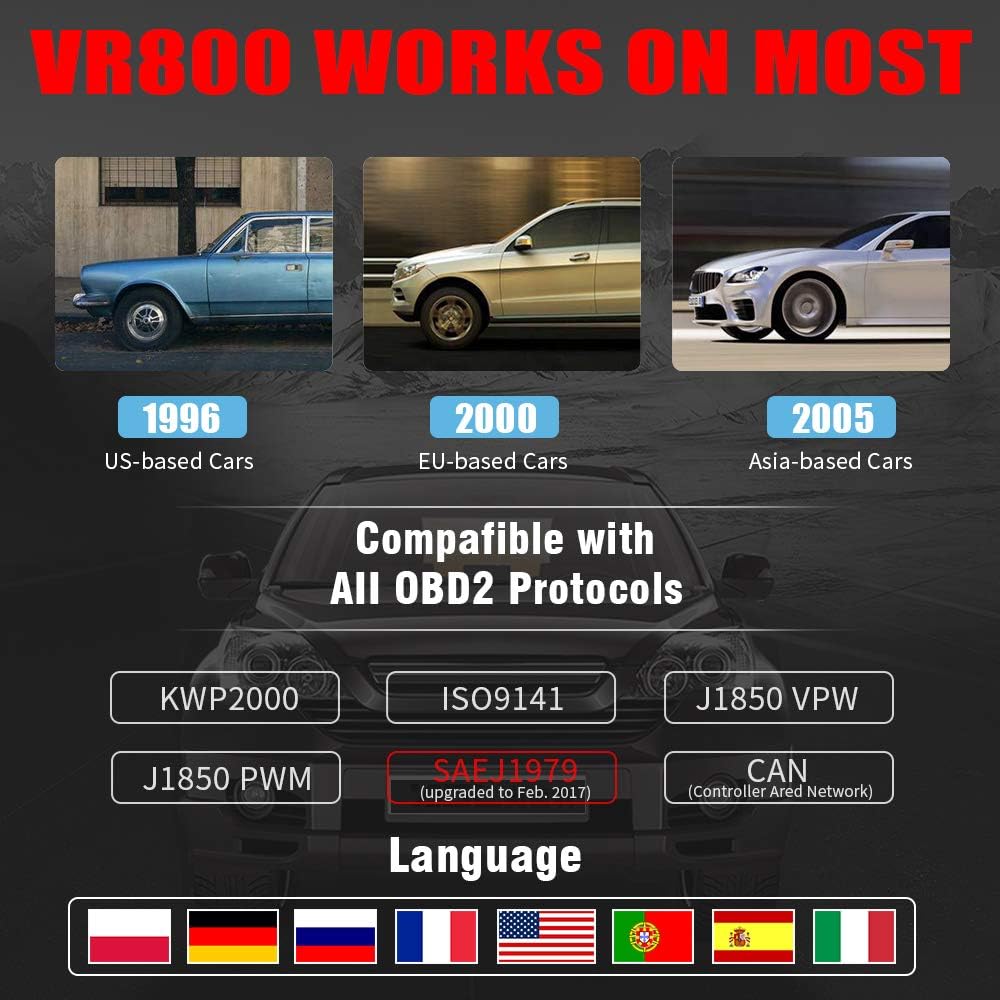
- All OBD2 Protocols Support: Compatible with ISO9141, KWP2000, J1850 PWM, J1850 VPW, and CAN protocols. Compliance with SAEJ1979 has been upgraded to the latest standards (February 2017).
- Тээврийн хэрэгслийн өргөн нийцтэй байдал: Works with most American vehicles manufactured after 1996, European vehicles after 2000, and Asian vehicles after 2005. Applicable to OBD-II/CAN/EOBD-compliant vehicles, including light-duty trucks (6.5T or less), SUVs, and minivans.
- Smog Check Helper (I/M Readiness): Features Red-Yellow-Green LEDs and a built-in speaker to indicate readiness status for emissions testing. Dedicated I/M and '?' shortcut keys provide quick access to readiness checks.
- Full OBD Service Modes: Quickly reads and checks Diagnostic Trouble Codes (DTCs), views freeze frame data, reads live PCM data stream, performs On-Board Monitor tests, and displays live O2 sensor test data.
- Built-in DTC Lookup Library: Allows accurate determination of the causes of the Check Engine Light.
- Accurate Battery Status Check: Reads real-time battery and voltage мэдээлэл.
- Олон хэлний дэмжлэг: Available in English, French, German, Italian, Spanish, Russian, Polish, and Portuguese.
- Data Logging and Printing: Supports data logging and connection to a PC for printing diagnostic data files.



4. Тохиргоо
Follow these steps to set up your Vgate VR800 OBD2 Scanner:
- OBD-II портыг олох: The OBD-II port is typically located under the dashboard on the driver's side of the vehicle. Refer to your vehicle's owner's manual if you cannot find it.
- Сканнерыг холбоно уу: Plug the VR800's OBD-II connector cable firmly into the vehicle's OBD-II port.
- Асаах: The scanner will automatically power on once connected to the vehicle's OBD-II port. No external power source or batteries are required as it draws power directly from the vehicle.
- Initial Setup (if prompted): If this is your first time using the scanner or after a factory reset, you may be prompted to select a language. Use the navigation buttons to select your preferred language and press OK.

5. Ашиглалтын заавар
Once the scanner is connected and powered on, you can begin diagnosing your vehicle.
5.1 Цэс рүү шилжих
-г ашиглана уу UP болон ДООШ arrow buttons to scroll through menu options. Press the OK button to select an option. Press the Буцах өмнөх дэлгэц рүү буцах товчийг дарна уу.
5.2 Оношлогооны алдааны кодуудыг (DTC) унших
- Үндсэн цэсээс сонгоно уу DTC-г уншина уу.
- The scanner will display any active or pending DTCs. Each code will have a brief description.
5.3 Clearing DTCs
Warning: Clearing DTCs will erase all diagnostic trouble codes from the vehicle's computer and may reset readiness monitors. Ensure you have addressed the underlying issue before clearing codes.
- Үндсэн цэсээс сонгоно уу DTC-г арилгах.
- Confirm your selection when prompted. The scanner will attempt to clear the codes.
5.4 I/M Readiness Function
The I/M Readiness function checks if the various emissions-related systems on the vehicle are operating correctly and if they have completed their self-tests.
- Зориулалтын товчийг дарна уу I/M button on the scanner.
- The display will show the status of various monitors (e.g., O2 Sensor, EVAP, Catalyst). A green light indicates ready, yellow indicates pending, and red indicates not ready or a fault.
5.5 ViewLive Data
Live Data нь танд боломжийг олгоно view real-time sensor data from the vehicle's engine control unit (ECU).
- Үндсэн цэсээс сонгоно уу Шууд өгөгдөл.
- Choose the specific data parameters you wish to view (e.g., engine RPM, vehicle speed, O2 sensor voltage).
5.6 DTC хайлт
If you have a DTC and need more information, use the built-in DTC lookup library.
- Үндсэн цэсээс сонгоно уу DTC хайлт эсвэл товчийг дарна уу ? button when a DTC is displayed.
- Enter the DTC code (if not already displayed) to get a detailed description and possible causes.
5.7 Зайны төлөвийг шалгах
To check your vehicle's battery voltage and status:
- Үндсэн цэсээс сонгоно уу Батерей.
- The scanner will display the current battery voltage and an estimated charge percentage.
6. Засвар үйлчилгээ
Proper maintenance ensures the longevity and accuracy of your Vgate VR800 scanner.
- Цэвэрлэгээ: Сканнерын гадна талыг цэвэрлэхийн тулд зөөлөн, хуурай даавуу ашиглаарай. Зүлгүүрийн цэвэрлэгч эсвэл уусгагч хэрэглэж болохгүй.
- Хадгалах: Сканнерыг хэт өндөр температур, нарны шууд тусгалаас хол цэвэр, хуурай орчинд хадгална.
- Програм хангамжийн шинэчлэлтүүд: Regularly check for software updates to ensure compatibility with the latest vehicle models and diagnostic protocols. Updates can typically be performed by connecting the scanner to a PC via the USB port and using the provided update software.
7. Алдаа засах
If you encounter issues while using your Vgate VR800 scanner, refer to the following common problems and solutions:
- Сканнер асахгүй байна:
- Ensure the OBD-II connector is securely plugged into the vehicle's port.
- Verify the vehicle's ignition is in the ON position (engine can be off).
- Check the vehicle's fuse for the OBD-II port (consult your vehicle's manual).
-
Холбогдох баримт бичиг - VR800

Vgate vLinker BM+ Quick Start Guide: Connect BMW/Mini with BimmerCode & BimmerLink
Comprehensive quick start guide for the Vgate vLinker BM+ OBD2 Bluetooth scanner. Learn how to connect your BMW or Mini vehicle to BimmerCode and BimmerLink apps on iOS and Android for diagnostics and customization.
Vgate iCar Pro BLE 4.0 Quick Start Guide for iOS & Android
Get started quickly with your Vgate iCar Pro BLE 4.0 OBD-II scanner. This guide covers vehicle compliance, app installation, Bluetooth pairing for iOS and Android, supported OBD parameters, and troubleshooting for your automotive diagnostic tool.
Vgate vLinker BM+ Bluetooth OBD2 сканнерын хурдан эхлүүлэх гарын авлага
Vgate vLinker BM+ Bluetooth OBD2 сканнерыг оношилгоо, програмыг нэгтгэх зорилгоор тээврийн хэрэгсэлтэйгээ холбох алхам алхмаар зааварчилгаа. Android болон iOS төхөөрөмжүүдийг дэмждэг.
Vgate Automotive Diagnostic Scanner - OBD2 Tool User Guide
Цогц дууслааview of the Vgate Automotive Diagnostic Scanner, a universal OBD2 tool for vehicle diagnostics. Features include reading DTCs, live data stream, I/M readiness checks, and VIN retrieval. Compatible with most vehicles and mobile devices via third-party apps.
Android-д зориулсан Vgate iCar Pro BT3.0 хурдан эхлүүлэх гарын авлага
Android-д зориулсан Vgate iCar Pro BT3.0 OBD-II сканнераа хурдан эхлүүлээрэй. Энэхүү гарын авлага нь тээврийн хэрэгслийн нийцэл, дэмжигдсэн протоколууд, програмын тохиргоо, хослох, алдааг олж засварлах, оношилгооны кодуудыг ойлгохыг хамарна.
Vgate iCar2 BT3.0 хурдан эхлүүлэх гарын авлага ба OBDII мэдээлэл
Vgate iCar2 BT3.0 Bluetooth OBDII сканнерын иж бүрэн гарын авлага нь тээврийн хэрэгслийн нийцтэй байдал, програмын дэмжлэг, холболтын алхмууд, алдааг олж засварлах, OBDII кодын тайлбарыг багтаасан болно.