1. Танилцуулга
This manual provides detailed instructions for the KOSPET Max S Android Smart Watch. Please read this manual thoroughly before using the device to ensure proper operation and to maximize its features. Keep this manual for future reference.
2. Аюулгүй байдлын мэдээлэл
- Do not attempt to disassemble, repair, or modify the device. Unauthorized modifications may void the warranty and cause damage.
- Keep the device away from extreme temperatures, direct sunlight, and corrosive substances.
- Use only the provided charging cable and adapter. Using incompatible accessories may cause damage or fire.
- The device is IP67 waterproof. Avoid prolonged immersion in water or exposure to high-pressure water jets. Ensure the SIM card tray is properly sealed to maintain water resistance.
- Consult a medical professional before using the device if you have a pacemaker or other medical implants.
3. Багцын агуулга
Таны бүтээгдэхүүний багцад бүх зүйл байгаа эсэхийг шалгана уу:
- KOSPET Max S Smart Watch
- Цэнэглэх кабель/Док
- Watch Band/Strap
- Хэрэглэгчийн гарын авлага (энэ баримт бичиг)
- SIM Card Tray Ejector Tool (or small screwdriver)
4. Бүтээгдэхүүн дууссанview
Familiarize yourself with the components of your KOSPET Max S Smart Watch.

Figure 4.1: KOSPET Max S Smart Watch front view showing the display with time, date, network, battery status, and app icons.

Figure 4.2: Close-up of the KOSPET Max S 2.4-inch Super Retina Display, showcasing its clarity and vibrant colors.
Зураг 4.3: Хажуу тал view of the KOSPET Max S Smart Watch, highlighting the integrated side camera and physical buttons.
Гол бүрэлдэхүүн хэсгүүд:
- Дэлгэц: 2.4-inch high-definition touchscreen.
- Хажуугийн камер: 8-megapixel camera for photos and video.
- Урд камер: 2-megapixel camera for video calls and face unlock.
- SIM картны үүр: Supports Nano SIM for 4G LTE connectivity.
- Микрофон ба чанга яригч: Дуудлага болон дуут командын хувьд.
- Зүрхний цохилт мэдрэгч: Located on the back for fitness tracking.
5. Тохиргоо
5.1. Төхөөрөмжийг цэнэглэж байна
Before initial use, fully charge your KOSPET Max S Smart Watch. Connect the charging cable to the watch's charging port and plug the other end into a USB power adapter (not included) or a computer's USB port. The screen will indicate charging status.

Figure 5.1: Diagram illustrating the KOSPET Max S battery life under typical usage (40 hours) and light usage (60 hours) with its 2000mAh battery.
5.2. SIM карт суурилуулах
The KOSPET Max S supports 4G LTE connectivity via a Nano SIM card. To install:
- Power off the watch.
- Locate the SIM card tray on the side of the watch.
- Use the provided ejector tool (or a small screwdriver) to open the SIM card tray.
- Carefully place the Nano SIM card into the tray with the gold contacts facing down.
- Insert the tray back into the watch until it clicks into place. Ensure it is flush with the watch body to maintain water resistance.
Note: Some users have reported difficulty with the provided screwdriver. If necessary, use a suitable alternative tool for SIM tray access.
5.3. Анхдагч асаалттай
Press and hold the power button (usually on the side) until the KOSPET logo appears. Follow the on-screen prompts to complete the initial setup, including language selection, time zone, and Wi-Fi connection.
5.4. Ухаалаг утастай хослуулах
To fully utilize all features, pair your KOSPET Max S with a compatible smartphone. The recommended application is WiiWatch 2. Download it from the Google Play Store or Apple App Store.
- Enable Bluetooth on your smartphone and the KOSPET Max S.
- Open the WiiWatch 2 app on your smartphone and follow the instructions to search for and connect to your watch.
Note: Some users have experienced unstable Bluetooth connections with WiiWatch 2. Alternatives like "Watch Droid Phone" (for smartphone) and "Watch Droid Assistant" (for watch) may offer a more stable connection.
6. Ашиглалтын заавар
6.1. Үндсэн навигаци
- Мэдрэгчтэй дэлгэц: Swipe left/right, up/down to navigate menus and screens. Tap to select.
- Цахилгаан товч: Press to wake/sleep the screen. Press and hold to power on/off or restart.
- Буцах товчлуур: (If present) Returns to the previous screen.
6.2. 4G LTE Network and Calls
With a Nano SIM card installed, your KOSPET Max S can function as a standalone phone. It supports 5 network modes and global 4G/3G/2G bands.
- Дуудлага хийх: Use the dialer app on the watch to make calls directly.
- Дуудлага хүлээн авах: Answer or decline incoming calls directly from the watch.
- Мессеж: SMS мессеж илгээх болон хүлээн авах.
6.3. Applications and Google Play Store
Running on Android 10.1, the KOSPET Max S allows you to download and install applications from the Google Play Store. This includes social media, navigation, and productivity apps.
6.4. Камерын функциональ байдал
The watch features dual cameras:

Зураг 6.1: Тэсэрсэн view illustrating the KOSPET Max S dual camera setup, featuring an 8MP side camera and a 2MP front camera for versatile photography and video calls.
- Side Camera (8MP): Ideal for capturing photos and videos in a traditional camera orientation.
- Урд камер (2MP): Primarily used for video calls and the Face Unlock feature.
Access the camera app from the main menu to take pictures or record videos.
6.5. GPS навигаци
The KOSPET Max S integrates multi-satellite positioning, supporting GPS, GLONASS, and A-GPS signals for accurate location tracking and navigation.
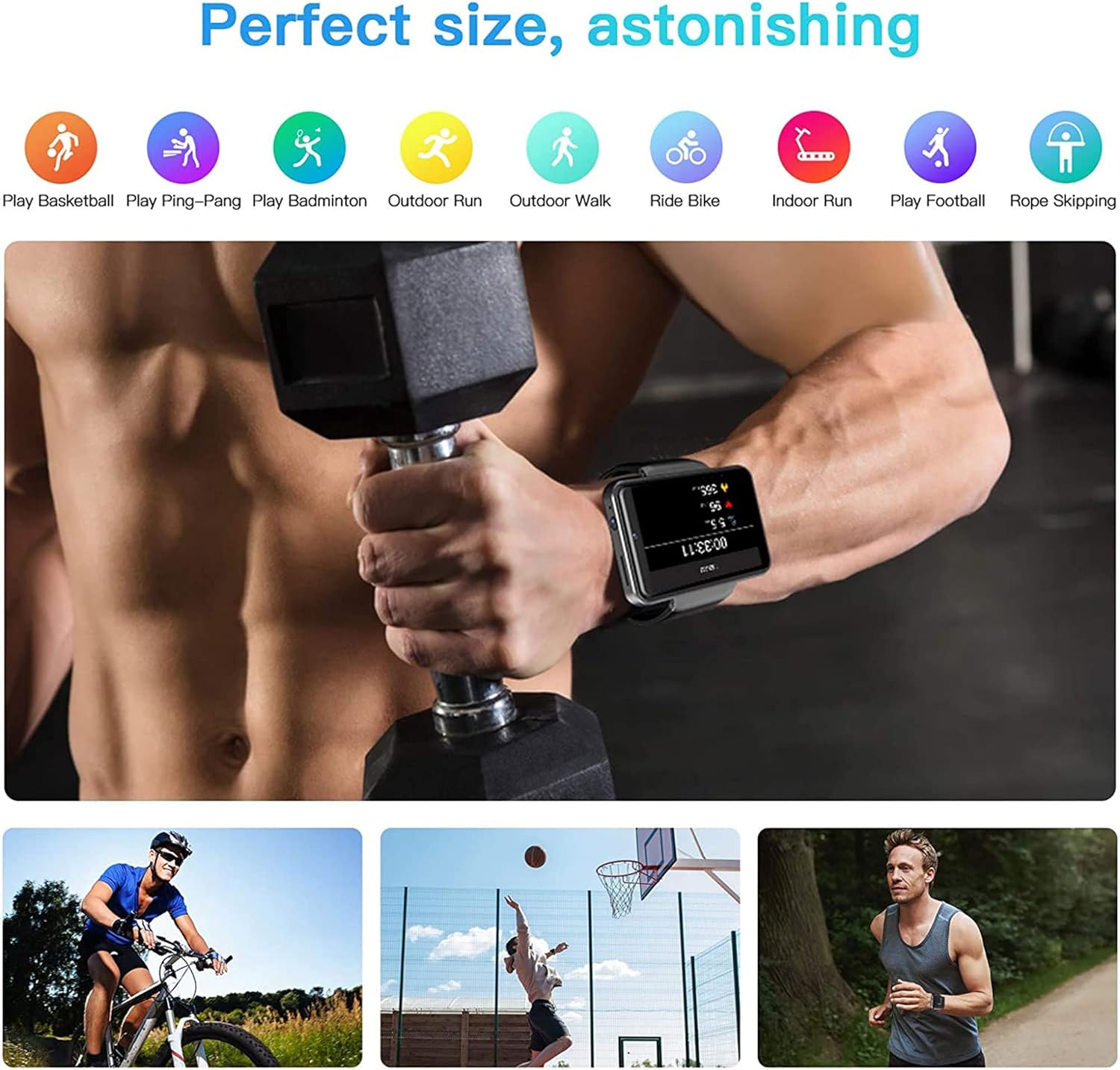
Figure 6.2: KOSPET Max S Smart Watch displaying a map with GPS navigation, indicating multi-satellite positioning support (GPS, A-GPS, GLONASS) for precise location tracking.
Урьдчилан суулгасан газрын зургийн програмуудыг ашиглах эсвэл Google Play Store-оос өөрийн хүссэн навигацийн програмыг татаж аваарай.
6.6. Face Unlock and Security
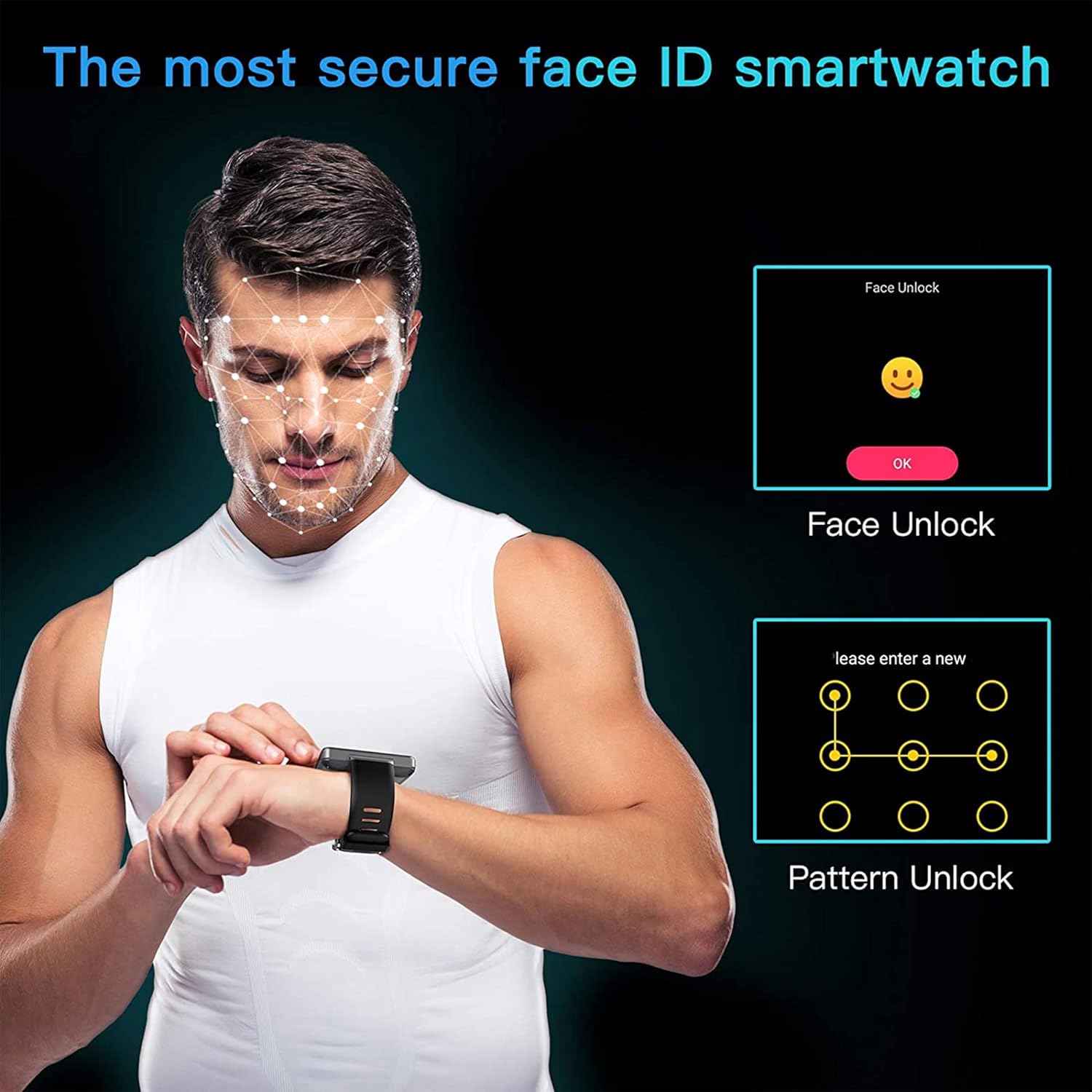
Enhance the security of your watch with Face Unlock. This feature uses the front camera to recognize your face for quick and secure access.

Figure 6.3: Illustration of the KOSPET Max S Face Unlock feature, showing facial recognition in action, alongside the option for pattern unlock.
To set up Face Unlock, navigate to the security settings in your watch and follow the on-screen instructions to register your face. You can also set up a pattern or PIN as a backup.
6.7. Фитнесс хянах
The KOSPET Max S includes features for tracking your physical activity.

Figure 6.4: KOSPET Max S Smart Watch displaying various fitness tracking modes, including basketball, ping-pong, badminton, outdoor run, outdoor walk, ride bike, indoor run, play football, and rope skipping.
- Алхам тоолуур: Automatically tracks your daily steps.
- Зүрхний цохилтын хяналт: Өдрийн турш зүрхний цохилтыг хэмждэг.
- Спортын горимууд: Select from various sports modes (e.g., running, cycling) for more accurate tracking of specific activities.
Access fitness data through the dedicated fitness app on your watch.
7. Засвар үйлчилгээ
7.1. Цэвэрлэгээ
Цаг, оосорыг зөөлөн арчиж тогтмол арчиж, damp cloth. Avoid using harsh chemicals or abrasive materials, which can damage the finish.
7.2. Усны эсэргүүцэл (IP67)
The KOSPET Max S is rated IP67 waterproof, meaning it is resistant to dust and can withstand immersion in water up to 1 meter for 30 minutes. However, it is not suitable for swimming, diving, or exposure to high-pressure water. Always ensure the SIM card tray is securely closed to maintain water resistance.
8. Алдаа засах
- Watch does not power on: Ensure the watch is fully charged. If the issue persists, try a hard reset by holding the power button for an extended period (e.g., 15-20 seconds).
- SIM card not detected or no network:
- Verify the SIM card is correctly inserted and the tray is fully closed.
- Ensure your SIM card is active and has a valid data plan.
- Check network settings on the watch to ensure mobile data is enabled.
- Confirm compatibility with your network provider's bands.
- Bluetooth холболт тогтворгүй байна:
- Цаг болон ухаалаг гар утсаа дахин эхлүүлнэ үү.
- Ensure both devices are within Bluetooth range.
- Consider using alternative pairing applications like "Watch Droid Phone" and "Watch Droid Assistant" if WiiWatch 2 is problematic.
- Apps are slow or unresponsive:
- Санах ойг чөлөөлөхийн тулд арын аппликейшнуудыг хаа.
- Clear the cache of the problematic app.
- Ensure the watch's software is up to date.
- GPS дохио хүлээн авахгүй байна:
- Ил тод газар байгаа эсэхээ шалгаарай view тэнгэрийн.
- Check that location services are enabled in the watch settings.
9. Техникийн үзүүлэлтүүд
| Онцлог | Тодорхойлолт |
|---|---|
| Брэнд | КОСПЕТ |
| Загвар | Макс С |
| Үйлдлийн систем | Android 10.1 |
| Дэлгэц | 2.4 Inches LCD, 400 x 400 resolution |
| Процессор | MediaTek MT6739 (1.25GHz max clock speed, 570MHz graphics processor) |
| Санах ойн хадгалах багтаамж | 3 GB RAM (implied from 3GB+32GB feature bullet) |
| Дотоод санах ой | 32 GB (implied from 3GB+32GB feature bullet) |
| Холболт | 4G LTE (Cellular), GPS (Built-in GPS, GLONASS, A-GPS), 802.11ac Wireless |
| Камерууд | 8MP Side Camera, 2MP Front Camera |
| Зайны багтаамж | 2000 мАч |
| Усны эсэргүүцэл | IP67 |
| Зүйлийн жин | 259 гр |
| Зүйлийн хэлбэр | Дөрвөлжин |
10. Баталгаат хугацаа ба дэмжлэг
Warranty information for the KOSPET Max S Smart Watch is typically provided with your purchase documentation or can be found on the official KOSPET webсайт. Баталгаат хугацаа, нөхцөл, болзлын талаарх дэлгэрэнгүй мэдээллийг эдгээр эх сурвалжаас авна уу.
For technical support, troubleshooting assistance beyond this manual, or warranty claims, please contact KOSPET customer service through their official webсайт эсвэл таны бүтээгдэхүүнд өгсөн холбоо барих мэдээлэл.


