Танилцуулга
The Feit Electric Smart Video Doorbell Camera provides enhanced home security and convenience. This manual will guide you through the installation, setup, and operation of your new doorbell camera, ensuring you can utilize all its features effectively.
With 1080p HD video, two-way audio, motion detection, and night vision, you can monitor your home's entrance from anywhere using the Feit Electric mobile app.
Юу багтсан бэ
Таны багцад бүх бүрэлдэхүүн хэсгүүд байгаа эсэхийг шалгана уу:
- Feit Electric Smart Video Doorbell Camera
- Утасгүй хонх
- Mounting Hardware (screws, anchors, wire extenders, wire terminal block)
- USB кабель
- Дахин тохируулах хэрэгсэл

Image: All components included with the Feit Electric Smart Video Doorbell Camera.
Тохиргоо
1. Суулгахаас өмнө анхаарах зүйлс
- Эрчим хүчний эх үүсвэр: The doorbell camera is hardwired and requires a 12-24V AC power source. Ensure power is turned off at the circuit breaker before beginning installation.
- Wi-Fi сүлжээ: The camera connects directly to your 2.4 GHz Wi-Fi network. Ensure you have your Wi-Fi network name and password ready.
- Микро SD карт (заавал биш): For local storage and playback of video, a Micro SD card (up to 128GB, not included) can be inserted into the slot on the camera before mounting.
2. Физик суурилуулалт
- Цахилгааныг унтраах: Before any wiring, shut off the power to your existing doorbell at the circuit breaker or fuse box. This is crucial for safety.
- Суурилуулах хавтан: Feed your existing doorbell wires through the center of the mounting plate. Align the mounting plate with the wall and mark the screw positions with a pencil. If installing into drywall, insert the provided mounting anchors.
- Аюулгүй бэхэлгээний хавтан: Use the mounting screws to firmly attach the mounting plate to the wall.
- Утасны холболт: Attach your doorbell wires to the external power port on the back of your smart video doorbell. Use the provided wire extenders and wire terminal block if your existing doorbell wires are too short. Tighten the terminal screws with a screwdriver.
- Хаалганы хонх: Secure the doorbell camera onto the mounted plate.

Image: Step-by-step illustration of replacing a wired doorbell with the Feit Electric Smart Video Doorbell Camera.
3. Аппликейшнийг тохируулах болон хослуулах
Follow these steps to connect your doorbell camera to the Feit Electric app:
- Апп татаж авах: Download the free Feit Electric app from the App Store (iOS) or Google Play Store (Android).

Image: Instructions to download the Feit Electric app for smartphone control.
- Бүртгүүлэх/Нэвтрэх: Аппликешныг нээгээд шинэ бүртгэлээр бүртгүүлэх эсвэл хэрэв танд бүртгэл байгаа бол нэвтэрнэ үү.
- Төхөөрөмж нэмэх: In the app, select your location and tap 'Add Device' or the '+' icon in the upper right corner. Choose 'Security & Cameras' then 'Doorbell'.
- Төхөөрөмжийг дахин тохируулах (шаардлагатай бол): If the LED indicator on your doorbell is not blinking red, use the included reset tool to press and hold the reset button for at least 5 seconds until you hear an audible tone. The LED should then blink red, indicating it's ready for connection.
- Wi-Fi-д холбогдох: Confirm your device is blinking red in the app. Ensure your phone is connected to a 2.4 GHz Wi-Fi network.
- QR кодыг хослуулах: The app will generate a QR code. Hold your phone approximately 6-12 inches away from the doorbell camera with the QR code clearly visible on the screen. Wait for the connection tone from the doorbell.
- Холболтыг баталгаажуулах: Once you hear the beep, press 'I heard the beep' in the app. The app will begin pairing the camera. Upon successful connection, you will receive a confirmation screen. Press 'Done'.
Video: Official Feit Electric guide on setting up the Smart Doorbell Camera, including SD card insertion, mounting, wiring, and app pairing via QR code.
Ашиглалтын заавар
Once your Feit Electric Smart Video Doorbell Camera is set up, you can access and control its features through the Feit Electric app:
- Live Video and Motion Alert: Get instant alerts on your smartphone when motion is detected. Use the app for a live view of your doorstep anytime.

Image: Illustrates the 30-foot motion detection and night vision range of the doorbell camera.
- Хоёр талын аудио: Converse in real-time with visitors using the built-in microphone and speaker.

Image: Demonstrates the two-way audio communication feature through the Feit Electric app.
- 1080p HD Video & Night Vision: Enjoy clear, high-definition video. The integrated IR sensor provides visibility even in low-light conditions or complete darkness.
- Орон нутгийн хадгалах сан: Recorded events can be stored on an onboard Micro SD card (up to 128GB, sold separately). You can download videos wirelessly through the Feit app. No monthly fees or subscriptions are required for storage.
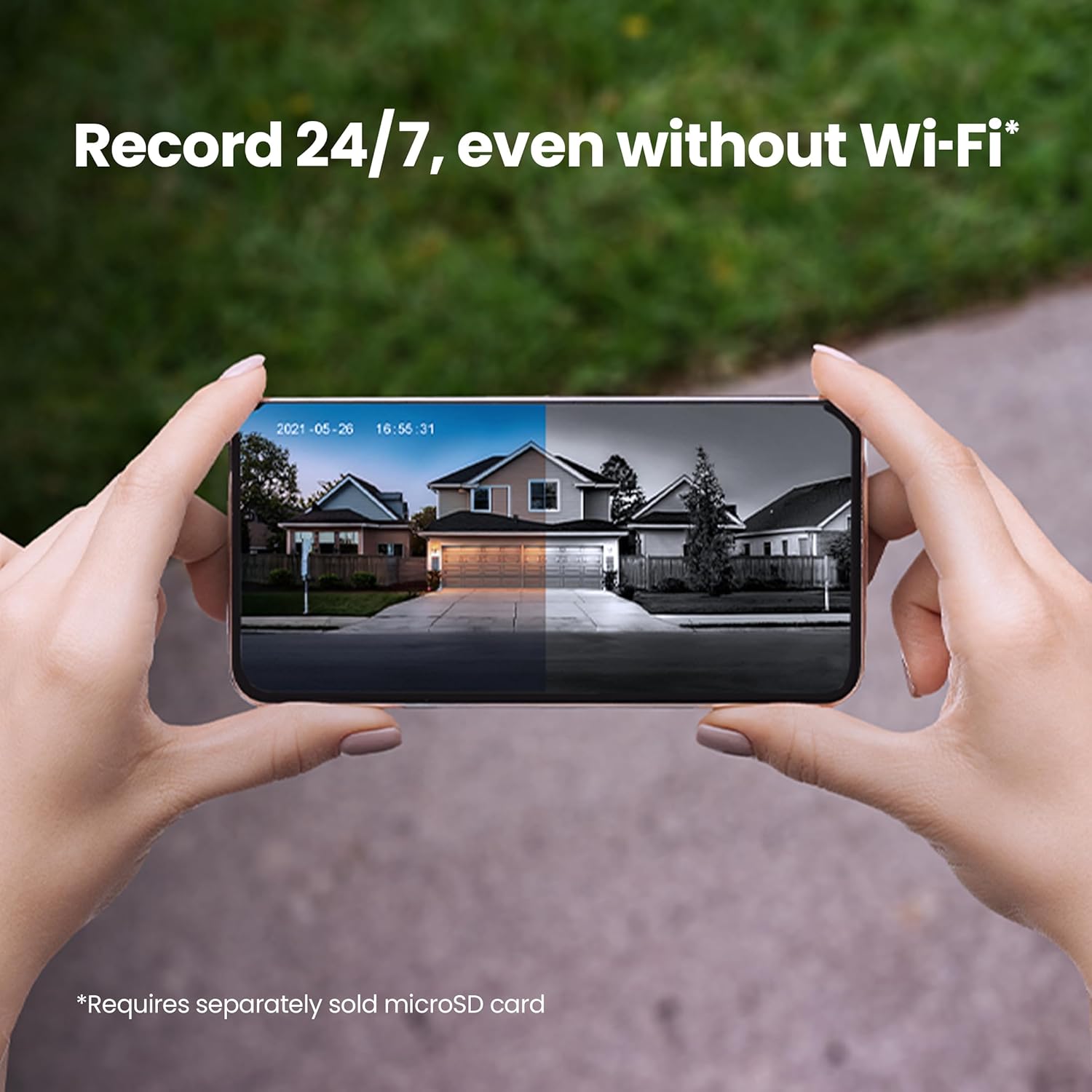
Image: Shows the 24/7 recording capability of the doorbell camera with a microSD card.
- Ухаалаг шинж чанарууд: The Feit Electric app allows for remote access, grouping of devices, scheduling, and device sharing.

Зураг: Дууслааview of key smart camera features like 1080p HD video, two-way audio, and motion detection.
- Дуут удирдлага: Works with Alexa or Hey Google when connected through your Feit app.

Image: Demonstrates compatibility with voice assistants like Alexa and Google Home.
Video: Official Feit Electric overview of the 1080p HD Doorbell WiFi Smart Security Camera's features, including two-way audio, night vision, and app integration.
Засвар үйлчилгээ
To ensure optimal performance and longevity of your Feit Electric Smart Video Doorbell Camera, consider the following maintenance tips:
- Тогтмол цэвэрлэгээ: Үе үе камерын линз болон хаалганы хонхны гадна талыг зөөлөн, damp cloth to remove dust, dirt, or smudges. Avoid abrasive cleaners.
- Програм хангамжийн шинэчлэлтүүд: Keep your Feit Electric app and doorbell firmware updated to the latest versions. Updates often include performance improvements, new features, and security enhancements. Check the app regularly for update notifications.
- Утас шалгах: Occasionally inspect the wiring connections to ensure they remain secure and free from corrosion or damage.
- Цаг агаарын хамгаалалт: While the doorbell is weather-resistant (IP65 rated), extreme weather conditions can impact performance. Ensure it is installed in a location that offers some protection from direct, prolonged exposure to heavy rain or snow if possible.
Алдааг олж засварлах
If you encounter issues with your Feit Electric Smart Video Doorbell Camera, try the following troubleshooting steps:
- Цахилгаан байхгүй/Хариу өгөхгүй байна:
- Ensure the power at the circuit breaker is ON.
- Verify that the doorbell wires are securely connected to the external power port.
- Confirm your power source is within the 12-24V AC range.
- Cannot Connect to Wi-Fi/Offline:
- Ensure your Wi-Fi network is 2.4 GHz. The doorbell does not support 5 GHz networks.
- Check your Wi-Fi signal strength at the doorbell's location. Move your router closer or consider a Wi-Fi extender if the signal is weak.
- Perform a factory reset on the doorbell (press and hold the reset button for 5 seconds until an audible tone is heard and the LED blinks red), then attempt the app pairing process again.
- Wi-Fi чиглүүлэгчээ дахин эхлүүлнэ үү.
- Хөдөлгөөн илрүүлэх асуудлууд:
- Adjust the motion sensitivity settings within the Feit Electric app.
- Камерыг хааж буй саад бэрхшээл байхгүй эсэхийг шалгаарай view.
- Consider the placement of the doorbell to avoid false alerts from passing cars or swaying trees.
- Хоёр талын аудио асуудлууд:
- Check your phone's volume settings and ensure the microphone is enabled for the Feit Electric app.
- Ensure a stable internet connection for both your phone and the doorbell.
- Doorbell Chimes Constantly/Doesn't Chime:
- Verify the chime type setting in the Feit Electric app (mechanical or electronic).
- Ensure proper wiring to your existing chime unit.
Үзүүлэлтүүд
| Онцлог | Тодорхойлолт |
|---|---|
| Загварын дугаар | CAM/DOOR/WIFI |
| Видеоны нягтрал | 1080p HD |
| Холболт | 2.4 GHz Wi-Fi |
| Эрчим хүчний эх үүсвэр | Hardwired (12-24V AC) |
| Аудио | Хоёр талын аудио |
| Шөнийн харааны хүрээ | 30 фут |
| Хөдөлгөөн илрүүлэх | Тиймээ |
| Хадгалах | Микро SD карт (128GB хүртэл, багтаамжгүй) |
| Цаг агаарын эсэргүүцэл | IP65 |
| Хэмжээ (L x W x H) | 4.5 x 1.8 x 1 инч |
| Зүйлийн жин | 7.8 унц |
| UPC | 017801722239 |
Баталгаат болон дэмжлэг
Your Feit Electric Smart Video Doorbell Camera comes with a нэг жилийн баталгаат хугацаа худалдан авсан өдрөөс. Энэхүү баталгаа нь ердийн ашиглалтын үед хийгдсэн материал, хийцийн согогийг хамарна.
For 24/7 customer support, technical assistance, or warranty claims, please contact Feit Electric directly:
- Webсайт: help.feit.com
- Имэйл: info@feit.com
- Үнэгүй утас: 1-866-326-ЧИЛЭНЦ

Image: Feit Electric customer support contact information and QR code for quick access to help.


