1. Бүтээгдэхүүн дууссанview
The Feit Electric CAM1/WIFI Indoor Security Camera is designed to help you monitor your property with ease. This motion-activated HD camera connects directly to your 2.4 GHz Wi-Fi network, allowing for remote control and live viewing from anywhere via the Feit Electric mobile app. It features two-way audio, 1080p HD video recording, and night vision capabilities. Recorded events can be stored locally on a Micro-SD card (sold separately), eliminating the need for monthly fees or subscriptions. The camera is compatible with popular smart home assistants like Alexa and Google Assistant for convenient voice control.
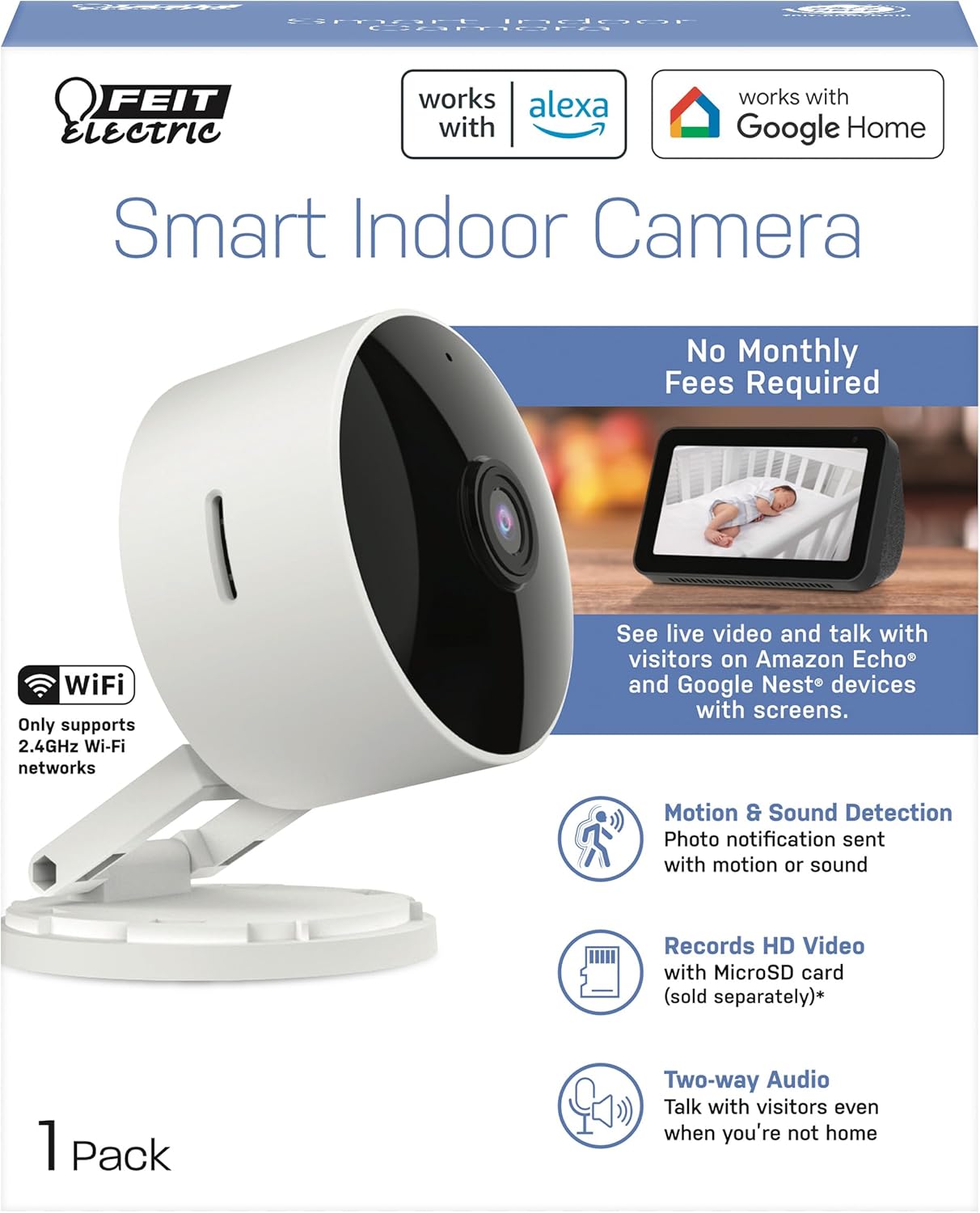
2. Багцын агуулга
- 1 x Feit Electric Smart Security Camera (CAM1/WIFI)
- 1 x тэжээлийн адаптер
- 1 x 1-meter USB Cord
3. Бүтээгдэхүүний онцлог
- 1080p HD видео: High-quality video for clear monitoring and recording.
- Нарийвчилсан хөдөлгөөн илрүүлэх: Detects motion up to 30 feet with visible night vision. Receive push notifications for detected activity.
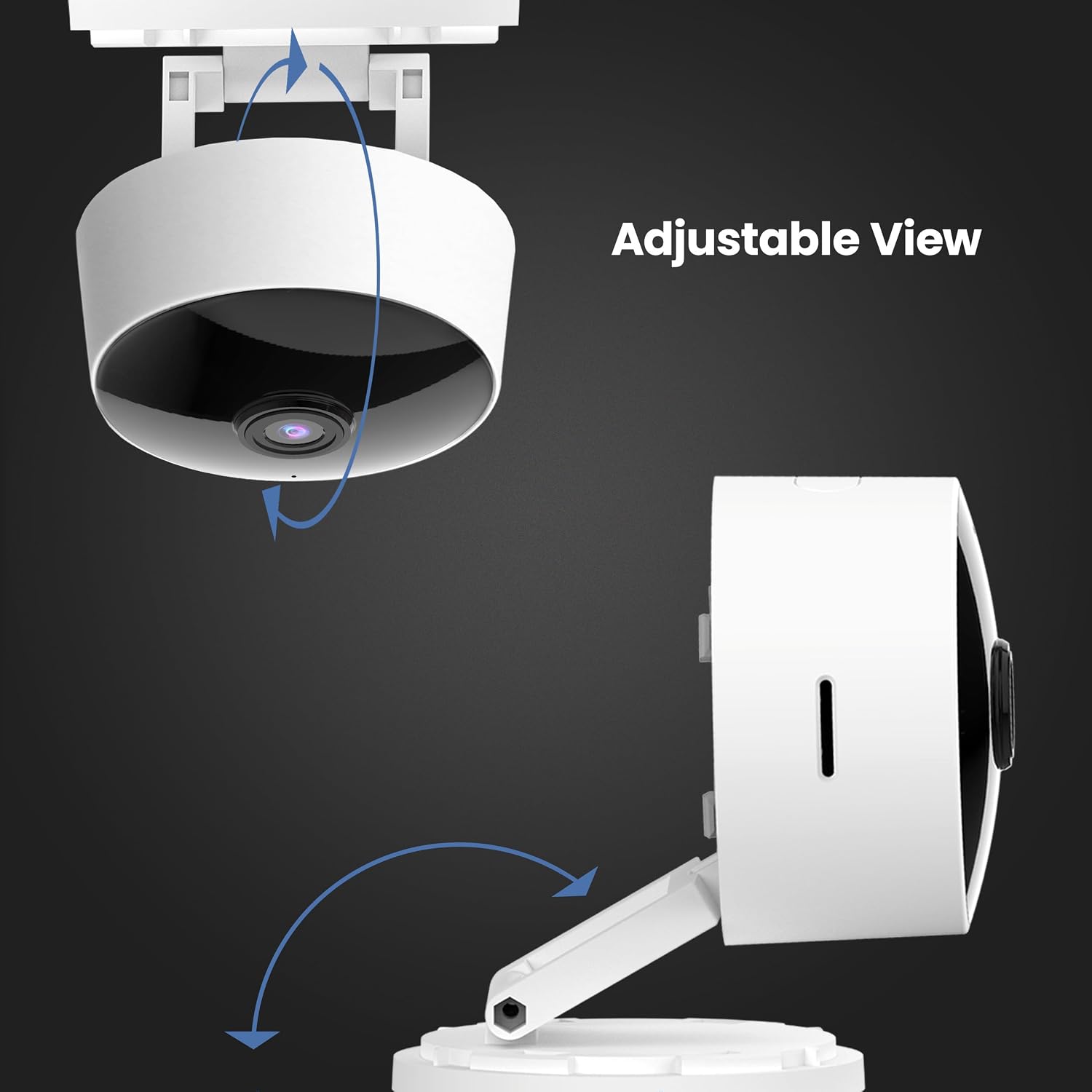
- 360° тохируулж болох толгой: Уян хатан байрлалыг зөвшөөрөх ба viewөнцөг.
- 2.4GHz WiFi холболт: Connects directly to your home Wi-Fi network for remote access.
- 2 талын аудио: Суурилуулсан микрофон болон чанга яригч нь бодит цагийн яриаг хийх боломжийг олгодог.
- Орон нутгийн хадгалах сан: Supports Micro-SD cards up to 128GB for up to 10 days of continuous recording (SD card not included). No monthly fees or subscriptions required.
- Дуут туслахын нийцтэй байдал: Works with Amazon Alexa and Google Assistant for convenient voice control.
- Plug-in дизайн: Plugs into standard outlets, no hardwiring required.



Бүтээгдэхүүний албан ёсны видео
Энэ видео нь дуусгах боломжийг олгодогview of the Feit Electric Smart Indoor and Outdoor Cameras, highlighting their key features and benefits for home security.
4. Техникийн үзүүлэлтүүд
| Атрибут | Үнэ цэнэ |
|---|---|
| Загварын дугаар | CAM1/WIFI |
| Дотор/гадаа ашиглах | Дотор |
| Видео бичлэгийн нягтрал | 1080p HD |
| Шөнийн харааны хүрээ | 30 фут |
| Холболтын протокол | Wi-Fi (2.4GHz) |
| Хоёр талын аудио | Тиймээ |
| Хадгалах | Micro-SD Card (up to 128GB, not included) |
| Эрчим хүчний эх үүсвэр | Утастай цахилгаан (залгуур) |
| Тохиромжтой төхөөрөмжүүд | Smartphone (Feit Electric App), Amazon Alexa, Google Assistant |
| Хэмжээ (L x W x H) | 5.1 x 4.3 x 2.5 инч |
| Зүйлийн жин | 6.4 унц |
| Өнгө | Цагаан |
5. Тохируулах гарын авлага
- Асаах: Plug the camera into a standard electrical outlet using the provided power adapter and USB cord. The camera will power on automatically.
- Апп татаж авах: Download the "Feit Electric" app from your smartphone's app store (available for Android and iOS).
- Бүртгэл үүсгэх: Open the Feit Electric app and create a new account or log in if you already have one.
- Төхөөрөмж нэмэх: In the app, tap the "+" icon to add a new device. Select "Camera" from the device categories.
- Wi-Fi-д холбогдох: Follow the in-app instructions to connect the camera to your 2.4GHz Wi-Fi network. Ensure your phone is also connected to the same 2.4GHz network during setup. You may need to reset the device by pressing and holding the RESET button for 5 seconds until you hear an audible tone.
- Хослуулах: The app will guide you through the pairing process, which may involve scanning a QR code displayed on your phone with the camera.
- Байршил: Position the camera in your desired indoor location. The adjustable head allows for optimal viewөнцөг.

6. Ашиглалтын заавар
- Амьд View: Open the Feit Electric app and select your camera to view амьд тэжээл.
- Хоёр талын аудио: Tap the microphone icon in the app to speak through the camera's speaker, or listen to audio from the camera's microphone.
- Бичлэг: The camera can record continuously or when motion is detected. To enable continuous recording, ensure a Micro-SD card (up to 128GB) is inserted into the camera's slot. You can download recorded video wirelessly through the Feit app.
- Хөдөлгөөний сэрэмжлүүлэг: Enable push notifications in the app settings to receive alerts on your smartphone when motion is detected.
- Дуут удирдлага:
- With Alexa: Link your Feit Electric account in the Alexa app. Then, use commands like "Alexa, show me the [camera name]" to view the feed on compatible Echo Show devices.
- With Google Assistant: Link your Feit Electric account in the Google Home app. Use commands like "Hey Google, show me the [camera name]" on compatible Google Nest devices.


7. Засвар үйлчилгээ
- Цэвэрлэгээ: Камерын линз болон биеийг цэвэрлэхийн тулд зөөлөн, хуурай даавуу ашиглана уу. Шингэн цэвэрлэгч, аэрозоль хэрэглэж болохгүй.
- Програм хангамжийн шинэчлэлтүүд: Regularly check the Feit Electric app for available firmware updates to ensure optimal performance and security.
- Эрчим хүчний мөчлөг: Хэрэв камер асуудалтай тулгарвал 10 секундын турш тэжээлийн эх үүсвэрээс салгаад буцааж залгаарай.
8. Алдаа засах
| Асуудал | Боломжит шийдэл |
|---|---|
| Камер Wi-Fi-д холбогдоогүй байна. | Ensure your Wi-Fi network is 2.4GHz. Move the camera closer to the router. Reset the camera by holding the reset button for 5 seconds. Verify Wi-Fi password. |
| Poor video quality or grainy image. | Check your Wi-Fi signal strength. Ensure the camera lens is clean. Adjust camera placement for better lighting. |
| Хөдөлгөөн илрүүлэх сэрэмжлүүлэг хүлээн авахгүй. | Verify motion detection settings are enabled in the Feit Electric app. Check your phone's notification settings for the app. |
| Хоёр талын аудио ажиллахгүй байна. | Ensure microphone and speaker permissions are granted to the Feit Electric app on your phone. Check volume settings in the app and on your phone. |
| Camera reboots itself frequently. | Ensure a stable power supply. Check the power adapter and USB cable for damage. If power goes out, the camera is designed to reboot itself upon power restoration. |
9. Баталгаат хугацаа ба дэмжлэг
This Feit Electric camera comes with a one-year warranty from the date of purchase. For customer service, technical support, or warranty inquiries, please contact Feit Electric directly.
Холбоо барих мэдээлэл:
- Имэйл: info@feit.com
- Үнэгүй утас: 1-866-326-ЧИЛЭНЦ
- Онлайн дэмжлэг: Visit the Feit Electric Help Center for FAQs and additional resources.
