1. Танилцуулга
Thank you for choosing the KLARSTEIN VapoAir Opal Smart Humidifier. This device is designed to improve air quality and comfort in your home by adding moisture to dry air. It features smart control via an app, an ionizer, a large 5-liter water tank, and multiple mist levels. Please read this manual carefully before use to ensure proper operation and maintenance.
2. Аюулгүй ажиллагааны заавар
- Чийгшүүлэгчийг үргэлж нарны шууд тусгал болон дулааны эх үүсвэрээс хол, хатуу, тэгш, ус нэвтэрдэггүй гадаргуу дээр байрлуул.
- Чийгшүүлэгчийг чийгэнд мэдрэмтгий тавилга эсвэл цахилгаан хэрэгслийн ойролцоо байрлуулж болохгүй.
- Төхөөрөмжийг хүүхэд, тэжээвэр амьтдын гар хүрэхгүй газар хадгална уу.
- Төхөөрөмжийг усанд эсвэл бусад шингэн зүйлд хийж болохгүй.
- Чийгшүүлэгчийг дүүргэх, цэвэрлэх, зөөхөөс өмнө цахилгааны залгуураас салга.
- Зөвхөн цэвэр, сэрүүн цоргоны ус хэрэглээрэй. Ашигт малтмал хуримтлагдахаас сэргийлэхийн тулд нэрмэл эсвэл эрдэсгүйжүүлсэн ус хэрэглэхийг зөвлөж байна.
- Do not add essential oils directly into the water tank; use the designated aroma diffuser tray.
- Хэрэв цахилгааны утас гэмтсэн бол аюулаас зайлсхийхийн тулд түүнийг үйлдвэрлэгч, үйлчилгээний төлөөлөгч эсвэл ижил төстэй мэргэшсэн хүмүүс солих ёстой.
- Манангийн гарцыг хааж болохгүй.
3. Багцын агуулга
Дараах зүйлсийн багцад байгаа эсэхийг шалгана уу.
- KLARSTEIN VapoAir Opal Smart Humidifier
- Алсын удирдлага
- Зааварчилгааны гарын авлага
- Cleaning Brush (may be included)
4. Бүтээгдэхүүн дууссанview болон бүрэлдэхүүн хэсгүүд
Чийгшүүлэгчийнхээ үндсэн хэсгүүдтэй танилцана уу.

Зураг: Урд view of the KLARSTEIN VapoAir Opal Smart Humidifier, showcasing нь гоёмсог дизайн болон LED дэлгэцтэй.
- Манангийн гарц: Where the mist is released into the air.
- Усны сав: Removable tank for water storage.
- Үндсэн нэгж: Contains the ultrasonic transducer and heating element.
- Хяналтын самбар/LED дэлгэц: Touch-sensitive buttons and digital display for settings.
- Үнэр шингээгч тавиур: Small tray for essential oils (located at the bottom/side).
- Цахилгааны утас: Цахилгааны залгуурт холбох зориулалттай.

Image: The KLARSTEIN VapoAir Opal Smart Humidifier with its dimensions labeled: 23cm (depth), 18cm (width), 37cm (height).
5. Тохиргоо
5.1 Савлах
Carefully remove all packaging materials. Retain the packaging for future storage or transport.
5.2 Байршил
Place the humidifier on a flat, stable surface at least 15 cm away from walls and furniture. Ensure the mist outlet is not directed towards any objects or walls.
5.3 Усны савыг дүүргэх
- Чийгшүүлэгчийг залгуураас нь салгасан эсэхийг шалгаарай.
- Carefully lift the water tank from the base unit.
- Invert the water tank and unscrew the cap at the bottom.
- Fill the tank with clean, cool tap water. Distilled or demineralized water is recommended to minimize mineral residue. Do not fill past the MAX line.
- Тагийг нь сайтар эргүүлээрэй.
- Place the filled water tank back onto the base unit, ensuring it is seated correctly. The auto-stop function will prevent operation if the tank is not properly placed or if water is absent.
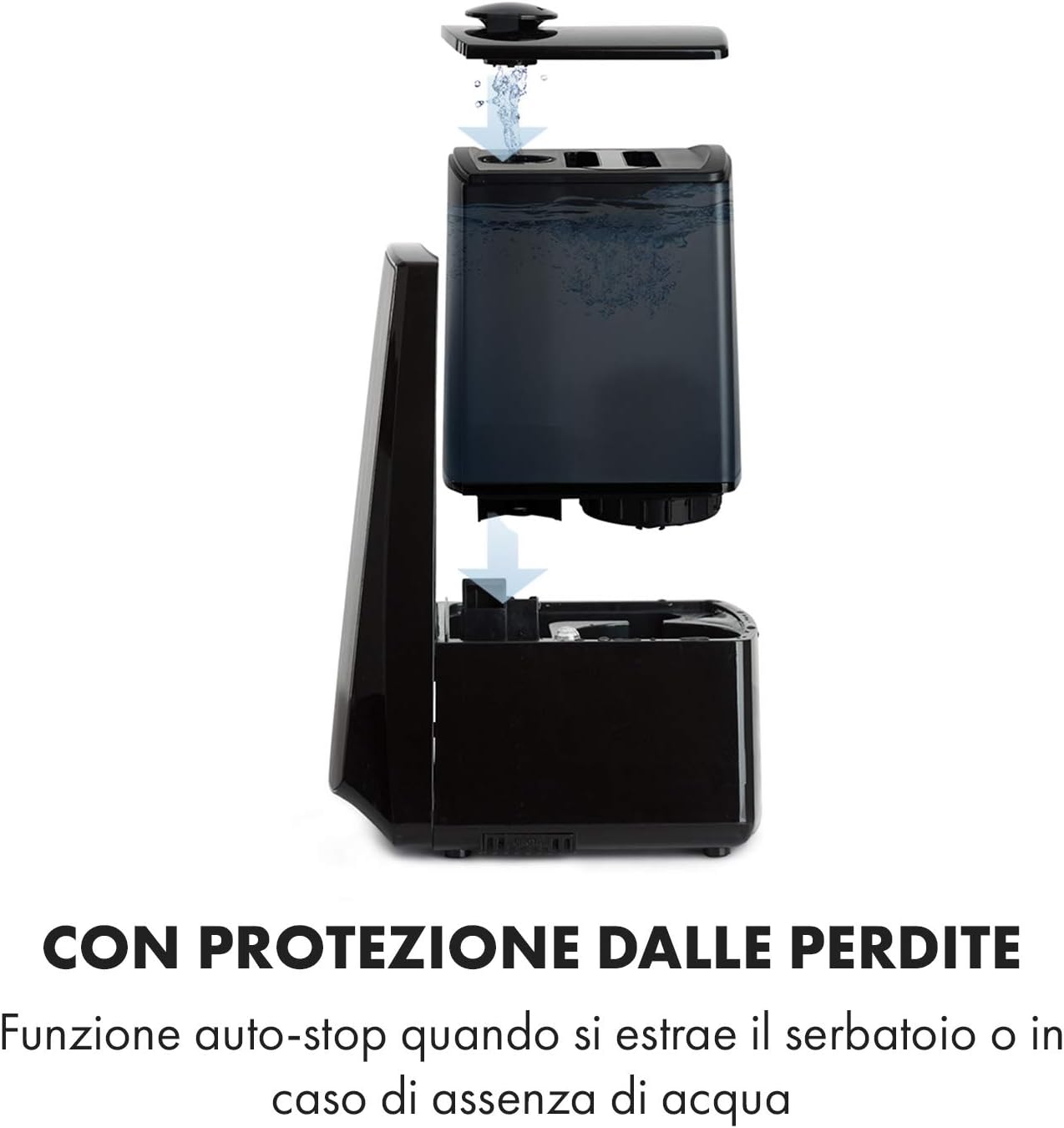
Image: Diagram illustrating the removal and refilling process of the water tank, highlighting the auto-stop feature when the tank is removed or empty.
5.4 Эрчим хүчний холболт
Цахилгааны утсыг тохирох цахилгаан залгуурт (230 В) залгаарай.
6. Ашиглалтын заавар
6.1 Хяналтын самбар дээрview

Зураг: Ойрын зураг view of the humidifier's LED display and touch controls, showing a hand interacting with the buttons.
The LED display shows current humidity, temperature, and selected settings. The touch buttons allow control over various functions.
6.2 Асаах/унтраах
дээр дарна уу ON/OFF хяналтын самбар эсвэл алсын удирдлага дээрх товчлуурыг дарж төхөөрөмжийг асаах, унтраах.
6.3 Манангийн түвшний тохируулга
The humidifier offers 7 levels of mist output. Press the МАНАН button repeatedly to cycle through the mist intensity levels. The current level will be displayed on the screen.
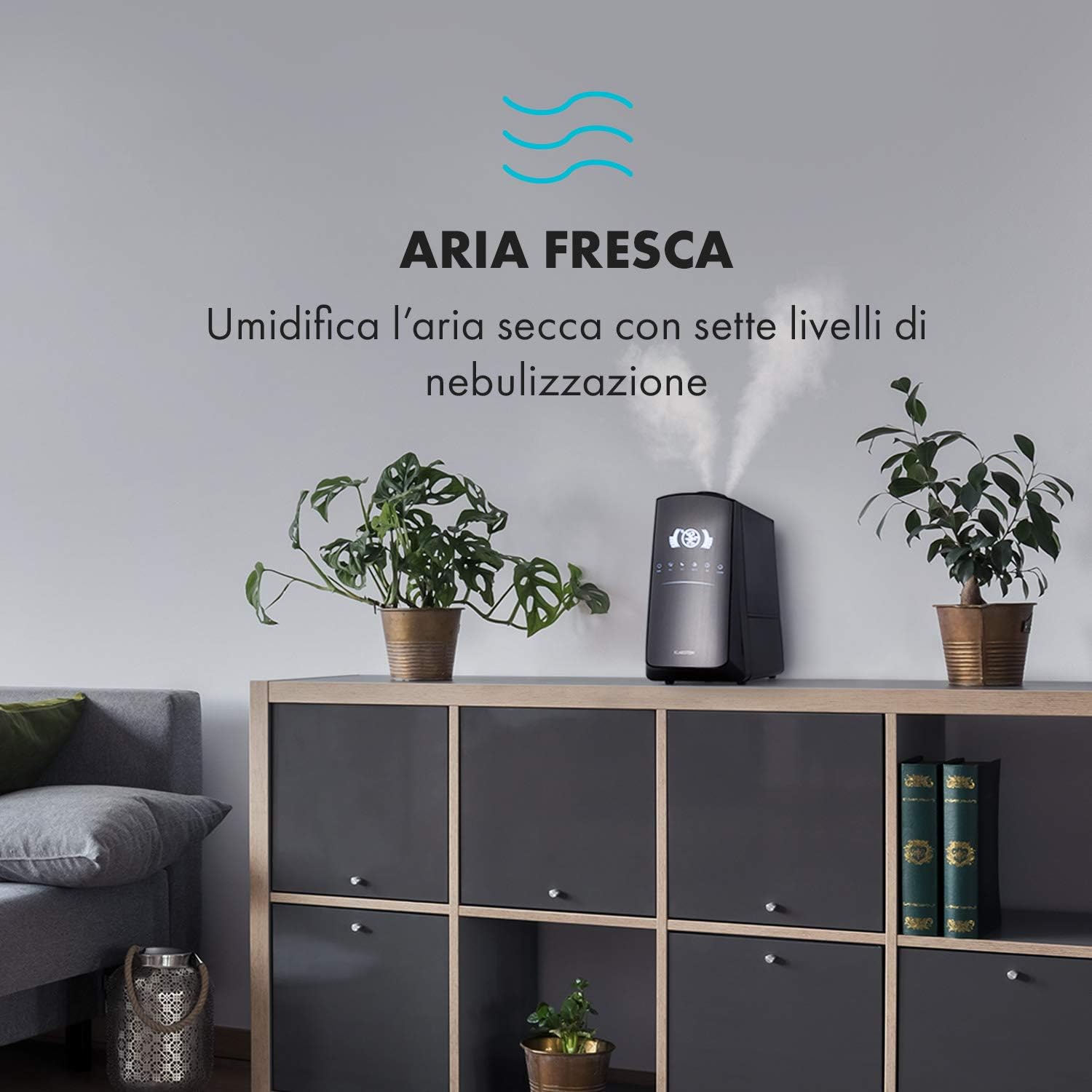
Image: The humidifier operating in a room, releasing mist to humidify the air.
6.4 Humidity Setting (Humidistat)
дээр дарна уу Чийгшил button to set your desired humidity level (e.g., 40% to 80% RH). The unit will automatically maintain this level, turning on and off as needed.
6.5 Дулаан/Сэрүүн манан
дээр дарна уу ДУЛААН button to activate the warm mist function. Press again to switch back to cool mist. Warm mist can help raise room temperature slightly and is often preferred in colder climates.

Image: A close-up shot of the mist output, illustrating the option for either cool or warm mist.
6.6 Таймер функц
дээр дарна уу TIMER button to set an operating duration from 1 to 12 hours. The unit will automatically turn off after the set time.
6.7 Ionizer Function
дээр дарна уу ION button to activate the ionizer. This function releases negative ions to help purify the air by attracting dust and other particles.
6.8 Үнэр тараагч
Pull out the aroma diffuser tray located at the bottom of the unit. Add a few drops of essential oil onto the sponge pad. Slide the tray back in. The mist will carry the aroma into the air.

Image: The integrated aroma diffuser tray, shown pulled out with an essential oil bottle and lemon slices nearby, indicating its use for adding scents.
6.9 Шөнийн горим
дээр дарна уу ШӨНӨ button to dim the LED display and reduce operational noise for undisturbed sleep.

Image: The humidifier in a modern living space, illustrating its versatile functions like auto mode, heating, health, baby, night mode, and timer.
7. Програмын хяналт
The KLARSTEIN VapoAir Opal Smart Humidifier can be controlled via a dedicated smartphone application.

Image: A person using a smartphone with the Klarstein app open, showing controls for the humidifier's settings and current humidity levels.
7.1 Програмыг татаж авах
хайх the 'Klarstein App Experience' in your smartphone's app store (available for Android and iOS).
7.2 Wi-Fi-д холбогдож байна
- Ensure your humidifier is plugged in and turned on.
- Open the Klarstein App and follow the on-screen instructions to add a new device.
- The humidifier requires a 2.4 GHz Wi-Fi сүлжээ for connection. It is not compatible with 5 GHz networks. Ensure your router is configured to support 2.4 GHz or that your phone is connected to the 2.4 GHz band during setup.
- Once connected, you can control all humidifier functions remotely via the app.

Image: A smartphone displaying the Klarstein app interface, indicating smart home control via WiFi for Android and iOS devices.
8. Засвар үйлчилгээ, цэвэрлэгээ
Тогтмол цэвэрлэгээ нь оновчтой гүйцэтгэл, эрүүл ахуйд зайлшгүй шаардлагатай.
8.1 Өдөр тутмын засвар үйлчилгээ
- Усны савыг өдөр бүр хоослон зайлж байгаарай.
- Wipe the inside of the water tank with a clean cloth.
8.2 Долоо хоног бүр цэвэрлэгээ хийх
- Төхөөрөмжийг салга цэвэрлэхийн өмнө.
- Усны савыг зайлуулж, сав болон суурь нэгжээс үлдсэн усыг зайлуулна.
- Усны савыг цэвэрлэх: Fill the tank with a mixture of water and white vinegar (1:1 ratio). Let it sit for 30 minutes, then rinse thoroughly.
- Үндсэн нэгжийг цэвэрлэх: Gently wipe the ultrasonic transducer (the small disc in the center of the base) with a soft brush or cloth to remove mineral deposits. Do not scrape or use abrasive cleaners. You can use a cotton swab dipped in vinegar for hard-to-reach areas.
- Үнэр шингээгч тавиур: Remove and clean the sponge pad with mild soap and water. Allow it to dry completely before reinserting.
- Wipe all external surfaces with a soft, damp даавуу.
8.3 Хадгалалт
Хэрэв чийгшүүлэгчийг удаан хугацаагаар ашиглахгүй бол сайтар цэвэрлэж, бүх эд ангиудыг хатааж, анхны савлагаанд нь хуурай, сэрүүн газар хадгална.
9. Алдаа засах
| Асуудал | Боломжит шалтгаан | Шийдэл |
|---|---|---|
| Манан гарахгүй эсвэл бага манан гарах |
|
|
| Төхөөрөмж асахгүй байна |
|
|
| Тааламжгүй үнэр |
|
|
| Төхөөрөмжийн эргэн тойрон дахь цагаан тоос | Эрдэс бодисын агууламж өндөртэй хатуу ус | Нэрмэл эсвэл эрдэсгүйжүүлсэн ус хэрэглээрэй. Төхөөрөмжийг тогтмол цэвэрлээрэй. |
| Wi-Fi холболтын асуудал |
|
|
10. Техникийн үзүүлэлтүүд
| Онцлог | Тодорхойлолт |
|---|---|
| Брэнд | КЛАРШТЕЙН |
| Загварын дугаар | XJ3-VapoAirOpalSmart |
| Өнгө | Хар |
| Хэмжээ (L x W x H) | 23 x 18 x 37 см |
| Жин | 2.5 кг |
| Хүч | 110 ватт |
| Ботьtage | 230 вольт |
| Усны савны багтаамж | 5 литр |
| Ашиглалтын хугацаа | Up to 2 hours (continuous, depending on mist level) |
| Онцлог шинж чанарууд | Remote Control, Timer, App Control, Ionizer, LED Display, 7 Mist Levels, Warm/Cool Mist, Aroma Diffuser |
| Өрөөний төрөл | Зочны өрөө |
11. Баталгаат хугацаа ба дэмжлэг
KLARSTEIN products are covered by a manufacturer's warranty. For detailed warranty information, please refer to the warranty card included with your product or visit the official KLARSTEIN website. For technical support, spare parts, or service inquiries, please contact KLARSTEIN customer service through their official channels.
Баталгаат заргад зориулж худалдан авалтаа нотлох баримтаа үлдээнэ үү.


