Танилцуулга
This user manual provides detailed instructions for the setup, operation, maintenance, and troubleshooting of your iFFALCON 43K71 4K Ultra HD Smart Android LED TV. Please read this manual thoroughly before using the television and retain it for future reference.

Зураг: Урд view of the iFFALCON 43K71 4K Ultra HD Smart Android LED TV, showcasing түүний нимгэн дизайн, эрч хүчтэй дэлгэц.
Аюулгүй байдлын мэдээлэл
Always adhere to the following safety precautions to prevent fire, electric shock, or injury:
- Зурагтыг бороо, чийгэнд бүү тавь.
- Тохиромжтой агааржуулалтыг хангах; агааржуулалтын нүхийг хааж болохгүй.
- Зөвхөн зурагттай хамт ирдэг цахилгааны утсыг ашиглана уу.
- Do not open the TV cabinet; refer all servicing to qualified personnel.
- Зурагтыг нарны шууд тусгал, дулааны эх үүсвэр, хүчтэй соронзон орон зэргээс хол байлга.
- ТВ-г тогтвортой, тэгш гадаргуу дээр байрлуул эсвэл хананд найдвартай бэхлээрэй.
Хайрцагт юу байна
Савлахдаа бүх бүрэлдэхүүн хэсгүүд байгаа эсэхийг шалгана уу:
- 1 x iFFALCON 43K71 LED TV
- 1 x Remote Controller (with 2 AAA batteries)
- 2 x Table Stand components
- 1 х хэрэглэгчийн гарын авлага
- 1 х Баталгаат карт
- 1 x аудио кабель
Тохиргоо
1. Физик суурилуулалт
You can install your TV using the included table stands or by wall-mounting (wall mount bracket sold separately).
Ширээний тавиур суурилуулах:
- Дэлгэцийг гэмтээхгүйн тулд зурагтыг зөөлөн, тэгш гадаргуу дээр доош харуулан болгоомжтой байрлуул.
- Attach the two table stand components to the designated slots on the bottom of the TV using the provided screws. Ensure they are securely fastened.
- Carefully lift the TV to an upright position on a stable, level surface.
Хананд суурилуулах:
For wall mounting, consult a professional installer. Ensure the wall mount bracket is compatible with the TV's VESA mounting pattern and can support the TV's weight (approximately 6.9 kg).

Зураг: дээд view of the iFFALCON 43K71 TV, showing its slim profile болон тавиурын бэхэлгээний цэгүүд.
2. Анхдагч асаалт ба сүлжээний холболт
- Цахилгааны утсыг зурагт, дараа нь цахилгаан залгуурт холбоно.
- ТВ эсвэл алсын удирдлага дээрх цахилгаан товчийг дарж ТВ-г асаана уу.
- Follow the on-screen instructions to complete the initial setup, including language selection, country, and network connection (Wi-Fi or Ethernet).
- Sign in with your Google account to access Android TV features and download apps.
ТВ ажиллуулах
Алсын удирдлага
The supplied remote control allows you to navigate the TV's interface and access various functions.
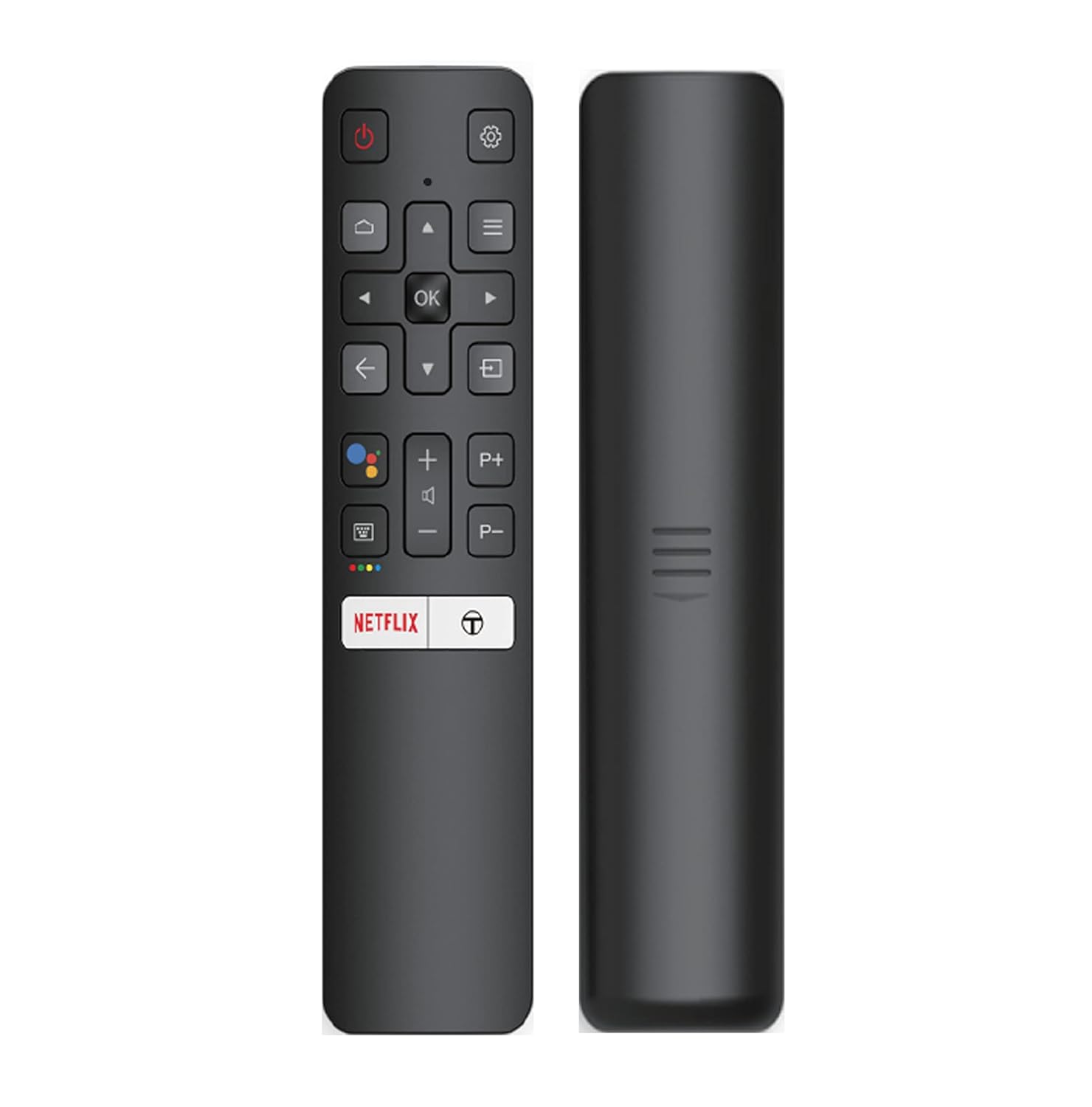
Image: The iFFALCON 43K71 remote control, featuring dedicated buttons for Netflix, Amazon Prime Video, Zee5, and Google Assistant.
Түлхүүр товчлуурууд нь дараахь зүйлийг агуулдаг.
- Эрчим хүч: ТВ-г асаах/унтраах.
- Navigation (Up/Down/Left/Right/OK): Цэс рүү шилжиж, сонголтыг баталгаажуулна.
- Буцах: Өмнөх дэлгэц рүү буцна.
- Нүүр хуудас: Android TV-ийн үндсэн дэлгэц рүү нэвтэрнэ.
- Эзлэхүүн +/-: Дууг тохируулна.
- Channel P+/P-: Сувагуудыг өөрчилдөг.
- Google Туслах: Дуут хяналтыг идэвхжүүлдэг.
- Netflix, Prime Video, Zee5: Шууд дамжуулалтын үйлчилгээнд хандах товчлуурууд.
Ухаалаг ТВ-ийн онцлогууд (Андройд ТВ)
Your iFFALCON 43K71 TV runs on Android 9.0, providing access to a wide range of applications and smart functionalities.

Image: The Android TV home screen on the iFFALCON 43K71, displaying various streaming apps like Netflix, YouTube, and Prime Video.
- Програмууд: Download and install apps from the Google Play Store, including Netflix, YouTube, Prime Video, Disney+Hotstar, and more.
- Гар чөлөөтэй дуут удирдлага: Use the built-in Google Assistant to control your TV, search for content, and manage smart home devices by speaking commands directly to the TV.
- Chromecast суурилуулсан: Ухаалаг утас, таблет эсвэл компьютерээсээ шууд телевизийн дэлгэц рүү контент дамжуул.
- AI-IN: iFFALCON's AI-IN technology integrates with Google Assistant for enhanced smart home connectivity and personalized recommendations.
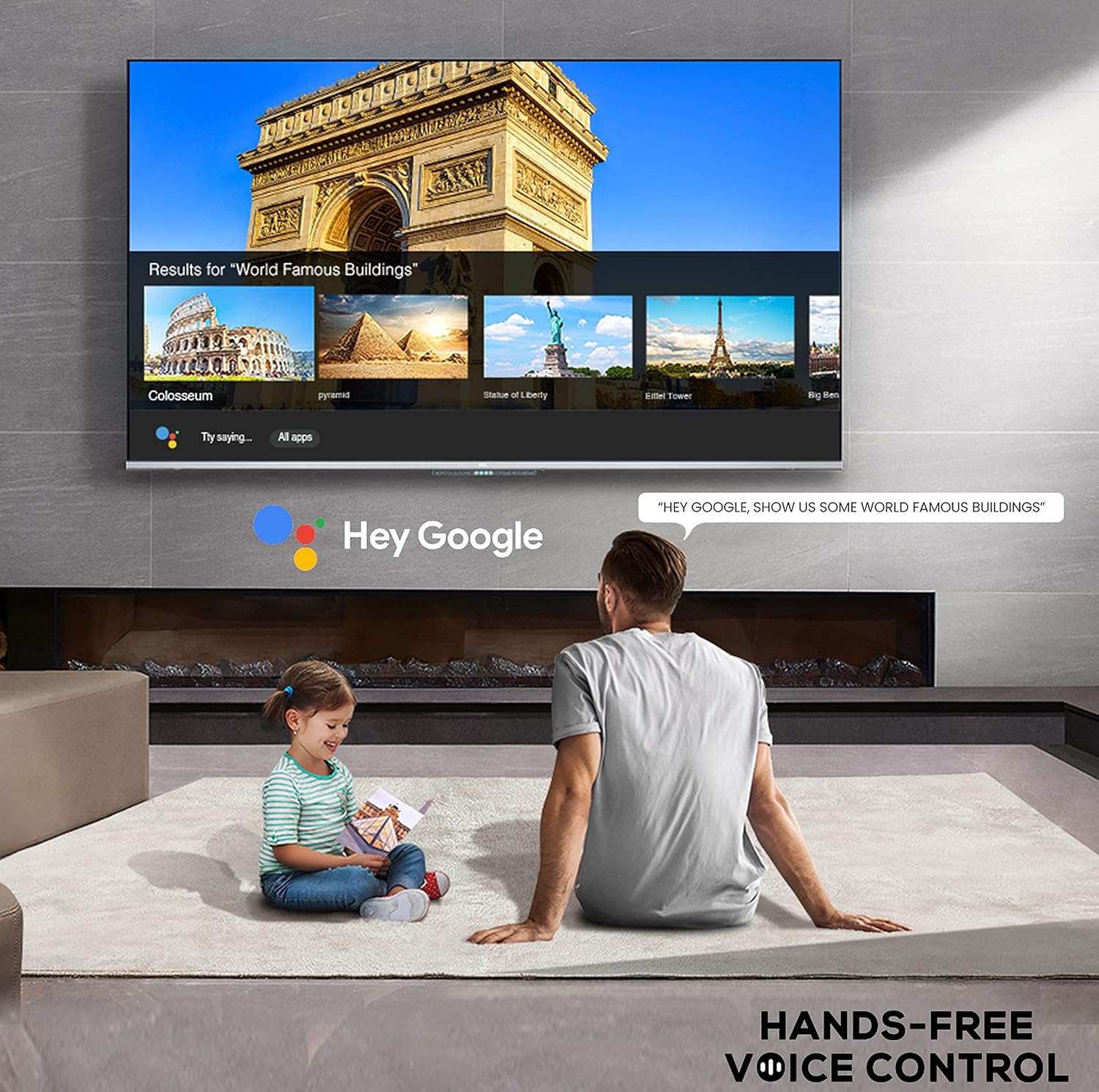
Image: A user interacting with the iFFALCON 43K71 using hands-free voice control, demonstrating the Google Assistant feature.
Холболт
ТВ нь гадаад төхөөрөмжүүдийг холбоход зориулсан янз бүрийн порттой:
- HDMI портууд (2): Connect set-top boxes, Blu-ray players, gaming consoles, etc.
- USB порт (1): Connect hard drives, USB flash drives for media playback.
- Bluetooth: Утасгүй чихэвч, дууны самбар эсвэл бусад Bluetooth идэвхжүүлсэн дагалдах хэрэгслийг холбоно уу.
- Wi-Fi: Интернетэд холбогдохын тулд гэрийн утасгүй сүлжээнд холбогдоно уу.
- Аудио кабель: For external audio connections.
Зураг болон дууны тохиргоо
Зураг болон дууны тохиргоог оновчтой болгохын тулд тохируулна уу viewтуршлага.
- Зургийн горимууд: Select from various preset picture modes (e.g., Standard, Dynamic, Movie, Sport) or customize settings like brightness, contrast, color, and sharpness.
- 4K Ultra HD & HDR 10: Experience stunning detail and vibrant colors with 4K resolution and High Dynamic Range (HDR 10) support.
- Микро бүдэгрүүлэх: Enhances contrast by analyzing video content in hundreds of separate zones and adjusting brightness and darkness independently.
- Дууны горимууд: Урьдчилан тохируулсан дууны горимуудаас (жишээ нь, Стандарт, Хөгжим, Кино, Тодорхой Дуу хоолой) сонгох эсвэл эквалайзерын тохиргоог тохируулна уу.
- Dolby Аудио: Enjoy immersive audio with Dolby Audio processing, delivering rich, clear, and powerful sound from the 30 Watts speakers.
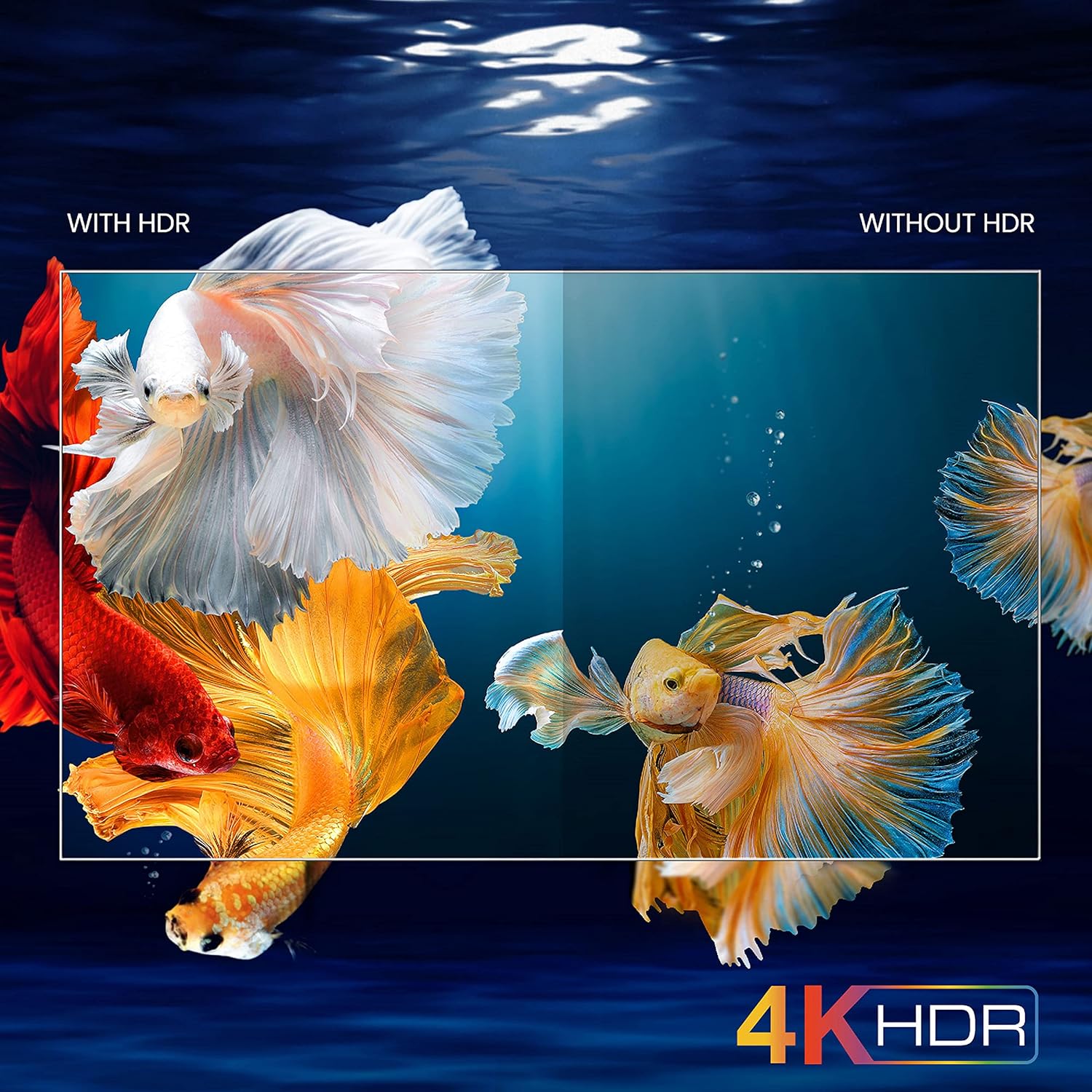
Image: A visual comparison demonstrating the enhanced color and contrast with 4K HDR enabled versus disabled on the iFFALCON 43K71 TV.
Засвар үйлчилгээ
Цэвэрлэгээ
- Цэвэрлэхийн өмнө ТВ-ээ үргэлж салга.
- Дэлгэц болон шүүгээг зөөлөн, хуурай даавуугаар арчина. Зөрүүд тэмдгийн хувьд хөнгөнөөр dampдаавуунд ус эсвэл зөөлөн, зүлгүүргүй дэлгэц цэвэрлэгчээр угаана.
- Согтууруулах ундаа, бензол, шингэрүүлэгч болон бусад дэгдэмхий бодисыг бүү хэрэглээрэй.
Програм хангамжийн шинэчлэлтүүд
The TV may receive software updates periodically to improve performance and add new features. Ensure your TV is connected to the internet to receive these updates automatically or check for them manually in the settings menu.
Алдааг олж засварлах
If you encounter issues, refer to the following common solutions before contacting support:
| Асуудал | Боломжит шийдэл |
|---|---|
| ТВ асахгүй байна. | Check if the power cord is securely plugged into the TV and the power outlet. Ensure the power outlet is working. Try pressing the power button on the TV itself. |
| Зураг байхгүй ч дуу чимээ байна. | Check the input source. Ensure external devices are properly connected and powered on. Try restarting the TV. |
| Дуу алга, гэхдээ зураг байна. | Check the volume level and ensure the TV is not muted. Verify audio output settings. If using external speakers, check their connections and power. |
| Алсын удирдлага ажиллахгүй байна. | Батерейг солих (2 AAA). Алсын удирдлага болон ТВ-ийн IR мэдрэгчийн хооронд ямар ч саад бэрхшээл байхгүй эсэхийг шалгаарай. |
| Wi-Fi-д холбогдох боломжгүй байна. | Check your router and modem. Restart them if necessary. Ensure you are entering the correct Wi-Fi password. Try moving the TV closer to the router or using an Ethernet cable. |
| Гүйцэтгэл удаашрал эсвэл програм гацсан. | Close unused applications. Clear cache for problematic apps. Restart the TV. Consider a factory reset as a last resort (this will erase all data and settings). |
Үзүүлэлтүүд
Key technical specifications for the iFFALCON 43K71 TV:
| Онцлог | Дэлгэрэнгүй |
|---|---|
| Загвар | 43K71 |
| Дэлгэцийн хэмжээ | 43 инч (108 см) |
| Шийдвэр | 4K Ultra HD (3840 x 2160 пиксел) |
| Сэргээх хурд | 60 Гц |
| Үйлдлийн систем | Android 9.0 |
| RAM | 2 ГБ |
| Хадгалах | 16 ГБ |
| Дууны гаралт | 30 Watts (Dolby Audio Power Speakers) |
| HDMI портууд | 2 |
| USB портууд | 1 |
| Холболт | Wi-Fi, Bluetooth |
| Хэмжээ (LxWxH) | 96 x 4.1 x 55.8 см (суурьгүй) |
| Зүйлийн жин | 6.9 кг |

Image: Diagram showing the physical dimensions of the iFFALCON 43K71 TV in centimeters and inches.
Баталгаат хугацаа
The iFFALCON 43K71 TV comes with a 1 жилийн баталгаат хугацаа provided by the manufacturer from the date of purchase. Please retain your purchase receipt for warranty claims. For detailed terms and conditions, refer to the included Warranty Card.
Дэмжлэг
For further assistance, technical support, or service requests, please contact iFFALCON customer service. Contact details can typically be found on the manufacturer's official webсайт эсвэл баталгаат карт дээр.
Бүтээгдэхүүн дууссанview Видео
Видео: Товч танилцуулгаview видео шоуcasing key features and visual enhancements of the iFFALCON 43K71 4K Ultra HD Smart Android LED TV, including 4K HDR, dynamic tone mapping, color enhancement, Android TV interface, and hands-free voice control.


