1. Танилцуулга
Thank you for choosing the Lenco SCD-720 Boombox. This versatile audio system offers a wide range of playback options, including DAB+ and FM radio, Bluetooth 5.0 connectivity, a CD/MP3 player, a cassette player, and a USB port for digital audio files. It features 2 x 6W RMS audio output with Bass Reflex for enhanced sound and comes with a remote control for convenient operation. This manual provides essential information for setting up, operating, and maintaining your device.
2. Аюулгүй байдлын чухал мэдээлэл
- Төхөөрөмжийг ашиглахаасаа өмнө бүх зааврыг анхааралтай уншина уу.
- Энэ гарын авлагыг цаашид лавлах зорилгоор хадгална уу.
- Гал болон цахилгаан цочролоос сэргийлэхийн тулд төхөөрөмжийг бороо, чийгэнд бүү тавь.
- Зөв агааржуулалтыг хангах. Агааржуулалтын нүхийг хааж болохгүй.
- Төхөөрөмжийг радиатор, халаалтын төхөөрөмж, зуух болон бусад төхөөрөмж (үүнд орно) зэрэг дулааны эх үүсвэрийн ойролцоо бүү байрлуул. ampөргөгч) дулаан үүсгэдэг.
- Цахилгааны утсыг гишгэх, хавчихаас хамгаалаарай, ялангуяа залгуур, залгуур, төхөөрөмжөөс гарах цэг дээр.
- Зөвхөн үйлдвэрлэгчээс заасан хавсралт/дагалдах хэрэгслийг ашиглана уу.
- Аянгын шуурганы үеэр эсвэл удаан хугацаагаар ашиглаагүй үед энэ төхөөрөмжийг цахилгааны залгуураас салга.
- Бүх үйлчилгээг мэргэшсэн үйлчилгээний ажилтнуудад шилжүүлээрэй. Төхөөрөмж нь цахилгаан тэжээлийн утас, залгуур гэмтсэн, шингэн асгарсан, эд зүйл унасан, бороо, чийгэнд өртсөн, хэвийн ажиллахгүй байгаа тохиолдолд засвар үйлчилгээ хийх шаардлагатай. , эсвэл хасагдсан.
3. Бүтээгдэхүүн дууссанview
Familiarize yourself with the main components and controls of your Lenco SCD-720 Boombox.
Урд View USB порттой

This image shows the front of the Lenco SCD-720 Boombox, highlighting the main control panel, speakers, and a USB stick inserted into the USB port on the top left.
Урд View with CD Compartment Open

This image displays the Lenco SCD-720 Boombox from the front, with the top-loading CD compartment lid open, ready for CD insertion.
Арын View
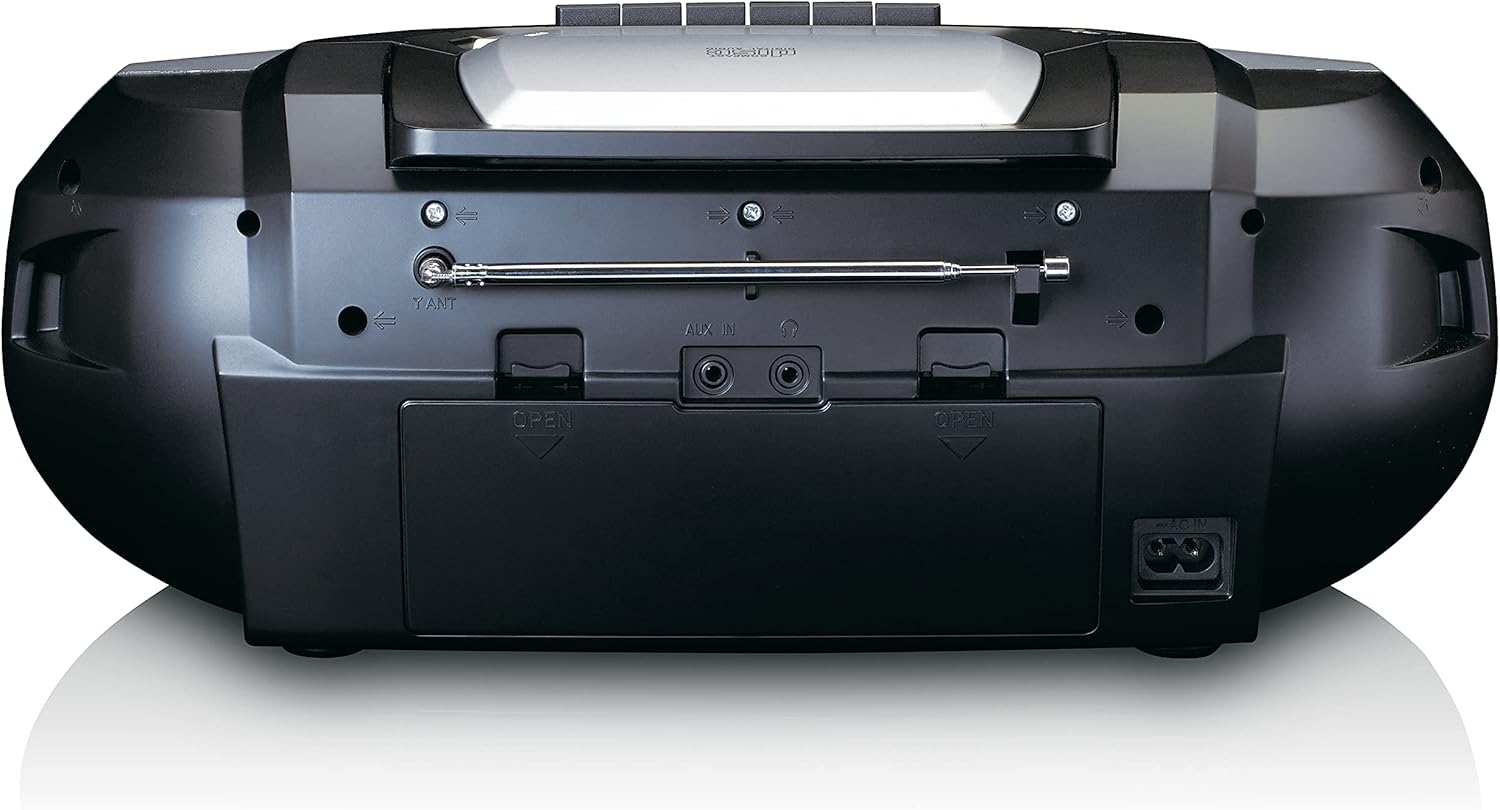
This image shows the back of the Lenco SCD-720 Boombox, featuring the telescopic antenna, AUX input, headphone jack, and the AC power input socket.
Control Panel Close-up

Нарийвчилсан view of the Lenco SCD-720 Boombox's central control panel, including the digital display, source selection buttons, tuning/navigation buttons, and the illuminated volume knob.
Boombox with Remote Control
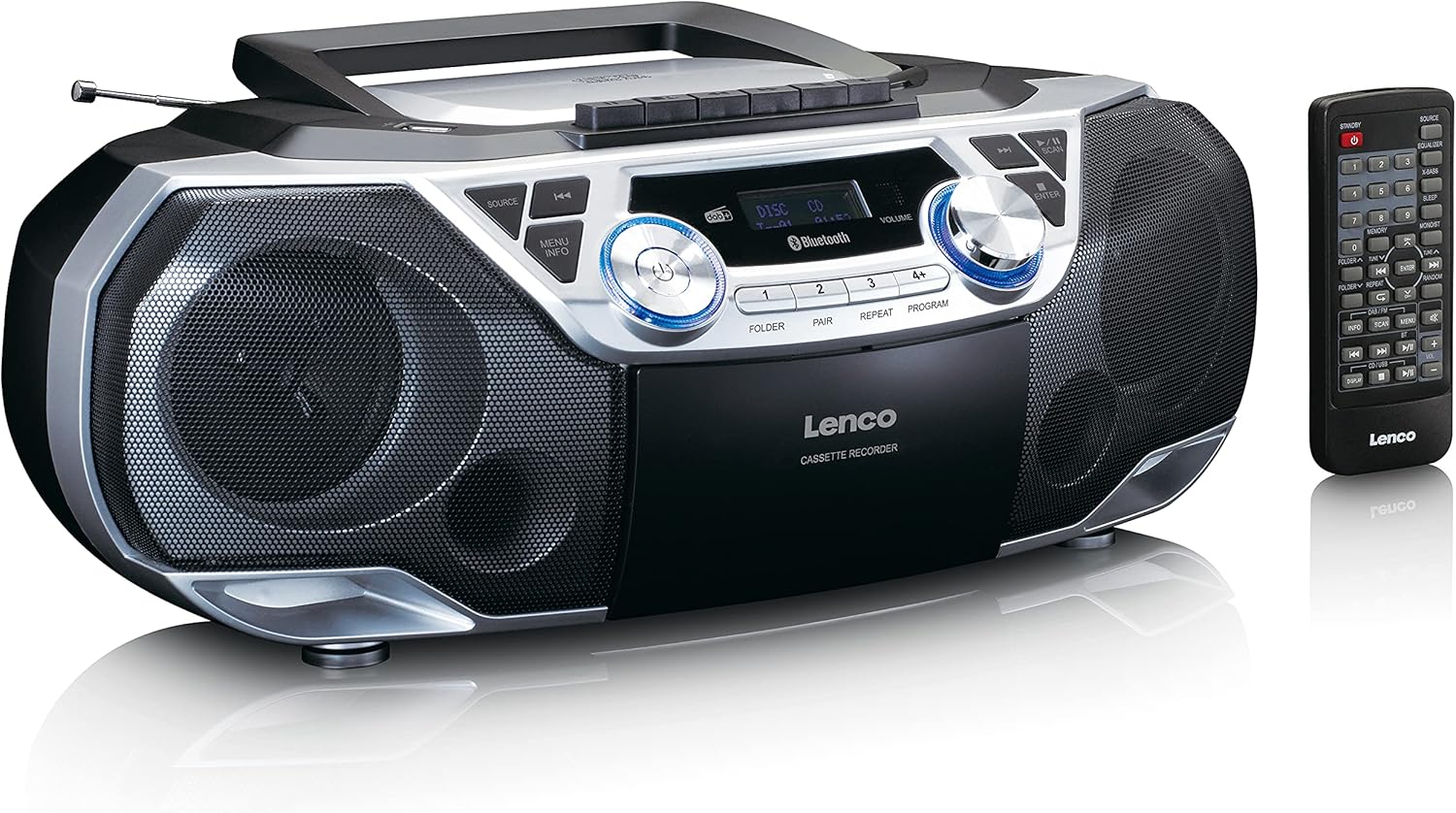
The Lenco SCD-720 Boombox is displayed next to its included remote control, illustrating the complete package.
Алсын удирдлагын зохион байгуулалт

A close-up image of the remote control for the Lenco SCD-720 Boombox, showing all buttons for power, source selection, playback, tuning, and other functions.
4. Тохиргоо
4.1 Эрчим хүчний холболт
The Lenco SCD-720 Boombox can be powered by AC mains or batteries.
- Хувьсах гүйдлийн хүч: Connect the supplied AC power cord to the AC IN socket on the rear of the unit and then to a standard wall outlet.
- Батерейны ажиллагаа: For portable use, open the battery compartment on the rear of the unit and insert 8 x 'C' type batteries (not included), ensuring correct polarity. Close the compartment securely.
4.2 Антенны тохируулга
For optimal radio reception, extend the telescopic antenna fully. Adjust its position and angle to achieve the best signal quality for both DAB+ and FM broadcasts.
4.3 Анхдагч асаалттай
дээр дарна уу ХҮЧ button on the unit or remote control to turn on the boombox. The display will light up, and the unit will typically start in the last used mode.
5. Ашиглалтын заавар
5.1 Ерөнхий хяналтууд
- Асаах/унтраах: дээр дарна уу ХҮЧ товч.
- Дууны хяналт: -г эргүүл ЭЗЭМШИГ knob on the unit or use the VOL + / - алсын удирдлага дээрх товчлуурууд.
- Эх сурвалжийн сонголт: дээр дарна уу ЭХ СУРВАЛЖ button on the unit or the dedicated source buttons (DAB/FM, CD/USB, BT) on the remote to switch between modes (DAB+, FM, CD, USB, Bluetooth, AUX).
5.2 Радио ажиллагаа (DAB+/FM)
- Сонгох горим: дээр дарна уу ЭХ СУРВАЛЖ button until DAB+ or FM mode is selected.
- Автомат скан хийх: DAB+ эсвэл FM горимд байгаа бол товчийг дарна уу SCAN button to automatically search for and store available stations.
- Гараар тааруулах: -г ашиглана уу TUNE < / > давтамжийг гараар тохируулах товчлуурууд.
- Урьдчилан тохируулсан станцууд: The unit allows you to save your favorite stations. Press and hold one of the numbered preset buttons (1-4) to store the current station. Briefly press a preset button to recall a stored station.
- DAB+ Information: DAB+ горимд товчлуурыг дарна уу МЭДЭЭЛЭЛ button to cycle through various information such as program type, signal strength, time, and date.
5.3 CD/MP3 тоглуулах
- Load CD: Open the CD compartment lid by pressing the НЭЭЛТТЭЙ button. Place a CD or MP3 CD with the label side facing up. Close the lid securely.
- Тоглуулах: The CD will start playing automatically. If not, press the ТОГЛОХ/ЗОГСООХ товч.
- Хяналтууд: Ашиглах SKIP << / >> buttons to skip tracks. Press and hold to fast forward/rewind.
- Давтах: дарна уу ДАВТАХ to repeat the current track or all tracks.
- Хөтөлбөр: дарна уу ХӨТӨЛБӨР to create a custom playback order for tracks.
5.4 Кассет тоглуулах болон бичих
- Load Cassette: Open the cassette compartment. Insert a cassette tape.
- Тоглуулах: дээр дарна уу ТОГЛОХ товч.
- Бичлэг: To record from Radio, CD, USB, or AUX, select the desired source. Insert a blank cassette. Press the БИЧЛЭГ button (usually red) along with the ТОГЛОХ товчлуурыг нэгэн зэрэг дарна.
- Хяналтууд: Ашиглах ХУРДАН Урагшаа болон БУЦАХ товчлуурууд. дарна уу ЗОГСООХ/ГАЛААХ to stop playback and open the compartment.
5.5 Bluetooth 5.0 Холболт
- Bluetooth горимыг оруулна уу: дээр дарна уу ЭХ СУРВАЛЖ button until 'BT' or 'Bluetooth' appears on the display. The unit will enter pairing mode, indicated by a flashing Bluetooth icon.
- Хослуулах: On your smartphone or tablet, enable Bluetooth and search for available devices. Select 'Lenco SCD-720' from the list. Once paired, the Bluetooth icon will stop flashing.
- Тоглуулах: Start playing audio on your connected device. The sound will be streamed to the boombox.
5.6 USB тоглуулах
- USB оруулах: MP3 агуулсан USB флаш дискийг оруулна уу fileUSB порт руу оруулна.
- USB горимыг сонгоно уу: дээр дарна уу ЭХ СУРВАЛЖ button until 'USB' appears. The unit will automatically scan and begin playing MP3 files.
- Хяналтууд: Тоглуулах удирдлагын товчлууруудыг ашиглана уу (PLAY/PAUSE, SKIP << / >>) to manage your music.
5.7 AUX оролт
Connect external audio devices (e.g., MP3 players, smartphones without Bluetooth) to the AUX ДАХЬ jack on the rear of the unit using a 3.5mm audio cable (not included). Select AUX mode via the ЭХ СУРВАЛЖ товч.
5.8 Чихэвчний гаралт
For private listening, connect headphones to the чихэвч jack on the rear of the unit. The main speakers will be muted automatically.
5.9 Алсын удирдлага
The included remote control provides full functionality for the boombox, allowing you to control power, source, volume, playback, tuning, and other settings from a distance. Ensure the remote has working batteries and is pointed towards the front of the boombox.
6. Засвар үйлчилгээ
6.1 Төхөөрөмжийг цэвэрлэх
Wipe the exterior of the boombox with a soft, dry cloth. Do not use abrasive cleaners, waxes, or solvents as they may damage the finish. For stubborn stains, a slightly damp даавууг хэрэглэж болно, дараа нь хуурай даавуу.
6.2 CD Lens Care
If CD playback becomes erratic, the CD lens may need cleaning. Use a commercially available CD lens cleaner disc. Do not touch the lens directly.
6.3 Cassette Head Cleaning
Regularly clean the cassette heads, pinch rollers, and capstans with a cotton swab lightly moistened with isopropyl alcohol to ensure optimal sound quality and prevent tape damage.
6.4 Батерейг солих
If the unit is powered by batteries and performance degrades, replace all 8 'C' type batteries with new ones, ensuring correct polarity. Do not mix old and new batteries or different types of batteries.
7. Алдаа засах
| Асуудал | Боломжит шалтгаан | Шийдэл |
|---|---|---|
| Хүч чадалгүй | Цахилгааны утас холбогдоогүй; Батерей дууссан эсвэл буруу оруулсан. | Check AC cord connection; Replace batteries, ensuring correct polarity. |
| Дуу алга | Дууны түвшин хэт бага байна; Буруу эх үүсвэр сонгогдсон; Чихэвч холбогдсон байна. | Increase volume; Select correct source; Disconnect headphones. |
| Радио хүлээн авалт муу | Антенн зөв сунгаагүй эсвэл байрлуулаагүй; Дохио сул байна. | Extend and adjust the telescopic antenna; Try moving the unit to a different location. |
| CD/USB тоглуулахгүй байна | Disc dirty/scratched; USB format not supported; Incorrect mode. | Clean or replace disc; Ensure USB contains MP3 files; Select CD or USB mode. |
| Bluetooth холболт амжилтгүй боллоо | Boombox not in pairing mode; Device too far; Bluetooth off on device. | Ensure boombox is in BT pairing mode; Move device closer; Enable Bluetooth on your device. |
| Cassette recording issues | Incorrect source selected; Cassette write-protect tab engaged. | Select the desired recording source; Ensure the write-protect tab on the cassette is not broken off. |
8. Техникийн үзүүлэлтүүд
- Загвар: SCD-720SI
- Брэнд: Ленко
- Холболт: DAB+, FM Radio, Bluetooth 5.0, CD/MP3 Player, Cassette Player, USB Playback, AUX Input, Headphone Output
- Аудио гаралт: 2 x 6W RMS
- Эрчим хүчний эх үүсвэр: AC 230V ~ 50Hz or 8 x 'C' type batteries (DC 12V)
- Дэмжигдсэн аудио форматууд: CD, CD-R/RW, MP3 (from CD/USB)
- Онцлог шинж чанарууд: Bass Reflex, Remote Control
- Хэмжээ (L x W x H): Ойролцоогоор 38.5 см x 23.5 см x 14.5 см
- Өнгө: Мөнгө
- Үйлдвэрлэгч: Lenco GmbH
- Гарал үүслийн улс: Хятад
9. Баталгаат хугацаа ба дэмжлэг
Lenco products are covered by a warranty in accordance with European law. For specific warranty terms and conditions, please refer to the warranty card included with your product or visit the official Lenco website. For technical support, service, or spare parts information, please contact Lenco customer service or your local dealer. Please have your model number (SCD-720SI) and purchase details ready when contacting support.
Information regarding software updates and spare parts availability is not provided at this time.