1. Танилцуулга
The Retro-Bit Prism HDMI Adapter is designed to enhance your GameCube gaming experience on modern displays. This adapter converts the GameCube's digital AV output to an HDMI signal, supporting up to 1080P resolution. It is specifically compatible with GameCube Model DOL-001, which features a dedicated Digital AV Out port.

Image 1.1: The Retro-Bit Prism HDMI Adapter, its remote control, and product packaging.
2. Бүтээгдэхүүн дууссанview
2.1 Гол онцлогууд
- GameCube Compatibility: Exclusively designed for GameCube Model DOL-001.
- HDMI гаралт: Provides a digital video and audio signal for modern displays.
- Customizable On-Screen Display (OSD): Adjust video settings using the included IR remote.
- Програм хангамжийн шинэчлэлтүүд: USB-C data port allows for easy firmware updates.
- Scan Filters: Includes various scan filter options for display customization.
- Залгаад тоглуулах тохиргоо: Simple installation for immediate use.
2.2 Бүрэлдэхүүн хэсэг

Image 2.1: Diagram illustrating the Digital AV Out connector, USB-C data port, HDMI output port, and Universal Remote Sync Button on the adapter, along with the included IR remote.
- Digital AV Out Connector: This connector plugs into the Digital AV Out port on the back of your GameCube Model DOL-001.

Image 2.2: Digital AV Out Connector.
- HDMI гаралтын порт: Connects to your display via an HDMI cable (not included).

Image 2.3: HDMI Output Port.
- USB-C өгөгдлийн порт: Used for installing firmware updates.

Image 2.4: USB-C Data Port.
- IR алсын удирдлага: For navigating the On-Screen Display and adjusting settings.

Image 2.5: IR Remote Control.
3. Тохируулах заавар
Follow these steps to connect your Retro-Bit Prism HDMI Adapter to your GameCube and display:
- Verify GameCube Model: Ensure your GameCube is Model DOL-001. This model has a Digital AV Out port next to the analog AV port on the back. The adapter is not compatible with later GameCube models (DOL-101) that lack this digital port.
- Адаптерийг холбох: Carefully insert the Digital AV Out Connector of the Prism HDMI Adapter into the Digital AV Out port on your GameCube.
- HDMI кабелийг холбоно уу: Plug one end of an HDMI cable (not included) into the HDMI Output Port of the Prism adapter and the other end into an available HDMI input on your television or monitor.
- Асаах: Power on your GameCube and your display. Select the correct HDMI input on your display.

Image 3.1: Plug-and-Play Setup diagram. The adapter connects to the GameCube's digital AV port, and an HDMI cable connects the adapter to a display.
Чухал тэмдэглэл:
The adapter extends from the back of the GameCube. To prevent potential stress or damage to the GameCube's Digital AV Out port, it is recommended to provide support for the adapter and the connected HDMI cable. This can be achieved using a small prop or a custom-made bracket.
4. Ашиглалтын заавар
4.1 On-Screen Display (OSD) and Remote Control
The included IR remote control allows you to access and navigate the adapter's On-Screen Display (OSD) to customize video settings. Use the directional buttons to navigate and the 'A' button (MENU/OK) to select options. The 'B' button (EXIT) is used to go back or exit the OSD.
Available settings may include:
- Scan filters (e.g., scanlines)
- Aspect ratio adjustments (e.g., 4:3, 16:9)
- Brightness, contrast, and color settings
4.2 Activating Progressive Scan (480p)
To achieve the highest possible picture quality (480p progressive scan) for compatible GameCube games, you must hold down the B товчлуур on your GameCube controller while booting up a game. If the game supports 480p, you will be prompted to enable it. Select 'Yes' to activate progressive scan.
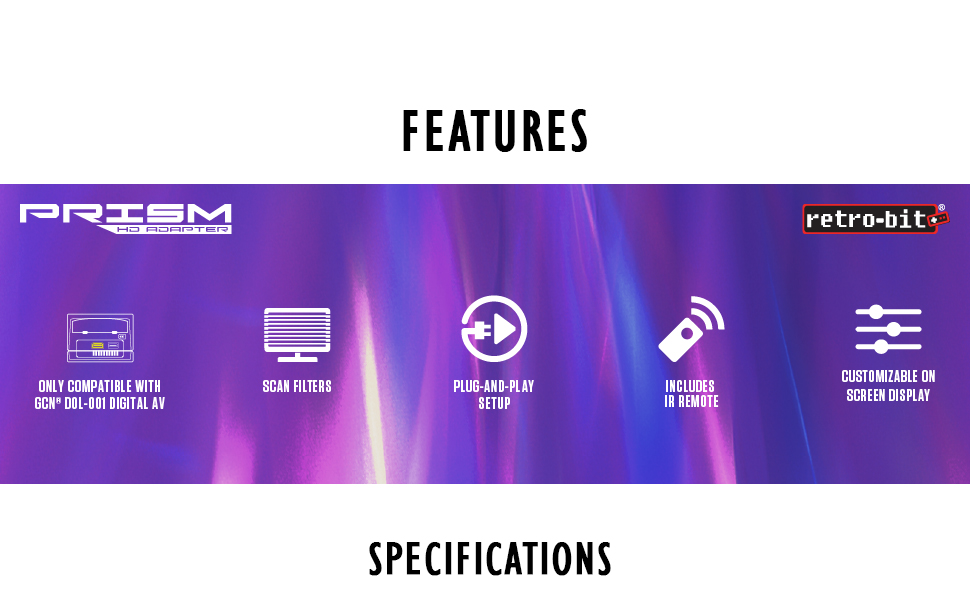
Image 4.1: Visual comparison demonstrating the improved clarity and detail when using HD 480p with Progressive Scan enabled compared to standard AV 480i Composite Video.
5. Засвар үйлчилгээ
5.1 Програм хангамжийн шинэчлэлтүүд
The Retro-Bit Prism HDMI Adapter features a USB-C data port for firmware updates. Periodically check the official Retro-Bit website for available firmware updates. These updates can provide performance improvements, bug fixes, and additional features. Follow the instructions provided on the Retro-Bit website for the specific update process.
6. Алдаа засах
- Дэлгэц дээр зураг алга:
- Ensure the GameCube is Model DOL-001.
- Verify the adapter is fully seated in the GameCube's Digital AV Out port.
- Check that the HDMI cable is securely connected to both the adapter and the display.
- Confirm your display is set to the correct HDMI input.
- Try a different HDMI cable or display to rule out external issues.
- Зургийн чанарын асуудал:
- Ensure Progressive Scan (480p) is activated for compatible games by holding the B button during game boot-up.
- Adjust settings via the OSD using the IR remote.
- Adapter Feels Loose or Causes Port Strain:
- As noted in the setup section, provide physical support for the adapter and HDMI cable to alleviate strain on the GameCube's Digital AV Out port.
7. Техникийн үзүүлэлтүүд
| Онцлог | Дэлгэрэнгүй |
|---|---|
| Загварын дугаар | 849172013063 |
| Тохиромжтой байдал | Nintendo GameCube Model DOL-001 (with Digital AV Out port) |
| Гаралт | HDMI |
| Дэмжигдсэн нягтрал | Up to 1080P (GameCube native output is 480p for progressive scan compatible games) |
| Өгөгдлийн порт | USB-C (for firmware updates) |
| Хэмжээ | 5.51 x 0.79 x 6.69 инч |
| Жин | 1.44 унц |
| Үйлдвэрлэгч | Ретро-Бит |
| Гарсан огноо | 26 оны гуравдугаар сарын 2021 |
8. Баталгаат хугацаа ба дэмжлэг
For warranty information, technical support, or further assistance with your Retro-Bit Prism HDMI Adapter, please visit the official Retro-Bit webсайт эсвэл хэрэглэгчийн дэмжлэгтэй шууд холбогдоно уу. Баталгаат нэхэмжлэл гаргахын тулд худалдан авалтаа нотлох баримтаа хадгалаарай.


